
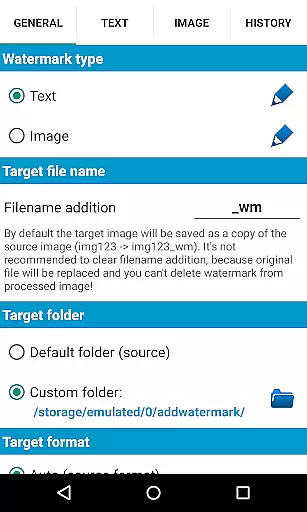
Add Watermark is a powerful photography tool designed to help users protect their digital content by adding customizable watermarks to images. This app allows you to embed text or logo watermarks into your photos, providing both branding and copyright protection.
The application offers extensive customization options including size adjustment, transparency control, rotation settings, and alignment preferences. Whether you're a professional photographer looking to brand your work or a casual user wanting to secure your personal photos, Add Watermark provides the necessary tools to ensure your images are marked appropriately.
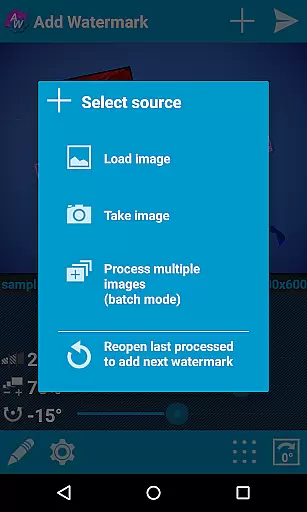
With support for batch processing and automatic watermarking through sharing from other apps, this app streamlines workflows while maintaining high-quality output. Its comprehensive feature set makes it an essential tool for anyone serious about protecting their visual content.
Add Watermark stands out with its robust feature set tailored for both amateur and professional use. The app supports batch mode processing, enabling users to watermark multiple images simultaneously, which significantly boosts productivity.
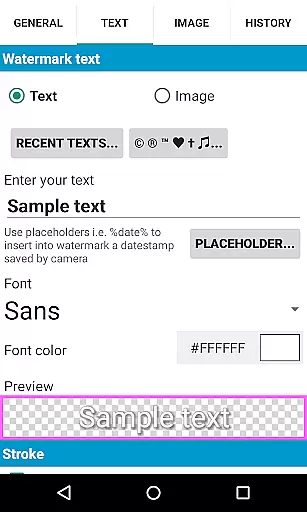
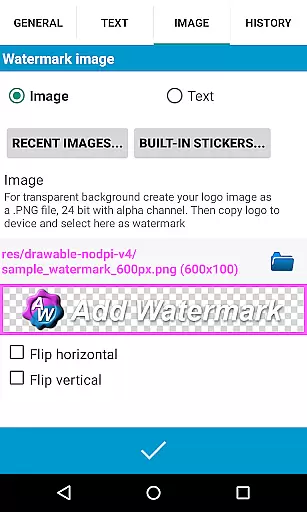
Users can choose from 72 built-in fonts or import up to 20 custom fonts for personalized text watermarks. Additionally, the app allows the use of transparent PNG images as watermarks, offering versatile branding options. With features like timestamp insertion, filename tagging, and GPS metadata inclusion, each watermark can carry detailed information.
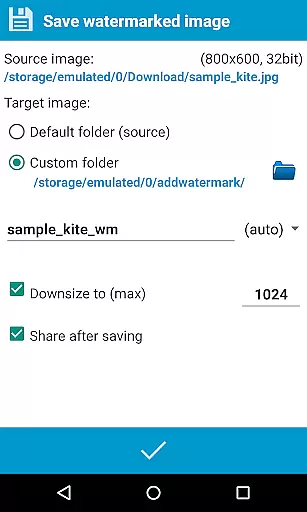
Advanced functionalities include full EXIF and XMP metadata support, 360° panorama compatibility, and flexible saving formats (JPEG or PNG). Users can also back up settings on their device or in the cloud, ensuring seamless access across devices. These capabilities make Add Watermark a comprehensive solution for managing and protecting digital imagery.
Real-time capture and preview functionality is essential for ensuring that users can accurately place watermarks on their images. This feature allows photographers and content creators to visualize the final output before committing to the watermarking process.
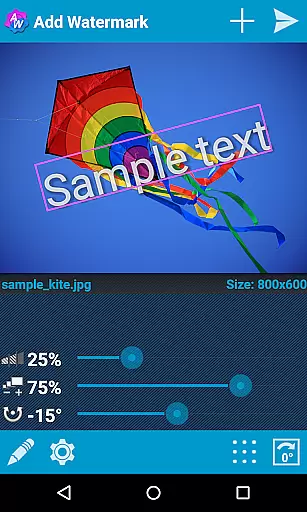
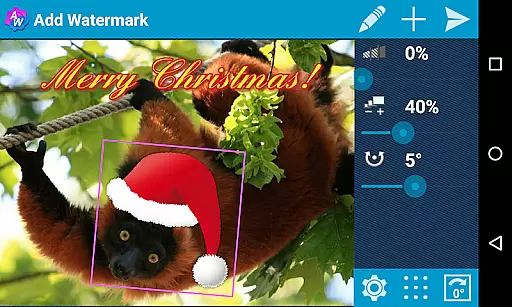
Add Watermark provides an intuitive interface where users can adjust the size, transparency, rotation, and alignment of both text and logo watermarks in real time. The immediate visual feedback helps in fine-tuning these elements to achieve the desired effect without any guesswork.
The ability to see changes instantly enhances user experience by saving time and reducing errors. Users can experiment with different settings, such as fonts, colors, and effects, directly on their images, ensuring that the watermark complements the photo aesthetically and functionally.
This real-time interaction not only streamlines the workflow but also empowers users to produce professional-quality outputs consistently. Whether it's for batch processing or individual edits, having a live preview ensures precision and satisfaction with the final product.
AI beauty and enhancement features focus on improving image quality while maintaining natural aesthetics. In Add Watermark, this translates to advanced functionalities that enhance photos without making them look overly processed or artificial.
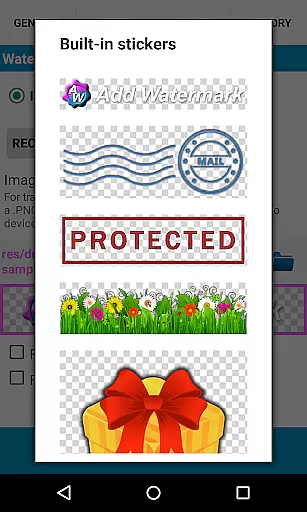
The application supports transparent PNG images as watermarks, allowing seamless integration into photos. Additionally, built-in sticker collections and custom font imports offer creative freedom, enabling users to personalize their work authentically.
With full support for EXIF and XMP metadata, Add Watermark preserves important information about the original image, which is crucial for professionals who rely on accurate data. The app also caters to specific needs like timestamp insertion and GPS tagging, enhancing the utility without compromising authenticity.
By balancing automated enhancements with manual controls, Add Watermark delivers a sophisticated toolset that respects the integrity of the original content. This approach ensures that enhancements appear natural and do not detract from the overall quality of the photograph.
User-friendly interface
Extensive customization options
Batch processing capability
Cloud backup support
Versatile watermark types
Free version has limitations
No video watermarking
Occasional bugs reported
Limited free font options
Paid version required for full features

Trendy TikTok time warp scan funny filter app brings you unique photos & videos.
 4.40
4.40
Android Native system HD camera app. Never been so simple and faster.
4.70
Photo prints, cards, & gifts at Walgreens. Easy ordering & fast local pickup !
4.80
Create collages easily! Nice pic collage maker & background eraser for Instagram
4.50
Light-weight Media Gallery app for Android made with Jetpack Compose
4.60
Add a dreamy vibe to your selfies and videos with soft style filters
4.2
Create AI photos & videos with Enhancer; restore, fix, beautify, enhance photos
4.50
Astrophotography with your smartphone, photo live stacking and much more!
3.90
Try an anime version, cartoon yourself, and generate AI hug or aging videos!
3.70
Find time and duration of different sunlight phases at any location
4.90
Take videos and pictures with the popular TikTok TIME WARP SCAN filter.
4.60
RAW video capture with advanced controls
4.40
Natural Beauty, Selfie Retouch
4.30
Create AI Photos, Improve and restore quality of blurry, old or damaged pics.
4.20
AI-powered video creator by MiniMax - Where ideas meet cinema
4.20
Create & Edit with AI: AI Remove, Enhance, Retouch, Filter
4.10
Remote control of the phone camera from your Wear OS smartwatch
3.70
Perfect photos with body shaping, BG changer and object remover.
3.70
Over 800 film simulation recipes for Fujifilm. Black Friday Offer!
4.4


User Reviews