
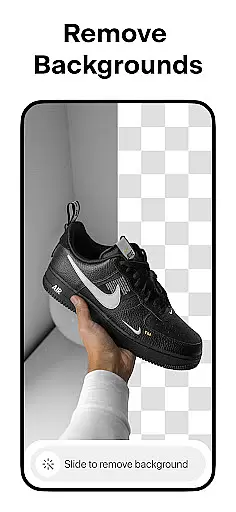
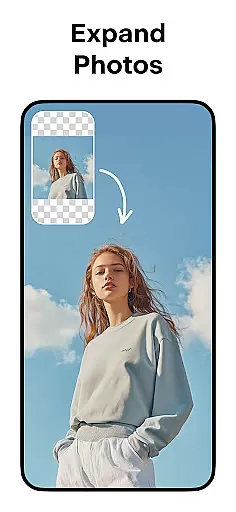
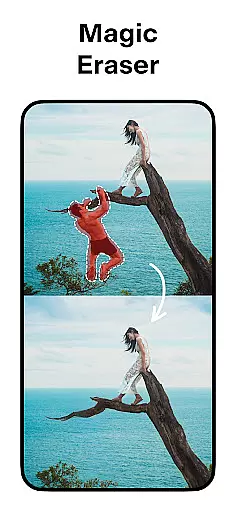

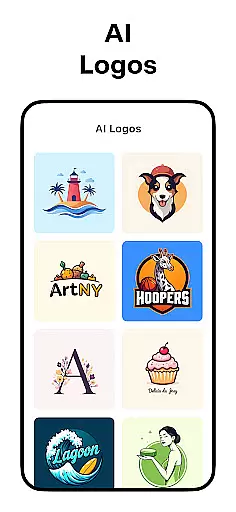
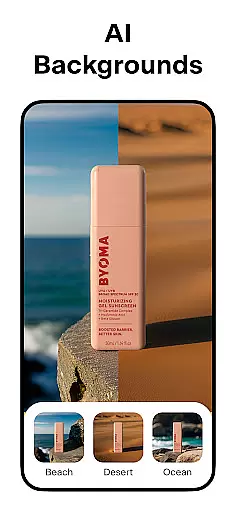
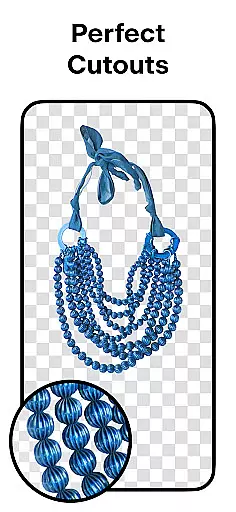
Pixelcut AI Photo Editor is a powerful all-in-one design tool that empowers users to create professional-quality images with minimal effort. The app's core functionality revolves around its advanced AI-powered features, enabling users to remove backgrounds, erase unwanted objects, and generate product photos effortlessly.
Beyond basic editing, Pixelcut offers specialized tools for e-commerce professionals and social media creators. Users can access thousands of customizable templates, add artistic text overlays, and experiment with various background options including solid colors and realistic shadows. These capabilities make it particularly valuable for entrepreneurs looking to enhance their online stores or marketing materials.
The application's intuitive interface and comprehensive feature set make it suitable for both beginners and experienced designers. Whether you're creating content for Instagram, Shopify, or other platforms, Pixelcut streamlines the process of producing visually appealing images that help businesses stand out in competitive markets.
Pixelcut distinguishes itself through its diverse range of AI-driven features. The Background Remover tool provides precise cutouts with just one tap, while the Magic Eraser allows users to seamlessly remove unwanted elements from their photos. For e-commerce businesses, the AI Photoshoot feature revolutionizes product photography by generating unlimited variations of product images.
The app's creative capabilities extend to its extensive library of resources. Users can choose from thousands of professionally designed templates, experiment with hundreds of font styles, and access a growing collection of overlays and backdrops. The Magic Writer tool, powered by OpenAI technology, assists with generating compelling copy for social media posts and product descriptions.
Additional features include a Reels Maker for video creation, collage tools with multiple layout options, and community-driven template discovery. The premium Pixelcut Pro membership unlocks unlimited access to these features, making it an attractive option for serious content creators and business owners who require consistent, high-quality visual content.
Pixelcut AI Photo Editor stands out as a comprehensive creative suite for both amateur and professional designers. The application offers an extensive range of tools that cater to various design needs, ensuring users have everything they require at their fingertips.
One of the key features is the Background Remover, which allows users to instantly remove backgrounds from photos with precision. This tool is complemented by the Magic Eraser, enabling the removal of unwanted objects, thus providing a seamless photo cleanup experience.
In addition to these, Pixelcut incorporates AI Photoshoot, which revolutionizes product photography for e-commerce by generating unlimited high-quality images. The inclusion of Magic Writer, powered by advanced AI akin to ChatGPT, aids in crafting compelling product descriptions and engaging social media content.
The availability of templates, text styles, and design elements like shadows and color backgrounds ensures that users can create professional-grade designs without needing deep technical expertise. This complete toolkit empowers creators to produce standout visuals that enhance their brand presence across platforms such as Instagram and Shopify.
Flexibility in design is crucial for creativity, and Pixelcut AI Photo Editor excels in providing versatile canvas options and format compatibilities. Users can explore different creative layouts through the Collages feature, allowing them to merge multiple photos into visually appealing compositions.
The platform supports creating videos for business use with its Reels Maker, demonstrating adaptability not just in static images but also in dynamic content creation. This makes it suitable for diverse marketing needs, from social media posts to promotional videos.
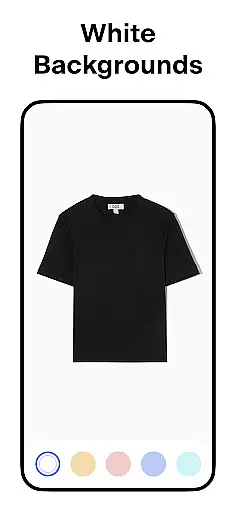
Moreover, Pixelcut offers the option to place products on white or colored backgrounds, giving users the creative freedom to match their brand aesthetics or comply with marketplace standards. With control over elements like shadows, users can add realism to their product images, making them more appealing to potential customers.
By integrating thousands of community-driven templates, Pixelcut ensures that users have a broad spectrum of starting points for their projects. Whether it's for YouTube, podcasts, or online storefronts, this flexibility in format and canvas empowers users to customize their creations extensively, meeting specific project requirements while maintaining a professional look.
User-friendly interface
Advanced AI features
Extensive template library
Professional results
Regular updates
Premium features locked
Subscription required
Watermark on free version
Limited offline capabilities
Learning curve for beginners

Image/ Text to Video Generator
 4.40
4.40
Create neon drawing with magic doodle and fun doodle art effects!
4.50
Logo Generator powered by AI: Create stunning logos effortlessly!
4.70
Unleash Your Creativity with Draw Cartoon - AR Drawing App
4.10
Castle is social media for creating and playing games!
4.60
A luxurious gold watch face for an elegant and refined look.
4.3
Art of Combination Wear OS Watch faces (for Wear OS 5+ devices)
3.90
Beauty Camera - Selfie Camera is the ultimate beauty camera and selfie app
4.30
Create cute cat emojis & PFPs! Fun, custom avatars for cat lovers.
3.70
Your AI soulmate — meaningful chats, and unique emotional moments
4.70
Novices can also easily complete diamond painting masters
4.70
The ultimate tool for creating animations
4.60
Draw beautiful mandala's very easily
4.60
Unleash the artist in you with our AR drawing and tracing tool for photo drawing
4.10
Design your dream room with AI. Get decor ideas & plan home interiors
3.90
AI Art Generator transforms your words into AI generated art & paintings.
3.70
Draw anime easily with AR guidance, sketch templates & trace tools!
3.10
Premium version of Shimeji-ee app with no ads & no limit active shimeji
4.5
Transform photos into amazing monochrome dither art with professional algorithms
4.4


User Reviews