
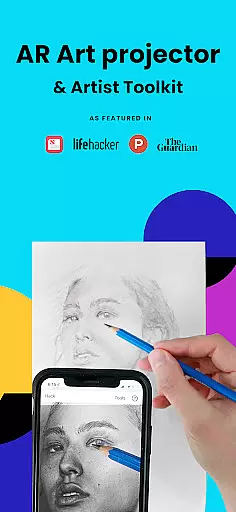
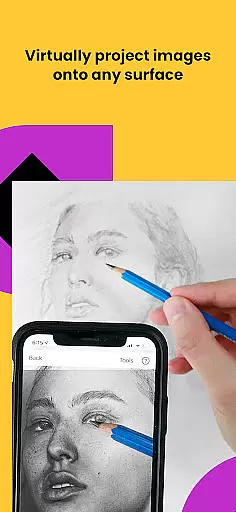
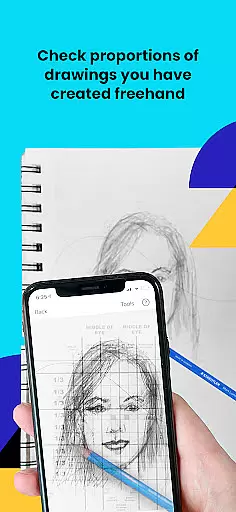
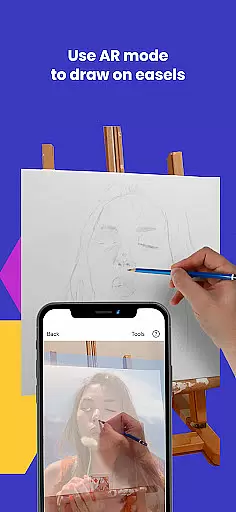
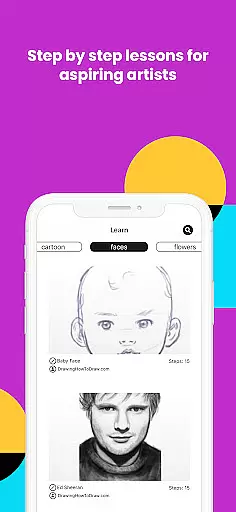
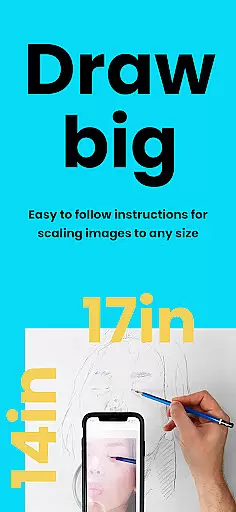
Da Vinci Eye's AR Art Projector is a revolutionary tool for artists of all skill levels, offering an augmented reality tracing and sketching experience. The app allows users to project any image onto their canvas, enabling precise drawing and shading. With features like color layer separation, step-by-step drawing instructions, and time-lapse recording, it provides a comprehensive art creation suite.
This versatile application caters to various artists including illustrators, tattoo artists, and animators. Its unique learning method helps users master proportions and refine their techniques through specialized tutorials and AR tracing tools. Whether you're creating hyper-realistic drawings or practicing fundamental skills, this app serves as an essential digital companion for artistic development.
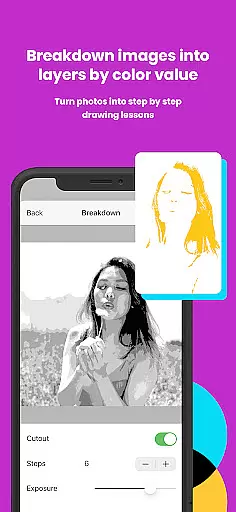
The AR Art Projector distinguishes itself through innovative features that enhance the drawing experience. The app's strobe feature enables hyper-realistic drawings while its ability to separate images into color value layers helps artists understand light and shadow placement. The virtual projection system works with both AR and Classic modes, accommodating different working styles and environments.
What sets this app apart is its patent-pending learning method that transforms any photo into a step-by-step drawing lesson. The community sharing feature and insanely fast customer support create an ecosystem where artists can grow and receive help when needed. These capabilities, combined with video tutorials and micro-detail zooming, make it an indispensable tool for modern artists.
In the realm of digital artistry, having access to comprehensive creative tools is paramount. AR Art Projector offers an extensive suite of features that cater to artists across various disciplines. The app provides functionalities such as creating detailed drawings and sketches from photos, utilizing a strobe feature for hyper-realistic outcomes, and recording time-lapse videos of artistic processes.
Additionally, users can separate images into layers based on color values, which aids in understanding light and shadow placement. This segmentation allows artists to overlay virtual layers onto their canvas, ensuring accurate representation of darks, mid-tones, and highlights. Such tools are indispensable for professionals like tattoo artists, illustrators, and animators who require precision in their work.
The inclusion of video tutorials further enriches the learning experience, teaching users how to sketch and draw effectively. These resources, combined with the ability to transform any photo into a step-by-step shading lesson, make AR Art Projector a versatile companion for both beginners and seasoned artists.
Moreover, the app fosters a community where creatives can share their artwork, receive feedback, and engage with fellow enthusiasts. With insanely fast customer support, users can rely on prompt assistance whenever needed. Overall, AR Art Projector stands out by offering a complete package of creative tools that enhance artistic capabilities.
Flexibility in canvas and format options is crucial for artists seeking to express their creativity without limitations. AR Art Projector excels in this aspect by providing adaptable solutions that cater to diverse artistic needs. Users can sketch or draw on any surface, thanks to the app's unique AR tracing mode, which anchors images to real-world objects, allowing for seamless movement of either the canvas or the device.
This adaptability extends to the ability to zoom in and capture micro-details in drawings, ensuring that no element is too small to be refined. Whether working on intricate designs or expansive murals, artists can maintain precision and clarity throughout their projects. The app supports a wide array of surfaces, from traditional paper to unconventional materials, empowering creators to experiment freely.
Furthermore, AR Art Projector accommodates different drawing modes, including AR tracing and classic modes. While AR tracing enhances alignment and stability during sessions, classic mode offers simplicity akin to traditional art projectors. This dual-mode functionality ensures compatibility with various workflows and preferences, making it suitable for hobbyists and professionals alike.
Ultimately, AR Art Projector's commitment to canvas and format flexibility enables artists to push boundaries and explore new dimensions in their craft. By removing physical constraints and offering versatile tools, the app becomes an invaluable asset for anyone looking to elevate their artistic endeavors.
User-friendly interface
Innovative AR features
Comprehensive learning tools
Active artist community
Excellent customer support
Device compatibility issues
Requires stable setup
Premium feature costs
Steep learning curve
Performance varies

Vidu is an AI video generator made for creators and aspiring makers.
 3.30
3.30
The ultimate tool for creating animations
4.60
Download now for a stylish and functional timepiece
4.2
Design your dream room with AI. Get decor ideas & plan home interiors
3.90
Draw anime & manga drawing, art with templates to create stunning picture!
4.50
Create neon drawing with magic doodle and fun doodle art effects!
4.50
Draw on screen: FP sDraw is a simple and lightweight drawing app
4.70
Art of Combination Wear OS Watch Faces
3.30
Resize photos and print photos in exact size with our powerful photo printer!
3.80
Minecraft & Roblox Clothes
4.70
Unleash your drawing and painting potential
4.50
Everything you need to create hand drawn animation, anywhere you go!
4.40
800+ Drawing, Painting Lessons App to Practice, Sketch & Paint Art.
4.30
Sketch and paint on your device with the feel and freedom of drawing on paper
4.00
Powerful home decoration & house design that allows you to design dream home.
3.80
AI Face Swap, Video Effects Editor, Realtime Morph, Funny Video FX,AI Filters
3.70
AI Art Generator transforms your words into AI generated art & paintings.
3.70
Experience next-gen icons with a modern liquid glass look.
3.60
Create stunning video, photo & magic from text with FlixAI GPT video generator.
3.10


User Reviews