
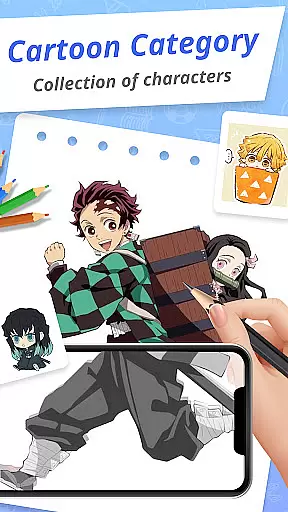
Draw Cartoon - AR Drawing App is an innovative art application that allows users to create stunning augmented reality drawings. The app utilizes your device's camera to project real-world elements into sketches, offering a unique blend of digital and physical art creation.
With features like adjustable opacity, flashlight control, and image locking, the app caters to both amateur and professional artists. Whether you're sketching for fun or honing your artistic skills, Draw Cartoon provides the tools necessary to express creativity in a new dimension.
This app is perfect for aspiring cartoonists who want to trace and draw their favorite characters or create original artwork with the help of AR technology. It offers a supportive environment where users can track their progress and share their creations with others.
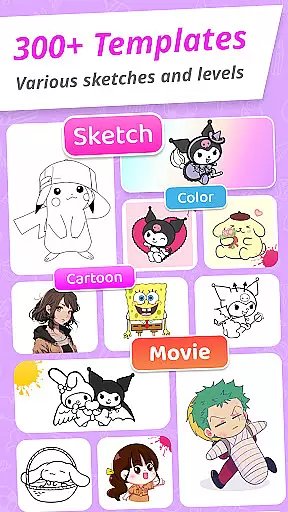
Draw Cartoon stands out with its powerful AR-based drawing capabilities. Users can select from various templates featuring popular cartoon themes such as Pikachu and Scooby-Doo, making it easy to start creating art immediately.
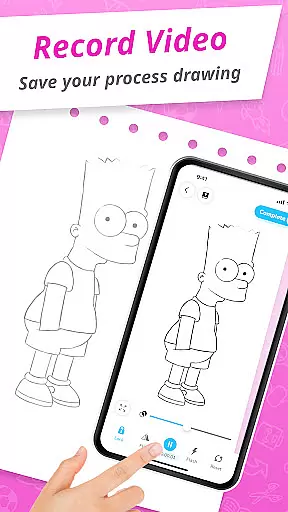
The app includes practical tools like video recording, photo capture, and artwork management through the My Artwork feature. These functions allow artists to document their creative process and review their artistic development over time.
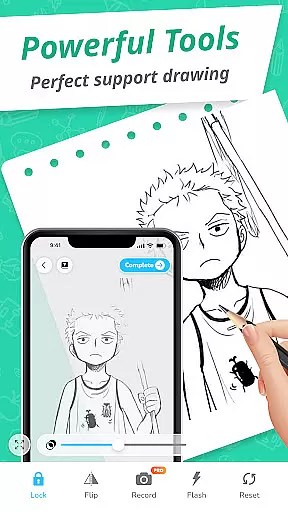
Additional features include the ability to adjust opacity for tracing, toggle the flashlight for better visibility, and lock images to prevent unwanted movement while drawing. This comprehensive set of tools ensures a seamless and enjoyable drawing experience for all skill levels.
In the realm of digital art, having a comprehensive set of creative tools is essential for artists to fully express their visions. Draw Cartoon - AR Drawing App rises to the occasion by offering an impressive suite of features tailored for cartoon enthusiasts and aspiring artists.
The app's powerful AR Cartoon Drawing functionality allows users to incorporate real-world elements into their sketches through their device's camera. With options to record video, take photos, adjust opacity, control the flashlight, and lock or reset drawings, it provides a versatile platform for creativity.
Additionally, the app offers amazing AR Sketch Cartoon Templates, ranging from beloved characters like Pikachu to Scooby-Doo. These free samples serve as excellent starting points for beginners and provide inspiration for more experienced artists.
By combining these robust features with an intuitive interface, Draw Cartoon ensures that both amateur and professional artists can create without limitations, making it a valuable addition to the Art & Design category.
Flexibility in canvas and format options is crucial for artists who wish to explore different styles and dimensions in their artwork. Draw Cartoon - AR Drawing App addresses this need by providing adaptable solutions for various artistic projects.
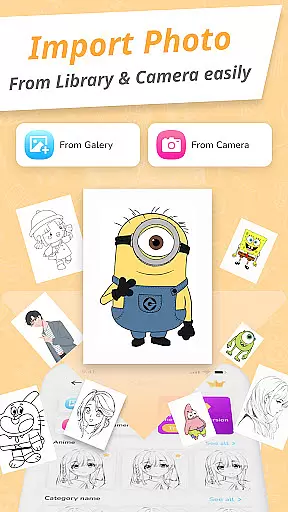
Users can place their phone parallel to their drawing surface, transforming any space into a potential canvas. The app's ability to invert images displayed on the screen allows artists to trace and sketch with precision, effectively turning the device into a dynamic drawing aid.
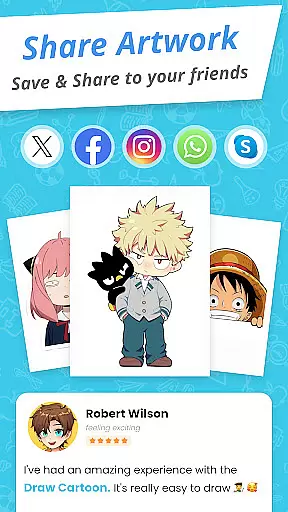
Moreover, the My Artwork feature enables creators to save and share their masterpieces effortlessly. This functionality not only facilitates tracking one's artistic journey but also encourages community engagement by allowing users to showcase their progress and achievements within the augmented reality art space.
With these flexible canvas and format options, Draw Cartoon empowers artists to experiment and grow, pushing the boundaries of what's possible in digital art creation.
User-friendly interface
Wide range of templates
Powerful AR tools
Progress tracking
Active community support
Limited free content
Requires stable hand
In-app purchases needed
Occasional bugs
Device compatibility issues

The ultimate tool for creating animations
 4.60
4.60
Easy 3D drawing design maker & creator. Model designing, Sculpting. Create&paint
4.00
Create stylish invitation cards using templates for weddings, birthdays & RSVP.
4.20
Digital illustration drawing & painting pad app to paint Anime and Manga art
4.50
Paint with oils and sketch with natural tools on a realistic virtual canvas.
3.80
Castle is social media for creating and playing games!
4.60
Photo stitcher for automatically screenshot stitching into a long screenshot
4.70
AI Tattoo Generator: Create Tattoo Designs & Get Ideas! Ink & Stencil Maker
4.50
AI-powered photo & video creation—fast, fun, and effortless with Quick Actions
4.60
Make your phone cooler and have a fantastic experience
4.80
Logo Generator powered by AI: Create stunning logos effortlessly!
4.70
Novices can also easily complete diamond painting masters
4.70
Photo blender app to create overlay photos & double exposure.
4.40
Remove Background, Magic Eraser, Photo Enhancer, Story Templates, Collage Maker
4.30
Text to Image, Image to Video & AI Chat
4.20
Your homescreen as an elegant glass with customized blur, lighting, and visuals.
3.70
Experience next-gen icons with a modern liquid glass look.
3.60
AI Assistant, powered by ChatGPT GPT-4 & GPT-4o. Your intelligent companion.
3.50
Retouch photos. Create or edit images. Endless capabilities.
2.70


User Reviews