
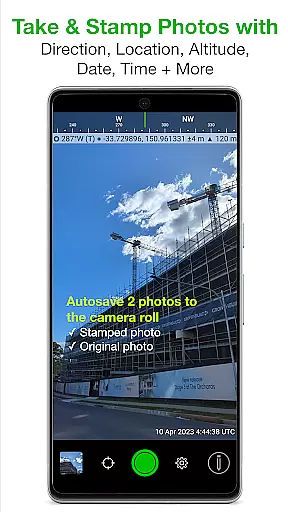
Solocator is a professional GPS camera app designed for fieldwork and photo documentation across various industries. It allows users to overlay and stamp photos with critical metadata such as location, direction, altitude, date, and time. With the optional Industry Pack, users can capture additional field notes like project names and descriptions.
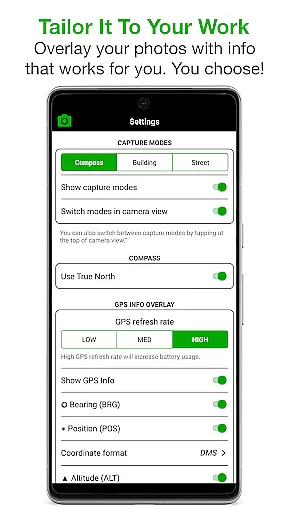
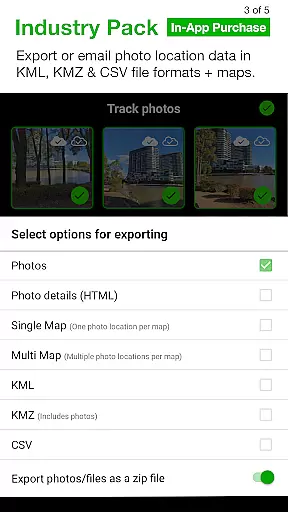
The app is widely used by professionals globally for its ability to tailor overlay information to specific needs. Whether it's GPS coordinates, compass direction, or tilt angles, Solocator provides flexibility in choosing what data to include. Its autosave feature ensures both stamped and original photos are saved, while advanced sharing options allow exporting data in KML, KMZ, and CSV formats.
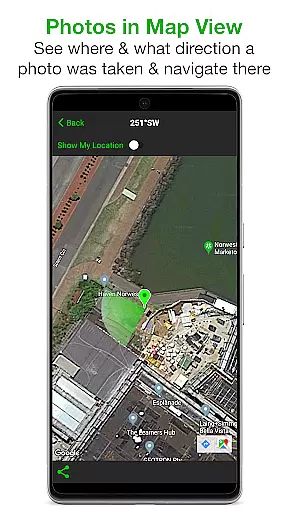
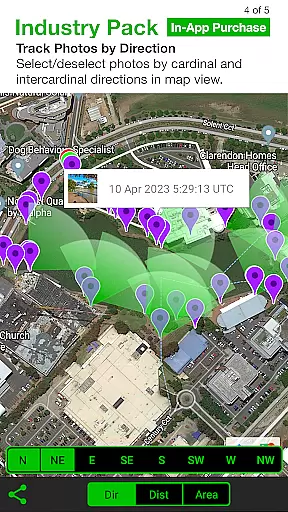
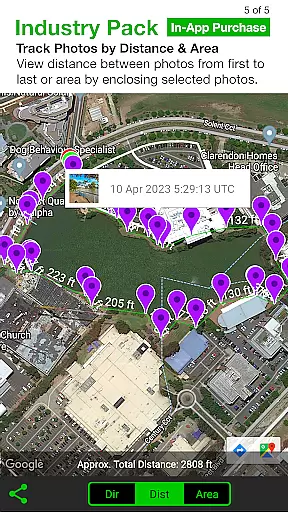
Solocator offers an extensive set of features tailored for professional use. The app supports both front and back cameras with pinch zoom and standard controls like self-timer and flash. Users can sort and share photos based on time, location, or project name, and even view directions on a map.
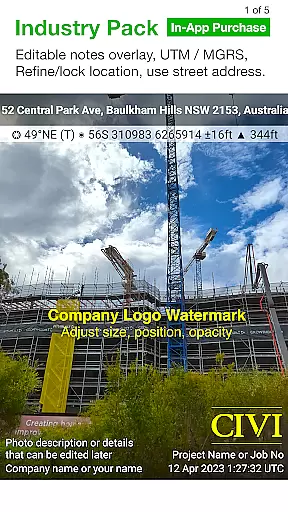
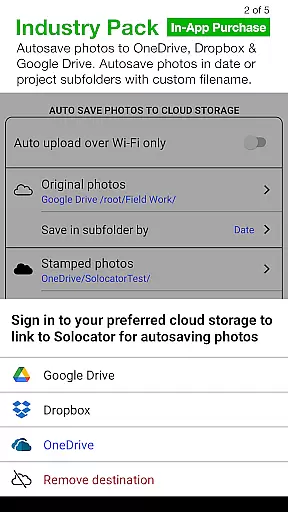
With the Industry Pack, users gain access to advanced functionalities such as editable notes overlays, custom export filenames, and batch editing of multiple photos. Additionally, Solocator supports autosaving to cloud storage services like Google Drive and Dropbox. For devices without a compass, the app provides a compact view mode focusing solely on GPS data, ensuring usability across all devices.
Real-time capture and preview functionality is essential for photography applications like Solocator. This feature ensures that users can instantly see the results of their photos with all selected overlays applied before taking the shot. The immediacy of feedback allows photographers to make necessary adjustments on the fly, ensuring they capture the perfect image without any guesswork.
Solocator enhances this experience by offering a comprehensive set of overlay options that include GPS position, compass direction, altitude, and more. These details are crucial for fieldwork where precise documentation is required. With real-time previews, users can verify that all necessary information is accurately captured in the frame, providing confidence in their photo documentation process.
The application supports both back and front cameras, pinch zoom, self-timer, flash, and exposure controls, making it versatile for various photography needs. By integrating these camera functionalities with real-time overlays, Solocator empowers users to produce high-quality, informative images that meet professional standards. This seamless combination of features significantly boosts productivity and accuracy in photo documentation tasks.
While Solocator does not focus on AI beauty enhancements typical in portrait photography apps, it excels in enhancing photo documentation through its Industry Pack features. This pack offers tools that ensure the naturalness and authenticity of captured data, which is vital for industries relying on accurate visual records. For instance, the ability to add street addresses, UTM/MGRS coordinates, and customizable export filenames adds a layer of professionalism and precision to each photograph.
The app's Autosave and Cloud Storage features further enhance the natural workflow of professionals. By automatically saving both original and stamped photos to cloud services like Google Drive, Dropbox, and OneDrive, Solocator ensures that no data is lost and that all images are readily accessible for future reference. This automated process maintains the integrity of the original photo while providing enhanced versions with critical metadata overlays.
Additionally, Solocatoru2019s capability to refine and lock GPS locations is invaluable for users working in challenging environments. This feature helps improve location accuracy, especially around buildings where GPS signals may be less reliable. By locking the asset position, users can trust that the geographic data embedded in their photos is as accurate as possible, reinforcing the authenticity and reliability of their photo documentation efforts.
User-friendly interface
Comprehensive metadata options
Flexible customization features
Cloud storage integration
Wide industry adoption
Paid Industry Pack
Limited free features
Requires good internet
Occasional GPS inaccuracies
Device compatibility issues

How would you look like with a differently shaped nose, chin or lips?
 3.90
3.90
Create collages easily! Nice pic collage maker & background eraser for Instagram
4.50
A must-have app for landscape photographers
4.60
Gallery Slideshow is slideshow maker app for slideshow from your gallery photos.
3.90
Photo editor & gallery. Crop pictures & edit photos offline, no wifi!
4.50
GCamera allows all GCam features on all phone models! Better photos with GCamera
3.30
AI-powered video creator by MiniMax - Where ideas meet cinema
4.20
Hair color changer, AI haircut app, fun hair editor and buzz cut filter for all!
3.80
Effortlessly make high-quality GIFs from images & videos without any watermarks.
4.70
Photo prints, cards, & gifts at Walgreens. Easy ordering & fast local pickup !
4.80
Easily view, share, delete photos with Gallery.
4.70
Your personal guide to the sun and moon. Plan ahead, visualize and predict!
4.70
AI photo enhancer with Sora 2! Enhance, descratch, and colorize your old photos.
4.50
Easily stitch panoramas from multiple photos or video.
4.40
[3DSteroid Pro] is a stereoscopic application for Android.
4.30
Shooting photos and records video easily and efficient with professional Camera
4.30
How old age camera Gender Swap App Face Shape Hairstyle App Hair Styler App fun!
4.00
Turn photos into cartoons & avatars! - Photo Editor, Cartoon Face!
3.90
Photo Album Watch Face shows your favorite pictures as a Watchface.
1.90


User Reviews