
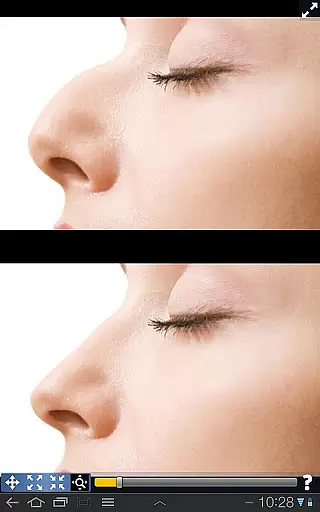
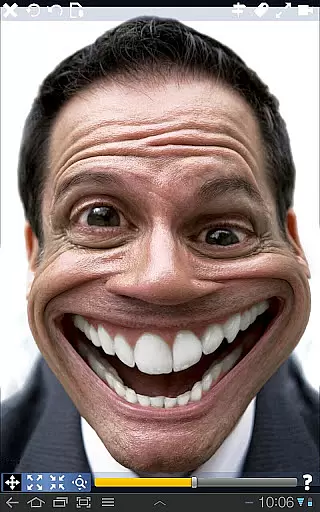
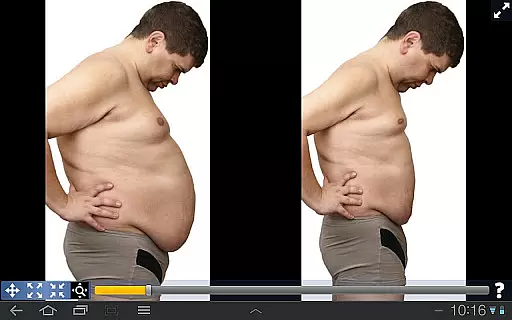
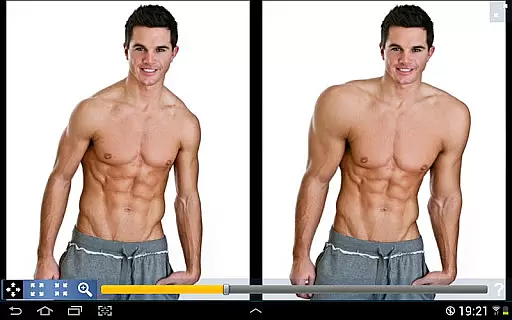
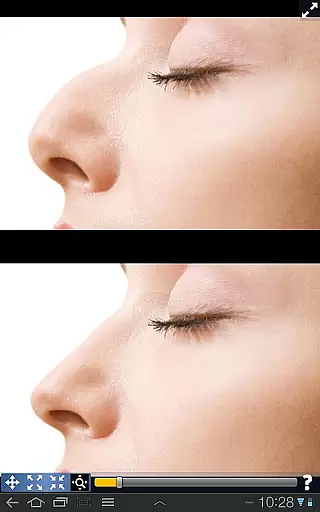
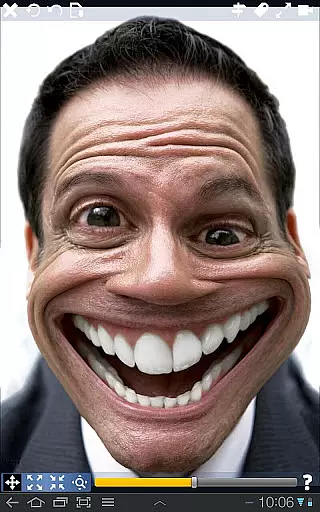
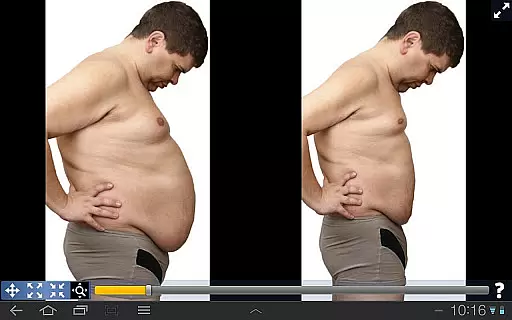
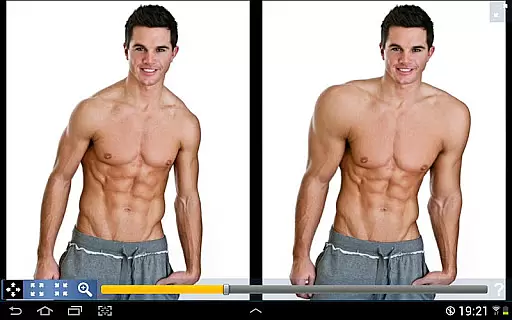
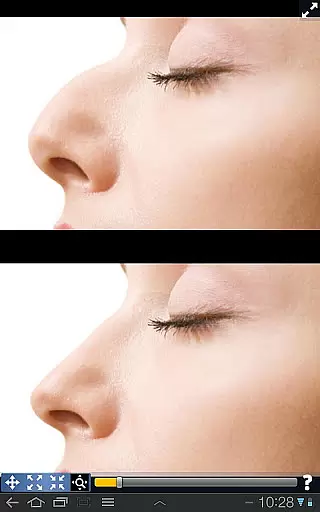
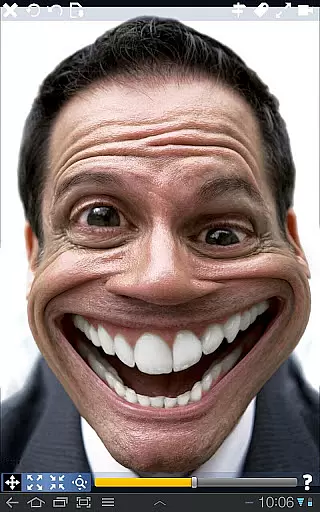
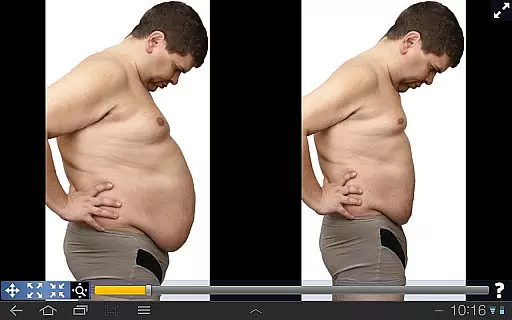
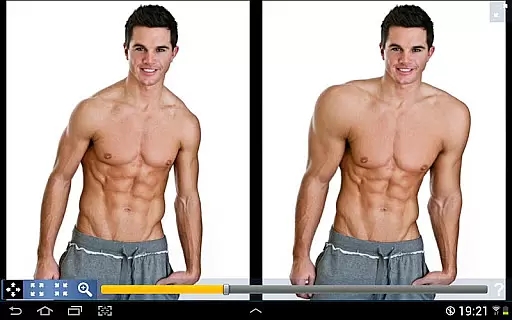
Plastic Surgery Simulator is a dynamic photo editing application designed for creative image manipulation. The app's core functionality lies in its ability to simulate physical transformations through an intuitive distortion toolset. Users can reshape facial features, modify body parts, and experiment with various aesthetic enhancements simply by dragging, expanding, or shrinking specific areas of their photos.
A standout feature of this app is its dual display mode, which mirrors the image when the device is rotated. This allows users to edit without their fingers obstructing the view, making it especially useful on smaller touchscreens like smartphones. Whether you're looking to visualize cosmetic changes, enhance social media presence, or just have fun experimenting with different looks, Plastic Surgery Simulator offers a seamless experience powered by advanced algorithms that ensure smooth and realistic results.
Plastic Surgery Simulator boasts several innovative features that set it apart from other photo editing tools. At its heart is a sophisticated distortion algorithm capable of producing highly realistic transformations. Unlike basic pixel stretching found in some apps, this technology maintains image quality while allowing precise modifications to individual features such as noses, chins, lips, or even muscles.
The app also includes a unique dual display functionality. When users rotate their devices, the original image automatically clones into the adjacent screen space, providing an unobstructed workspace. This feature proves particularly valuable when working on detailed adjustments where finger placement might otherwise block important visual cues. Additionally, the interface supports easy navigation between different transformation modes, enabling quick experimentation with various aesthetic possibilities without losing previous edits.
Real-time capture and preview functionality is essential for any photography app as it allows users to see the effects of their edits instantly. This feature enhances user experience by providing immediate feedback on adjustments.
Plastic Surgery Simulator excels in this area with its powerful photo distortion algorithm that ensures smooth and realistic transformations. Users can drag, grow, or shrink different body parts, seeing the changes in real time without any lag or distortion.
This instant visualization helps users make precise modifications, ensuring they achieve the desired look quickly and efficiently. The ability to see changes as they happen significantly improves the overall user satisfaction and engagement with the app.
Moreover, the dual display mode further enhances the real-time editing experience. By cloning the image into the other half of the screen when the device is rotated, users can modify their images without their fingers obstructing the view. This innovative approach makes the editing process more intuitive and enjoyable.
AI beauty and enhancement features are crucial for modern photography apps, aiming to improve appearance naturally without making images look overly edited. These tools leverage advanced algorithms to ensure enhancements are subtle yet effective.
In Plastic Surgery Simulator, the AI-driven photo distortion algorithm stands out by producing smooth and natural-looking transformations. Whether altering facial features like the nose, chin, or lips, or adjusting body muscles, the results maintain a realistic appearance.
The app's commitment to natural enhancement is evident in its ability to reshape or shrink areas while preserving the original texture and details. This careful balance ensures that edited photos remain believable and aesthetically pleasing.
Additionally, the dual display mode supports this natural enhancement by offering an unobstructed view during edits. Users can focus on fine-tuning their images with precision, knowing that the final result will reflect a harmonious blend of enhanced features and authentic presentation.
User-friendly interface
Realistic distortion effects
Dual display convenience
Wide range of modification options
Smooth transformation capabilities
Limited professional editing tools
No batch processing option
Occasional lag on older devices
Basic color adjustment features
In-app purchases required for full functionality

A collection of tools and reference tables for DPs, ACs, DITs and Operators.
 4.70
4.70
Perfect photos with body shaping, BG changer and object remover.
3.70
What celebrity do you look like? Celebs will find your celebrity match!
4.10
Create AI Photos, Improve and restore quality of blurry, old or damaged pics.
4.20
Movie camera, supports pro recording settings for filming. Try it and be amazed!
4.50
live datamoshing
4.00
Catch sunlight, sunrise sunset times and sun phases with the AR sun tracker.
4.10
Enhance, upscale, and transform your images — on your device, without limits
4.70
Discover How to Plan any Sun, Moon and Milky Way Photo You Imagine in Seconds
4.70
AI Photo Editor with 100+ Filters, Effects! Remove BG, Retouch & Photo Enhancer.
4.80
Discover & download millions of art for The Frame TV or Hisense CanvasTV
4.60
Photo editor & gallery. Crop pictures & edit photos offline, no wifi!
4.50
Create AI photos & videos with Enhancer; restore, fix, beautify, enhance photos
4.50
AI portrait generator and polaroid AI selfie, fun AI generated AI photo creator!
4.30
Luminar: Photo Editor - easy picture editing with AI
4.20
Transform Photos: Edit, Beautify and Craft Memories & Make Collages!
4.10
How old age camera Gender Swap App Face Shape Hairstyle App Hair Styler App fun!
4.00
An interval timer to automate photo taking process for timelapse
2.90
Long exposure camera with computational photography
2.60


User Reviews