
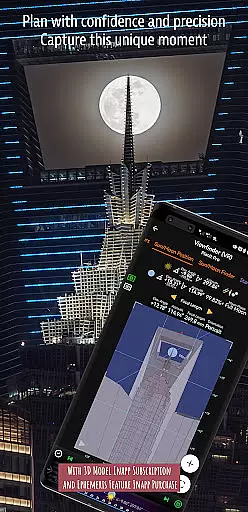
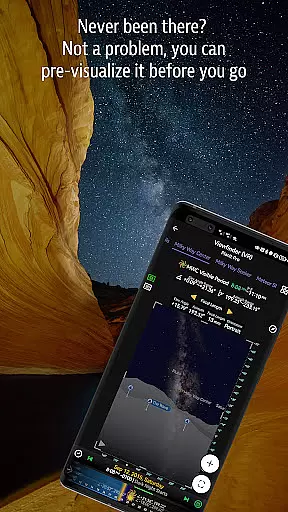
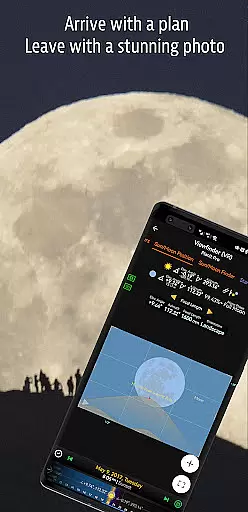
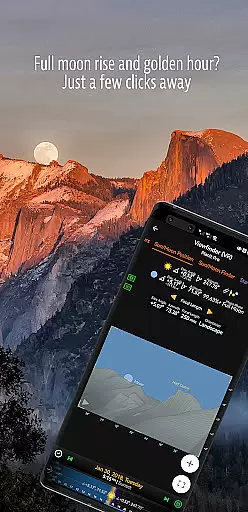
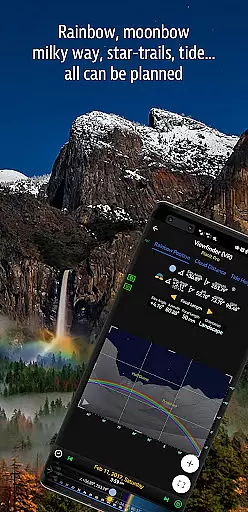

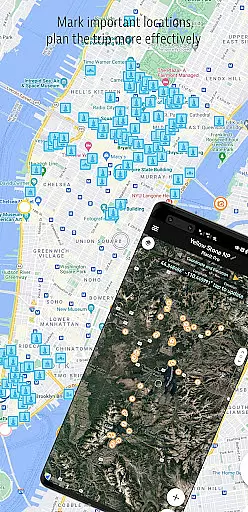
Planit Pro is an advanced photography planning tool designed specifically for landscape, travel, and nature photographers. This app serves as an all-in-one solution by combining mapping technology with a simulated viewfinder to help photographers pre-visualize their shots. With features ranging from location scouting tools like GPS coordinates, elevation data, and clear views, to celestial object tracking such as the Sun, Moon, stars, and Milky Way, Planit Pro offers everything needed for meticulous shot planning.
The app also includes specialized tools for depth of field (DoF) calculations, hyperfocal distance, panorama planning, and even aerial photography considerations. Additionally, it provides detailed ephemeris data including sunrise, sunset, moonrise, and moonset times, along with star trail planning and time-lapse simulations. Whether you're capturing the perfect astro-photograph or planning a cityscape, Planit Pro ensures that every element aligns perfectly for your ideal shot.
One standout feature is its offline functionality. Photographers can preload maps and elevation files, allowing full use of the app in remote locations without network connectivity. This makes it an indispensable companion for outdoor and adventure photographers who often find themselves in areas with limited or no internet access.
Planit Pro stands out with its comprehensive suite of features tailored for professional and amateur photographers alike. The app integrates advanced mapping technology with augmented reality (AR) and virtual reality (VR) viewfinders, providing users with precise visualizations of their intended shots. These include GPS coordinates, elevation data, distance measurements, and clear sightlines, which are crucial for effective location scouting.
In addition to terrestrial tools, Planit Pro excels in celestial photography planning. It tracks the positions of the Sun, Moon, major stars, constellations, and nebulae, offering azimuth and elevation angles for accurate alignment. The app also supports specialized photography techniques such as star trail planning, time-lapse sequences, and milky way searches. Moreover, practical tools like exposure calculators, ND filter guides, light meters, and tide predictions further enhance the photographer's ability to capture the perfect moment under any conditions.
Another remarkable aspect is its offline capability. Users can download elevation files and map tiles beforehand, enabling full functionality without an internet connection. This ensures that photographers can rely on Planit Pro even in the most remote locations, making it an essential tool for landscape and nature photography enthusiasts.
Real-time capture and preview functionality is essential for photographers who need to visualize their shots before taking them. Planit Pro offers an advanced simulated viewfinder that allows users to pre-visualize scenes by combining ground subjects with celestial objects such as the Sun, Moon, stars, and Milky Way.
This feature leverages map technology and augmented reality to provide a comprehensive set of tools. Users can access GPS coordinates, elevations, distances, and other critical data directly on the map overlay or through simulated viewfinders like VR, AR, or street view.
The app's real-time capabilities include calculating depth of field (DoF), hyperfocal distance, panorama settings, and more. This ensures that photographers are well-prepared and can make informed decisions about their shots, greatly increasing the chances of capturing better images.
By using Planit Pro's real-time capture and preview features, photographers can save time and effort, reduce unpreparedness, and enhance their overall landscape photography experience. The ability to pre-visualize scenes makes it an invaluable tool for both amateur and professional photographers.
While primarily focused on landscape and astro-photography, Planit Pro also incorporates AI beauty and enhancement features that ensure natural-looking results. These enhancements help photographers achieve optimal image quality without compromising the authenticity of the scene.
The app includes advanced exposure and ND filter calculators, light meter functionalities, and predictions for phenomena like rainbows. Such tools assist in adjusting camera settings to match the desired aesthetic while maintaining a natural appearance.
Planit Prou2019s AI-driven features extend to predicting tide heights, finding clear views, and planning star trails. By integrating these elements seamlessly into its interface, the app provides users with precise controls over various photographic aspects, ensuring each shot looks as intended.
Ultimately, Planit Pro enhances the creative process by offering sophisticated yet easy-to-use tools that deliver stunning yet natural photographs. Whether capturing cityscapes, night skies, or natural landscapes, this app empowers photographers to produce high-quality images consistently.
Comprehensive feature set
Offline usability
Accurate celestial tracking
Augmented reality viewfinder
Detailed ephemeris data
Steep learning curve
Premium price point
Complex interface
Resource-intensive
Limited casual user appeal

Effortlessly organize, view and share your photos & videos with Gallery app!
 4.40
4.40
Application for remote controlling DSLR
3.00
Perfect body tune & face app - photo retouch, makeup, slim body & beautify face.
4.80
Gallery Slideshow is slideshow maker app for slideshow from your gallery photos.
3.90
Collage your moments in one tap: 1000+ layouts, filters, stickers, and texts.
4.90
Enhance, upscale, and transform your images — on your device, without limits
4.70
Discover How to Plan any Sun, Moon and Milky Way Photo You Imagine in Seconds
4.70
Your Family Calendar + Photos. Manage your Skylight Calendar and Skylight Frame.
4.40
Try an anime version, cartoon yourself, and generate AI hug or aging videos!
3.70
Unblur, enhance & restore photos with powerful AI photo enhancer tools.
4.60
PhotoSync Bundle Add-On License. Enables all features and services in PhotoSync.
4.60
Trendy TikTok time warp scan funny filter app brings you unique photos & videos.
4.40
Create AI Photos, Improve and restore quality of blurry, old or damaged pics.
4.20
Photobooth mini FULL app will allow you to add more fun to your parties
4.00
Astrophotography with your smartphone, photo live stacking and much more!
3.90
Pet Camera
3.70
Create amazing frames with up to five photos. Rounded corners, effects and more!
3.60
Professional video recording application with manual controls for filmmakers!
2.80
Over 800 film simulation recipes for Fujifilm. Black Friday Offer!
4.5


User Reviews