
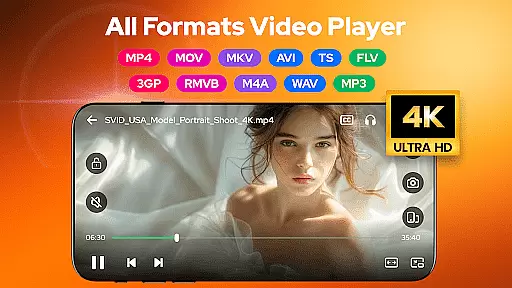

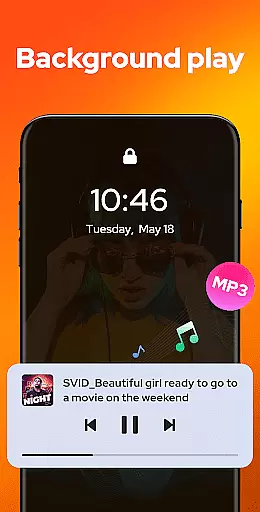
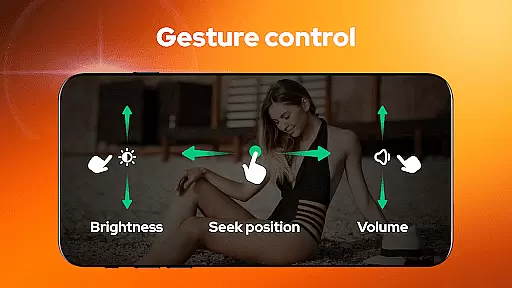
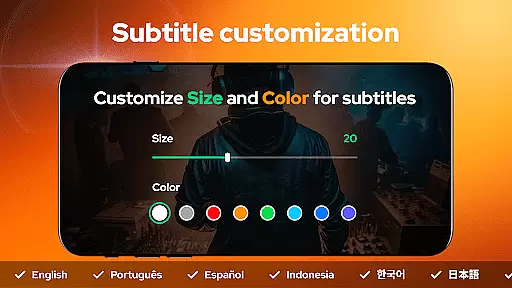
Video Player - AnyPlay is a versatile all-in-one media solution for Android users, combining a powerful video player, file manager, and video downloader. It supports all video formats with HD playback quality, customizable subtitles, and advanced gesture controls. The app also features pop-up playback, background play, and a built-in equalizer for an enhanced viewing experience.
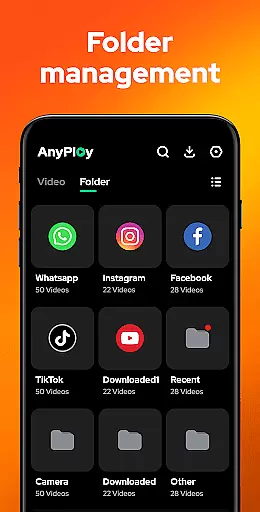
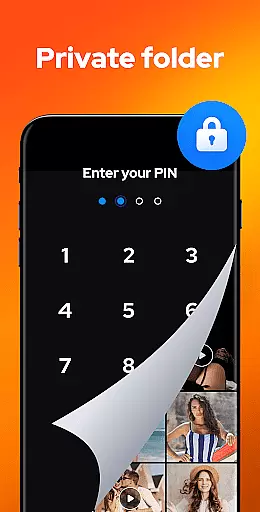
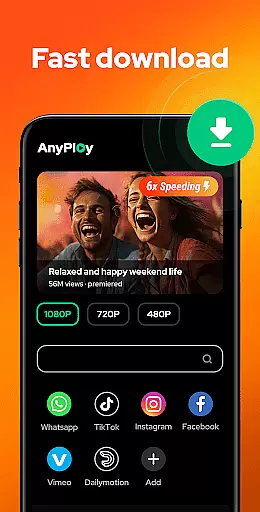
In addition to its robust video capabilities, AnyPlay offers a comprehensive file management system that auto-detects and organizes media files on your device and SD card. Users can hide private videos in a secure folder, sort files by various criteria, and manage playlists effortlessly. With its integrated HD video downloader, you can download content from websites or social media platforms directly to your device.
This application is ideal for users who need a complete media management tool that works seamlessly across different file formats and devices. Whether you're watching movies, managing files, or downloading videos, AnyPlay provides a smooth and feature-rich experience that caters to all your multimedia needs.
AnyPlay stands out with its extensive range of features designed to enhance media consumption. The app's HD video player supports all major formats, including MKV, MP4, AVI, and more. It includes advanced functionalities like subtitle customization, where users can import local files or download online subtitles, adjusting their size and color to preference. Gesture controls allow for intuitive navigation, enabling fast forward, rewind, brightness, and volume adjustments with simple swipes.
The file manager functionality automatically scans and categorizes media files on both internal storage and SD cards. Files are presented in well-organized lists, making it easy to locate specific videos or audio tracks. Privacy-conscious users will appreciate the ability to hide sensitive content in a private folder, ensuring personal media remains confidential. Sorting options by date, name, length, or size further streamline file management.
For those who enjoy downloading content, AnyPlay's built-in browser facilitates quick access to websites and social media platforms. You can download HD videos in resolutions up to 1080P, with options to bookmark favorite sites for future visits. Additionally, the music player supports high-quality audio formats like MP3 and M4A, offering customizable looping modes and equalizer presets for an immersive listening experience.
Video Player - AnyPlay stands out for its exceptional video format compatibility, ensuring users can enjoy a seamless playback experience regardless of file type. The app supports an extensive range of formats including MKV, MP4, AVI, and many more, eliminating the need for additional codec installations.
This comprehensive support is powered by both hardware and software decoding capabilities, allowing for smooth HD video playback. Users can easily switch between HW and SW decoders based on their device's performance or specific media requirements.
The inclusion of advanced features like customizable subtitles and gesture controls further enhances the video playback experience. These tools enable users to personalize their viewing preferences while maintaining full control over playback settings.
For professionals and casual viewers alike, this level of format compatibility ensures that all media files are accessible and playable without limitations, making AnyPlay a versatile solution for diverse video playback needs.
Beyond basic playback, AnyPlay incorporates AI-powered editing features that elevate the user's media management capabilities. The application's intelligent system automatically detects and organizes all media files across the device and SD card, presenting them in intuitive lists and folders.
These AI functions extend to smart categorization options, enabling users to sort videos by date, name, length, or size. The built-in browser facilitates downloading and managing online content, while the private folder feature uses AI algorithms to help users maintain privacy.
While not traditionally an editor, AnyPlay's AI capabilities shine through its automated media management and enhanced organizational tools. These features save users valuable time while ensuring their media libraries remain well-structured and easily accessible.
The combination of traditional video player functions with these intelligent management features creates a powerful toolset for users seeking both playback capability and sophisticated media organization in a single application.
User-friendly interface
Comprehensive format support
Advanced privacy features
High-quality playback options
Integrated downloader
May consume significant storage
Occasional ads in free version
Limited cloud integration
Complex settings for beginners
Resource-intensive on older devices

Cast Videos from Web Browser, IPTV to Roku, Chromecast, DLNA, Smart TV +more
 4.60
4.60
Cast to Chromecast, Xbox, Fire Stick, Roku, DLNA, Smart TV & No Feature Limited!
4.50
Capture images & record videos for USB Camera, Webcam, Microscopes, Endoscopes
3.80
Download videos easily & play them all in one smart, powerful video manager.
3.40
Web Browser for LG TV to stream webvideos, online movies and livestreams in HD
4.20
Cast movies, tv shows and live streams to Chromecast, Roku, DLNA, Fire TV & more
4.60
Livestream, news, & gaming content. Watch, chat, and upload. Join Rumble today!
3.80
Fast & Private HD Video Downloader with Built-in Proxy Browser and Video Player.
4.50
Video&Drama Player All Format is a HD video player, music player
3.00
Tik & Story Saver-Download ALL social media videos, photos & reels no watermark.
4.80
Flud is a simple and beautiful BitTorrent client for Android.
4.80
All in one HD video downloader & player for multiple formats with full privacy
4.70
Snaptubè Video Downloader app allows to download videos and music in Snaptube. .
4.60
Seamlessly connect and control your smart devices, anytime, anywhere with ease.
4.60
IPTV Loader, loads your own Playlist. DOES NOT CONTAIN ANY LIST OR CHANNELS
4.60
Connect 2 UVC devices for recording and broadcast video/audio stream
3.90
Kodi media center, a free and open source cross-platform entertainment hub
3.60
The essential companion to your Blue Iris PC software
2.50
Stream high quality video from your camera over NDI protocol
4.3


User Reviews