
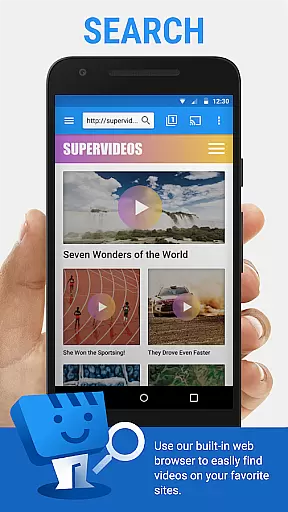
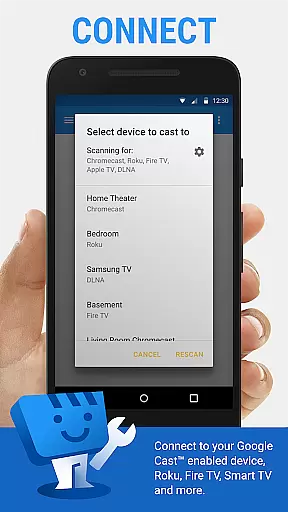
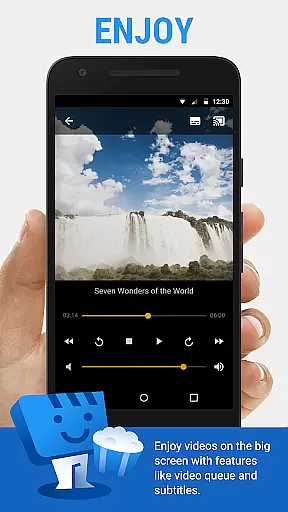
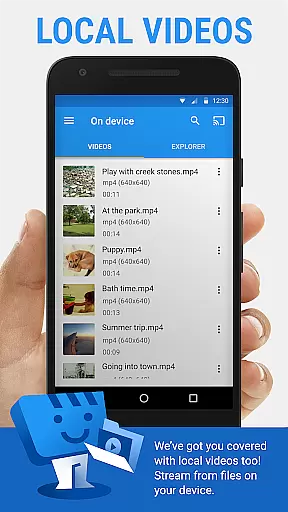
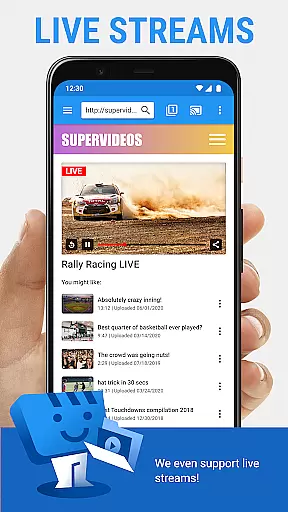
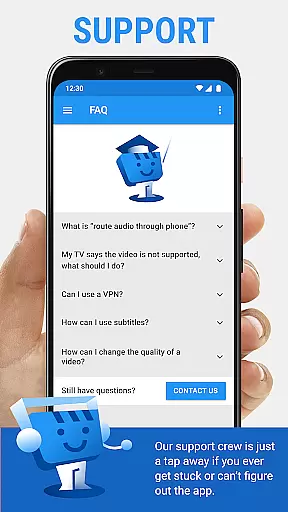
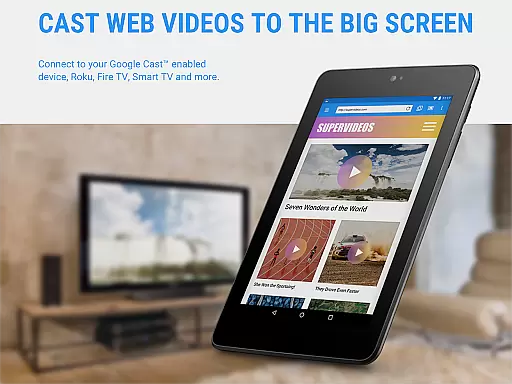
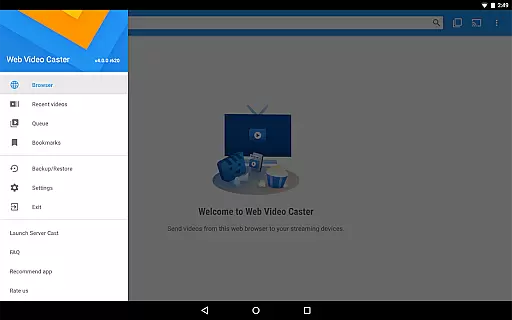
Web Video Cast is a versatile streaming application that allows users to cast videos, photos, and audio files from their mobile devices to various streaming devices. The app supports popular platforms like Chromecast, Roku, Amazon Fire TV, and Smart TVs, making it easy to enjoy web content on the big screen. With support for HLS live streams, MP4 videos, and HTML5 content, Web Video Cast offers a comprehensive solution for media casting needs.
The app's standout feature is its ability to detect subtitles automatically while browsing web pages. Users can also upload their own subtitle files or search for subtitles through OpenSubtitles.org. Whether you're streaming movies, live sports, or personal media collections, Web Video Cast provides a seamless experience across different devices. Its premium version offers additional features like bookmarks and video history, enhancing user convenience.
This application is particularly useful for home entertainment setups where users want to stream online content directly to their TVs. By supporting both web-based and locally stored media, Web Video Cast caters to diverse viewing preferences. The app's compatibility with multiple streaming protocols ensures smooth playback on supported devices, making it an essential tool for modern digital living rooms.
Web Video Cast distinguishes itself through its extensive device compatibility and robust feature set. The application supports major streaming platforms including Chromecast, Roku, DLNA receivers, and various smart TV models. This wide-ranging compatibility ensures that users can connect their mobile devices to practically any modern television or streaming device without compatibility issues.
Beyond basic media casting, the app offers advanced functionalities such as automatic subtitle detection and integration with OpenSubtitles.org. Users can cast local files or stream web content directly, including HLS live streams and HTML5 videos. The premium version adds valuable features like bookmark management, customizable home pages, and video history tracking. These enhancements significantly improve the user experience by providing greater control over media consumption.
Additional practical features include phone call detection for pausing videos, Wi-Fi connection management for stable streaming, and storage access for downloading functionality. The app's thoughtful design extends to its permission structure, where each requested permission serves a specific purpose in enhancing the streaming experience. With its comprehensive feature set and attention to detail, Web Video Cast establishes itself as a powerful tool for media enthusiasts seeking flexible streaming solutions.
Video format compatibility is a crucial feature for any video player and editor, ensuring that users can enjoy content from various sources without technical barriers. Web Video Cast supports an extensive range of formats including MP4 videos, HLS live streams in M3U8 format, and any HTML5 videos, provided the streaming device is capable of decoding them. This flexibility allows users to cast local videos stored on their phone, movies, TV shows, live news, sports, photos, and audio files to their TV effortlessly.
The application's support for multiple formats ensures that users are not limited by the type of content they wish to view. Whether it's a live stream of a sports event or a movie from a favorite website, Web Video Cast handles it with ease. The app also supports subtitles, either detected on the web page or uploaded by the user, enhancing accessibility and user experience.
By covering such a wide array of video formats, Web Video Cast empowers users to fully utilize their streaming devices. From Chromecast and Roku to Amazon Fire TV and Smart TVs, users can enjoy a seamless casting experience. This versatility makes the app a go-to solution for anyone looking to expand their home entertainment options without worrying about format restrictions.
AI-powered editing features represent the cutting edge of video player and editor technology, offering users advanced tools to enhance their viewing experience. While Web Video Cast focuses primarily on casting and streaming capabilities, its integrated search of OpenSubtitles.org showcases a glimpse of AI functionality. This feature automatically detects and suggests subtitles, simplifying the process of finding the right language or translation for your video content.
Although Web Video Cast does not perform video or audio decoding, its smart functionalities like bookmarking, video history, and queue management demonstrate a level of intelligence that benefits users. These features allow for a personalized and uninterrupted viewing experience, enabling users to pick up where they left off or plan their viewing schedule efficiently.
For those seeking a comprehensive tool that combines robust casting abilities with intelligent management features, Web Video Cast delivers a compelling package. Its ability to streamline media consumption through smart detection and user-centric tools highlights its commitment to leveraging technology for an enhanced user experience. This positions the app as not just a casting solution but a smart entertainment companion.
User-friendly interface
Wide device compatibility
Subtitle support
Local file casting
Premium features available
No tab casting support
Limited server control
Device-specific limitations
Subscription required
Occasional buffering

You can play SWF format file!
 2.50
2.50
IPTV-Smarters Player Pro M3U - Watch Live Stream TV Channels with Chromecast
4.00
Full HD Video mp3 Player, MP4 player play 1080p, File manager, Video Downloader
4.40
HD video maker with no watermark, no ads & vlog maker with music, PIP, text
4.50
All format media Player, no need video converter any more!
4.00
Make your own Animations, Video and Photo Edits, Visual Effects, and more!
4.00
Screen recorder with audio to take live videos & Screenshot in high quality!
4.70
Video&Drama Player All Format is a HD video player, music player
3.00
convenient, safe and fast at Video Downloader & Player
4.60
Video Player - Unlimited features, 30 days money back guarantee.
4.60
?100% FREE! Download & save videos? safely in this app. All formats supported.
4.60
AirMirror Receiver - Screen mirroring/cast web videos to Android TV by AirPlay.
4.40
Viddo: Generate Action Figure, AI Anime, AI kiss, AI hug Video from image & text
4.40
Powerful Video Editor & Photo Editing App —— Quick Edits & Stunning Effects!
4.30
Web Browser for LG TV to stream webvideos, online movies and livestreams in HD
4.20
LumaFusion: The Ultimate Storytelling Experience for Video Editing
4.10
Live TV, anywhere in your home
3.80
Manage your IPTV live channels and VOD playlists (no playlist included)
3.80
This app is an emulator of some specific IPTV boxes
3.50


User Reviews