
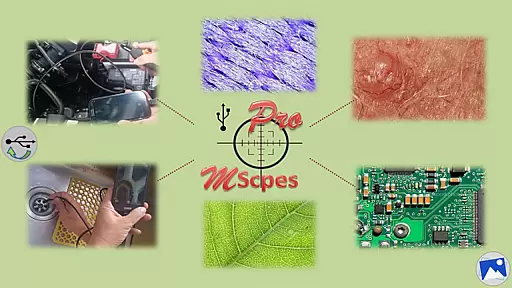
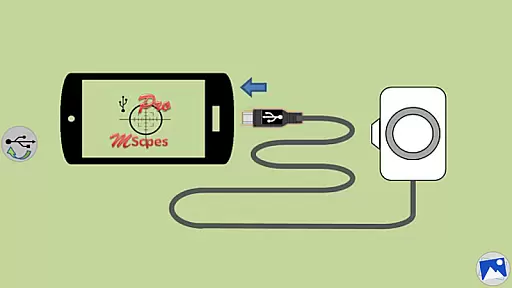
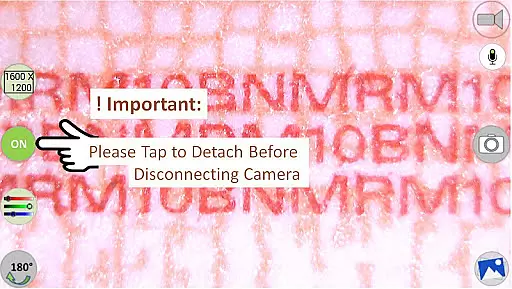
MScopesPro for USB Camera is a versatile application designed to enable users to connect and utilize USB video class (UVC) cameras with their Android devices. This app facilitates viewing, capturing images, and recording videos from digital microscopes, endoscopes, borescopes, camcorders, or webcams via USB connection. For devices with type-A connectors, an OTG adapter is necessary to bridge the connection.
The Pro version enhances user experience by offering advanced features such as full-screen mode, zoom and pan capabilities, multiple image types, customizable preview options, adjustable color parameters, and more. These functionalities make it ideal for professionals requiring portable microscopic or endoscopic solutions on-the-go.
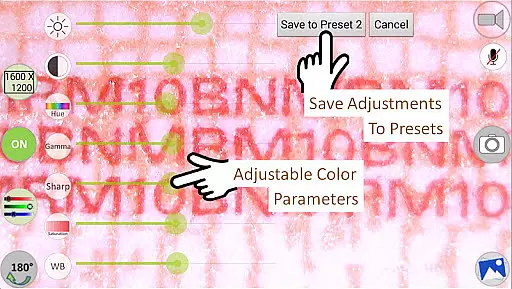
This app stands out with its comprehensive feature set tailored for microscopy and endoscopy enthusiasts. It supports various image formats like JPEG and PNG, and offers options to add date&time stamps, notes, and cross-hairs on previews. The ability to adjust color parameters including brightness, contrast, hue, gamma, sharpness, saturation, and white balance ensures optimal image quality.
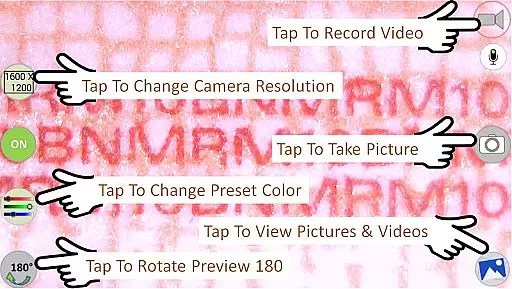
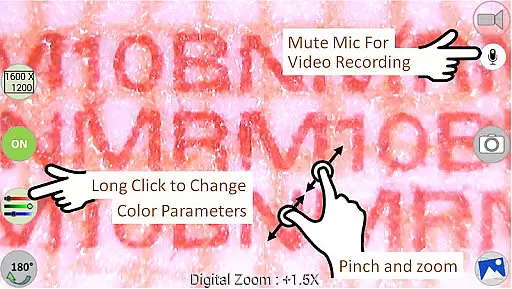
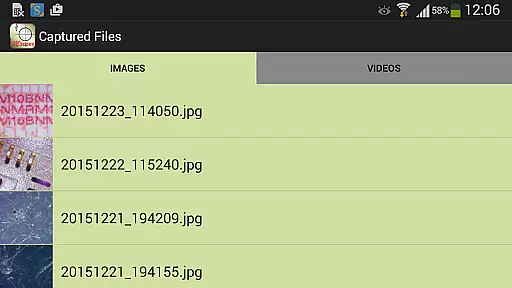
Additional highlights include pinch and zoom functionality, multiple camera resolution selections, and support for diverse preview sizes ranging from 640x480 to 1600x1200. Users can save their preferred settings to presets, toggle the microphone during video recordings, and easily share or edit captured media. Such robust features provide unmatched flexibility and control over USB camera operations.
Video format compatibility is a crucial feature for any video player or editor as it determines the range of video files that can be processed. MScopesPro supports various video resolutions including 640x480, 800x600, 1280x720, and 1600x1200 pixels, ensuring broad compatibility with different USB video class cameras.
The application's support extends to both jpeg and png image types, providing flexibility in capturing still images from connected devices. This versatility allows users to work with a wide array of digital microscopes, endoscopes, borescopes, camcorders, or webcams without worrying about format restrictions.
Moreover, adjustable color parameters such as brightness, contrast, hue, gamma, sharpness, saturation, and white balance enhance the user experience by allowing customization according to specific needs. These features collectively ensure that MScopesPro delivers comprehensive video format compatibility, making it an ideal choice for professionals requiring reliable performance across diverse equipment.
AI-powered editing features are transforming how users interact with video content by automating complex tasks and enhancing productivity. In MScopesPro, these features include options to add date and time stamps, cross-hairs, and customizable notes directly onto previews and captured images, streamlining workflows for professionals.
The app also offers advanced functionalities like full-screen mode, pinch-to-zoom, and pan capabilities using one or two fingers on the preview screen. Such tools not only improve usability but also provide precise control over the viewing experience, which is essential when examining microscopic objects or hard-to-reach areas.
Additionally, MScopesPro includes buttons for sharing, editing, and deleting media files, alongside the ability to save adjusted color parameters into three presets. These AI-driven enhancements significantly boost efficiency and convenience, empowering users to focus more on their observations rather than technical adjustments.
User-friendly interface
Advanced customization options
High-quality image and video capture
Comprehensive color adjustments
Versatile connectivity options
Limited device compatibility
No Android 5.1.1 support
Premium pricing for Pro version
Requires OTG adapter for some devices
Complex setup for beginners

A full editing room to accompany your Insta360 cameras and handheld gimbals.
 3.30
3.30
You can play SWF format file!
2.50
All format media Player, no need video converter any more!
4.00
Support 1000+ Video Format, Subtitle Download, mp3 & Background Play, Cast On TV
4.60
Pro video editor app for Instagram, edit video with song, AI, effect & slowmo.
4.80
Fast & easy HD video downloader for all formats, support 4K playback & download.
4.60
Browser + Remote for Roku to stream webvideos, online movies and livestreams
4.60
Fast & Private HD Video Downloader with Built-in Proxy Browser and Video Player.
4.50
Photo editor & video maker with music and slideshows.
4.10
Tik & Story Saver-Download ALL social media videos, photos & reels no watermark.
4.80
All in one HD video downloader & player for multiple formats with full privacy
4.70
A Simple app to download Video & Music from the Internet.
4.70
Watch a large amount of high-definition short drama content
4.60
Fast, private downloading, video saving, social media
4.50
Full HD Video mp3 Player, MP4 player play 1080p, File manager, Video Downloader
4.40
Fast & Private Video Downloader App. Save all videos easily from the Internet.
4.40
Browser for Fire TV to stream webvideos, online movies, livestreams in HD
4.40
This app is an emulator of some specific IPTV boxes
3.50
Stream high quality video from your camera over NDI protocol
4.3


User Reviews