
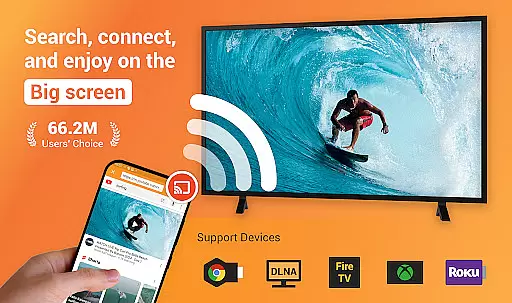
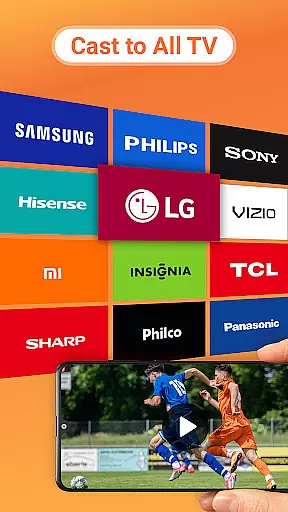
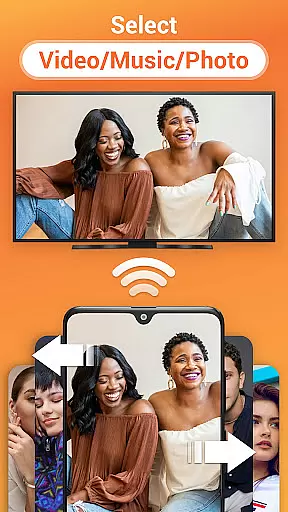
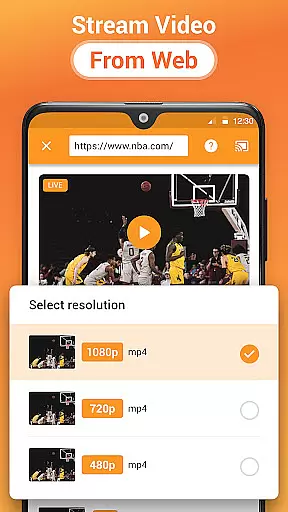
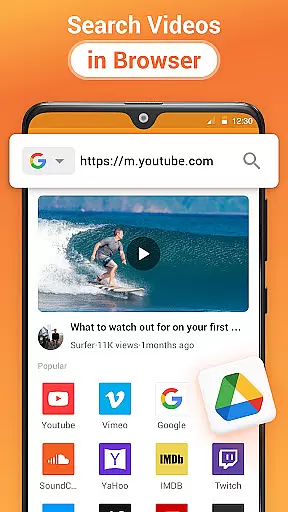
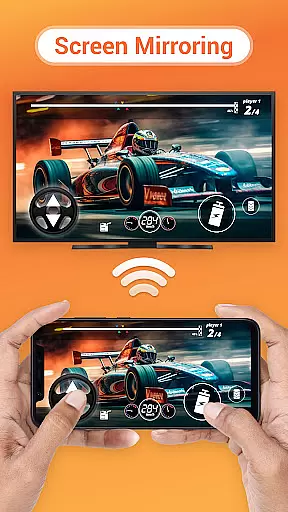
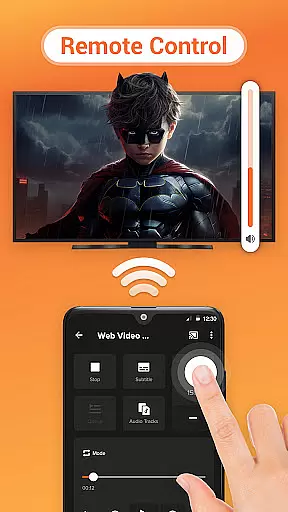

Cast to TV is a versatile media streaming application that allows users to cast online videos, live streams, local videos, music, and images to various devices including TVs, Chromecast, Roku, Amazon Fire Stick, Xbox, Apple TV, and other DLNA-enabled devices. The app provides an easy-to-use interface for controlling the TV directly from your phone, enabling actions such as pausing, adjusting volume, and skipping forward or backward.
In addition to casting capabilities, Cast to TV features a built-in browser for web video casting, supports local playback of media files, and automatically identifies media files on your device and SD card. It also offers advanced playback options like shuffle, loop, and repeat modes, making it ideal for video, music, and photo slideshow casting. Whether you're looking to stream content to a Chromecast, Roku, or Apple TV, this app provides a seamless experience across multiple platforms.
This application is particularly useful for users who want to enjoy their multimedia content on a larger screen without compatibility issues. By supporting a wide range of devices and formats, Cast to TV ensures that you can easily share and enjoy your favorite content with family and friends, enhancing the overall entertainment experience.
Cast to TV stands out due to its comprehensive feature set tailored for effortless media streaming. One of its key features is the ability to control your TV directly from your smartphone, allowing you to pause, adjust volume, skip tracks, and more. This functionality transforms your phone into a universal remote control, providing convenience and ease of use.
The app includes a built-in browser specifically designed for web video casting, enabling users to stream online content directly to their TV. Additionally, it supports casting local files, including videos, music, and photos, and even live sports and gaming streams. With automatic file identification and support for creating a play queue, users can manage their media effortlessly. Advanced playback options such as shuffle, loop, and repeat further enhance the user experience.
Another notable feature is its broad compatibility with various devices, including Chromecast, Roku, Apple TV, Xbox, and DLNA receivers. This versatility ensures that no matter what type of smart TV or streaming device you own, Cast to TV can connect and stream content seamlessly. The app's ability to search for available cast devices automatically simplifies the setup process, making it accessible even for less tech-savvy users.
Video format compatibility is a crucial feature for any video player and editor, ensuring that users can enjoy a wide range of media content without worrying about format restrictions. Cast to TV, Chromecast & Roku supports an extensive array of video formats, allowing you to cast both local and online videos seamlessly to various devices like TVs, Chromecast, Roku, and more.
The application's robust compatibility covers popular formats such as MP4, AVI, MKV, and many others, making it versatile for different user needs. Whether you're streaming live sports, gaming sessions, or simply sharing memorable videos from your phone, this app ensures smooth playback on your preferred screen.
By supporting multiple formats, the app provides users with the freedom to choose their desired content without limitations. This flexibility enhances the overall user experience, enabling seamless transitions between devices and effortless streaming. With auto-search capabilities for available cast devices, users can quickly connect and enjoy their favorite content.
Moreover, the app's ability to identify video files on your device and SD card automatically streamlines the casting process. Users can easily add local videos to the Play Queue and control playback modes such as shuffle, loop, and repeat. This comprehensive support for video formats ensures that whether you're using a Smart TV, Apple TV, or other DLNA receivers, your viewing experience remains uninterrupted and enjoyable.
AI-powered editing features represent the cutting-edge advancement in video players and editors, providing users with intelligent tools to enhance their media effortlessly. Cast to TV, Chromecast & Roku incorporates AI technology to offer a streamlined editing experience, allowing users to optimize their videos with minimal effort before casting them to their preferred devices.
One of the standout AI functionalities is the automatic identification of video, audio, and photo files on your device and SD card. This feature simplifies the selection process by organizing your media library efficiently, ensuring that you can quickly find and cast your desired content. Additionally, the built-in browser for web video casting leverages AI to recommend and streamline the casting of online videos, enhancing user convenience.
The app also includes smart playback options such as shuffle, loop, and repeat modes, which are intelligently managed by AI algorithms. These options provide a personalized viewing experience tailored to individual preferences, ensuring that users can enjoy their media exactly how they want. The intuitive interface further complements these AI-powered features, making it easy for anyone to utilize advanced editing capabilities without a steep learning curve.
Overall, the integration of AI-powered editing features in Cast to TV, Chromecast & Roku significantly elevates its utility, offering users innovative ways to interact with and enhance their media. By combining ease of use with powerful editing tools, the app ensures that users can achieve professional-quality results effortlessly, whether they are casting local files or streaming online content.
User-friendly interface
Wide device compatibility
Advanced playback options
Built-in web video browser
Comprehensive media support
Dependent on Wi-Fi network
Occasional connectivity issues
Limited by device format support
No offline mode
Some features may require specific hardware

The smartest M3U IPTV Player your playlists have ever seen.
 4.5
4.5
Connect 2 UVC devices for recording and broadcast video/audio stream
3.90
Photo and Music Video Creator into Stunning Videos—Effortlessly
4.40
HD video maker with no watermark, no ads & vlog maker with music, PIP, text
4.50
This app was created to edit the metadata of music files.
4.20
Movie maker & video editing app with AI effects and green screen
4.30
Browser for Sony TV to stream web videos, online movies and live tv
3.20
A Simple app to download Video & Music from the Internet.
4.70
Fast private browser with secure, seamless access & supported video downloads!
4.00
An easy-to-use and all-round screen recorder with audio
4.80
Video Player - Unlimited features, 30 days money back guarantee.
4.60
Seamlessly connect and control your smart devices, anytime, anywhere with ease.
4.60
Cast movies, tv shows and live streams to Chromecast, Roku, DLNA, Fire TV & more
4.60
Auto video maker with music & exclusive filters. Video editing made simple.
4.50
Fast & Private HD Video Downloader with Built-in Proxy Browser and Video Player.
4.50
Full HD Video mp3 Player, MP4 player play 1080p, File manager, Video Downloader
4.40
Create & edit videos with AI
4.30
Powerful video player with advanced hardware acceleration and subtitle supports
4.20
Online Videos Player
3.90


User Reviews