
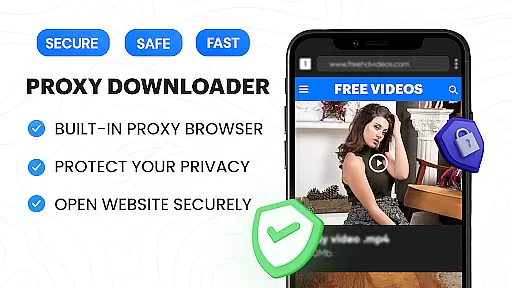

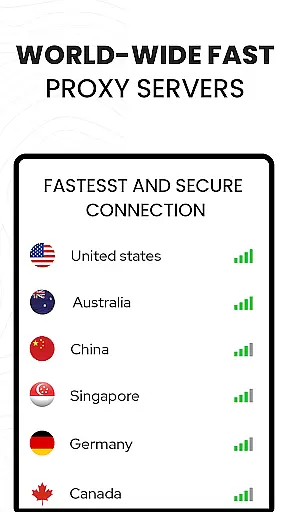











Video Downloader Proxy Browser is a versatile application designed for Android users who need a secure and efficient way to browse, download, and manage videos. This app combines a built-in proxy browser with a powerful video downloader and player, ensuring fast speed, privacy protection, and unlimited access even on public WiFi.
The core functionality includes downloading videos in HD quality from various websites and social media platforms, playing them through an advanced 4K video player, and managing downloads with smart auto-detect and multi-tasking capabilities. It also features a secure proxy browser that blocks ads and trackers, enhancing both speed and safety during browsing sessions.
Ideal for users who frequently download and watch videos on their mobile devices, this app ensures smooth playback, supports multiple formats, and allows password-protected storage of downloaded files. Whether you're commuting or traveling, Video Downloader Proxy Browser provides a reliable solution for accessing your favorite content anytime, anywhere.
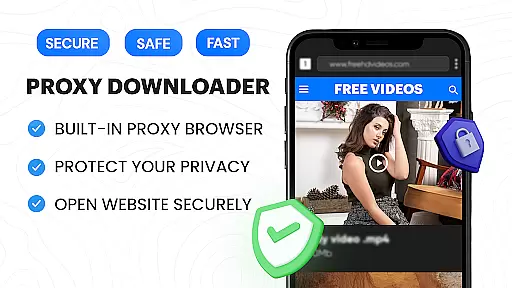
Video Downloader Proxy Browser offers a comprehensive suite of features tailored for seamless video management. The app's built-in proxy browser not only ensures user security but also enhances browsing speed by blocking ads and trackers, making it faster and more data-efficient.
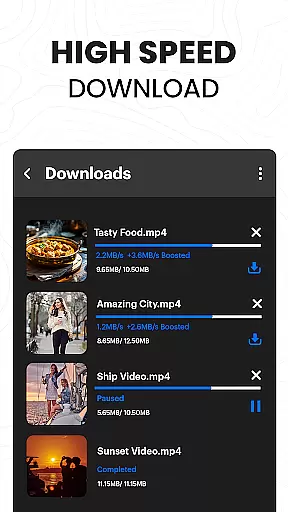
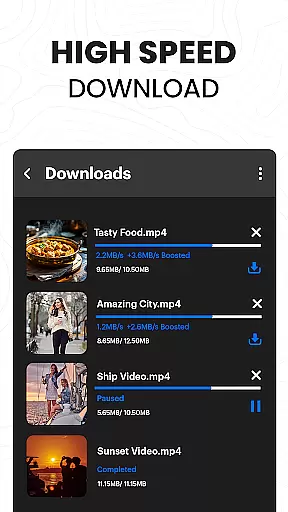
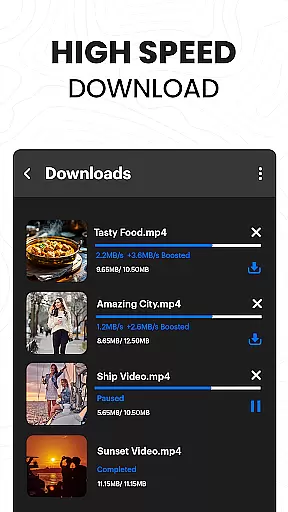
One of the standout features is its advanced download manager, which supports simultaneous downloads, background mode, and resume options for interrupted tasks. This ensures up to 4X faster download speeds without compromising video quality. Additionally, the one-click HD video download option simplifies the process of saving videos from popular websites and apps.
The app also includes an ultra HD video player that supports 4K resolution and multiple video formats, providing a superior viewing experience. With functionalities like downloading stories, reels, and social media clips, along with storing files in password-protected folders, Video Downloader Proxy Browser caters to diverse user needs while maintaining high standards of performance and security.
Video format compatibility is a crucial feature for any video player and editor application. The Video Downloader Proxy Browser supports an extensive range of video formats, ensuring that users can play almost any video file they download or have stored on their devices.
This app's built-in video player eliminates the need for multiple apps to handle different video formats. Whether it's MP4, AVI, MKV, or even 4K videos, this downloader and player handles them all with ease, providing a seamless viewing experience without the hassle of converting files or encountering playback issues.
For users who frequently interact with diverse video content from various sources, having a versatile video player like this one ensures they won't be limited by format restrictions. This flexibility enhances user satisfaction as it accommodates personal preferences and professional needs alike.
Ultimately, the broad video format compatibility of the Video Downloader Proxy Browser not only simplifies the video watching experience but also empowers users to manage their media library more effectively, making it an indispensable tool for both leisure and work-related activities.
AI-powered editing features are revolutionizing how users interact with video content, and the Video Downloader Proxy Browser leverages these advancements to offer intuitive editing capabilities. With AI assistance, users can perform complex editing tasks with minimal effort, enhancing their productivity and creative output.
The app includes smart tools that simplify video trimming, merging, and formatting, allowing users to create polished content quickly. These AI-driven features analyze video content to suggest optimal edits, effects, and enhancements, which means even novice editors can achieve professional-grade results.
Moreover, the AI integration extends to automated video organization and tagging, making it easier for users to manage large libraries of downloaded videos. By recognizing objects, scenes, and faces, the app categorizes content intelligently, saving users time when searching for specific clips or moments.
Incorporating AI into video editing not only streamlines workflows but also democratizes content creation, enabling anyone to produce high-quality videos. As such, the Video Downloader Proxy Browser stands out in the realm of video players and editors by offering cutting-edge tools that cater to both casual viewers and aspiring creators.
User-friendly interface
Fast download speeds
Secure proxy browsing
High-quality video playback
Multi-format support
No YouTube support
Limited legal use
Privacy concerns
Ads in free version
Occasional bugs

Watch full episodes of your favorite Cartoon Network and Cartoonito shows!
 3.50
3.50
Create photo video with music & template. AI video maker for stunning slideshow.
4.60
All format media Player, no need video converter any more!
4.00
Play and download HD videos from all sources — fast, simple, and all-in-one.
4.3
IPTV Player - Watch live TV from m3m & m3u8 playlist, stream IPTV on mobile
3.30
Connect EasyCap or UVC devices for recording and broadcast video/audio stream
3.60
Watch IPTV on your Android device
4.60
AI Video Editor with Music, Filter, Slideshow, Effect, Merge & Trim Video.
4.80
Create, Publish & Maximize
4.70
A Simple app to download Video & Music from the Internet.
4.70
Snaptubè Video Downloader app allows to download videos and music in Snaptube. .
4.60
Photo and Music Video Creator into Stunning Videos—Effortlessly
4.40
AirMirror Receiver - Screen mirroring/cast web videos to Android TV by AirPlay.
4.40
Video player, file manager for all formats, 4K/HD media player supports subtitle
4.30
Video player with 4K & 1080P support, popup play, background play and subtitle.
4.20
Stream Web Videos to Chromecast, Samsung, LG, Sony, Roku, Fire TV, DLNA + more
4.00
Connect 2 UVC devices for recording and broadcast video/audio stream
3.90
Capture images & record videos for USB Camera, Webcam, Microscopes, Endoscopes
3.80
The smartest M3U IPTV Player your playlists have ever seen.
4.0


User Reviews