
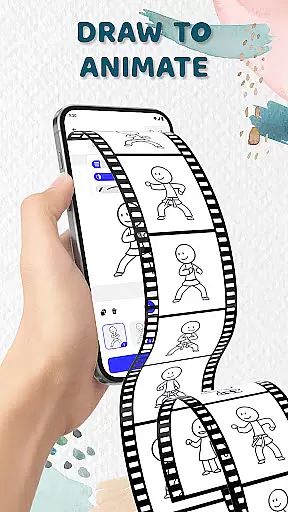
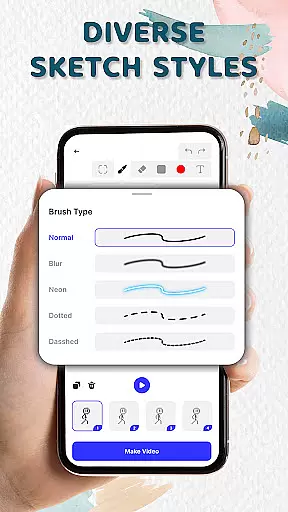
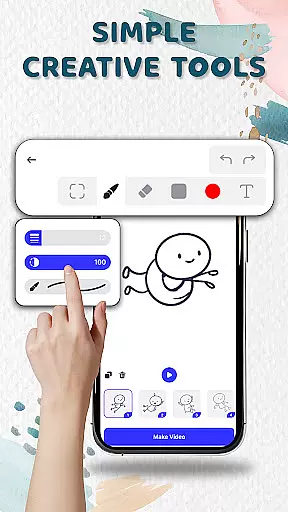
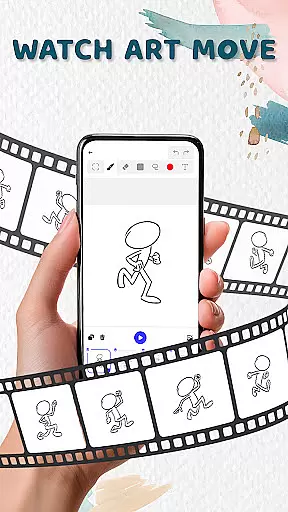
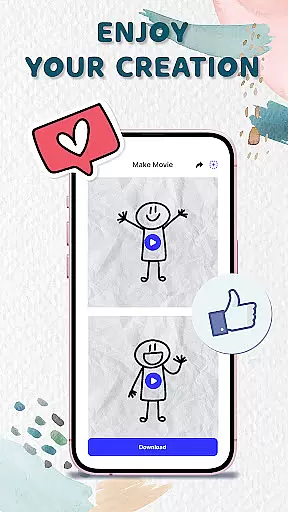
Animation Draw: Flip Maker is a creative app designed for artists and hobbyists who want to bring their sketches to life through animation. This digital flipbook-style tool allows users to create frame-by-frame animations, transforming simple drawings into dynamic cartoons or short stories.
The app offers an intuitive interface with essential features like onion skinning, pen size adjustment, and color options, making it suitable for both beginners and experienced animators. Whether you're crafting stickman adventures, short comics, or playful cartoons, Animation Draw provides the tools needed to express your creativity.
With support for exporting animations in popular formats such as GIF and MP4, this app is perfect for anyone looking to share their animated creations online or simply enjoy the process of making art come alive.
Animation Draw stands out with its comprehensive set of animation tools tailored for creative expression. The app's flipbook-style animation feature lets users build movement frame by frame, capturing the charm of traditional hand-drawn animation in a modern format.
Key functionalities include onion skinning for smooth transitions between frames, customizable pen settings for precision drawing, and a variety of color palettes to enhance artwork. These features ensure that every animation is unique and expressive.
Additionally, the app supports exporting finished animations in multiple formats, including GIF and MP4, allowing creators to easily share their work on social media or other platforms. This versatility makes Animation Draw an ideal choice for anyone interested in exploring the art of animation.
Animation Draw offers a comprehensive suite of creative tools that cater to both beginners and advanced users in the art and design space. The app includes essential features such as adjustable pen sizes, color options, and onion skinning, which allows for precise control over each frame's appearance and smooth motion between frames.
These tools collectively ensure that whether you're sketching simple stick figures or creating complex animated sequences, you have everything you need at your fingertips. The intuitive interface makes it easy to access these features without overwhelming new users, while still providing enough depth for experienced animators to explore more sophisticated techniques.
By integrating traditional flipbook-style animation with modern digital capabilities, Animation Draw bridges the gap between classic and contemporary animation methods. This fusion not only enhances the creative process but also expands the possibilities for storytelling and artistic expression within a single platform.
The canvas and format flexibility in Animation Draw empowers creators to experiment with various styles and dimensions in their animations. Users can adjust canvas sizes to fit specific project requirements, whether they are working on small-scale sketches or larger, more detailed artworks. This adaptability ensures that every piece of art can be crafted with precision and intent.
In addition to customizable canvas settings, the app supports multiple export formats including GIF and MP4. This versatility allows artists to share their creations across different platforms and devices seamlessly. Whether posting animations online or incorporating them into multimedia projects, users can choose the best format to suit their needs.
Furthermore, this flexibility extends to the types of animations one can createu2014from short looping GIFs perfect for social media to longer narrative pieces designed for video sharing sites. By offering such diverse options, Animation Draw encourages limitless creativity and innovation in digital artistry.
User-friendly interface
Powerful drawing tools
Supports multiple formats
Perfect for beginners
Great for creative learning
Limited advanced features
No collaborative tools
Basic color options
Occasional bugs
Ads can be intrusive

Create trending AI photos & videos with powerful effects and 3D styles.
 3.20
3.20
Sketch, trace and master AR drawing with awesome anime art!
3.30
Draw on screen: FP sDraw is a simple and lightweight drawing app
4.70
Mobile pixel art editor. Simple. Fast. Portable.
4.80
Get an overview over all your embroidery threads, projects and more.
4.60
Experience next-gen icons with a modern liquid glass look.
3.60
Just trace a projected picture on paper and color! Draw & Paint with AR drawing
4.40
AI Tattoo Generator: Create Tattoo Designs & Get Ideas! Ink & Stencil Maker
4.50
All-in-One art, logo & collage maker. Design photos and edit video backgrounds
4.80
The ultimate tool for creating animations
4.60
Draw beautiful mandala's very easily
4.60
The perfect place to start sketching! Use Sketchbook to draw and paint sketches.
4.50
Share the joy of painting with ibis Paint! Drawing anime and manga art.
4.50
Image/ Text to Video Generator
4.40
Trace, draw, and create art with AR - from memes to masterpieces!
4.30
Nano Banana AI Image Generator, Anime Filter, AI Portrait, AI Photo Generator
4.30
Create sweet, cool and unique couple avatars easily, in just a few steps!
3.40
Inky runs Inkscape on Android devices and Chromebooks
2.90
Art of Combination Wear OS Watch Faces
4.0


User Reviews