

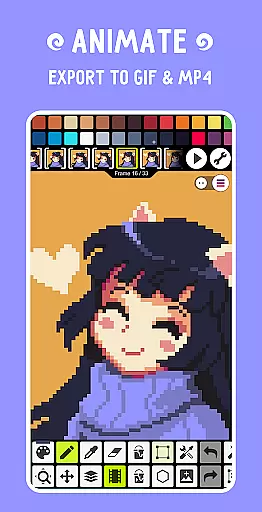
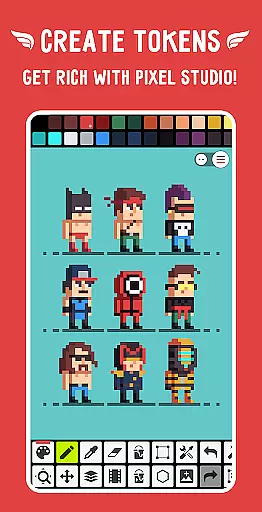
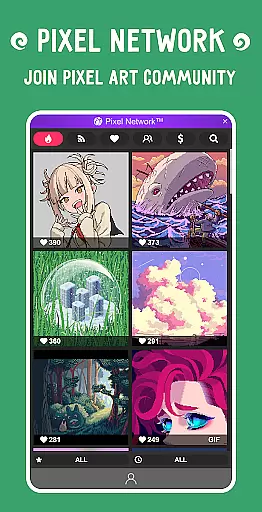
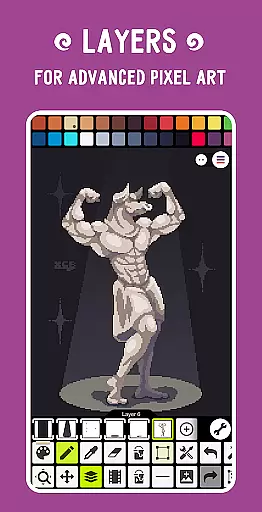
Pixel Studio PRO is a premier pixel art editor tailored for both budding artists and seasoned game developers. This special edition comes without ads or in-app purchases, offering all PRO features unlocked. With support for layers, animations, and an extensive suite of tools, users can create impressive pixel art anytime, anywhere. The app allows exporting animations with music to MP4, syncing work across devices via Google Drive, and joining Pixel Network™, a vibrant pixel art community.
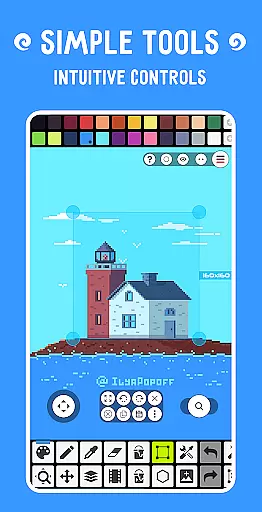
The application stands out with its intuitive interface, customizable settings, and compatibility with various formats including PNG, JPG, GIF, BMP, TGA, PSP, PSD, and EXR. Advanced functionalities such as shape and gradient tools, custom brushes, and symmetry drawing enhance the creative process. Additionally, users can enjoy unlimited canvas sizes, precise drawing with Dot Pen, and advanced color adjustments, making it a comprehensive tool for professional-grade pixel art.
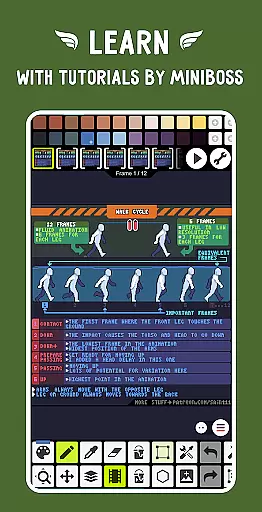
Pixel Studio PRO boasts a rich array of features designed to cater to every pixel artist's needs. The app supports frame-by-frame animations, saving them as GIFs or sprite sheets, and extends these animations with music, exporting them to MP4. Users can share their creations within the Pixel Network™ community and utilize custom palettes alongside built-in options from Lospec.
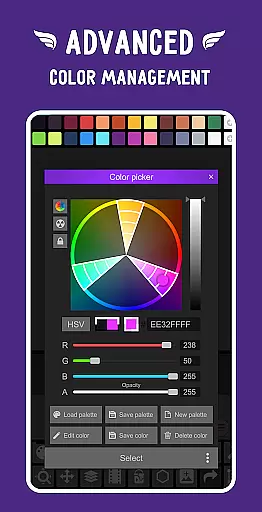
Advanced tools include an RGBA and HSV color picker, gesture-based zoom and move functionality, and support for Samsung S-Pen, HUAWEI M-pencil, and Xiaomi Smart Pen. The app offers multiple modes like Portrait for mobile and Landscape for tablets and PC, ensuring adaptability. With autosave, backup, and multithreaded image processing, Pixel Studio PRO ensures that users never lose their work while enjoying a seamless experience.
Pixel Studio PRO offers an extensive suite of creative tools that cater to both beginners and professional artists. The application supports layers, animations, and a variety of useful instruments for creating pixel art projects.
With features like the Shape Tool for primitives, Gradient Tool, and built-in/custom brushes, users can explore different artistic techniques. The inclusion of advanced functionalities such as sprite libraries, tile modes, symmetry drawing options, and text tools with various fonts empowers creators to produce detailed and complex artwork.
Additionally, Pixel Studio PRO enables users to save animations in multiple formats including GIF or MP4, providing flexibility in project outcomes. This comprehensive set of features ensures that artists have all they need at their fingertips to bring their visions to life without limitations.
The canvas and format flexibility in Pixel Studio PRO is designed to meet diverse project requirements. Users can work on an unlimited canvas size, allowing for expansive and unrestricted creativity. The ability to resize and rotate the canvas caters to different workflow preferences and project scopes.
Pixel Studio PRO supports all popular image formats such as PNG, JPG, GIF, BMP, TGA, PSP (Pixel Studio Project), PSD (Adobe Photoshop), EXR. Additionally, it offers extended support for AI, EPS, HEIC, PDF, SVG, WEBP (cloud read-only) and PSD (cloud read/write).
This versatility in format compatibility ensures that no matter what platform or medium the artwork is intended for, Pixel Studio PRO can handle it seamlessly. Artists can import from and export to various file types without losing quality or running into compatibility issues.
User-friendly interface
Extensive format support
Advanced animation tools
Vibrant community integration
Customizable settings
High system requirements
No iOS version available
Limited free features
Occasional bugs reported
Steep learning curve

Text to Image, Image to Video & AI Chat
 4.20
4.20
Digital, Abstract, Classic - all types of color wheels in one app!
4.60
Draw anime easily with AR guidance, sketch templates & trace tools!
3.10
The perfect place to start sketching! Use Sketchbook to draw and paint sketches.
4.50
Inky runs Inkscape on Android devices and Chromebooks
2.90
Kling AI is an image and video generation and editing studio powered by AI.
4.50
Create amazing pictures and unleash your creative genius with AR Drawing Sketch
4.40
Explore future self face age filter & remove background image for a unique look.
3.50
AI-powered photo & video creation—fast, fun, and effortless with Quick Actions
4.60
Create stunning art with AI.
4.80
Photo stitcher for automatically screenshot stitching into a long screenshot
4.70
Draw glowing spinners, relax, and spin your creative art
4.60
Share the joy of painting with ibis Paint! Drawing anime and manga art.
4.50
800+ Drawing, Painting Lessons App to Practice, Sketch & Paint Art.
4.30
Art of Combination Wear OS Watch faces (for Wear OS 5+ devices)
3.90
Create cute cat emojis & PFPs! Fun, custom avatars for cat lovers.
3.70
Art of Combination Wear OS Watch faces
4.2
Art of Combination Wear OS Watch Faces
4.0
A luxurious gold watch face for an elegant and refined look.
4.2


User Reviews