
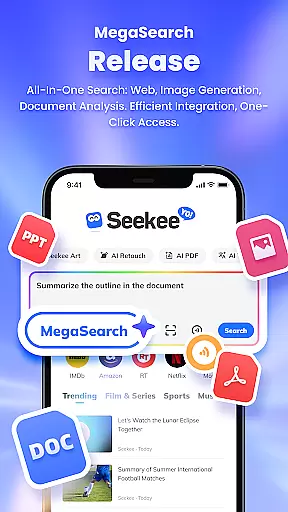
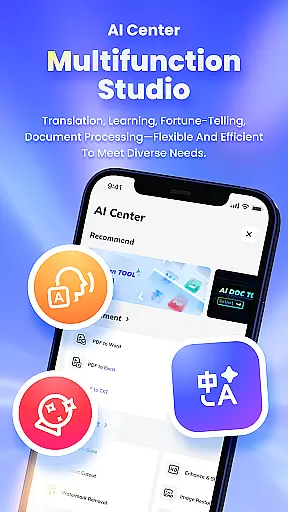
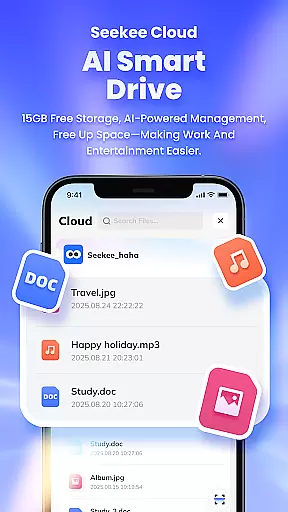
Seekee is a multifunctional AI-powered tool designed to streamline various tasks through its innovative MegaSearch Bar. This single interface allows users to perform an array of functions, from grasping web content and generating images to handling documents with ease. Whether you need help drafting emails, editing images, or managing PDFs, Seekee's capabilities are extensive.
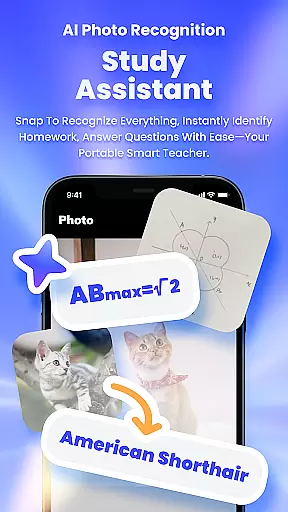
The app also supports learning by providing intelligent answers and homework assistance. Its real-time translation feature breaks language barriers, while the photo recognition tool helps identify unknown objects. With additional features like hot topic tracking and document summarization, Seekee is suitable for enhancing productivity in both personal and professional settings.
By integrating multiple tools into one platform, Seekee offers a centralized solution that can significantly boost efficiency and simplify complex tasks, making it an invaluable assistant for entertainment, education, and work.
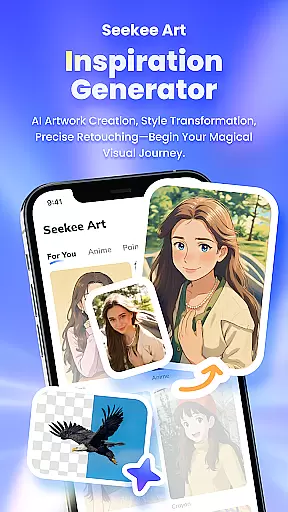
Seekee stands out with its diverse range of features tailored to meet various user needs. The AI Creation function assists in drafting emails, creating work summaries, and sparking creativity in image generation. Users can edit images effortlessly with options like one-click expansion, intelligent cutouts, and watermark removal.
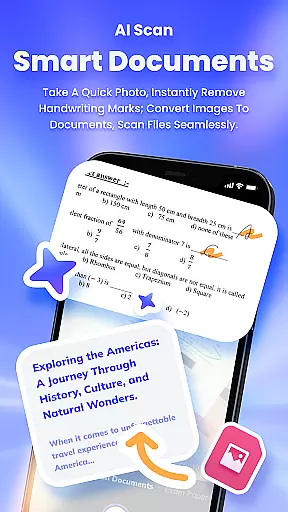
For students and learners, Seekee provides an AI Learning module that delivers intelligent answers and corrects homework. The PDF Editing feature enables smart processing and format conversion of documents, ensuring efficient management. Additionally, the Identify Everything by Taking a Photo function simplifies object recognition, while Intelligent Translation facilitates seamless multilingual communication.
With Real-time Hot Topic Tracking, users stay informed about global trends across sports and entertainment. These comprehensive features make Seekee a versatile tool that empowers users to accomplish more with less effort.
Seekee's core functions are designed to deliver precision and efficiency across multiple use cases. The AI-powered features, such as intelligent PDF editing, AI image editing, and real-time translation, ensure that users receive accurate results tailored to their needs.
The app's MegaSearch Bar is a standout tool, consolidating various capabilities into one streamlined interface. Whether itu2019s drafting emails, generating summaries, or enhancing images, Seekee processes tasks with remarkable speed and reliability. This unified approach eliminates the need for multiple apps, making workflows smoother and more efficient.
For students and professionals alike, Seekee offers specialized tools like AI Learning and Identify Everything by Taking a Photo. These features provide intelligent answers to complex questions and accurately identify objects through image recognition technology. Such innovations not only save time but also enhance productivity in both academic and professional settings.
Overall, Seekee empowers users by combining powerful AI functionalities with an intuitive design, ensuring that every task is completed with maximum accuracy and minimal effort.
Seekee excels in delivering an intuitive and user-friendly interface that simplifies complex tasks. The MegaSearch Bar serves as the central hub, offering one-tap access to a wide array of functions, from AI creation to intelligent document processing.
Each feature within Seekee is thoughtfully designed to minimize the learning curve. For instance, AI Image Editing allows users to perform tasks like watermark removal and photo restoration with just a single click. Similarly, the AI Learning tool provides instant homework corrections and intelligent answers without requiring any advanced setup.
Navigation throughout the app is seamless, thanks to its logical layout and straightforward controls. Users can effortlessly switch between different tools, whether theyu2019re managing PDFs, generating mind maps, or engaging with real-time hot topic tracking. This cohesive structure ensures that even first-time users can operate Seekee with ease.
By prioritizing simplicity and intuitiveness, Seekee makes cutting-edge AI technologies accessible to everyone, regardless of technical expertise.
User-friendly interface
Comprehensive AI tools
Efficient document management
Accurate image editing
Real-time translation
Limited offline functionality
Subscription fees may apply
Occasional slow processing
Privacy concerns with data
Learning curve for new users

Change your GPS location instantly. Simulate routes anywhere in the world.
 4.90
4.90
HD Camera captures every special moment.
4.60
Extremely fast, secure, and protects your privacy
4.80
Head tracking for PC sim games such as MSFS 2024 or Elite:Dangerous. No headset!
4.50
HD Video player and downloader for all formats, fast & smooth 4K video playback.
4.60
Family Locator, Share location, StayConnect with your family in real time
3.90
App that Recover your pictures, videos or files after you delete them.
4.20
Undelete and recover your lost or deleted files with DiskDigger!
3.40
A clean app.
4.50
Powerful collection of electronics tools and reference.A must for any enthusiast
4.90
Easily install aab(Android App Bundle) files on your Android device with our app
4.80
Excellent scientific calculator with symbolic algebra, integrals, derivatives
4.80
Fast Video Downloader, Movie Downloader, Torrent Downloader & Adblock Browser
4.70
NFC Tools can read and write NFC tags.
4.70 4.50
4.50
Pro Emulator is an easy to use game console emulator for a range of consoles.
4.40
Remote for Roku, Fire TV, Samsung TV, LG TV, Android TV, Chromecast and VIZIO TV
4.20 4.10
4.10
Amateur Radio app for APRS: Track friends, exchange messages, get tactical info.
3.90


User Reviews