
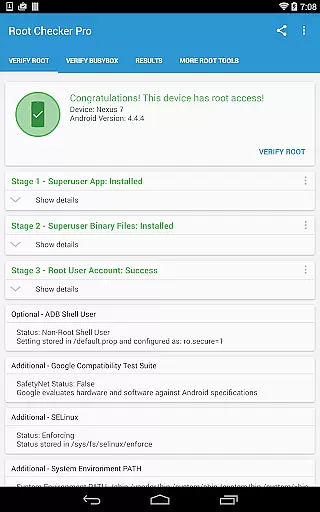
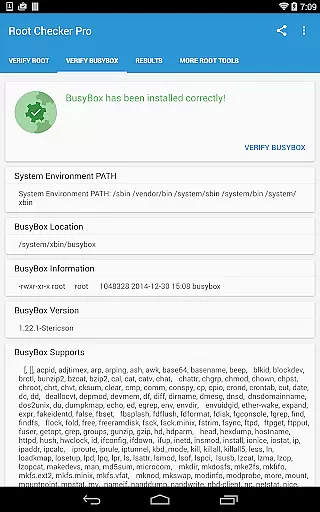
Root Checker Pro is a powerful Android tool designed to verify root access on your device. The app checks for proper root (superuser) permissions and BusyBox installation, ensuring your device is correctly configured for advanced operations.
This application provides detailed information about su binary locations, file permissions, SELinux status, and other crucial parameters. It also features an easy export function to share diagnostic results via email or social media for troubleshooting purposes.
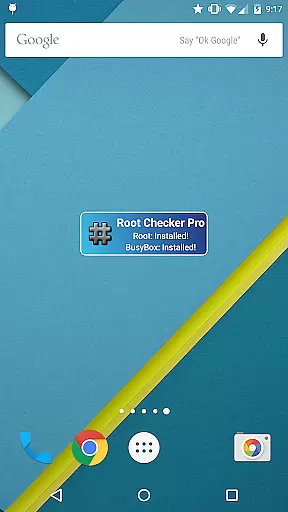
Whether you're a beginner or an advanced user, Root Checker Pro offers essential tools to monitor and maintain your device's root status. The included widget allows continuous monitoring of root and BusyBox status, keeping you informed about your device's configuration at all times.
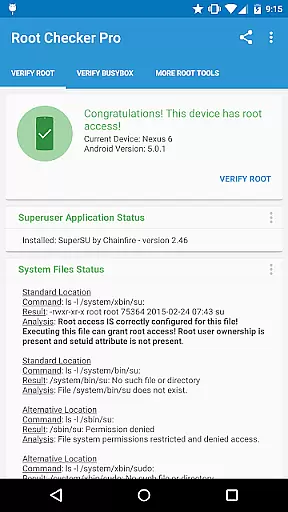
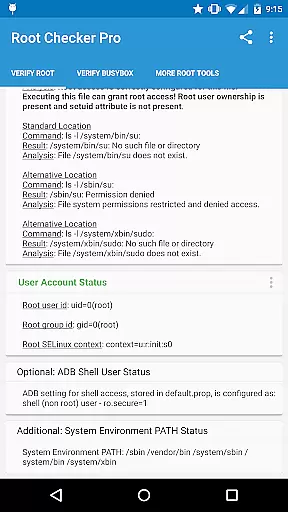
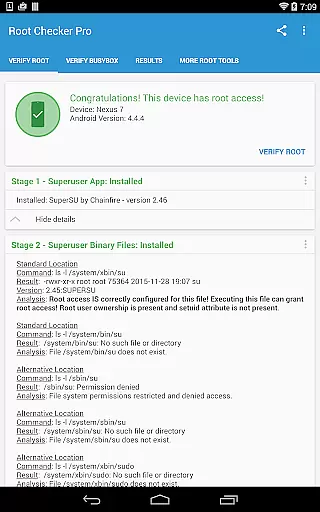
Root Checker Pro stands out with its comprehensive diagnostic capabilities. The app examines standard su binary locations, root uid/gid, SELinux contexts, and Superuser application installations to determine proper root access.
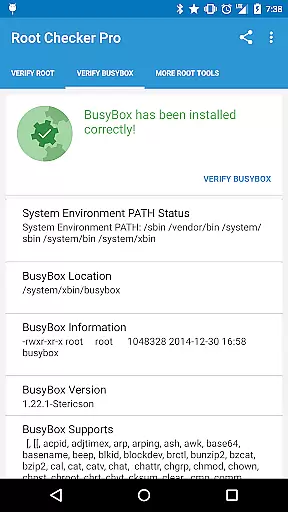
For advanced users, the application provides in-depth technical details about root and BusyBox installations. It displays crucial information such as adb shell default user mode, SELinux status, and system PATH configurations.
The built-in widget offers customizable monitoring intervals for root and BusyBox status. This feature, combined with the one-touch sharing option for diagnostic results, makes troubleshooting more efficient and collaborative across different platforms.
Root Checker Pro excels in providing accurate and effective core functionality for Android users who need to verify root access on their devices. The application meticulously checks the presence and status of the su binary, which is crucial for granting root permissions.
The app's effectiveness lies in its comprehensive verification process. It examines standard su binary locations, file permissions, and system-defined paths, ensuring that all critical aspects of root access are covered. This detailed inspection helps users quickly identify any issues with their root configuration.
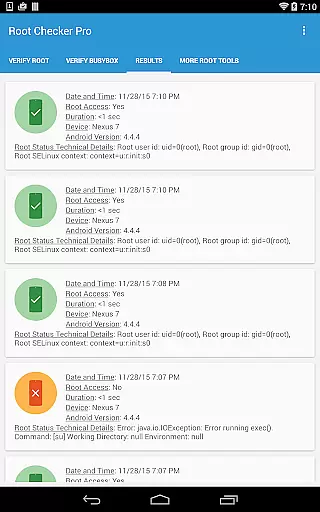
For technically inclined users, the application offers advanced details about the root environment. It presents information about root uid/gid, SELinux contexts, and Superuser application installations, enabling precise troubleshooting of complex root-related problems.
By delivering reliable and quick test results, Root Checker Pro ensures that even novice Android users can confidently determine their device's root status. The app's ability to export detailed reports via email or social media further enhances its practical value for both individual users and technical support teams.
Root Checker Pro demonstrates exceptional interface simplicity while maintaining powerful functionality. The developers have created an intuitive user experience that makes root verification accessible to users of all technical levels.
The main interface presents essential root-checking functions through a straightforward layout. Users can initiate comprehensive root verification with a single tap, receiving clear results that are easy to understand. This minimalistic approach eliminates unnecessary complexity without compromising functionality.
Advanced features are logically organized within the application, allowing more experienced users to access detailed technical information when needed. The app includes helpful explanations for each test result, making it easier for beginners to interpret complex root-related data.
The inclusion of a convenient widget further enhances the user experience. This feature provides at-a-glance monitoring of root and BusyBox status, with customizable check intervals. Such thoughtful design elements demonstrate how Root Checker Pro successfully balances professional-grade functionality with user-friendly accessibility.
Comprehensive root verification
Detailed BusyBox analysis
User-friendly interface
Quick result sharing
Reliable widget monitoring
No automatic root fixing
Paid version only
Technical knowledge required
Limited to Android devices
No real-time alerts

 4.50
4.50
FV File Manager Pro, Fast and powerful file manager for Android
4.60
ADB support Android 4.X-Android 13(Support wireless pair mode).No root required!
4.70
The one-and-only remote control for PC, Mac, and Linux
4.70
WiFi Signal Strength Meter help you detect WiFi Signal Strength in real time.
4.80
Quickly check the frequency of the Earth
4.30
Connect wirelessly to your computer to watch movies, browse the web, play games
5.00
Pro Emulator is an easy to use game console emulator for a range of consoles.
4.40
Enjoy a smooth mobile reading experience!
3.60
Fast Video Downloader, Movie Downloader, Torrent Downloader & Adblock Browser
4.70
Protect your device with antivirus, storage cleanup, and system monitoring
4.70 4.50
4.50
Game Booster, GFX Tool is now compatible with newer game update
4.50
Complete kernel toolbox with features to manage and tweak your rooted device
4.30
PC precision for mobile gaming: dominate with keyboard and mouse!
4.30
Remote for Roku, Fire TV, Samsung TV, LG TV, Android TV, Chromecast and VIZIO TV
4.20
A convenient photo, video, and file recovery tool.
4.00
Detect hidden spy camera with advanced scanning {{ Premium version }}
4.00
Undelete and recover your lost or deleted files with DiskDigger!
3.40


User Reviews