
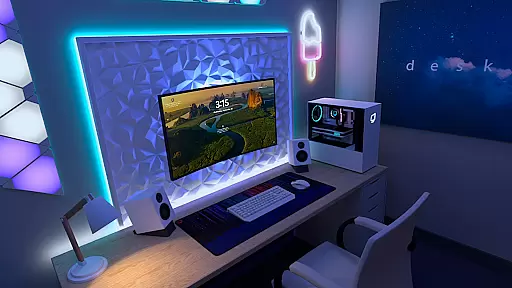
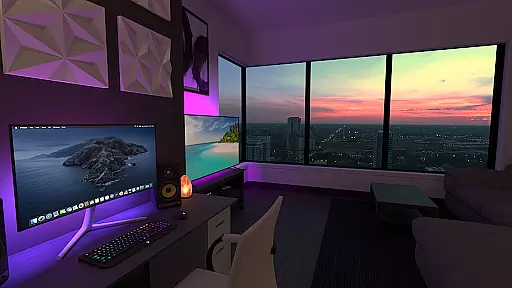
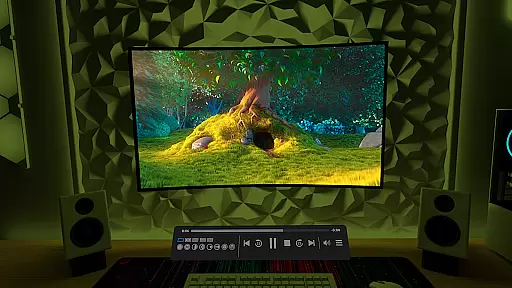
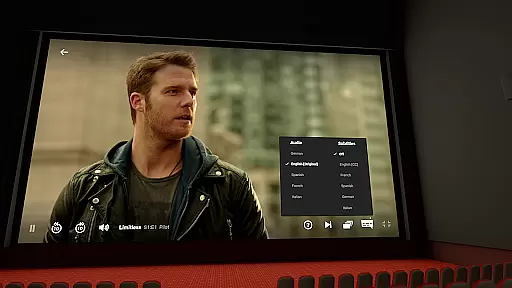
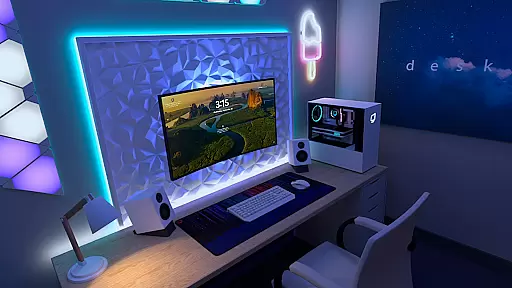

Virtual Desktop is a powerful tool that allows users to connect wirelessly to their computers for an immersive experience. With the ability to watch movies, browse the web, and play games on a giant virtual screen, this app transforms how you interact with your computer remotely. It supports streaming PCVR games, making it ideal for gamers who want flexibility without compromising performance.
The application is highly optimized for low latency and high-quality streaming, ensuring smooth operation even during demanding tasks. Whether you're using a Windows or macOS system, Virtual Desktop provides seamless integration across multiple platforms. Its support for multi-monitors and various input devices like Bluetooth mice and keyboards enhances productivity and convenience.
Designed for both casual users and professionals, Virtual Desktop offers features such as 3D content support and microphone passthrough options. This makes it suitable for diverse scenarios including remote work, entertainment, and gaming. By connecting over the internet or local networks, users can enjoy a versatile computing environment from anywhere.
Virtual Desktop boasts several key features that set it apart in the realm of remote computing tools. One standout feature is its optimization for low latency and high-quality streaming, which ensures minimal delay and crisp visuals when interacting with your computer remotely. This is particularly beneficial for activities requiring real-time responsiveness, such as gaming or video playback.
The app supports a wide range of devices and operating systems, including most PCs running Windows 10 or 11, as well as macOS Catalina or later versions. Additionally, it accommodates various peripherals like Bluetooth mice, keyboards, and gamepads, enhancing user interaction. The inclusion of multi-monitor support further expands its utility by allowing users to manage multiple displays effortlessly.
Another notable aspect is the ability to stream PCVR games, catering specifically to VR enthusiasts. With options for downloading or streaming different types of videos directly from your computer, Virtual Desktop provides comprehensive media handling capabilities. Furthermore, features like microphone passthrough and remote connections over the internet make it a versatile solution for both personal and professional use cases.
Virtual Desktop is designed to provide users with a seamless and high-quality streaming experience. The core functionality revolves around low-latency, high-quality streaming, allowing users to connect wirelessly to their computers for various activities such as watching movies, browsing the web, and even playing games on a giant virtual screen.
The app supports both local and remote connections, ensuring that users can access their desktops from anywhere. By requiring a Gigabit Ethernet connection and supporting PCs running Windows 10 or 11, Virtual Desktop ensures a stable and fast connection, which is crucial for maintaining the quality of streamed content.
Users benefit from features like multi-monitor support, Bluetooth device compatibility, and microphone passthrough options. These functionalities enhance the overall user experience by providing flexibility and convenience in managing their virtual workspace.
Ultimately, Virtual Desktop's effectiveness lies in its optimization for low latency and high-quality streaming, making it an ideal tool for both entertainment and productivity purposes.
A key aspect of Virtual Desktop is its focus on delivering an intuitive and user-friendly interface. Despite the complexity of its underlying technology, the application ensures that users can easily navigate and utilize its features without a steep learning curve.
The design emphasizes simplicity, allowing users to quickly connect to their computers and start streaming content. With clear instructions and straightforward settings, users can customize their experience according to their preferences, whether it's adjusting display settings or configuring input devices.
Support for various types of content, including 3D Side-by-Side and Over-Under formats, is integrated seamlessly into the interface. This allows users to enjoy diverse media formats without needing to engage in complicated setup processes.
By prioritizing interface simplicity and intuitiveness, Virtual Desktop ensures that users of all technical backgrounds can take full advantage of its powerful streaming capabilities, enhancing both usability and overall satisfaction.
User-friendly interface
High-quality streaming
Wide device compatibility
Supports VR gaming
Multi-monitor functionality
Requires wired Ethernet connection
Limited mobile OS support
Internet-dependent features
Premium pricing model
Complex setup process

Transfer Files, APK from Phone to Watch & Install.
 4.0
4.0
A convenient photo, video, and file recovery tool.
4.00
Connect instantly to a fast, encrypted VPN with one tap
4.60
Family Locator, Share location, StayConnect with your family in real time
3.90
eXtended Permission Manager - a small app to manage permissions and AppOps
4.50
MS-DOS in your pocket. Play old DOS games anywhere you are ;)
4.10
Planner and Tracker for Stardew Valley
4.60
Clean up large files and similar photos, fast and easy to use
4.40
Clean up your phone, find files, play media, and share files offline
4.50
WiFi Signal Strength Meter help you detect WiFi Signal Strength in real time.
4.80
Screen Mirroring for Roku Sticks, Roku TCL TV and Roku Hisense TV
4.50
Button mapper, mouse toggle, sleep timer and a lot of another features
4.50
Pro Emulator is an easy to use game console emulator for a range of consoles.
4.40
pdf merge, word to pdf, jpg to pdf, edit pdf, convert to pdf and much more!
4.20
Carry a FTP server in your pocket and avoid USB cables for file transfer
4.20
Effortlessly run ADB commands directly on your device without a PC.
4.20
Detect hidden spy camera with advanced scanning {{ Premium version }}
4.00
Amateur Radio app for APRS: Track friends, exchange messages, get tactical info.
3.90
card-reader app
2.20


User Reviews