
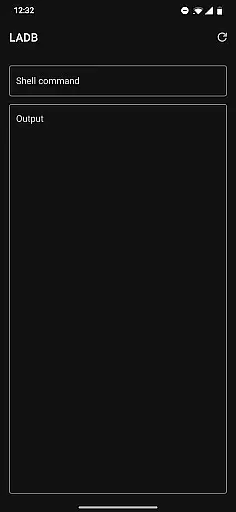
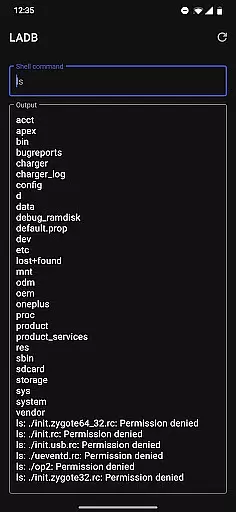
LADB is a powerful tool that bundles an ADB server within the app, enabling developers and power users to execute ADB commands directly on their Android devices without requiring a computer. This application leverages Android's Wireless ADB Debugging feature to facilitate local communication between the bundled server and the client.
With LADB, users can perform various advanced operations such as debugging, executing shell commands, and managing device settings locally. It is particularly useful for developers who need to troubleshoot or modify system behaviors on the go. The initial setup involves pairing the device using a unique code and port, ensuring a secure connection.
This tool is ideal for those who require frequent access to ADB functionalities without the hassle of connecting to a PC. By providing a seamless and efficient way to interact with the Android system, LADB enhances productivity and simplifies complex tasks.
LADB offers several notable features that cater to the needs of developers and advanced users. One of its primary capabilities is the ability to run ADB commands directly from the Android device, eliminating the need for external hardware. This feature is especially beneficial for on-the-go debugging and system management.
The application supports manual pairing for scenarios where the Assisted Pairing mode encounters issues, ensuring reliable connectivity even with newer Android versions. Users can follow a straightforward tutorial to establish a stable connection. Additionally, LADB includes troubleshooting steps that involve clearing app data and rebooting, which resolves most common errors.
Despite some compatibility issues with other tools like Shizuku, LADB remains a versatile solution for local ADB operations. Its slightly modified GPLv3 license encourages community contributions while maintaining the integrity of the application. Overall, LADB provides a comprehensive set of tools for efficient local device management.
For a tool like LADB, core function accuracy is paramount to ensure seamless local ADB operations without the need for USB connections. The app bundles an ADB server within its libraries, which traditionally requires active USB to communicate with the local device.
LADB leverages Android's Wireless ADB Debugging feature, allowing both server and client to interact locally. This eradicates the dependency on physical connectors, providing a streamlined debugging experience directly over wireless networks.
Users benefit from this precise implementation by gaining the ability to execute ADB commands conveniently. Whether it's for troubleshooting or development purposes, the reliability of LADB's core functions ensures that developers can focus on their tasks without worrying about connectivity issues.
The effectiveness of LADB in maintaining stable communication between the bundled server and the Android device showcases its value as a robust tool for developers seeking efficient debugging solutions.
A simple and intuitive interface is crucial for tools like LADB, where users may range from beginners to advanced developers. The app offers a straightforward setup process using split-screen mode or pop-out windows, enabling simultaneous access to LADB and Android Settings.
This design choice simplifies the initial pairing process significantly. By keeping both LADB and Settings visible, users can effortlessly input necessary information such as pairing codes and ports without fear of accidentally dismissing critical dialogs.
Despite some compatibility issues with other apps like Shizuku, LADB maintains its ease-of-use through clear troubleshooting steps. Most problems are resolved by clearing app data, removing wireless debugging connections, and rebootingu2014common actions that most users can perform without hassle.
Overall, LADB's commitment to interface simplicity ensures that even those new to ADB can efficiently utilize its powerful features without feeling overwhelmed by complex procedures.
User-friendly interface
Powerful ADB functionalities
Wireless debugging support
Comprehensive troubleshooting guide
Active community support
Incompatible with Shizuku
Initial setup complexity
Occasional pairing issues
Limited official builds
No external data processing

Connect instantly to a fast, encrypted VPN with one tap
 4.60
4.60
Extremely fast, secure, and protects your privacy
4.80
Complete kernel toolbox with features to manage and tweak your rooted device
4.30
eXtended Permission Manager - a small app to manage permissions and AppOps
4.50
App to pay for FUTO Keyboard
4.60
Create your own live wallpaper or check out thousands already made presets
3.90
Bedrock Together: Join any bedrock server on Xbox/PS
4.80
Fast Video Downloader, Movie Downloader, Torrent Downloader & Adblock Browser
4.70
Mobile Security with Scam Protection | Malware & Virus Cleaner | Safe Browser
4.70
Connect wirelessly to your computer to watch movies, browse the web, play games
5.00
Support Fossify apps with a warm thank you!
5.00
Navigate with Ease and Style
4.90
The ultimate tool for network analysis, wifi scanning and problem detection.
4.90
Optimize your WiFi network, turn your phone into Wifi Analyzer
4.70
Forza Tuning Calculator App for Forza Horizon 5, Motorsport and Earlier Titles
4.40
Pro Emulator is an easy to use game console emulator for a range of consoles.
4.40
An easy-to-use calculator designed to save time calculating and bending conduit
4.30
Carry a FTP server in your pocket and avoid USB cables for file transfer
4.20
A recovery soft,it features photo recovery, video recovery, file recovery.
3.40


User Reviews