
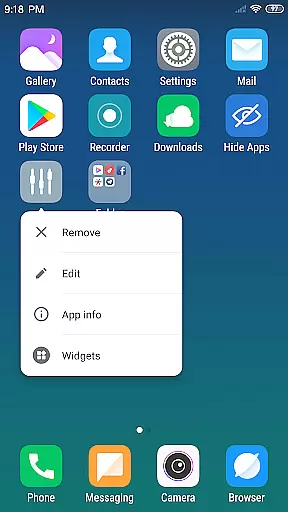
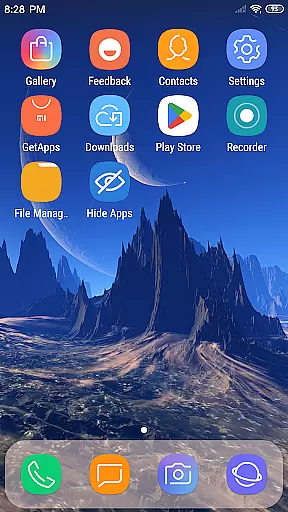
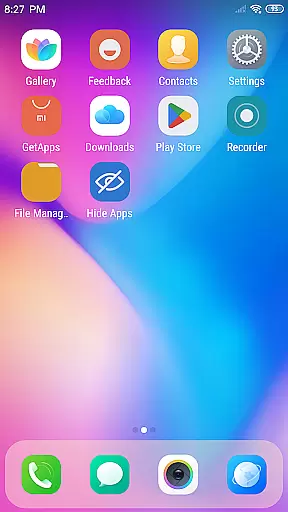
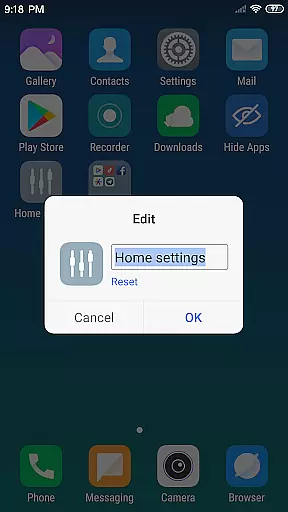
X Launcher Pro is a premium launcher app designed for Android users who appreciate minimalist flat design and customization freedom. This application transforms the entire look and feel of your smartphone, offering an immersive experience without any ads to interrupt your workflow or enjoyment.
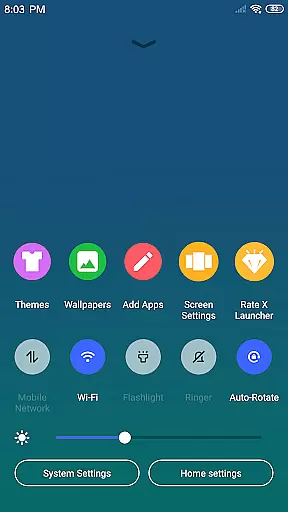
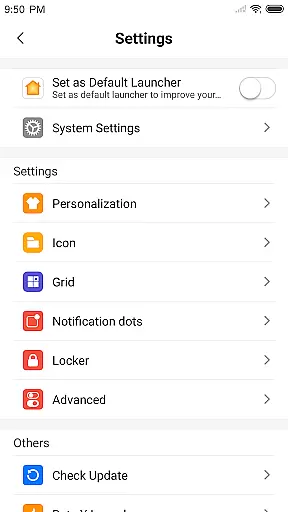
Key features include an intuitive App Manager that allows quick access to local apps, a convenient Control Center for managing essential phone settings, and a diverse Theme Store with adaptive themes. Users can also enjoy customizable options such as modifying app icons and names, adjusting grid sizes, and hiding unwanted apps from view.
Ideal for those seeking a clutter-free interface, X Launcher Pro provides a seamless blend of aesthetics and functionality, making it perfect for personalizing your device while maintaining optimal usability.
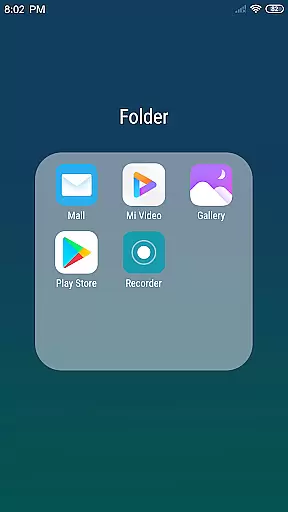
X Launcher Pro stands out with its comprehensive feature set tailored for both aesthetics and practicality. The app's hallmark is its ad-free environment, ensuring uninterrupted focus on tasks or entertainment. Its flat design language extends to every element, including the innovative Flat Style Folder system that simplifies app organization.
Productivity is enhanced through smart tools like the App Manager, which facilitates easy app management via drag-and-drop functionality, and the Control Center, providing one-touch access to critical settings such as Wi-Fi, brightness, and volume controls. Additionally, the launcher supports extensive customization options, allowing users to tailor their home screens with unique icons, wallpapers, and layout configurations.
Security-conscious users will appreciate the ability to hide sensitive apps, while design enthusiasts can explore a vast library of themes and wallpapers to refresh their device's appearance regularly. These features collectively deliver a personalized yet efficient mobile experience.
In the realm of Art & Design, X Launcher Pro stands out with its comprehensive suite of creative tools that cater to both casual users and design enthusiasts. The application offers a rich library of icons and the latest wallpapers, ensuring that users have access to an extensive range of visual resources for personalizing their device's interface.
One of the key features is the Theme Store, which provides various themes that adapt seamlessly to user selections. This flexibility allows for a dynamic and visually engaging experience, as users can experiment with different aesthetics to suit their preferences or mood.
Beyond static customization, X Launcher Pro also includes App Manager functionality, enabling swift organization and management of local apps directly from the desktop. Users can easily modify app icons and names, choose local images, crop them, and apply these as new app icons, thus providing a highly personalized touch to every aspect of their launcher.
The ability to adjust the number of rows and columns within the launcher further exemplifies the attention to detail in offering complete control over the look and feel of oneu2019s device. With such robust creative tools at their disposal, users are empowered to transform their smartphone into a unique piece of art.
X Launcher Pro excels in canvas and format flexibility, allowing users to tailor their smartphone's appearance with precision. The launcher supports customizable grid sizes, giving users the freedom to define the number of rows and columns on their home screen. This level of personalization ensures that each user can create a layout that best suits their usage patterns and aesthetic tastes.
Moreover, the application enables users to modify not only the visual elements but also the structural aspects of their app icons. By choosing local images, cropping them, and setting them as app icons, individuals can craft a cohesive visual theme across their device, making it truly distinctive.
The inclusion of a Flat Style Folder feature adds another layer of versatility, permitting users to group applications by simply dragging one app onto another. This intuitive approach to folder creation streamlines navigation while maintaining a clean and organized desktop environment.
With these advanced formatting options, X Launcher Pro delivers an unparalleled degree of adaptability, empowering users to express their creativity without constraints. Whether you're looking to optimize space or curate an artistic display, this launcher provides all the necessary tools for achieving your vision.
User-friendly interface
Highly customizable
No intrusive advertisements
Variety of aesthetic themes
Efficient app management
Storage permission required
Limited to Android devices
Premium version costs
May lack advanced widgets
Occasional compatibility issues

Discover Cartoon Dream : Unleash Your Creativity with CuttingEdge AI
 4.50
4.50
AI generated images & photos, turn your words into drawing, painting & pictures.
4.30
Create sweet, cool and unique couple avatars easily, in just a few steps!
3.40
Draw on screen: FP sDraw is a simple and lightweight drawing app
4.70
Art of Combination Wear OS Watch faces
4.1
Art of Combination Wear OS Watch Faces
4.2
Novices can also easily complete diamond painting masters
4.70
Create and Design Custom Logos in Seconds with AI-Powered Tools!
4.40
Create Logos, Tattoos, AI Art & more with our AI Photo Generator & Design Editor
4.20
The ultimate tool for creating animations
4.60
Digital, Abstract, Classic - all types of color wheels in one app!
4.60
Draw anime & manga drawing, art with templates to create stunning picture!
4.50
Unleash your drawing and painting potential
4.50
Remove Background, Magic Eraser, Photo Enhancer, Story Templates, Collage Maker
4.30
Easy 3D drawing design maker & creator. Model designing, Sculpting. Create&paint
4.00
Powerful home decoration & house design that allows you to design dream home.
3.80
AI Art Generator transforms your words into AI generated art & paintings.
3.70
Experience next-gen icons with a modern liquid glass look.
3.60
Android 14 style widgets and wallpapers app.
4.4


User Reviews