
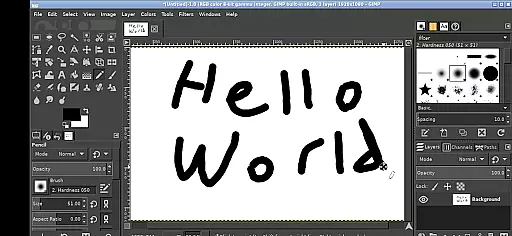
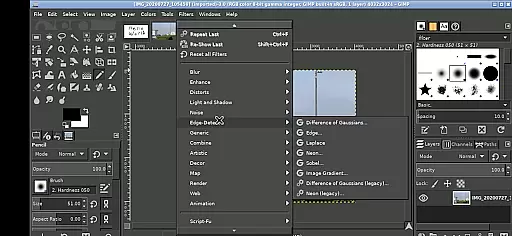
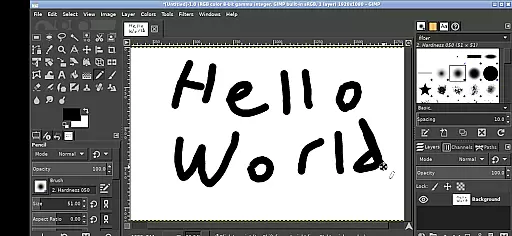
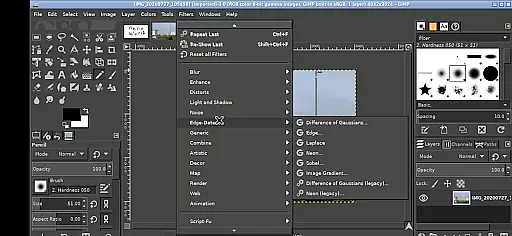
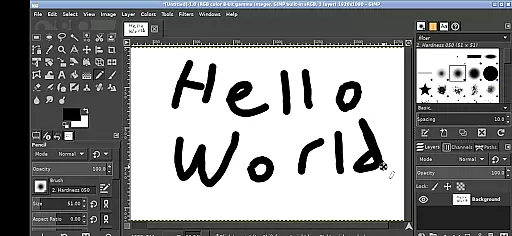
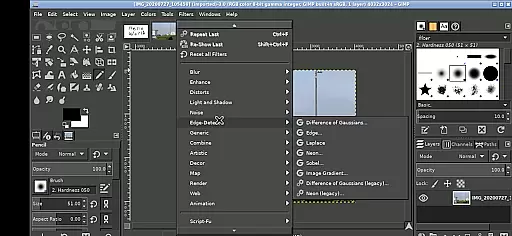
GIMP, the GNU Image Manipulation Program, is a powerful and versatile tool designed for photo editing, image authoring, and graphic design. Available on Android devices, this app brings professional-grade features to your fingertips.
With capabilities ranging from basic editing to advanced graphic manipulation, GIMP supports layers, filters, and customizable brushes. Its interface is adapted for touchscreens, allowing users to perform complex tasks with simple gestures such as pinching to zoom and tapping to select.
Ideal for designers and photographers on the go, GIMP enables seamless file access across Android directories, eliminating the need for cumbersome imports or exports. Whether you're retouching photos or creating digital art, GIMP delivers professional results directly on your mobile device.
GIMP stands out with its extensive feature set tailored for both casual users and professionals. The app includes everything from essential tools like cropping and resizing to advanced functionalities such as layer masks and color correction.
Specifically optimized for Android, GIMP allows users to navigate its interface through intuitive touch controls. Pinch-to-zoom, pan with a press-and-hold gesture, and scroll using two-finger swipes. These adaptations make it easier to use on tablets and phones alike.
One of GIMP's key strengths is its seamless integration with Android's file system. Users can access files from their Documents, Pictures, and other directories without needing to import or export data. This makes workflows faster and more efficient, whether you're editing photos or designing graphics.
In the realm of digital art and design, having a comprehensive set of tools is paramount. GIMP, the GNU Image Manipulation Program, offers an extensive array of features that cater to both amateur artists and professional designers. With capabilities ranging from simple drawing to complex image manipulation, this application ensures users have access to everything needed for photo editing, free-form drawing, and more.
GIMP's functionality extends beyond basic editing; it includes sophisticated tools for retouching, restoring, and enhancing images. The program supports a wide variety of plugins, allowing for additional effects and filters that can be applied to images, thus expanding its already impressive feature set. This adaptability makes GIMP suitable for detailed work such as graphic design, making it a versatile addition to any creative professionalu2019s toolkit.
For users transitioning from other platforms or those familiar with industry-standard software, GIMP provides a seamless experience with its customizable interface. Users can tailor their workspace to fit their specific workflow, ensuring maximum efficiency and comfort while working on projects. This level of customization empowers creators to focus on their art without being hindered by the limitations of their software.
Flexibility in canvas size and format compatibility is crucial for artists and designers who work across different mediums and platforms. GIMP stands out in this regard by offering unparalleled adaptability in terms of project dimensions and file formats. Whether you're designing for web, print, or any other medium, GIMP allows you to configure your canvas precisely to meet the demands of your project.
The application supports a vast range of file formats, including but not limited to JPEG, PNG, GIF, and TIFF, enabling smooth integration into various workflows. Moreover, GIMP facilitates non-destructive editing through its support for layers and channels, which means changes can be made without permanently altering the original image. This aspect is particularly beneficial when working on large-scale projects that require frequent revisions.
Additionally, GIMP's ability to handle high-resolution images without compromising performance ensures that professionals can work on detailed illustrations or photographs without worrying about system limitations. Its robust architecture is designed to accommodate the needs of modern creatives, providing them with the freedom to explore their ideas without technical constraints.
Professional-grade tools
Extensive format support
Customizable interface
Active community support
Open-source flexibility
Steep learning curve
Complex for beginners
Interface not polished
Performance may lag
Limited official support

Sketch, trace and master AR drawing with awesome anime art!
 3.30
3.30
Art of Combination Wear OS Watch faces
4.2
Draw anime easily with AR guidance, sketch templates & trace tools!
3.10
Create stunning art with AI.
4.80
Image resizer to resize, crop, rotate, flip, change dpi photo or picture in bulk
4.60
Get creative and make art with your Sesame Friends!
4.00
Experience next-gen icons with a modern liquid glass look.
3.60
Everything you need to create hand drawn animation, anywhere you go!
4.40
AI Tattoo Generator: Create Tattoo Designs & Get Ideas! Ink & Stencil Maker
4.50
Photo editor for art, avatars, filters & fun transformations.
4.60
The ultimate tool for creating animations
4.60
Draw anime & manga drawing, art with templates to create stunning picture!
4.50
Draw, make movies & animate cartoons easily with our 2D animation maker app
4.40
Unleash the artist in you with our AR drawing and tracing tool for photo drawing
4.10
Design your dream room with AI. Get decor ideas & plan home interiors
3.90
Art of Combination Wear OS Watch faces (for Wear OS 5+ devices)
3.90
Create stunning video, photo & magic from text with FlixAI GPT video generator.
3.10
Pose and morph realistic male and female models! 3D poser app
3.00
Your Essential Color Theory Guide: Red, Yellow, Blue (RYB)
4.0


User Reviews