
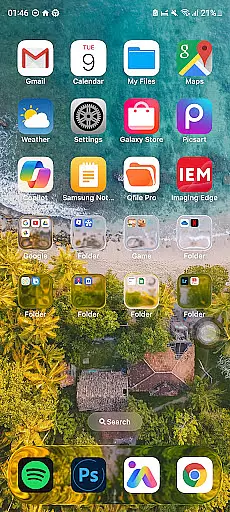
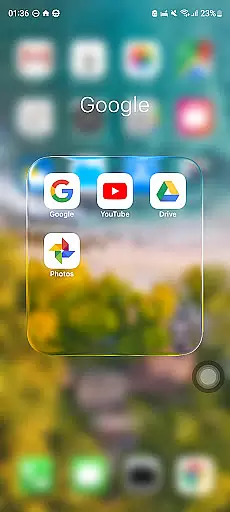
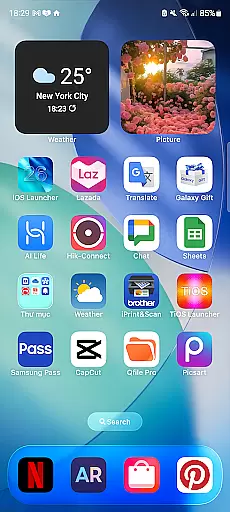
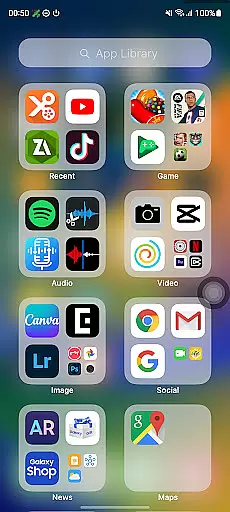
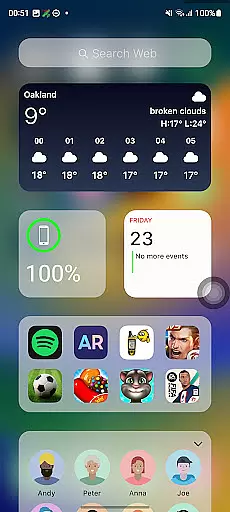
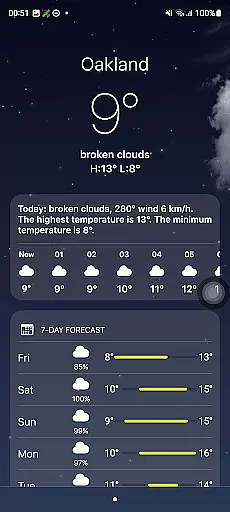
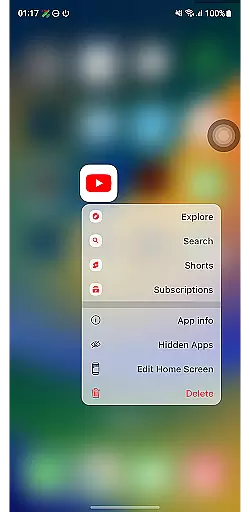
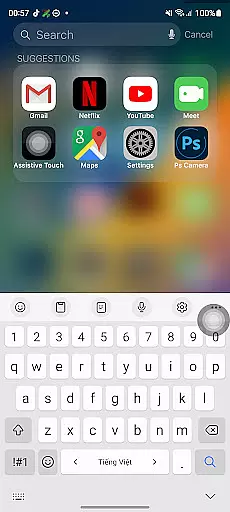
Launcher iOS 26 brings the iconic iPhone experience to Android devices, offering users a familiar interface with enhanced functionality. Designed for those who appreciate the iOS aesthetic, this launcher provides an authentic look and feel while adding practical features.
The application goes beyond simple visual changes by integrating essential functionalities inspired by the iPhone's user-friendly design. Users can access a Control Center, enjoy quick access to favorite apps, and customize wallpapers freely. These features simplify navigation and personalization on Android devices.
Ideal for individuals seeking to streamline their smartphone experience, Launcher iOS 26 is particularly useful for those transitioning from iOS to Android or simply wanting a taste of Apple's ecosystem on their current device.
Launcher iOS 26 stands out with its comprehensive replication of the iPhone's signature features while maintaining the flexibility of Android. The launcher meticulously recreates the iOS look and feel, providing users with a polished and intuitive interface that feels just like home.
Beyond aesthetics, the app offers practical enhancements such as a fully functional Control Center, allowing users to quickly adjust settings with a swipe. Quick Access shortcuts provide instant access to frequently used apps and actions, mimicking the convenience of iPhone's AssistiveTouch. Additionally, users can personalize their experience by setting custom wallpapers, mirroring the freedom offered by iPhones.
These features collectively create a seamless blend of form and function, making daily smartphone interactions more efficient and enjoyable while catering to individual preferences.
Launcher iOS 26 offers a rich array of customization options that allow users to tailor their Android devices to closely resemble the iPhone experience. This includes not only aesthetic elements but also functional features inspired by iOS.
The launcher provides an authentic iOS look and feel, with customizable wallpapers akin to those on an actual iPhone. Users can choose from a variety of wallpapers or set their own, offering a personalized touch to their home screens.
Beyond visual customization, Launcher iOS 26 integrates enhanced functionality such as the Control Center, which is accessible with a simple swipe. This feature mirrors the convenience found in iPhones, allowing for quick adjustments to device settings without navigating through menus.
Quick Access is another standout feature, reminiscent of iPhone's AssistiveTouch, providing users with easy access to their favorite apps and actions. These diverse customization options ensure that each useru2019s experience is unique and closely aligned with what they would expect from an Apple product.
Theme compatibility within Launcher iOS 26 ensures that users can enjoy a seamless integration of themes across their Android devices, maintaining visual consistency throughout the user interface. The app supports various themes that align with iOS aesthetics, delivering a harmonious and familiar environment.
Users will find that Launcher iOS 26 does more than just mimic the appearance of iOS; it provides comprehensive support for theme elements such as icons, fonts, and color schemes. This compatibility extends to third-party themes designed to emulate different versions of iOS, giving users flexibility in how they style their devices.
In addition to supporting static themes, Launcher iOS 26 also accommodates dynamic themes that adapt based on user interactions or time of day. This dynamic theming capability enhances personalization while preserving the integrity of the design language associated with iOS.
Overall, Launcher iOS 26u2019s robust theme compatibility empowers users to create a cohesive and visually pleasing experience on their Android phones, bridging the gap between two distinct mobile ecosystems.
User-friendly interface
Customizable options
Intuitive controls
Familiar iOS design
Enhanced functionality
Limited to Android
May lack some iOS features
Potential performance issues
Not a full OS replacement
Some features may require setup

A Colorful and Minimal icon pack in an Outline Style - Over 13,600 icons!
 4.70
4.70
Ultra realistic high quality analog watch face for Wear OS.
4.60
3D, live, and moving wallpapers & themes in 4K and HD for your device.
4.50
Ultimate Gallery Lock App - Hide Pictures, Videos and Lock Apps Instantly!
4.60
Your go to Weather App & Home Screen. Get your weather at a swipe of a finger!
3.80
400+ Beautifully crafted widgets inspired by NOTHING.
4.70
350+ widgets with a premium glass-style finish, perfect for home & lock screens.
4.70
Enjoy a variety of amazing live wallpapers and colorful EDGE lighting borders!
4.80
Fast SMS & group chat - use GIFs and emojis from your home screen launcher.
4.50
Only for Wear OS devices!
4.90
Vertically oriented rectangular icons
4.70
300+ Stunning and well-designed widgets inspired by NOTHING.
4.70
A minimalist productivity launcher. One-hand-friendly. Zero ads.
4.70
Ninja Turtles Cowabunga SE watch face for Wear OS
4.50
Aesthetic Widgets, HD Wallpapers, Themes in Mico Widget for Home and Lock Screen
4.50 4.50
4.50
Romantic Kiss Stickers App. Start romantic messaging now!
4.30
Unleash Your Creativity and Connect with Loved Ones with Lockscreen Drawing!
4.20
Transfer your live wallpapers from Windows to Android using Wallpaper Engine!
4.00


User Reviews