
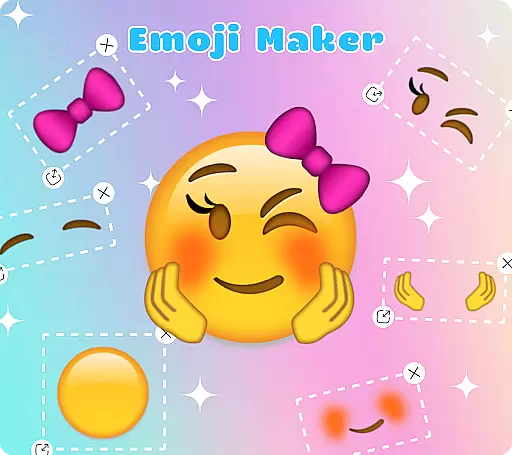
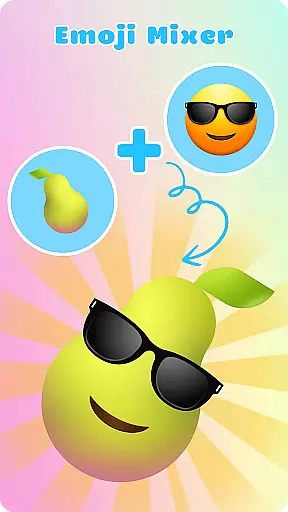
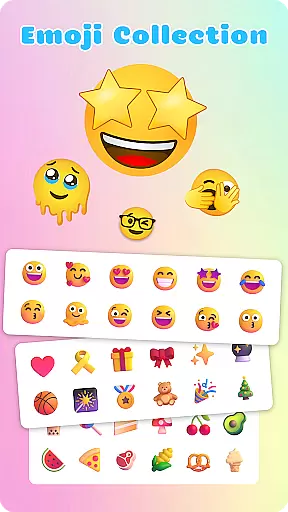
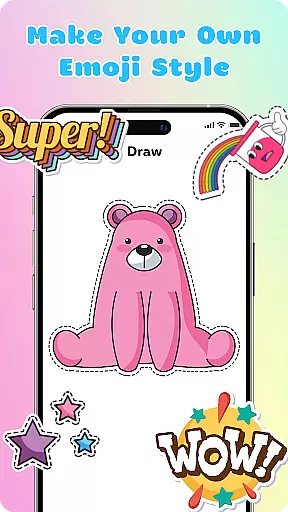
Emoji Maker is an innovative personalization app that allows users to create and customize their own emojis, offering a unique way to express emotions in digital conversations. With two main functions - Emoji Maker and Emoji Mixer - the app provides endless possibilities for creativity.
The app's standout feature is its ability to merge multiple emojis into unique combinations. Users can design custom emojis from scratch or mix different components like facial expressions, gestures, and accessories to create personalized emojis that accurately convey specific emotions and messages.
This customization capability makes Emoji Maker particularly valuable for enhancing digital communication across various platforms. Whether you're looking to add humor to casual chats or seeking precise expressions for professional conversations, this app offers the tools to create meaningful and context-appropriate emojis.
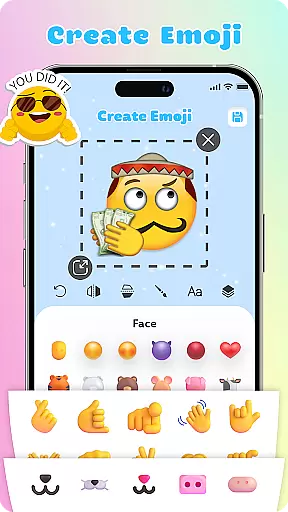
Emoji Maker stands out with its comprehensive set of creative tools designed for both beginners and advanced users. The app features an intuitive interface that makes emoji creation accessible even to those new to digital design. Its layering system allows users to stack elements, change order, and create complex compositions with ease.
The app provides professional-grade editing capabilities including resizing, flipping, and duplicating elements. Users can leverage the text feature to add custom messages directly on emojis, while the freehand drawing tool enables adding unique touches to existing designs. These features work together to offer unprecedented customization options.
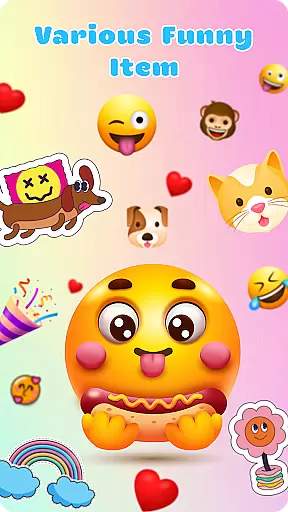
One of the most valuable aspects is the ability to create custom emoji packs with self-designed elements. Regular updates bring new features and customization options, ensuring the app remains fresh and continues to inspire creativity in digital communication.
Emoji Maker offers an extensive range of customization options that allow users to create unique emojis tailored to their personal style and mood. With features such as resizing, flipping, and duplicating images, the app provides a versatile platform for emoji creation.
The app includes various editing tools that enhance the customization experience. Users can add text or utilize freehand drawing to emphasize specific characteristics of their emojis, making each creation distinct and personalized.
Additionally, the layer feature enables users to stack elements and change the order of layers, adding depth and complexity to their designs. This level of detail ensures that each emoji can be as intricate and individual as the user desires.
With regular updates and new features, Emoji Maker keeps inspiring users' creativity, making it an ideal choice for those looking to express themselves through custom emojis.
Theme compatibility in Emoji Maker ensures that all custom emojis blend seamlessly with various messaging themes, preserving visual consistency across different platforms and devices. This compatibility enhances the user experience by maintaining the emojis' intended appearance and feel.
Users can design emojis with the confidence that they will look great and retain their unique style, regardless of where they are used. Whether it's a light or dark theme, Emoji Maker's emojis remain vibrant and clear.
The app's intuitive interface simplifies the process of creating theme-compatible emojis, even for beginners. This ease of use encourages creativity without worrying about the technical aspects of theme matching.
Ultimately, Emoji Maker's commitment to theme compatibility means users can enjoy a cohesive and engaging chat experience, enriched by their personalized emojis that consistently convey the intended emotions and messages.
User-friendly interface
Extensive customization options
Regular feature updates
Professional editing tools
Creative freedom
Limited sharing options
Advanced tools may overwhelm
Occasional performance issues
Premium features locked
Steep learning curve

Transform your phone with Launcher iOS 26 - Smooth & elegant iOS experience
 4.50
4.50
More than 3000+ themes and 9000+ wallpapers for everybody!
4.10
Wallpaper HD 4K Live - Thousands of high-quality Anime backgrounds for you.
4.80 4.10
4.10
Organize and manage your photos and videos effortlessly with Photo Gallery
4.20
Vibrant Adaptive Icons with Material You and Enhanced Monet Colors.
4.50
One 8 icons glass color version
4.80
Handcrafted pixel art icons, widgets & wallpapers
4.60
Magic fluids wallpaper 4D: Relax with stunning fluid simulation wallpaper app
4.20
Bring adorable pets to life on your screen. Playful, interactive and full of fun
4.60 4.50
4.50
Yandex Browser — stylish and secure, with voice search and data compression
4.40
Transform your device in a game console
4.40
Unique Fonts, typefaces and stylish text. Fonts for Instagram, Whatsapp & others
4.20
Run multiple accounts of the same app on a single device
4.10
Design your screen with unique, vibrant clocks
3.80
Your go to Weather App & Home Screen. Get your weather at a swipe of a finger!
3.80
Adaptive Dot Style IconPack with Light & Dark Theme.
3.70 3.50
3.50


User Reviews