
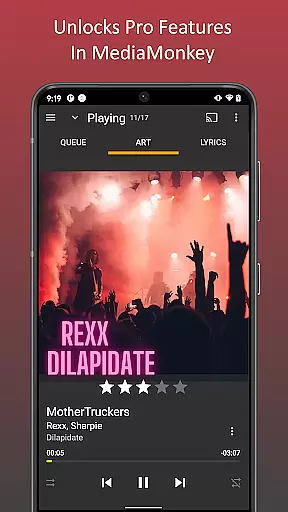
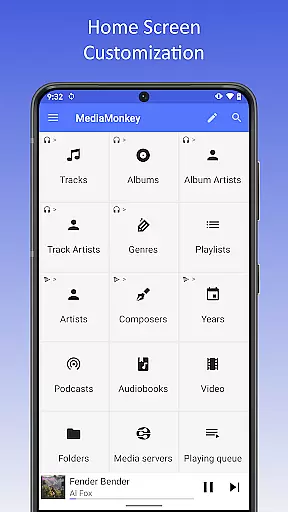
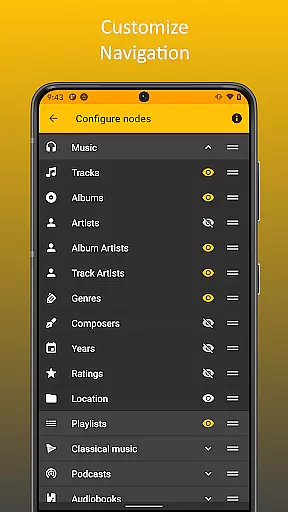
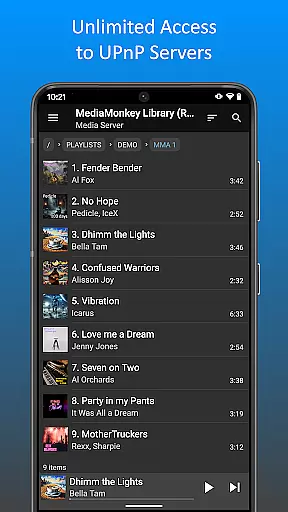
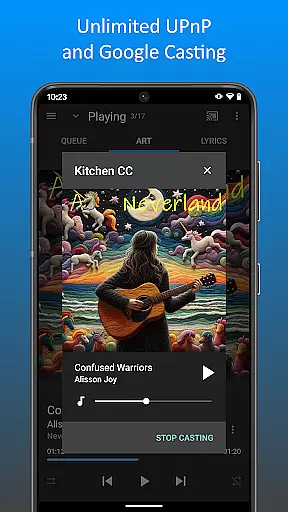
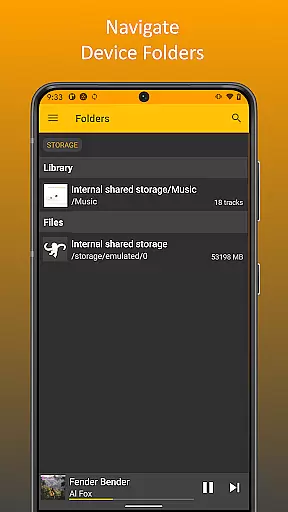
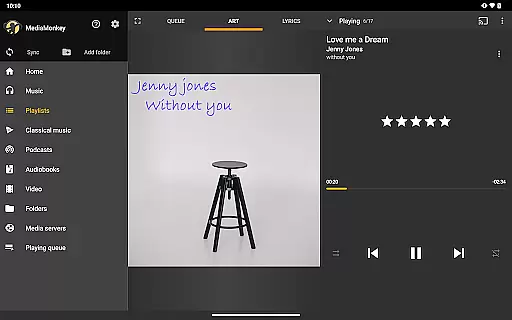
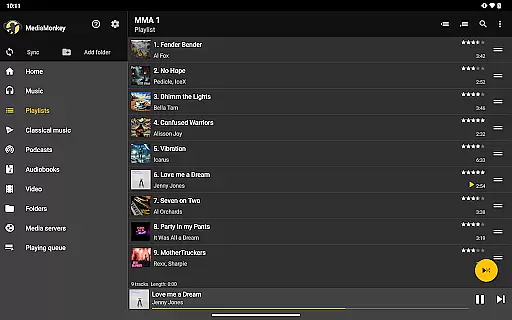
MediaMonkey Pro is a premium music management app designed for serious music collectors who need advanced tools to organize and enjoy their extensive libraries. The app offers professional-grade features such as Wi-Fi Sync, UPnP/DLNA support, folder browsing, and a customizable home screen. These functionalities allow users to seamlessly sync their music library with a Windows PC, stream content from servers, and navigate files using the device's physical hierarchy.
With its focus on power and customization, MediaMonkey Pro is ideal for audiophiles and collectors who require more control over their music experience. By unlocking these advanced features in the free version of MediaMonkey, it provides an enhanced and tailored listening experience that caters to both casual listeners and dedicated music enthusiasts.
MediaMonkey Pro stands out with its robust feature set tailored for advanced music management. One of its key highlights is Wi-Fi Sync, which enables wireless synchronization of your device's library, including metadata like ratings, play history, and volume levels, directly with a Windows PC. This ensures that your music library remains up-to-date across all devices without the hassle of cables.
Another notable feature is UPnP/DLNA support, allowing users to stream or download content from compatible servers. Folder browsing adds another layer of convenience by letting users navigate their library using the device’s physical file structure. Additionally, the configurable home screen empowers users to personalize their interface, displaying only the content they care about most. These features collectively make MediaMonkey Pro a versatile tool for managing large music collections efficiently.
MediaMonkey Pro offers an extensive music library that caters to serious music collectors who value both quantity and quality. The application allows users to manage large collections with ease, ensuring that all tracks are well-organized and easily accessible.
The app's Wi-Fi Sync feature enables users to synchronize their entire music library, including metadata such as ratings, play history, and volume levels, with a Windows PC. This seamless integration ensures that your library remains up-to-date across devices without the hassle of manual updates.
When it comes to copyright authenticity, MediaMonkey Pro respects intellectual property rights by allowing users to manage legally acquired music files. It supports various audio formats and ensures that content is correctly tagged and categorized, which is crucial for maintaining a legitimate and high-quality music collection.
By unlocking additional features like UPnP/DLNA support, users can access and stream their music library from different devices within their home network. This not only expands the accessibility of your music but also enhances the overall experience by providing flexible playback options.
One of the standout features of MediaMonkey Pro is its ability to provide superior audio quality options for discerning audiophiles. The app supports high-resolution audio formats, ensuring that listeners can enjoy their music in the best possible quality.
With configurable settings, users have control over how their music sounds. Whether adjusting equalizer settings or setting preferred volume levels, MediaMonkey Pro gives users the tools they need to tailor their listening experience to their exact preferences.
The inclusion of folder browsing and a customizable home screen further enhances the user's ability to manage their audio files effectively. These features allow for a personalized approach to organizing and accessing music, which is essential for maintaining an optimized library.
Additionally, MediaMonkey Pro's support for advanced tagging options means that audio files can be precisely labeled and sorted. This meticulous attention to detail ensures that users can quickly locate and play back their favorite tracks without compromising on sound quality.
Advanced music management
Wi-Fi Sync functionality
UPnP/DLNA support
Customizable home screen
Folder browsing capability
Requires free app install
No standalone use
Premium price tag
Complex for beginners
Limited mobile features

Formerly known as Spotistats! View your top tracks, artists, albums and more!
 4.40
4.40
The Music Journey in Your Hands
4.30
JBL PartyBox APP works with 110/310/710/120/320/520/Encore/Encore 2/Encore Ess 2
4.80
Permanently backup Now Playing. Maps, filters & listening stats.
4.00
Bass Booster & Volume Equalizer Pro improves your music and video sound quality
4.60
Make songs with AI! Any genre, custom lyric, song generator for music creation!
4.80
Smart piano keyboard, Classical to Pop, Real-time multiplayer connection!
4.20
Offline Tunes, Unlimited Vibes
3.90
Sing, record, and create music together — enhanced by smart voice tools.
4.00
Tune in to the greatest hits on UK Radio | The home of Capital, Smooth & Heart.
4.90
Listen to live FM radio stations, sports, music and news on global radios online
4.70
Ultimate Sonos Controller
4.70
Recording studio w/ 10k beats, pro vocal FX and a network of 20M rappers & fans!
4.60
A complete sound package for the sound engineer or enthusiast
4.60
Play KORG’s revolutionary touch-based instrument on a variety of devices.
4.40
Equalizer, Bass Booster and Volume Booster (Eq & Bass) improve sound quality
4.30
A High-Precision Audio Spectrum Analysis App
4.20
A sleek, no-frills player designed for true music lovers.
4.20
Simply convert wav to mp3. Clear. Reliable. Safe.
4.0


User Reviews