
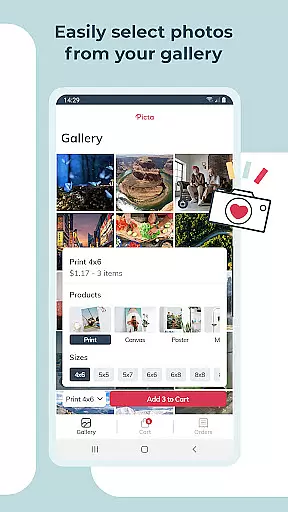
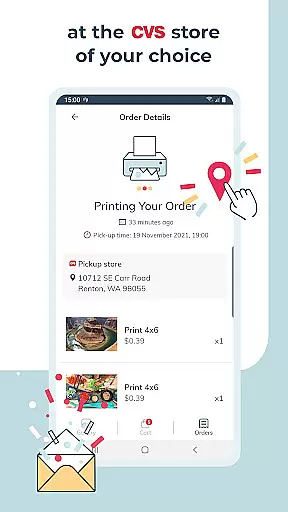
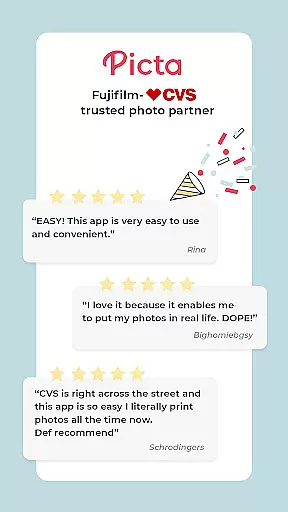
Picta x CVS Photo Print is a mobile application designed to simplify the process of photo printing. This app allows users to effortlessly print their mobile photos at CVS stores, offering various print sizes such as 4x6, 5x7, and square prints. With an intuitive interface, users can easily select their preferred photos, adjust print settings, and choose a nearby CVS store for same-day pickup.
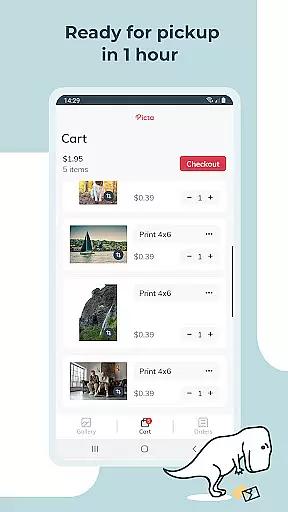
The app stands out with its fast processing time, enabling customers to place orders on their phones and pick them up within an hour. Additionally, Picta x CVS Photo Print provides options for creating personalized gifts like magnets and greeting cards, making it ideal for preserving memorable moments in a tangible form.
Picta x CVS Photo Print offers a comprehensive set of features tailored for photo enthusiasts. The app supports professional-quality photo printing on glossy paper in multiple sizes, including 4x6, 5x7, and even square formats perfect for Instagram photos. Users can also create custom products such as magnets, greeting cards, and invitations, catering to all occasions.
One notable feature is the enhanced CVS store locator, which simplifies finding the nearest store for quick photo pickups. The app ensures safe and fast photo transfers while organizing images by date taken. Furthermore, all products are manufactured exclusively in the United States, guaranteeing high standards of quality and service.
Real-time capture and preview functionality is essential for ensuring that users can accurately select and edit their photos before printing. With Picta x CVS Photo Print, users can instantly view their selected images in high quality, allowing them to make informed decisions about print sizes and formats.
The app provides a seamless experience by enabling users to crop and zoom each picture directly within the application. This ensures that every photo meets personal standards before it is sent for printing at a CVS store. The ability to adjust images in real time enhances user satisfaction and reduces the likelihood of reprints due to unsatisfactory results.
Furthermore, the app's intuitive interface allows users to easily navigate through their photo galleries, which are organized by date taken. This feature not only saves time but also makes the process of selecting photos more enjoyable. By offering such comprehensive tools, Picta x CVS Photo Print empowers users to create professional-quality prints with ease.
Overall, the real-time capture and preview capabilities of this app significantly enhance the photo printing experience, making it faster and more convenient for users to transform digital memories into tangible keepsakes.
AI beauty and enhancement features have become increasingly popular in photography apps, providing users with tools to improve the visual appeal of their photos naturally. Picta x CVS Photo Print incorporates advanced AI algorithms that automatically enhance images while maintaining their original essence, ensuring that enhancements look authentic rather than over-processed.
Users benefit from these enhancements as they can elevate ordinary snapshots into stunning prints without requiring extensive photo editing skills. The AI technology intelligently adjusts elements such as brightness, contrast, and color balance, resulting in vibrant and lifelike prints. Additionally, the app offers options for creating custom products like magnets and greeting cards, further expanding creative possibilities.
Another advantage of using AI for photo enhancement is the speed and efficiency it brings to the process. Users no longer need to spend hours manually editing photos; instead, they can rely on the appu2019s intelligent systems to produce high-quality results quickly. This convenience factor is particularly appealing for those who wish to preserve special moments without delay.
In summary, the AI beauty and enhancement features in Picta x CVS Photo Print provide users with powerful yet natural-looking improvements, enhancing both the aesthetic value and emotional impact of printed photographs.
User-friendly interface
Fast photo pickup
Multiple print sizes
Personalized gift options
Exclusive US manufacturing
Limited to CVS stores
No direct payment option
Requires physical pickup
Occasional delays
Notification opt-in needed

Search, tag and rate your way to an organized image gallery
 4.40
4.40
Virtual makeup, hair filters & body tuner—edit from face to full body!
4.20
A reflected light meter with spot metering and incident light metering.
4.40
Professional photography on your mobile phone
4.20
Future baby face generator: AI kids generator, kid face! What my baby look like?
4.40
Professional quality photo edits with the new Snapseed.
4.00
live datamoshing
4.00
Effortlessly make high-quality GIFs from images & videos without any watermarks.
4.70
Your Family Calendar + Photos. Manage your Skylight Calendar and Skylight Frame.
4.40
See your baby AI baby face generator AI baby maker Face generator babymaker fun!
4.70
1M influencer's special filter
4.60
Viewfinder, Light meter, Reciprocity failure time, DOF & Bellows Extension
4.60
Transform photos into videos! Create realistic or anime-style images easily!
4.50
Use AI Video Generator to turn your words to ai generated videos.
4.50
Easily stitch panoramas from multiple photos or video.
4.40
Luminar: Photo Editor - easy picture editing with AI
4.20
The #1 app for B&W film developing featuring an advanced darkroom timer.
4.10
Application for remote controlling DSLR
3.00
Long exposure camera with computational photography
2.60


User Reviews