
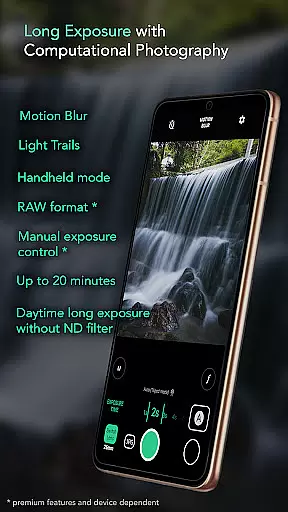
Motion ProCam is a specialized photography app designed to simplify long exposure photography. This app allows users to effortlessly capture stunning motion blur and light trails without requiring professional equipment or advanced skills. By utilizing computational photography techniques, Motion ProCam combines multiple images into one seamless long exposure photo.
The app's standout feature is its ability to produce high-quality results even in challenging lighting conditions. Whether shooting during the day or capturing dynamic scenes like waterfalls and cityscapes, Motion ProCam ensures sharp, well-exposed images. With additional pro features such as RAW format support and manual exposure control, it caters to both casual photographers and enthusiasts seeking greater creative control.
From smoothing out water surfaces to removing crowds in busy locations, this app provides practical solutions for various photography scenarios. Its intuitive interface and powerful processing capabilities make it an essential tool for anyone interested in exploring the art of long exposure photography.
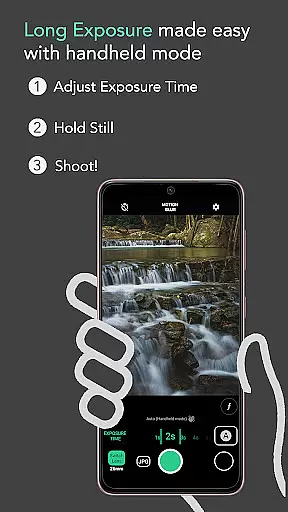
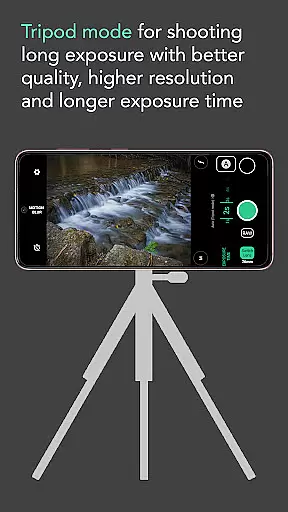
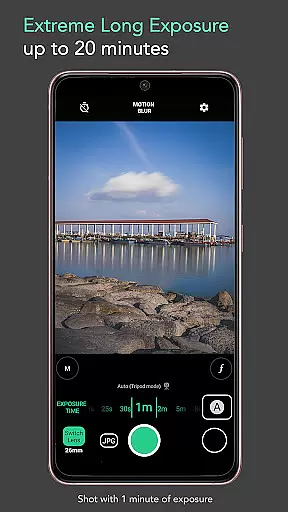
Motion ProCam offers a comprehensive set of features tailored for long exposure photography. The app includes auto stabilization for handheld shots, enabling users to capture steady images without a tripod for exposures up to five seconds. For more extended exposures, the app supports durations of up to 20 minutes, allowing photographers to experiment with different creative effects.
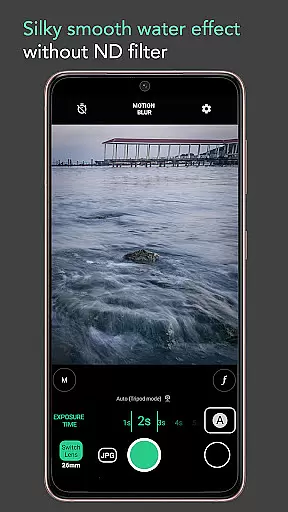
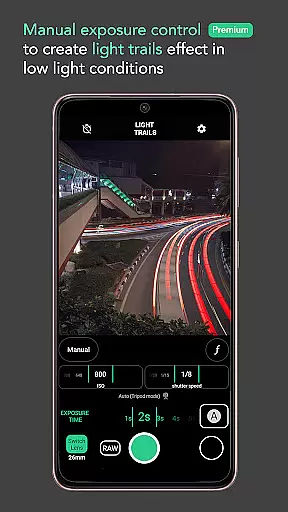
One of the app's key innovations is its ability to produce daytime long exposure shots without the need for an ND filter. This opens up new possibilities for capturing scenes in bright environments that were previously difficult to achieve. Users can choose between motion blur and light trails effects, giving them flexibility in how they want to portray movement in their photos.
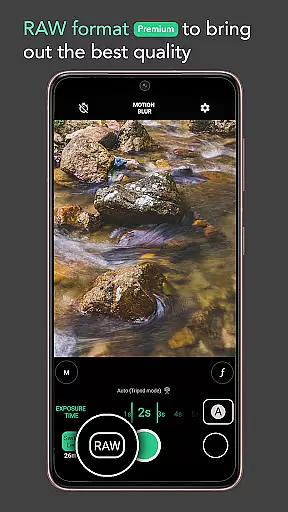
Premium features such as RAW format support and manual exposure control provide advanced users with the tools needed to achieve optimal image quality. These professional-grade capabilities ensure that photographers can fine-tune their settings and capture images exactly as they envision. Additionally, the app's compatibility with volume button shutter triggers makes it easy to take pictures without introducing camera shake.
Real-time capture and preview functionality is essential for ensuring that users can accurately frame and adjust their shots before capturing the final image. In Long Exposure - Motion ProCam, this feature allows photographers to visualize the potential outcome of their long exposure photography without any guesswork.
The app provides a live viewfinder experience that simulates the long exposure effect in real time. This means that as you adjust settings such as exposure time or select different effects like motion blur or light trails, you can see a close approximation of the result on your screen. Such immediate feedback empowers users to fine-tune their compositions with precision.
For enthusiasts looking to experiment with creative techniques, having an accurate preview is invaluable. It saves time by reducing the need for trial-and-error and helps achieve desired artistic effects more reliably. With Motion ProCam's computational photography approach, even complex images combining hundreds of shots are distilled into a coherent preview.
This level of responsiveness not only enhances user confidence but also makes advanced photographic techniques accessible to amateurs and professionals alike. By delivering a seamless real-time capture and preview experience, Long Exposure - Motion ProCam ensures every shot counts.
While Long Exposure - Motion ProCam focuses primarily on long exposure photography, it leverages AI technology to enhance image quality naturally without compromising authenticity. The appu2019s AI beauty and enhancement features work behind the scenes to ensure that each photo maintains its original character while benefiting from subtle improvements.
One key aspect where AI shines is in auto-stabilization during handheld shooting. By intelligently analyzing multiple frames, the app aligns them to counteract hand movements, producing sharp and clear images even at slower shutter speeds. This process preserves natural details without introducing artificial artifacts.
Additionally, premium features like manual exposure control and RAW format support give advanced users the tools they need for post-processing flexibility. These options allow photographers to retain maximum detail and dynamic range, which is crucial when aiming for professional-grade results. The AI enhancements complement these capabilities by optimizing image data intelligently.
Ultimately, whether removing crowds from busy scenes or creating creamy smooth water effects, Motion ProCam uses AI judiciously to enhance photos naturally. Users benefit from sophisticated computational methods that deliver stunning yet believable imagery, making it easier than ever to produce captivating long exposure shots.
User-friendly interface
Daytime long exposure
Auto stabilization
RAW format support
Manual exposure control
Premium features locked
Limited free options
High battery usage
Processing time required
Not for beginners

Effortlessly organize, view and share your photos & videos with Gallery app!
 4.40
4.40
Application for remote controlling DSLR
3.00
Photobooth mini FULL app will allow you to add more fun to your parties
4.00
What celebrity do you look like? Celebs will find your celebrity match!
4.10
Perfect body tune & face app - photo retouch, makeup, slim body & beautify face.
4.80
Smart, light, and fast photo and video gallery
4.30
Professional camera app that brings DSLR manual photography controls to Android.
4.20
A unique animation app. Powerful, easy to use, and lots of fun.
4.30
Try an anime version, cartoon yourself, and generate AI hug or aging videos!
3.70
Create funny photos and videos with the popular Time Warp Scan filter.
4.90
Photo prints, cards, & gifts at Walgreens. Easy ordering & fast local pickup !
4.80
Amazing Photo Effects - The most fun you can have with your photos!
4.70
A light meter for true photographers.
4.20
Catch sunlight, sunrise sunset times and sun phases with the AR sun tracker.
4.10
Hair color changer, AI haircut app, fun hair editor and buzz cut filter for all!
3.80
Perfect photos with body shaping, BG changer and object remover.
3.70
Create amazing frames with up to five photos. Rounded corners, effects and more!
3.60
Superimpose one photo on top of another using the original Superimpose app!
3.20
HD Photo gallery and photo manager to edit, hide private photos, videos & albums
4.4


User Reviews