
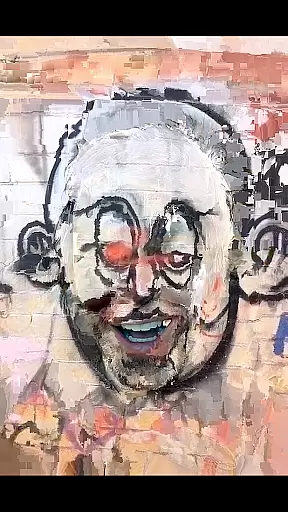
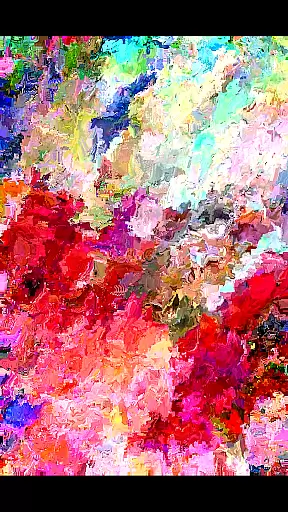
MoshUp is a creative photography app that allows users to perform live datamoshing on their mobile devices. This unique feature lets you film one scene, then another, and see the first recording transformed by the motion in the second one. The app enables interesting mapping effects and includes functionality like frame repetition by holding the screen.
With the latest version, MoshUp now supports video imports from your gallery, expanding its creative possibilities. While still in development, the app may have compatibility issues with some devices, but the developer is actively working on improvements. This tool is perfect for photographers and videographers looking to experiment with unconventional visual effects.
MoshUp stands out with its innovative live datamoshing capability, which transforms videos based on subsequent motion captures. Users can create visually striking mapping effects by combining different recordings. A useful feature is the ability to repeat the last frame simply by holding the screen, giving more control over the final output.
The recent update brings video import functionality, allowing users to apply datamoshing effects to existing footage from their gallery. Although the app might not run perfectly on all devices due to its developmental stage, it offers a unique set of tools for creative expression through video manipulation. These features make MoshUp a valuable tool for artists exploring new media formats.
Real-time capture and preview functionality is essential for photography apps like MoshUp. This feature allows users to see the effects of their actions immediately as they film or edit.
MoshUp enables live datamoshing, transforming the first recording through the motion detected in the second recording. As users film different scenes, the app applies real-time transformations based on movement, creating unique visual effects.
The ability to preview these changes instantly enhances user creativity, allowing experimentation with different filming techniques. Users can achieve desired artistic outcomes by adjusting their filming approach according to the live preview.
This immediate feedback loop not only improves the creative process but also saves time, eliminating the need for lengthy post-processing. MoshUp's real-time capture and preview empower users to produce visually striking content efficiently.
While MoshUp focuses on creative video effects rather than traditional beauty enhancements, it still offers tools that enhance visual content naturally. The app's live datamoshing capability creates interesting mapping effects without appearing artificial or over-processed.
Instead of conventional beautification features, MoshUp uses motion data from subsequent recordings to transform previous footage. This approach maintains the authenticity of the original content while adding artistic flair through natural motion-based modifications.
The latest version extends this natural enhancement by allowing video imports from galleries. Users can apply the same organic transformation techniques to pre-recorded content, expanding creative possibilities while preserving the genuine character of the source material.
Although not a traditional AI beauty tool, MoshUp's effect system provides a different kind of enhancement - one that emphasizes artistic expression and maintains the integrity of the original footage through its unique transformation method.
Unique datamoshing effect
Live transformation capability
Frame repetition option
Gallery video import
Creative potential high
Developmental bugs present
Limited device support
Complex for beginners
Interface not polished
Feature set still growing

How would you look like with a differently shaped nose, chin or lips?
 3.90
3.90
Search, tag and rate your way to an organized image gallery
4.40
Android Native system HD camera app. Never been so simple and faster.
4.70
Create AI Photos, Improve and restore quality of blurry, old or damaged pics.
4.20
Light-weight Media Gallery app for Android made with Jetpack Compose
4.60
Create AI photos & videos with Enhancer; restore, fix, beautify, enhance photos
4.50
Easily view, share, delete photos with Gallery.
4.70
Pro version: AR sun/moon tracker for any date. Tool for photographers & planners
4.90
Edit photos with the picture generator: PS2 & AI Clay filters, cartoon effects.
4.50
Gallery show photo, video, slideshow, is perfect 3D effect private photo albums.
4.80
Photo editor: AI filters, photo enhancer, pic collage maker, AI art generator.
4.80
A collection of tools and reference tables for DPs, ACs, DITs and Operators.
4.70
Take videos and pictures with the popular TikTok TIME WARP SCAN filter.
4.60
Safe & smart flight with Go Fly drone controller for 40+ drone camera, zone map
4.50
Photo editor & gallery. Crop pictures & edit photos offline, no wifi!
4.50
Gallery Slideshow is slideshow maker app for slideshow from your gallery photos.
3.90
Be your best in every shot! Fix, edit and retouch your face in selfies & photos.
3.70
GCamera allows all GCam features on all phone models! Better photos with GCamera
3.30
Professional video recording application with manual controls for filmmakers!
2.80


User Reviews