
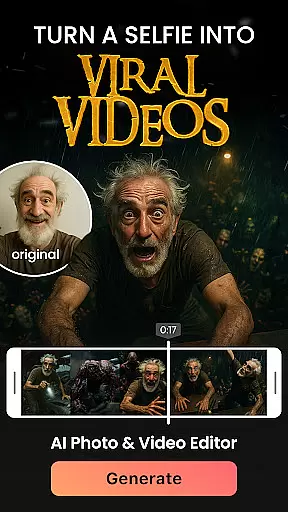

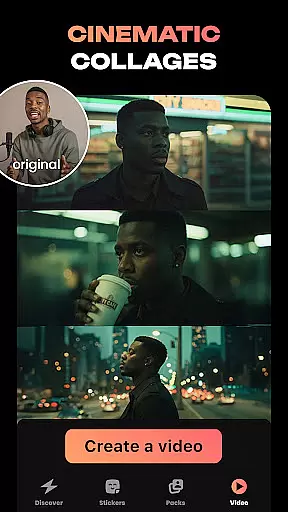
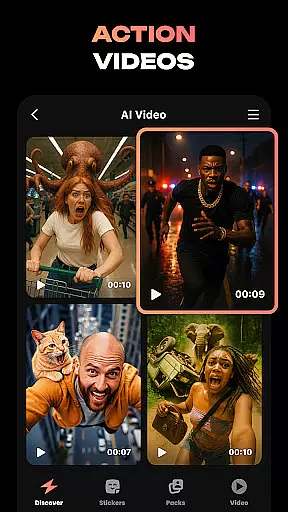
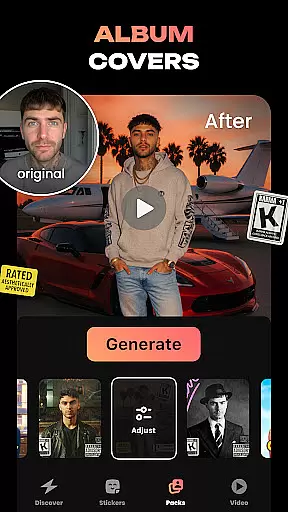
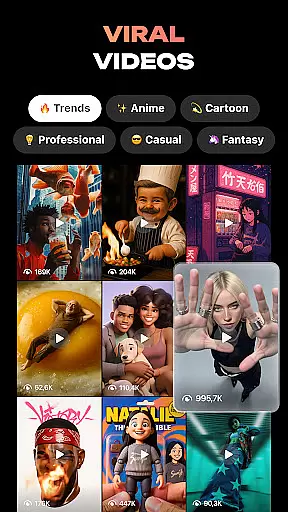
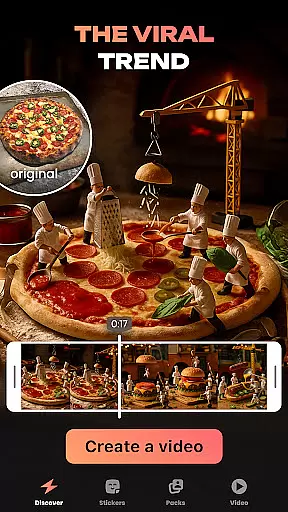
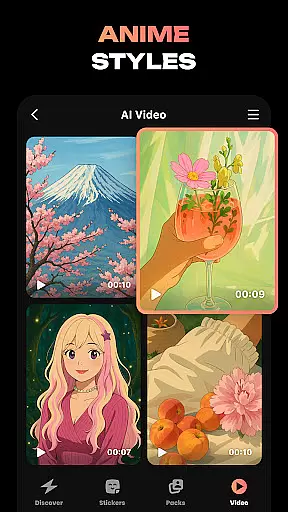
Hula is an innovative photography app that leverages AI technology to transform your photos and videos into creative masterpieces. With its powerful features, users can create personalized avatars, viral video content, and even convert photos into animated videos or anime styles.
The app offers a wide range of playful tools such as the baby generator, which predicts what your future child might look like, and a sticker creator for customizing chat experiences. Whether you want to see yourself in retro styles or envision how you'd appear in different time periods, Hula makes it possible with just one selfie.
Hula stands out with its diverse set of AI-powered features designed to enhance self-expression through digital media. Users can regenerate their images in various artistic styles including vintage, luxury fashion, and superhero aesthetics.
One of the unique aspects is the ability to bring photos to life by transforming them into engaging video content, perfect for social media platforms. Additionally, Hula allows for photo-to-video conversions and anime transformations, making it easy to produce content that resonates with current trends.
Real-time capture and preview functionality is essential for any photography app, allowing users to see exactly what their final output will look like before they commit to creating it. Hula offers this by providing instant previews of AI-powered transformations, ensuring that users can experiment with different styles and effects without any lag or uncertainty.
The app leverages advanced AI algorithms to process images and videos on-the-fly, delivering immediate results. Whether you're turning a selfie into an anime character or generating a future baby's image, the real-time preview ensures accuracy and satisfaction in every creation.
For users, this means less time spent on trial and error and more time enjoying their creative process. The ability to instantly see changes boosts confidence in using various features, encouraging exploration and personal expression through digital art forms.
AI beauty and enhancement features are crucial for apps focused on photo editing and personalization. Hula stands out by offering natural-looking enhancements that don't compromise the authenticity of the original image. This balance between enhancement and realism is achieved through sophisticated AI models trained to understand subtle facial features and skin textures.
Users can transform their photos into viral videos or stylish avatars while maintaining a lifelike appearance. For instance, when applying retro or luxury filters, the app intelligently adjusts elements such as lighting and color grading to produce stunning yet believable outcomes.
This focus on natural enhancement not only improves user satisfaction but also broadens the appeal of the app across different demographics. By prioritizing genuine aesthetics over exaggerated effects, Hula ensures that every piece of content created resonates well with both creators and viewers alike.
User-friendly interface
AI-driven creativity tools
Variety of style options
Fun social sharing features
Engaging avatar creation
May require paid subscriptions
Privacy concerns with personal data
Occasional bugs in transformations
Limited free feature access
High system requirements

Viewfinder, Light meter, Reciprocity failure time, DOF & Bellows Extension
 4.60
4.60
Perfect body tune & face app - photo retouch, makeup, slim body & beautify face.
4.80
Photo prints, cards, & gifts at Walgreens. Easy ordering & fast local pickup !
4.80
Cartoon and artistic effects for your photos and videos
4.70
Light-weight Media Gallery app for Android made with Jetpack Compose
4.60
A must-have app for landscape photographers
4.60
A reflected light meter with spot metering and incident light metering.
4.40
Remote control the phone camera shutter from your smartwatch and take a picture
1.60
Photo & Video Gallery app to manage albums and save WA Status easily.
4.70
Gallery show photo, video, slideshow, is perfect 3D effect private photo albums.
4.80
Easily view, share, delete photos with Gallery.
4.70
Your personal guide to the sun and moon. Plan ahead, visualize and predict!
4.70
HD Camera Pro with HD Video shooting, Panorama, Photo editor , Beauty Camera.
4.50
Fit multiple photos on one post. Create carousels & scroll layouts for Instagram
4.50
Use AI Video Generator to turn your words to ai generated videos.
4.50
Create & Edit with AI: AI Remove, Enhance, Retouch, Filter
4.10
Photobooth mini FULL app will allow you to add more fun to your parties
4.00
GCamera allows all GCam features on all phone models! Better photos with GCamera
3.30
Snap photos remotely using your Garmin watch as the camera trigger
4.1


User Reviews