
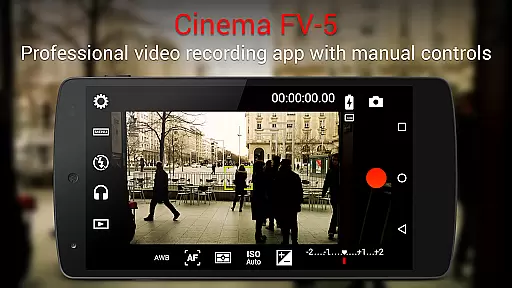
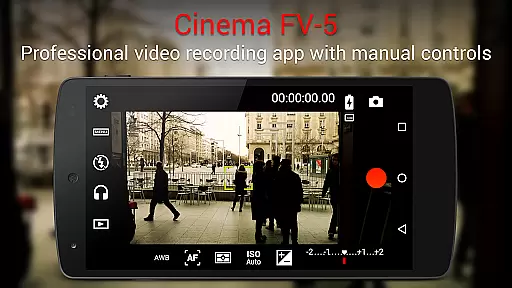
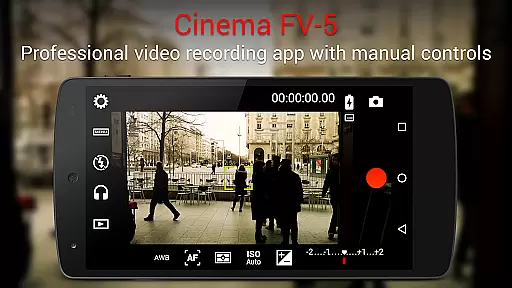
Cinema FV-5 is a professional-grade video camera application designed for mobile devices, offering advanced manual controls that empower videographers to capture high-quality footage. With its comprehensive suite of features tailored for both enthusiasts and professionals, the app allows users to adjust critical image sensor parameters such as ISO, exposure compensation, focus modes, and white balance. These capabilities ensure optimal post-production results, making it an ideal tool for creative filmmakers.
The app stands out with its professional viewfinder options, including compositing grids, crop guides, and live RGB histograms, alongside advanced audio metering functionalities. Supporting 4K UHD video recording on compatible devices, Cinema FV-5 also provides flexible codec choices and extensive organizational tools for managing video clips. Whether capturing content for short films or documentaries, this app ensures superior material quality across various devices, particularly Android-based compact cameras.
Cinema FV-5 boasts an impressive array of features that cater to professional videography needs. One standout aspect is its ability to adjust key sensor parameters like ISO, exposure compensation, and white balance even during active recording sessions. This flexibility enables precise control over lighting conditions and enhances dynamic range management in diverse shooting environments.
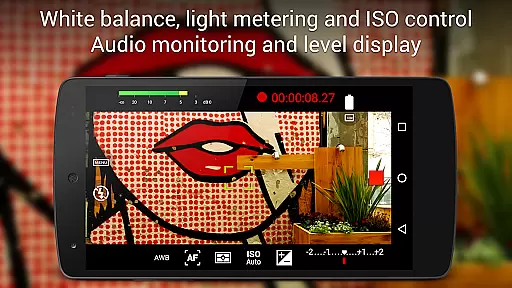
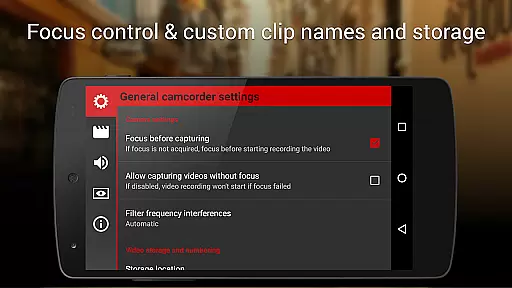
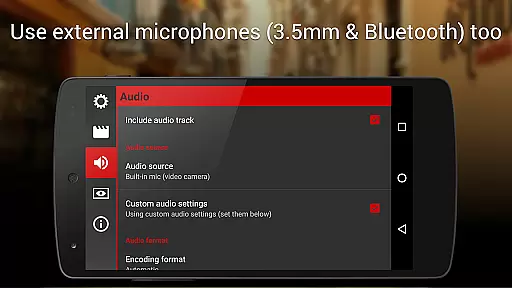
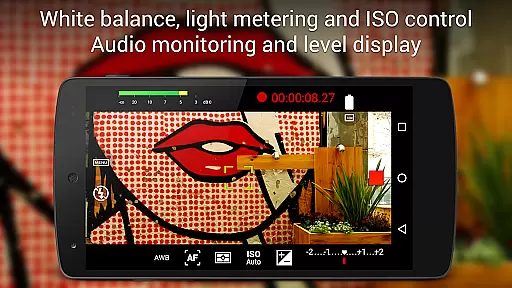
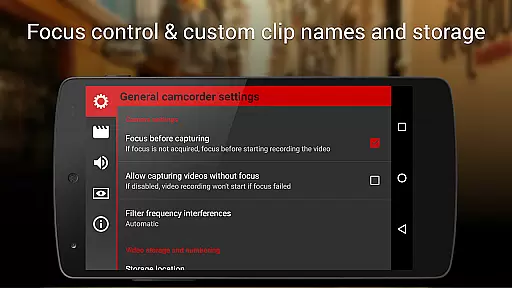
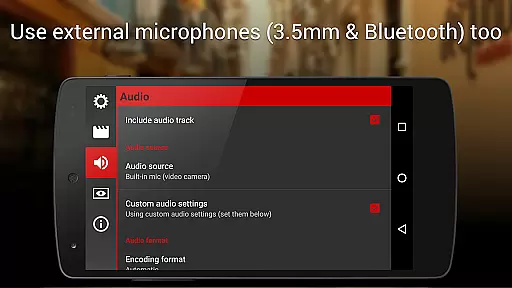
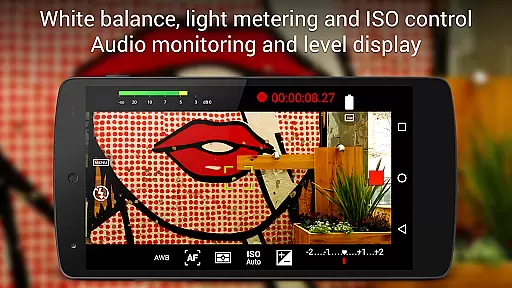
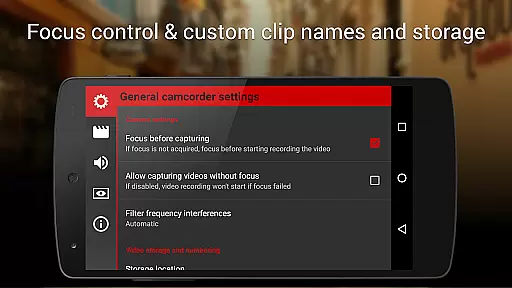
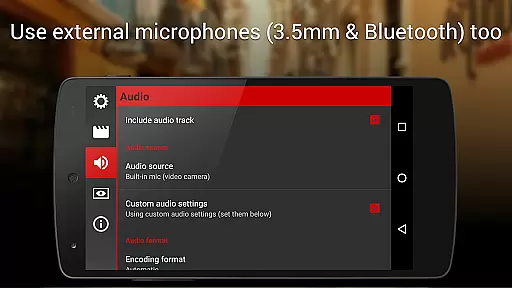
In addition to robust video controls, the app includes advanced sound metering options, displaying real-time audio peaks and clipping warnings. Users can select from multiple audio input sources, including built-in microphones, external wired mics, or wireless Bluetooth headsets. The inclusion of geotagging support, customizable file naming conventions, and assignable camera functions further solidifies Cinema FV-5's position as a versatile tool for filmmakers seeking efficiency and precision in their workflow.
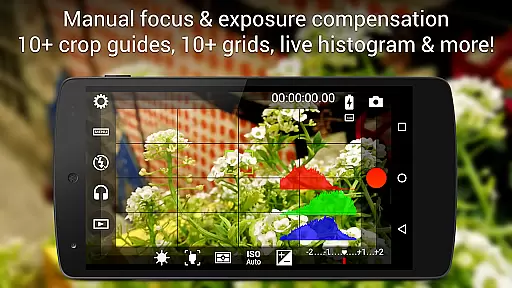
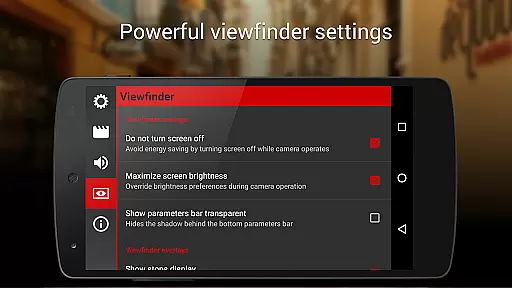
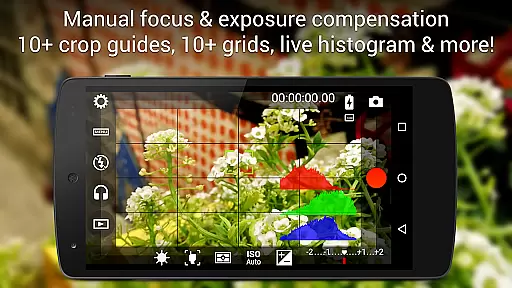
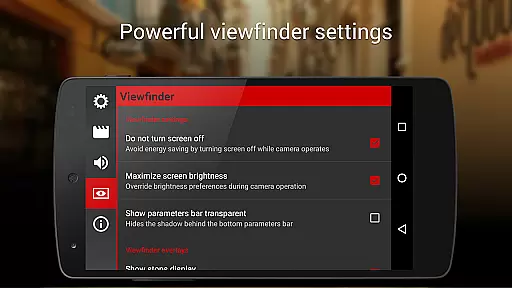
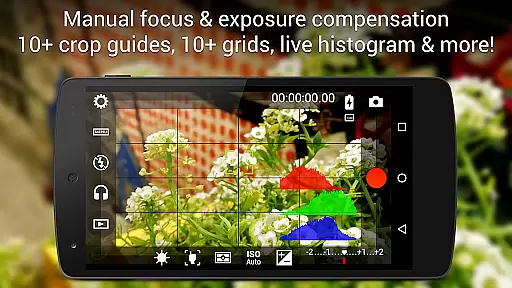
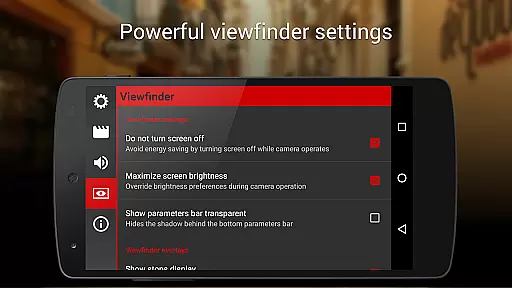
Real-time capture and preview functionality is essential for ensuring that videographers can accurately frame and adjust their shots while recording. Cinema FV-5 excels in this area by providing users with a professional viewfinder that includes over 10 compositing grids and crop guides. These features allow filmmakers to compose their scenes with precision, offering safe area displays and other advanced tools.
In addition to the visual aids, the app offers an electronic viewfinder with live RGB and luminance histograms. This feature enables users to monitor exposure levels and make necessary adjustments during recording. Such capabilities ensure that footage meets high-quality standards and reduces the need for extensive post-production work.
The ability to change sensor parameters like ISO, exposure compensation, or white balance during recording further enhances the real-time capture experience. By allowing these adjustments on the fly, Cinema FV-5 empowers videographers to adapt quickly to changing lighting conditions without interrupting their recordings. This flexibility is crucial for capturing dynamic scenes and maintaining creative control.
While primarily focused on professional video capture, Cinema FV-5 also incorporates features that enhance the natural beauty of the footage without relying on artificial enhancements. The app's advanced manual controls enable videographers to fine-tune settings such as focus, exposure, and white balance. These adjustments help bring out the best in each scene, emphasizing natural colors and details rather than applying heavy-handed filters or effects.
Cinema FV-5 supports various audio input sources, including built-in microphones, external wired microphones, and wireless Bluetooth headsets. By offering multiple options for capturing sound, the app ensures that audio quality matches the visual fidelity of the video. Clear and well-balanced audio contributes significantly to the overall naturalness of the final product.
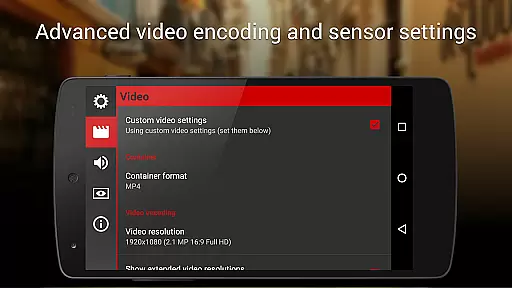
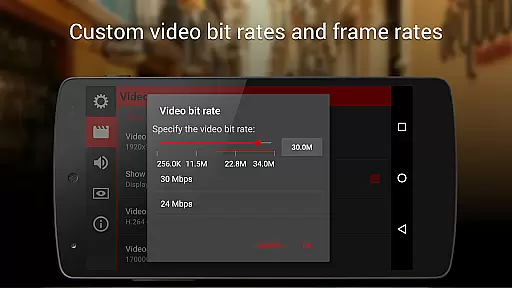
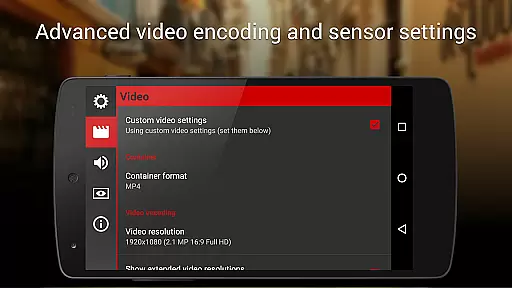
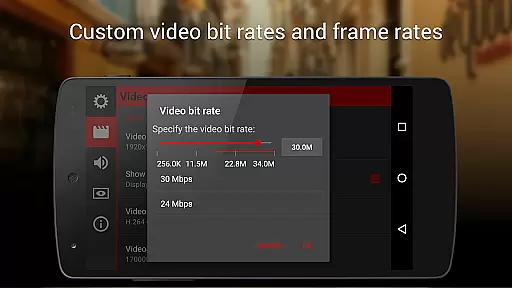
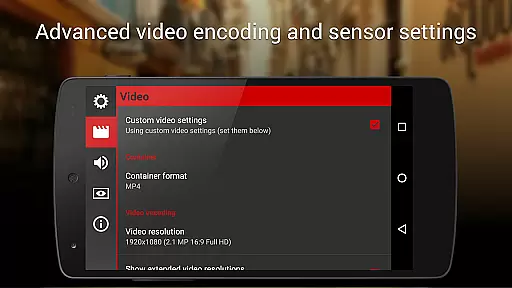
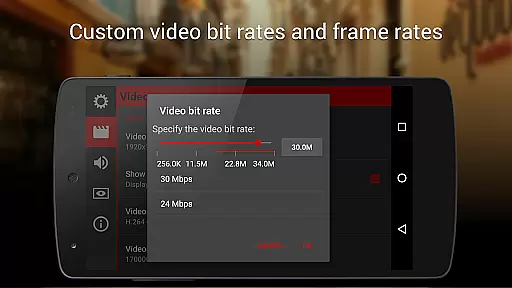
Furthermore, the app allows users to choose from different video and audio codecs, adjust bitrates, and set audio sampling rates. These options provide additional control over the quality and characteristics of the output, enabling creators to optimize their files for specific uses or platforms. With Cinema FV-5, videographers can achieve professional-grade results that highlight the inherent beauty of their subjects without compromising authenticity.
Advanced manual controls
Real-time parameter adjustments
Professional viewfinder tools
Flexible audio input options
4K UHD video support
Complex for beginners
Requires high-end hardware
No free version available
Interface may feel cluttered
Geotagging not enabled by default

A collection of tools and reference tables for DPs, ACs, DITs and Operators.
 4.70
4.70
AI portrait generator and polaroid AI selfie, fun AI generated AI photo creator!
4.30
An interval timer to automate photo taking process for timelapse
2.90
Viewfinder, Light meter, Reciprocity failure time, DOF & Bellows Extension
4.60
Virtual makeup, hair filters & body tuner—edit from face to full body!
4.20
Raw Image Viewer. Gallery with support of raw images (.cr3, .cr2, .nef, .raf).
2.00
USB Storage Access for Photos, Videos, Music and Documents
3.80
Welcome to ProShot, the most powerful camera app on Android.
4.20
Try an anime version, cartoon yourself, and generate AI hug or aging videos!
3.70
Pro version: AR sun/moon tracker for any date. Tool for photographers & planners
4.90
Perfect body tune & face app - photo retouch, makeup, slim body & beautify face.
4.80
Cut and paste photo editor & eraser to customize photos easy and swap faces fun
4.50
Easily stitch panoramas from multiple photos or video.
4.40
Create & Edit with AI: AI Remove, Enhance, Retouch, Filter
4.10
Professional quality photo edits with the new Snapseed.
4.00
live datamoshing
4.00
Be your best in every shot! Fix, edit and retouch your face in selfies & photos.
3.70
Long exposure camera with computational photography
2.60
HD Photo gallery and photo manager to edit, hide private photos, videos & albums
4.4


User Reviews