
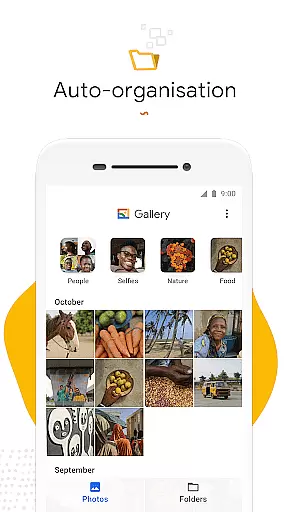
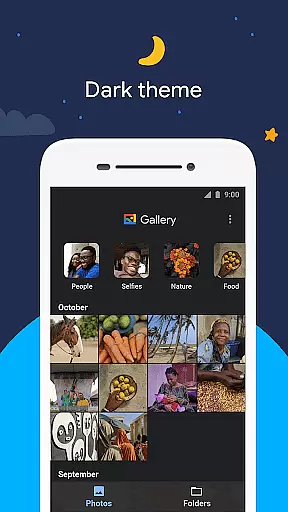
Gallery is a smart photo and video gallery app developed by Google, designed to help users find photos faster through automatic organization. The app automatically groups photos into categories such as People, Selfies, Nature, Animals, Documents, Videos, and Movies every night.
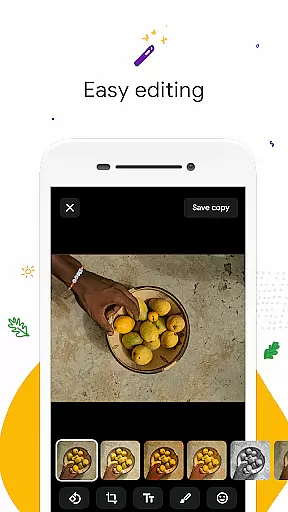
In addition to its organizational features, Gallery offers editing tools like auto-enhance to make photos look their best with just one tap. It also supports organizing photos in folders and managing content on SD cards. With its small file size and offline functionality, Gallery ensures optimal performance without consuming much device memory or mobile data.
Gallery stands out with its automatic organization feature that saves time by grouping photos into intuitive categories. This makes it easier for users to locate specific images without endless scrolling. The built-in editing tools, including the powerful auto-enhance function, allow users to quickly improve their photos with minimal effort.
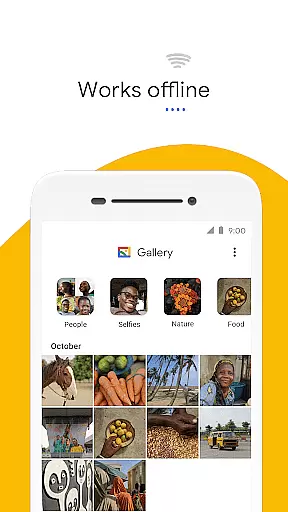
The app's support for folders and SD cards provides flexibility in managing large collections of photos and videos. Users can easily transfer files between their device and SD card. Moreover, Gallery is optimized for performance, boasting a small file size and low memory usage, ensuring it runs smoothly even on less powerful devices. Its ability to work offline adds to its appeal, making it an ideal choice for users who want to manage their media efficiently without worrying about data consumption.
Real-time capture and preview functionality is essential for ensuring that users can take high-quality photos without delay. Gallery offers a seamless experience by allowing users to see exactly what the camera captures in real time.
The app's interface provides an intuitive way to adjust settings such as exposure, focus, and white balance directly from the preview screen. This ensures that users have complete control over how their photos will look before they even press the shutter button.
With its automatic organization feature, Gallery helps users quickly find and review their captured images. This means less time spent scrolling through photos and more time enjoying them with friends and family.
By optimizing performance and working offline, Gallery ensures that users can rely on it in any situation, whether they're capturing precious moments at a family gathering or shooting professional content on the go.
AI beauty and enhancement features are crucial for users who want to look their best in every photo. Gallery incorporates advanced AI algorithms to provide natural-looking enhancements that preserve the authenticity of each image.
The auto-enhance tool is designed to make photos look their best with just one tap. It intelligently adjusts lighting, color balance, and sharpness while maintaining the original feel of the photograph.
Gallery also supports folders and SD card management, allowing users to organize enhanced photos however they prefer. This flexibility ensures that all edited images are easily accessible and well-organized.
By focusing on naturalness and ease of use, Gallery stands out as a powerful yet lightweight solution for anyone looking to improve their photos without compromising on quality or performance.
User-friendly interface
Automatic photo organization
Effective editing tools
Supports SD card management
Optimized for performance
Limited offline features
No advanced editing options
Face grouping not available everywhere
Requires Google account
Basic folder customization

Search, tag and rate your way to an organized image gallery
 4.40
4.40
Easily stitch panoramas from multiple photos or video.
4.40
HD Photo gallery and photo manager to edit, hide private photos, videos & albums
4.0
Edit like a pro with Hypic. Apply filters, AI effects, & magic touch.
4.40
Take videos and pictures with the popular TikTok TIME WARP SCAN filter.
4.60
GCamera allows all GCam features on all phone models! Better photos with GCamera
3.30
Professional quality photo edits with the new Snapseed.
4.00
Solocator stamps photos you take with GPS location, Compass Direction, Date/Time
3.80
Edit photos with the picture generator: PS2 & AI Clay filters, cartoon effects.
4.50
The original Rarevision VHS look seen everywhere!
4.70
Viewfinder, Light meter, Reciprocity failure time, DOF & Bellows Extension
4.60
AI photo editor with hair editor, retouch tools, hair color changer & filters!
4.50
A light meter for true photographers.
4.20
Create & Edit with AI: AI Remove, Enhance, Retouch, Filter
4.10
Hair color changer, AI haircut app, fun hair editor and buzz cut filter for all!
3.80
Superimpose one photo on top of another using the original Superimpose app!
3.20
An interval timer to automate photo taking process for timelapse
2.90
Add a dreamy vibe to your selfies and videos with soft style filters
4.0
Snap photos remotely using your Garmin watch as the camera trigger
4.3


User Reviews