
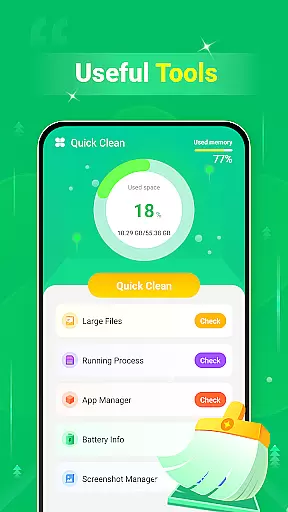
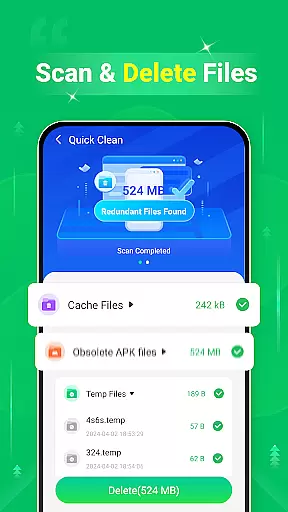
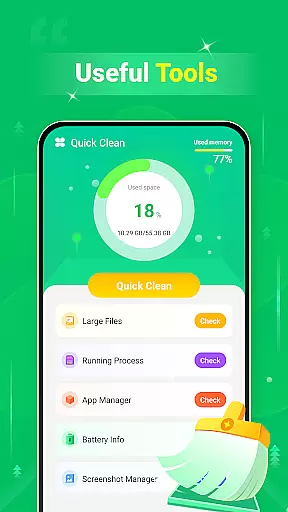
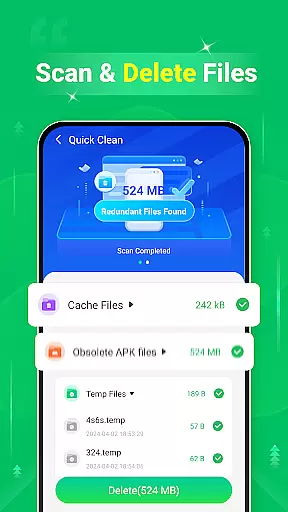
Quick Clean is a powerful tool designed to optimize device storage and enhance performance. This application specializes in scanning and removing unnecessary files that consume valuable space on your device.
The app offers multiple cleaning options including cache, log, and temporary file removal. It also features large file management and screenshot cleanup functionalities. With its intuitive interface, Quick Clean ensures users can easily reclaim storage space and improve device efficiency.
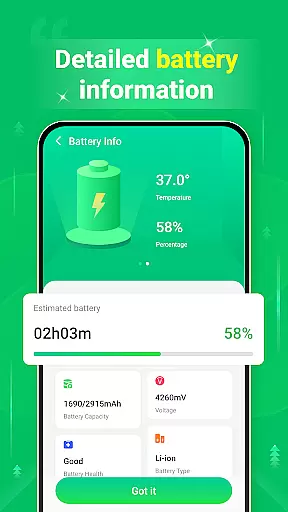
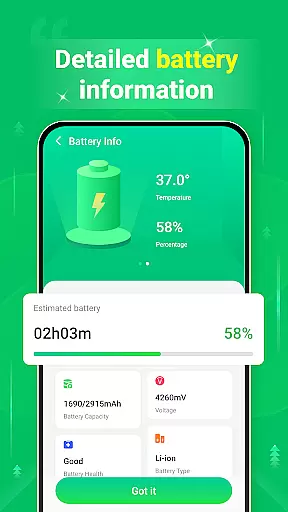
Ideal for users who need to regularly manage their device's storage, Quick Clean provides an essential service for maintaining optimal device performance. Its battery information feature adds extra utility by displaying key battery metrics.
Quick Clean stands out with its comprehensive suite of cleaning tools. The app's primary feature is its ability to scan and delete various types of redundant files, including cache, log, and temporary files that accumulate during regular device usage.
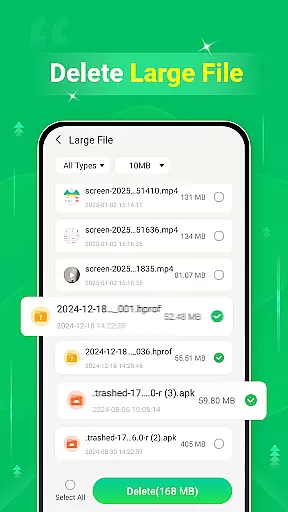
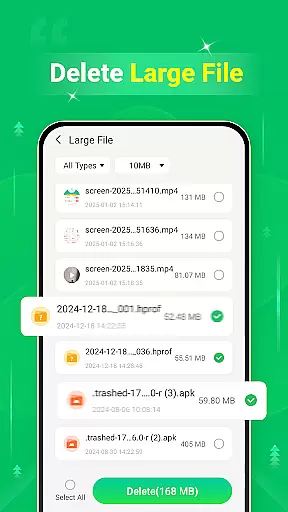
A unique aspect of Quick Clean is its dedicated large file scanner, which helps users identify and remove space-consuming files. The app also includes a specialized screenshot manager, allowing users to review and delete unwanted screenshots. These features work together to provide a complete storage optimization solution.
All features are designed with user-friendliness in mind, ensuring that even non-technical users can effectively manage their device's storage. The inclusion of battery information monitoring adds additional value, making Quick Clean a versatile tool for overall device maintenance.
Quick Clean - Space Cleaner is designed to provide users with accurate and effective tools for managing their device storage. The app's core functions include scanning and deleting redundant files such as cache, log, and temp files, which can accumulate over time and consume valuable space.
The application employs advanced scanning algorithms that ensure no important data is removed while effectively identifying unnecessary files. This dual approach guarantees both safety and efficiency in the cleaning process, allowing users to reclaim significant storage space without risking essential data loss.
Users benefit from enhanced device performance as Quick Clean removes clutter that can slow down operations. With regular use, the app helps maintain optimal device functionality by preventing file overload, thus ensuring smooth and fast operation of your smartphone or tablet.
Quick Clean - Space Cleaner boasts an interface that emphasizes simplicity and intuitiveness, making it accessible even to those who may not be tech-savvy. Upon opening the app, users are greeted with a straightforward dashboard that clearly presents all available cleaning options.
The design philosophy behind Quick Clean focuses on ease of navigation, ensuring that users can effortlessly locate and utilize its features. Whether deleting large files or clearing out screenshots, each task is streamlined to require minimal steps, enhancing user experience through efficient interaction.
This commitment to a clean and intuitive interface translates into quicker cleaning sessions and less time spent figuring out complex controls. Users can enjoy a hassle-free way to manage their device's storage, leading to increased productivity and satisfaction with their mobile experience.
User-friendly interface
Comprehensive cleaning options
Effective storage management
Fast scanning capability
Reliable performance
Limited advanced features
No cloud backup option
Basic battery monitoring
Occasional false positives
Ads in free version

Canon PRINT is a companion app for your Canon printer.
 4.60
4.60
App that Recover your pictures, videos or files after you delete them.
4.20
Create your own live wallpaper or check out thousands already made presets
3.90
Effortlessly run ADB commands directly on your device without a PC.
4.20
Monitor car performance in real time and troubleshoot malfunctions.
4.80
Quickly check the frequency of the Earth
4.30
Powerful collection of electronics tools and reference.A must for any enthusiast
4.90
Play your X-Box games remotely in 1080p with any controller and zero latency
4.60
Remote Play with FSR upscaling, low latency & full controller support
4.80
The ultimate tool for network analysis, wifi scanning and problem detection.
4.90
Unit and currency converter with easy and simple UI.
4.80
ADB support Android 4.X-Android 13(Support wireless pair mode).No root required!
4.70
Connect instantly to a fast, encrypted VPN with one tap
4.60 4.50
4.50 4.10
4.10
A convenient photo, video, and file recovery tool.
4.00
1-Click close all background apps on Android TV
3.90
Safely recover deleted photos, videos, and files with a single easy tap.
3.70
Download any file easily and quickly with Downloader
4.4


User Reviews