
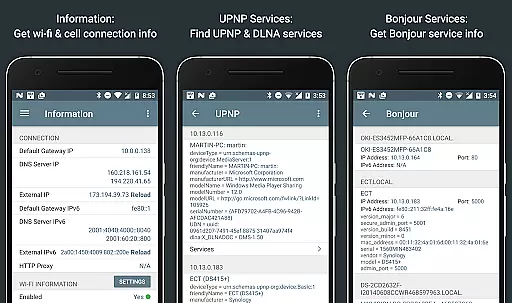
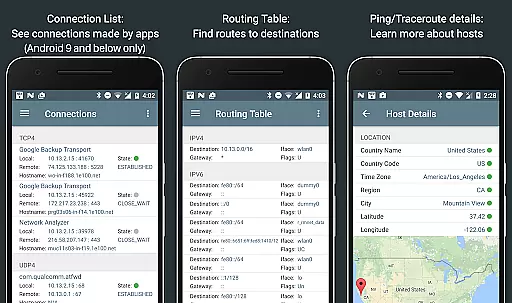
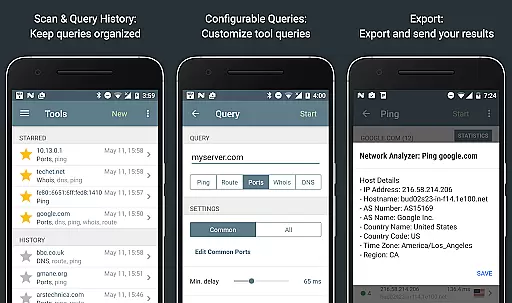
Network Analyzer Pro is a comprehensive network diagnostic tool designed to help users identify and resolve issues related to their Wi-Fi networks, Internet connectivity, and remote servers. The app provides an extensive suite of tools including a fast Wi-Fi device discovery feature that lists all LAN devices with their addresses and names, along with the Bonjour/DLNA services they offer. It also includes standard diagnostic utilities such as ping, traceroute, port scanner, DNS lookup, whois, and network speed test functionalities.
In addition to diagnosing local network problems, Network Analyzer Pro allows users to view detailed information about nearby Wi-Fi networks, including signal strength, encryption type, and router manufacturer. This helps in determining the optimal channel for setting up a wireless router. The app supports both IPv4 and IPv6 protocols, ensuring compatibility across different network configurations. Whether you're troubleshooting network issues or optimizing your Wi-Fi setup, this application offers valuable insights and data to enhance your network performance.
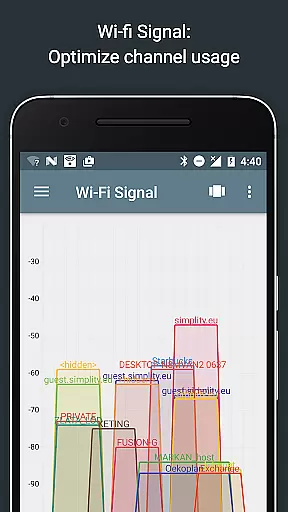
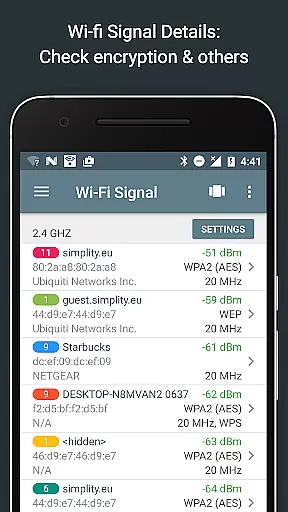
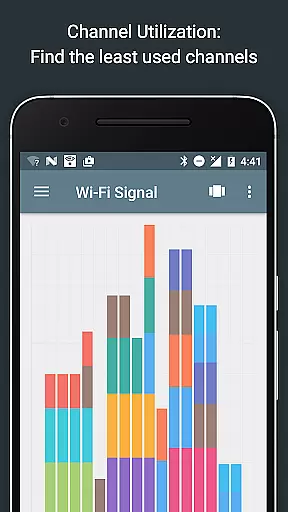
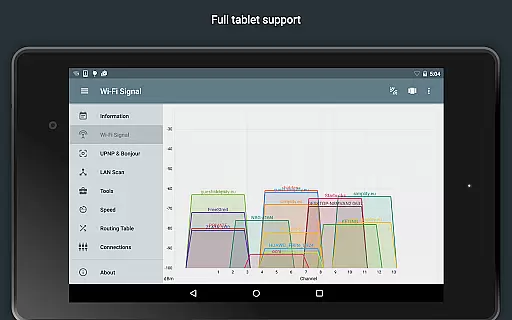
Network Analyzer Pro stands out due to its wide array of advanced features tailored for network diagnostics. One notable feature is the Wi-Fi signal meter, which provides both graphical and textual representations of network channels and signal strengths. Users can see per-channel utilization through a channel usage graph and obtain details like Wi-Fi network type (WEP, WPA, WPA2), encryption methods (AES, TKIP), BSSID (router MAC address), manufacturer, WPS support, and bandwidth information.
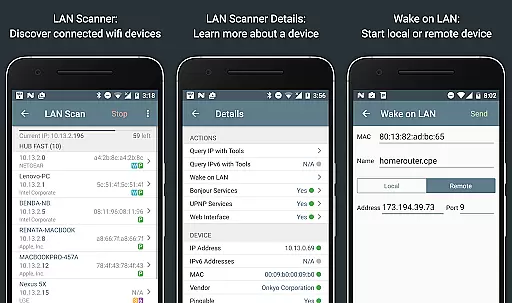
The LAN scanner is another powerful tool within the app, enabling fast and reliable detection of all network devices. It displays IP addresses of discovered devices, NetBIOS, mDNS (Bonjour), LLMNR, and DNS names where available. Additionally, it tests the pingability of these devices, checks IPv6 availability, and supports Wake on LAN (WOL) functionality, including remote WOL. With options for custom IP range scans and filtering capabilities, users have granular control over their network exploration.
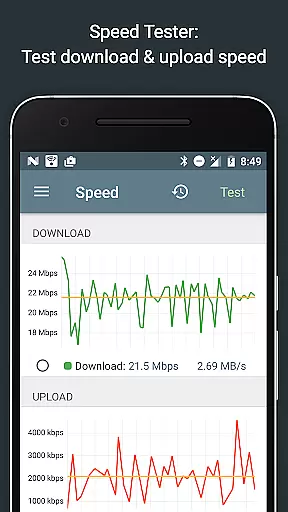
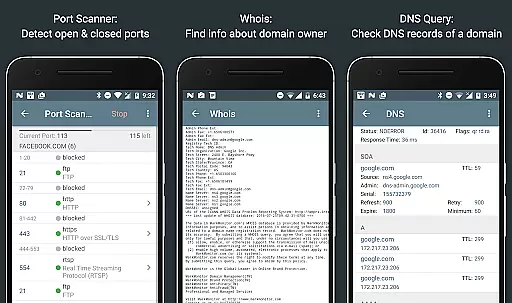
Other essential features include routing table visualization, ping & traceroute functionalities with geolocation data, port scanning with adaptive algorithms, whois queries, DNS lookups, internet speed tests, and detailed network information reports. These tools collectively empower users to gain deep insights into their network infrastructure, troubleshoot effectively, and optimize performance seamlessly.
Network Analyzer Pro stands out for its comprehensive suite of diagnostic tools that ensure both accuracy and effectiveness in network analysis. The application provides a fast and reliable detection of all network devices through its LAN scanner, which identifies IP addresses, NetBIOS, mDNS, LLMNR, and DNS names where available.
The app's functionality extends to offering detailed insights into wifi networks with its wifi signal meter, presenting both graphical and textual representations showing network channels and signal strengths. This feature helps users discover the best channel for a wireless router by providing additional details such as signal strength, encryption type, and router manufacturer.
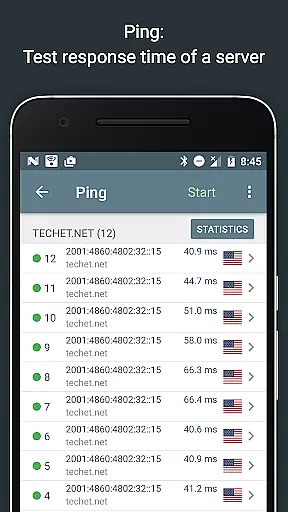
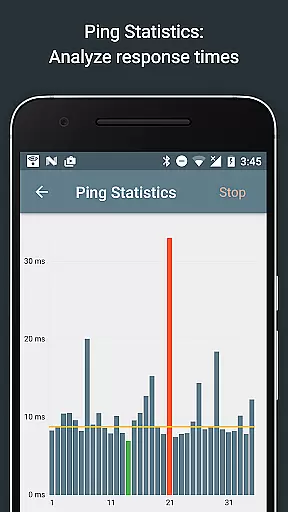
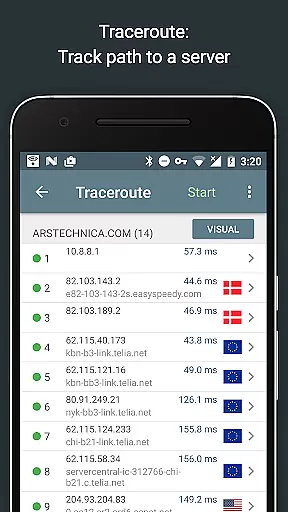
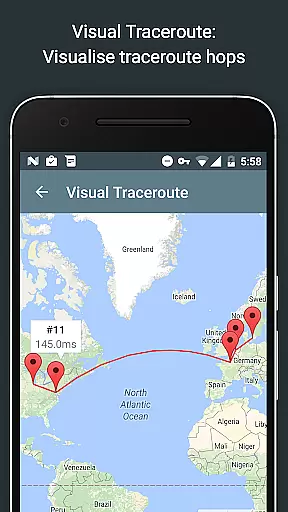
With standard net diagnostic tools like ping and traceroute, Network Analyzer Pro delivers round trip delay information including IP address and hostname for every network node. It also enriches this data with geolocation specifics such as latitude, longitude, country, city, and time zone, thus enhancing the user's understanding of their network topology.
Furthermore, the port scanner tool uses a fast, adaptive algorithm for scanning common ports or user-specified ranges, detecting closed, firewalled, and open ports. This ensures users can effectively identify potential vulnerabilities within their network setup, making Network Analyzer Pro an indispensable tool for maintaining robust network health.
While Network Analyzer Pro is packed with advanced features, it maintains an interface that is both simple and intuitive. The design philosophy behind the app emphasizes ease of use without compromising on the depth of its capabilities, ensuring that even those new to network diagnostics can navigate and utilize its tools effectively.
Each tool within the application has been thoughtfully integrated to provide a seamless user experience. For instance, the wifi signal meter not only displays network channels and signal strengths but does so in a manner that is immediately understandable through clear visualizations.
Moreover, the app offers filtering and search functionalities within the discovered device list from its LAN scanner, allowing users to quickly find specific devices or filter results based on criteria important to them. This level of intuitiveness extends across all features, including the routing table, whois, and DNS lookup functions.
By balancing powerful diagnostic abilities with an accessible interface, Network Analyzer Pro empowers users to diagnose various problems in their wifi network setup and Internet connectivity confidently. Its straightforward presentation of complex data ensures that users can focus on resolving issues rather than deciphering how to use the app itself.
Comprehensive diagnostic tools
Fast Wi-Fi device discovery
Detailed network insights
Supports IPv4 and IPv6
User-friendly interface
Premium version required
Complex for beginners
Limited free features
No offline mode
Occasional bugs

 4.50
4.50
Learn the vast amount of system information about device and monitor it's state
4.70
Universal TV remote control all TVs, Roku, LG, Samsung, Fire, Vizio, Sony, TCL.
4.40
Effortlessly run ADB commands directly on your device without a PC.
4.20
Unleash gamepad precision for ultimate mobile gaming dominance.
3.90
Navigate with Ease and Style
4.90
Connect wirelessly to your computer to watch movies, browse the web, play games
5.00
Download any file easily and quickly with Downloader
4.3
Screen recorder with audio to record high-quality videos and take screenshots.
4.40
Unit and currency converter with easy and simple UI.
4.80
Mirror your screen to Chromecast and Android TV - Super fast and simple
4.60 4.50
4.50
Quickly switch to an encrypted DNS server on Android TV
4.50
An easy-to-use calculator designed to save time calculating and bending conduit
4.30
App that Recover your pictures, videos or files after you delete them.
4.20
VESC Tool can monitor and configure VESC-compatible devices over BLE and Wifi
4.20
MS-DOS in your pocket. Play old DOS games anywhere you are ;)
4.10
Create your own custom widget with endless possibilities
3.90
card-reader app
2.20


User Reviews