
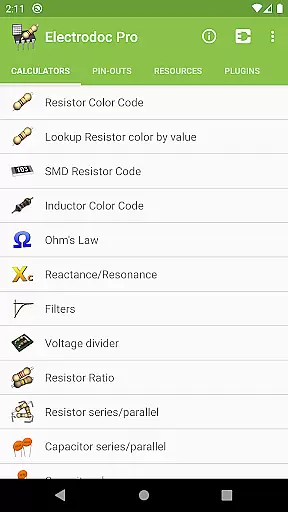
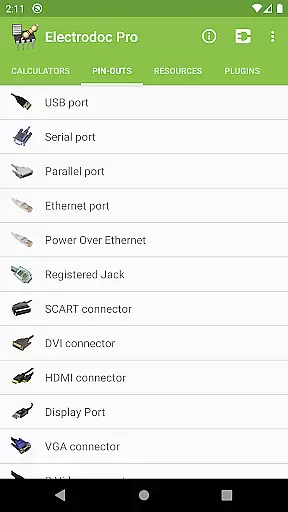
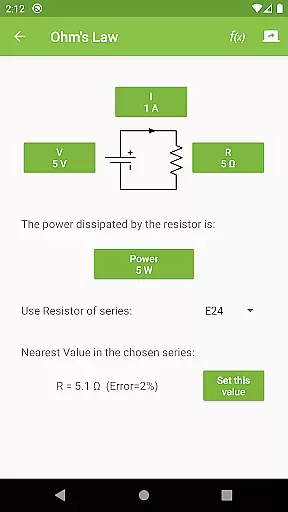
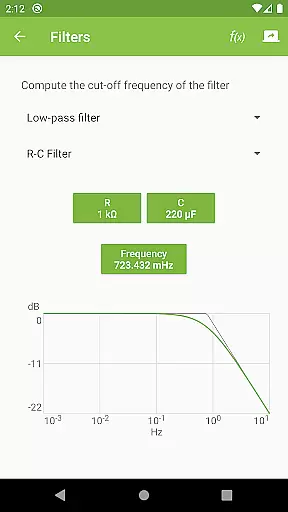
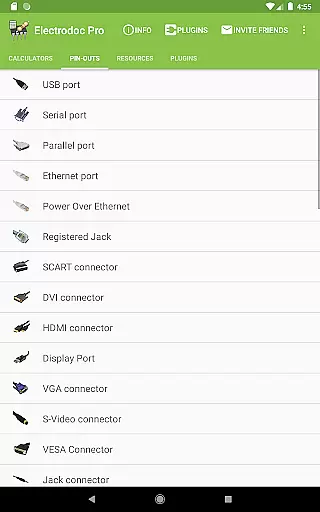
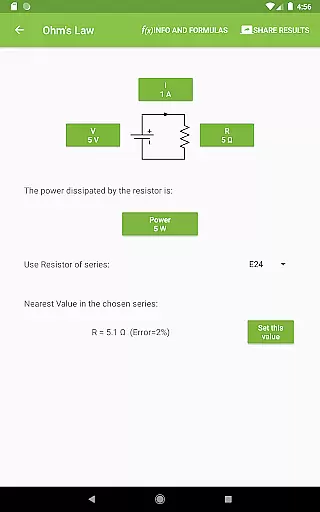
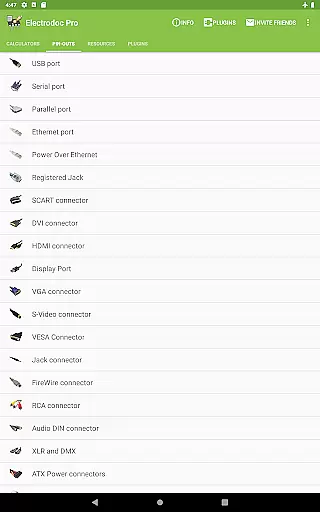
Electrodoc Pro is a comprehensive electronics toolset designed for professionals, hobbyists, and students alike. This application offers an extensive collection of calculators, references, and resources essential for electronics projects. With features like Resistor Color Code, Ohm's Law calculations, and Port Pin-Outs for various connectors, it serves as an all-in-one solution for electronic design and troubleshooting.
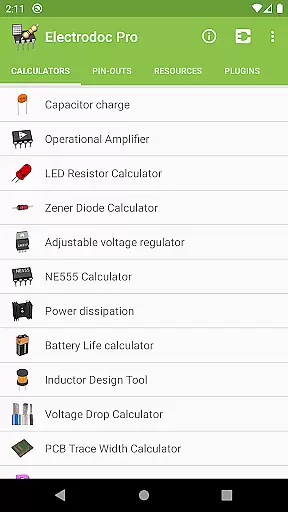
The app stands out with its PRO version, which is ad-free and packed with even more features than the free version. Users can access advanced tools such as the NE555 Calculator, Power Dissipation calculator, and PCB Trace Width Calculator, among others. These tools are crucial for designing circuits, calculating power needs, and ensuring components operate within safe parameters.
Electrodoc Pro is particularly useful in practical scenarios such as prototyping new electronic devices or repairing existing ones. Its vast array of functionalities helps users make informed decisions, reduce errors, and save time during their projects. Whether you're working on a small DIY project or a complex industrial design, Electrodoc Pro provides the necessary support to streamline your workflow and enhance productivity.
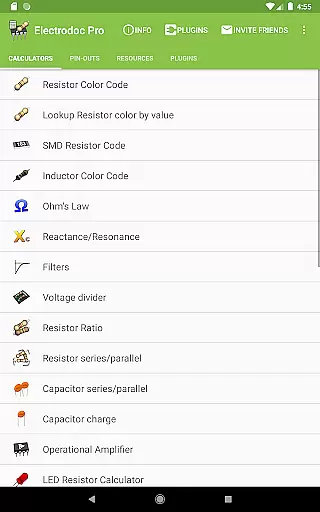
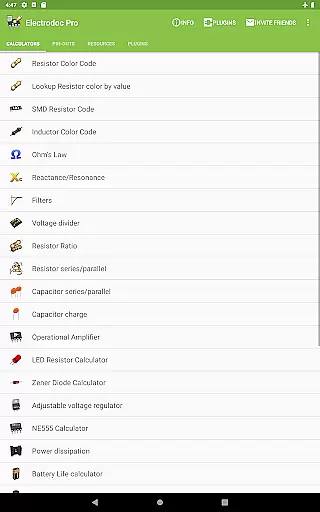
Electrodoc Pro boasts a rich set of features tailored to meet the diverse needs of electronics enthusiasts. One of its standout capabilities is the comprehensive resistor and capacitor tools, including Resistor Color Code, SMD Resistor Code, and Capacitor Series/Parallel calculations. These tools simplify the process of identifying and using resistors and capacitors, making circuit design more accessible and efficient.
In addition to component calculators, the app includes specialized tools like the Voltage Drop Calculator, Inductor Design Tool, and Decibel Converter. Each feature is meticulously crafted to provide accurate results and enhance user experience. For instance, the Voltage Drop Calculator helps in determining the appropriate wire size for electrical installations, while the Inductor Design Tool assists in creating custom inductors for specific applications.
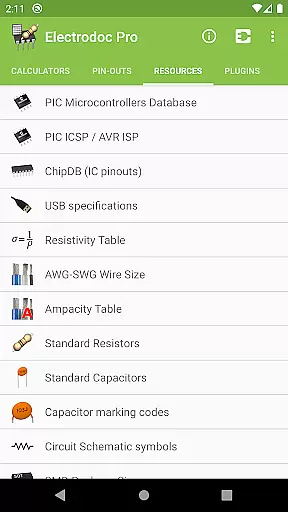
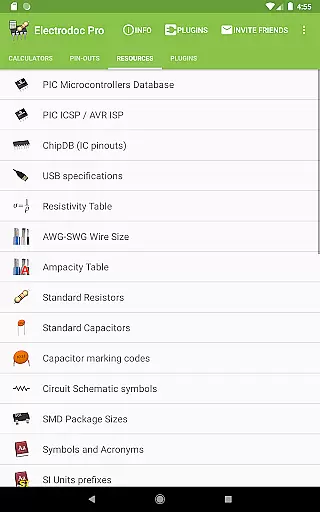
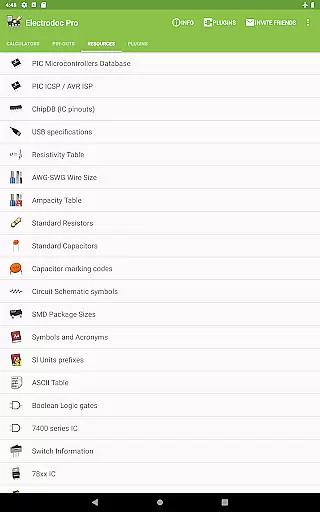
Another remarkable aspect of Electrodoc Pro is its extensive reference materials. The app provides detailed pin-outs for various ports and connectors, along with resources like the Resistivity Table, AWG-SWG Wire Size, and Standard Capacitors. These references empower users with quick access to critical information, enabling them to work more effectively and confidently. Furthermore, the app supports plugins that expand its functionality, catering to niche requirements such as microcontroller databases and simulators.
Electrodoc Pro stands out as a comprehensive electronics toolkit, offering precise and reliable calculations for various electronic components. The app includes essential tools such as Resistor Color Code, Ohm's Law, Reactance/Resonance calculators, and more, ensuring that each computation is accurate and adheres to the latest standards in electronics.
The application's strength lies in its detailed implementation of features like the Voltage Drop Calculator, PCB Trace Width Calculator, and Power Calculator. These tools are designed with meticulous attention to detail, providing users with exact values needed for their projects. Whether you're an electronics hobbyist or a professional engineer, Electrodoc Pro delivers the precision required for successful project outcomes.
Users benefit significantly from the app's extensive range of calculators and references. With over 30 specialized tools covering everything from basic resistor calculations to complex circuit designs, Electrodoc Pro ensures that all necessary data is at your fingertips. This breadth of functionality empowers users to tackle diverse electronics challenges confidently.
Ultimately, Electrodoc Pro's core functions translate into tangible value for its users. By delivering consistently accurate results across a wide array of electronics applications, the app enhances productivity and reliability in electronic design and troubleshooting tasks. Its effectiveness makes it an indispensable companion for anyone working with electronics.
A well-designed interface is crucial for any technical application, and Electrodoc Pro excels in providing an intuitive user experience. The app's layout is thoughtfully organized, grouping related tools and resources in a logical manner that makes navigation straightforward even for new users. This careful arrangement ensures that users can quickly find and utilize the specific tool they need without unnecessary complexity.
Electrodoc Pro maintains a clean and uncluttered interface, focusing on usability without compromising functionality. Each calculator and reference tool is presented with clear labels and easy-to-understand input fields, minimizing the learning curve typically associated with specialized technical applications. The consistent design language throughout the app enhances user familiarity and comfort during extended use sessions.
The app's intuitive nature extends beyond simple aesthetics; it encompasses practical features that enhance workflow efficiency. For instance, frequently used tools are easily accessible, while advanced features remain available for those who need them. This balance between simplicity and depth creates an optimal user experience that caters to both casual users and seasoned professionals.
By prioritizing interface simplicity and intuitive design, Electrodoc Pro ensures that users can focus on their electronics projects rather than struggling with complicated software. This approach not only saves time but also reduces potential errors caused by confusing interfaces, making the entire electronics design process smoother and more efficient.
User-friendly interface
Comprehensive toolset
Regular updates
Ad-free experience
Extensive reference materials
Paid version required
Steep learning curve
Limited beginner guidance
Occasional bugs
Heavy on storage

 4.50
4.50
Extremely fast, secure, and protects your privacy
4.80
Best leveling tool for your Android device. Hang paintings like a pro.
4.90
The one-and-only remote control for PC, Mac, and Linux
4.70
Creation, Learning, Entertainment & More — The All-in-One AI Search Engine
4.70
Clean up large files and similar photos, fast and easy to use
4.40
Screen recorder with audio to record high-quality videos and take screenshots.
4.40
Enhance your Beats
3.70
The ideal app to be the digital eye of your family
3.40
Easily install aab(Android App Bundle) files on your Android device with our app
4.80
FV File Manager Pro, Fast and powerful file manager for Android
4.60
Planner and Tracker for Stardew Valley
4.60
Game Booster, GFX Tool is now compatible with newer game update
4.50
An easy-to-use calculator designed to save time calculating and bending conduit
4.30
PC precision for mobile gaming: dominate with keyboard and mouse!
4.30
Carry a FTP server in your pocket and avoid USB cables for file transfer
4.20
A powerful, easy-to-use flight computer on your phone or tablet!
3.80
PDF Reader - Document Viewer: Read, Manage & Organize Your Documents
3.10
Download any file easily and quickly with Downloader
4.3


User Reviews