
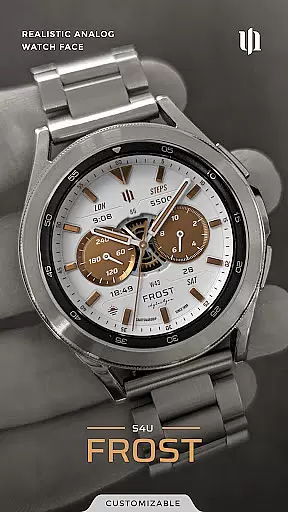
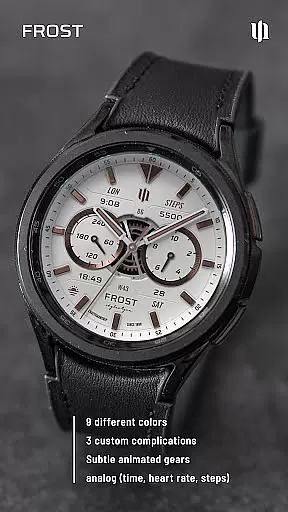
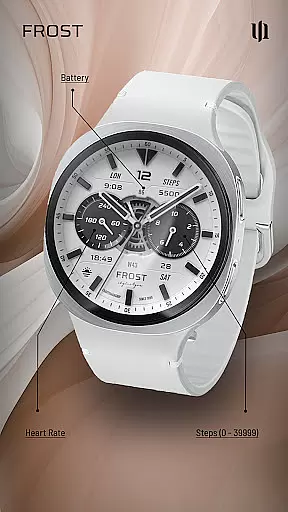
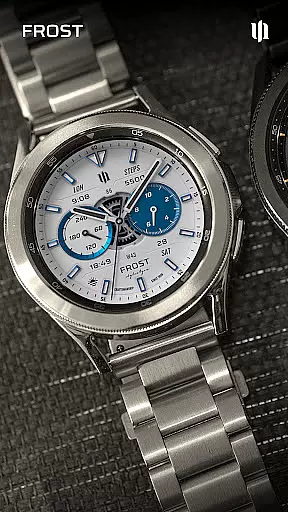
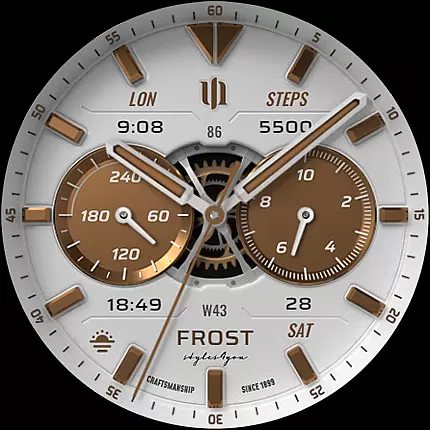
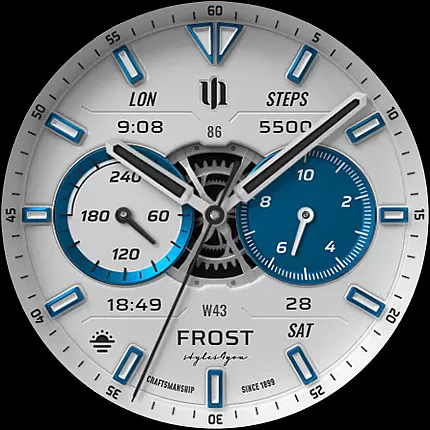
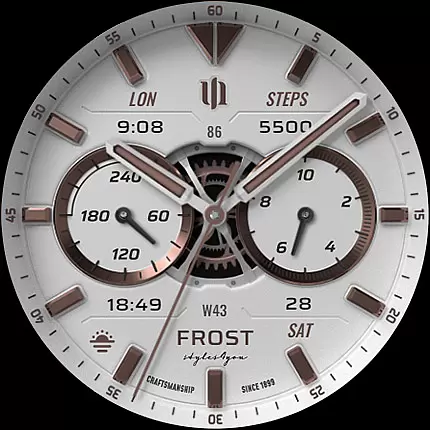
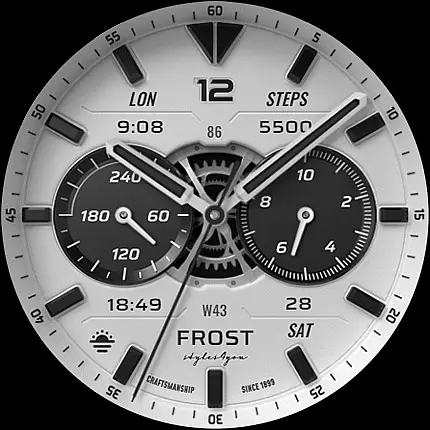
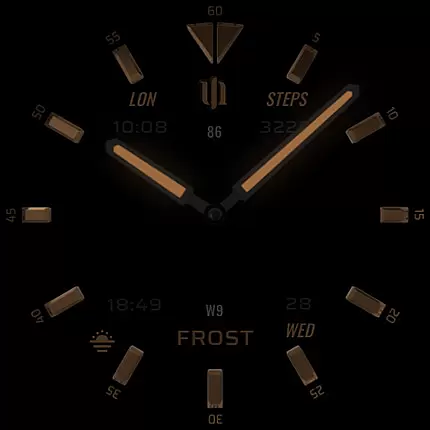
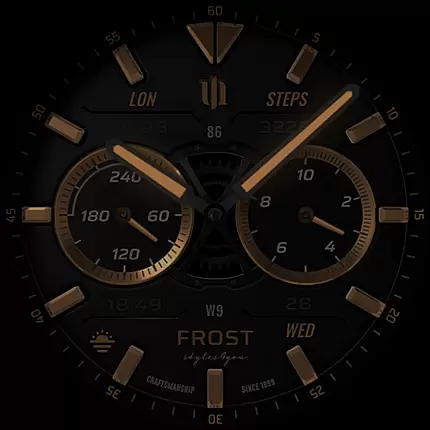
S4U Frost is a premium Wear OS watch face that combines classic analog design with modern customization features. This app offers users a realistic analog dial complemented by advanced functionalities, including 3 custom complications and multiple color options. Compatible with Wear OS 4 and above, it supports devices like Samsung Galaxy Watches and Google Pixel Watches.
Designed for smartwatch enthusiasts who value both aesthetics and functionality, S4U Frost provides an always-on display (AOD) with 3 layout choices. The AOD feature ensures time visibility at a glance while offering battery-conscious settings. With extensive customization options, users can personalize their watch face to suit their style, making it a versatile choice for daily wear.
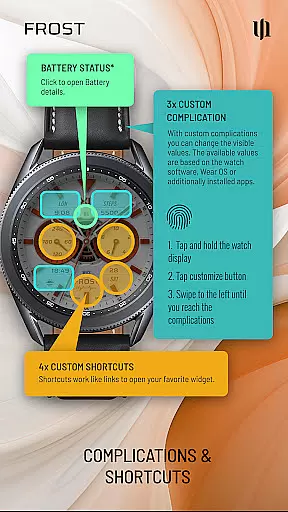
The app's true strength lies in its ability to enhance user experience through practical features like 4 customizable shortcuts and data-driven complications. Whether you're tracking steps, monitoring heart rate, or checking the weather, S4U Frost delivers essential information in a visually appealing format. Its compatibility with various Wear OS devices makes it a reliable companion for tech-savvy individuals seeking both form and function.
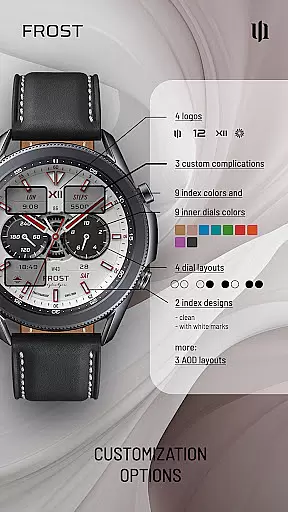
S4U Frost stands out with its comprehensive feature set tailored for Wear OS users. One of its key highlights is the inclusion of 3 custom complications, allowing users to display personalized data such as heart rate, steps, or weather directly on the watch face. These complications are fully editable, ensuring each user can tailor the information to their specific needs.
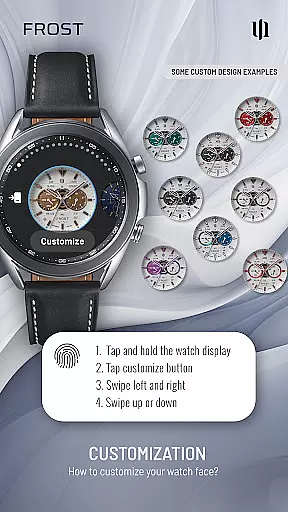
Customization is at the core of S4U Frost's appeal. With 9 color options for the main hands and secondary complications, users can create a unique look that matches their personal style. Additionally, the app offers 4 different inner dial layouts, 2 background choices, and 3 AOD layouts, providing flexibility in how the watch face appears under various lighting conditions. The inclusion of 4 customizable shortcuts further enhances usability by granting quick access to frequently used widgets.
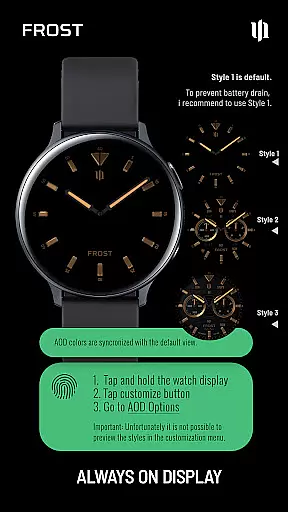
Beyond aesthetics, S4U Frost prioritizes functionality with its always-on display (AOD) technology. Users can choose from 3 distinct AOD layouts, ensuring optimal visibility while conserving battery life. The app also supports ambient light adjustments, automatically dimming the display when necessary. These thoughtful features make S4U Frost not just a stylish accessory but a practical tool for everyday use, catering to both casual users and tech enthusiasts alike.
Companion app integration is a crucial feature for Wear OS applications like S4U Frost. This functionality ensures seamless synchronization between the watch face and its companion app, providing users with enhanced control over customization options.
S4U Frost demonstrates excellent companion app integration by offering a dedicated application that simplifies the setup process. Through this companion app, users can access comprehensive installation guides and resolve any compatibility issues efficiently. The app provides clear instructions in its Install/Issues section, ensuring users can optimize their experience even if they encounter initial setup challenges.
The value of this integration becomes evident when users need support or want to explore advanced features. By emailing wear@s4u-watches.com directly from the companion app, users can receive personalized assistance. This direct line of communication enhances user satisfaction and helps maintain the watch face's optimal performance across various Wear OS devices.
Device compatibility is a fundamental aspect of any Wear OS application, determining which smartwatches can utilize the app's features effectively. For S4U Frost, compatibility extends to smartwatches running Wear OS 4 or higher (Wear OS API 33+), ensuring access to the latest technological advancements.
This watch face supports an impressive range of devices, including Samsung Galaxy Watch series (4, 5, 6, 7, 7 Ultra, 8) and Google Pixel Watch models (1-3). Such broad compatibility guarantees that users across different brands and models can enjoy the realistic analog dial and customization options without limitations.
By focusing on Wear OS 4+, S4U Frost leverages improved processing power and battery optimization features of newer smartwatches. This strategic decision enhances the overall user experience, allowing for smooth operation of complex features like Always-On Display (AOD) layouts and multiple complications while maintaining satisfactory battery life.
Highly customizable
Realistic analog design
Supports Wear OS 4+
Multiple AOD layouts
User-friendly interface
Not compatible with all devices
May drain battery faster
Complicated setup process
Limited free features
Requires companion app

Calming & relaxing sounds for sleeping and stress relief. Stay focused all day!
 4.20
4.20
Animated Watch Face and Customizable with 24 Backgrounds. Perfect for Christmas!
3.90
Deck out your Wear OS Watch face with a beautifully decorated pine wreath!
4.50
Kia Access makes getting your vehicle information easier than ever
4.60
Connect to your Bluelink equipped Hyundai vehicle from your smartphone.
4.50
Period, ovulation & pregnancy tracker. Fertility insights & menstrual calendar.
4.90
Daily Weather forecast with 15 weather images for Day & Night plus Big Bold time
4.10
Control your Samsung Smart TVs, appliances, and SmartThings-compatible devices
4.60
From periods to pregnancy & perimenopause, Flo helps you track it all. Try now.
4.70
Christmas Theme Watch Face for Wear Os
5.00
Digital, flexibly customizable watch face. For Wear OS 5.0, API 34+ and later.
5.00
Gym Log & Workout Tracker | Fitness Journal, Training & Weight Lifting Planner
4.90
Hybrid watch face for Wear OS with customizable complications by Matteo Dini MD
4.70
Highly customizable hybrid watch face for Wear OS, perfect for everyday use.
4.60
Rose gold watch face with festive lights & customizable features.
4.60
Stylish, Energizing and Modern Watch Face crafted by Dominus Mathias.
4.50
sleep, alarm, snoring, stress, healing, focus, sound therapy, circadian rhythm
4.10
A watch face that fuses motorsport precision with contemporary smartwatch design
4.4
Minimalistic design modern digital watch face.
4.3


User Reviews