
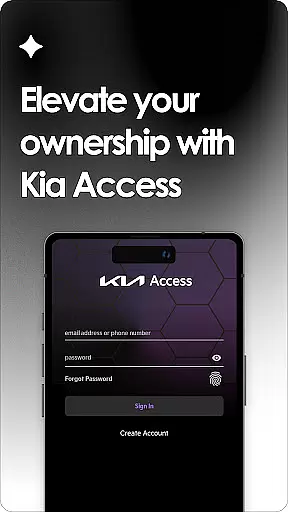
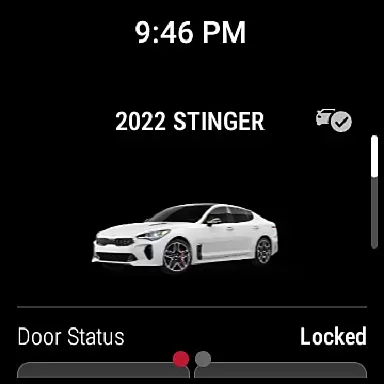
Kia Access is the official owner's app from Kia America, Inc., designed to provide seamless access to vehicle information and services. The app combines the benefits of the Kia Owner’s Portal with convenient features of Kia Connect (formerly UVO link), making it easier than ever to manage your vehicle directly from your smartphone or Wear OS device.
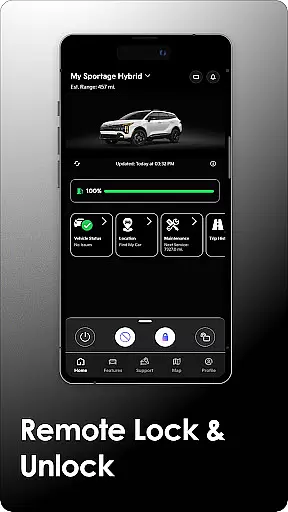
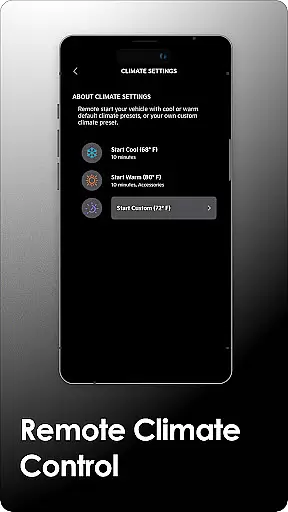
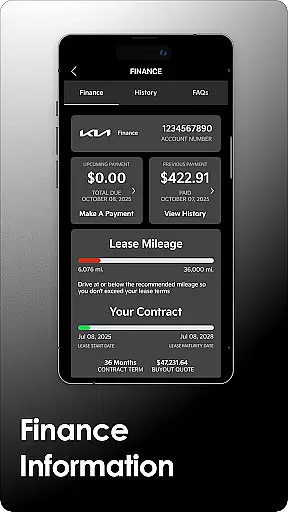
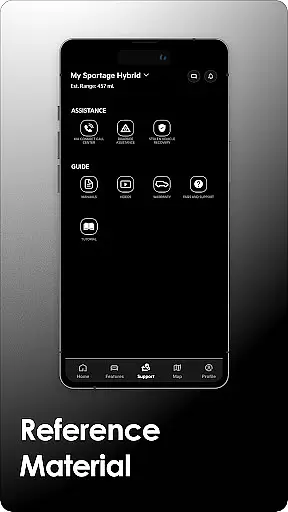
With Kia Access, users can access their Owner’s Manual, quick guides, videos, warranty details, and payment information if financed through Kia Motors Finance. For vehicles equipped with Kia Connect, additional remote features such as locking/unlocking doors, locating your car, setting cabin temperature, and checking battery status for hybrid/electric models are available. These tools ensure that owners stay informed and in control of their vehicle's health and performance.
This app is ideal for modern Kia vehicle owners who want to streamline vehicle management and access key functionalities on the go. By integrating essential vehicle controls and maintenance tracking into a single platform, Kia Access enhances convenience while ensuring drivers have critical information at their fingertips.
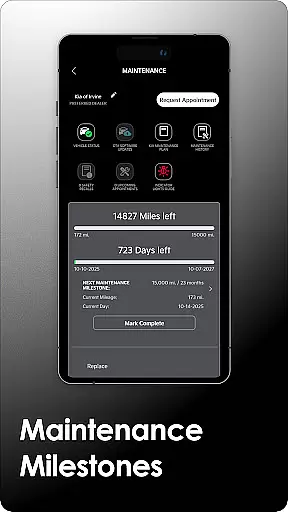
Kia Access offers an extensive range of features tailored to enhance vehicle ownership. One of its standout capabilities is providing easy access to important documents like the Owner’s Manual, quick guides, and warranty information, alongside maintenance milestone tracking. This ensures users are always aware of their vehicle's service needs.
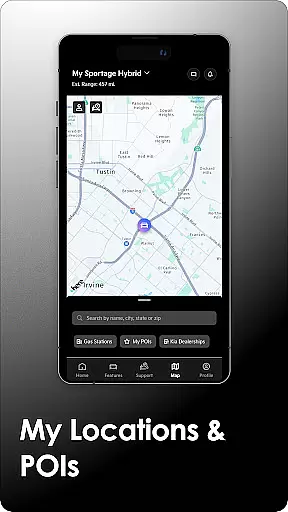
For vehicles equipped with Kia Connect, advanced functionalities include remote commands such as locking/unlocking doors, initiating horn and light signals, finding your parked car using GPS, and even pre-setting the cabin temperature. Plug-in hybrid and electric vehicle owners benefit further with specialized tools to monitor battery levels, locate charging stations, and schedule charging times.
The integration with navigation systems allows users to send destinations directly to their vehicle's GPS. Additionally, vehicle health reports provide detailed insights into powertrain, chassis, and airbag systems, helping prevent potential issues before they arise. All these features work together to create a comprehensive digital companion for Kia owners, enhancing both safety and convenience.
Companion app integration refers to the seamless connection between a smartphone application and its corresponding wearable device software. For Kia Access, this means users can enjoy all the benefits of the Kia Owner's Portal directly on their Wear OS devices.
The app provides essential vehicle information such as maintenance milestones, warranty details, and even payment information for vehicles financed through Kia Motors Finance. This ensures that whether you're at home or on the go, your important vehicle data is always accessible.
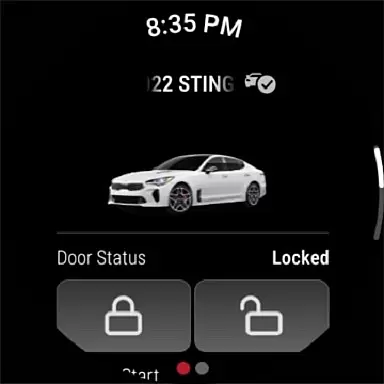
For vehicles equipped with Kia Connect, users can remotely interact with their car by locking/unlocking doors, initiating horn and light commands, finding their vehicle's location, and setting the cabin temperature. These features are conveniently available on Wear OS, making it easier than ever to manage your Kia vehicle from your wrist.
By integrating these functionalities into a wearable format, Kia Access enhances user convenience and accessibility, allowing drivers to stay informed and in control without needing to take out their phones.
Wear OS/device compatibility ensures that an application functions optimally across various devices running Wear OS. For Kia Access, this compatibility allows users to utilize key features of the app directly from their smartwatches.
Kia Access supports a range of functionalities including access to the owneru2019s manual, quick guides, videos, and warranty information. Additionally, users can view vehicle health reports and send locations to their vehicle's navigation system if their car is equipped with Kia Connect and navigation capabilities.
Plug-in hybrid and electric vehicle owners benefit from additional features like checking battery status, estimated driving range, locating charging stations, and scheduling charging times. All these features are designed to work smoothly on Wear OS devices, providing a comprehensive experience tailored for Kia owners.
This level of compatibility not only extends the utility of the Kia Access app but also enhances the overall ownership experience by ensuring that critical vehicle management tools are readily available on compatible wearable devices.
User-friendly interface
Comprehensive vehicle management
Remote control functionality
Detailed maintenance tracking
Supports hybrid and EV features
Limited to Kia vehicles
Subscription required for full access
Dependent on cellular and GPS coverage
Not all features available in every region
Some functions only work with specific trims

Christmas Theme Watch Face for Wear Os
 5.00
5.00
A full-featured Amazon Alexa voice assistant that can show you things.
3.70
Digital watch face with big numbers and many customization for Wear OS devices
4.40
Authentic military-tactical design with ZULU time! Realistic and functional!
3.80
Connect to your Bluelink equipped Hyundai vehicle from your smartphone.
4.50
Professional weather radar and more
3.90
Retro digital watch face with customizable colors and a unique lighting effect
4.60
A modern hybrid informative watch face for Wear OS designed by BALLOZI
4.80
Start and succeed with PAP
4.10
Easy Voice Recorder is your everyday companion to record important moments.
4.70
Digital watch face. For Wear OS devices.
4.40
Premium hybrid watch face with many customizations for Wear OS devices.
4.40
Christmas watch face. For Wear OS devices.
4.30
Elegant animated Christmas tree with multiple customization options
4.20
Your music, your playlists, and more—offline and unlimited.
4.20
The #1 source of faces for your smartwatch!
4.00
Structured watch face with seven complications and modular UI elements
3.90
Wear Os Watch Face - Animated Snow Effect & Christmas Lights
4.1
A watch face that fuses motorsport precision with contemporary smartwatch design
4.0


User Reviews