
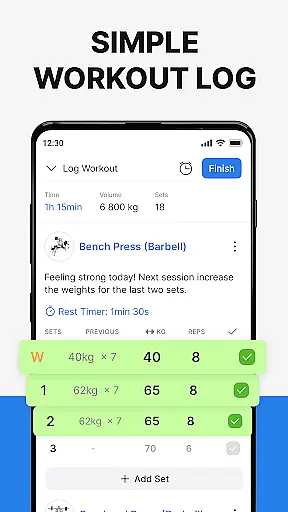
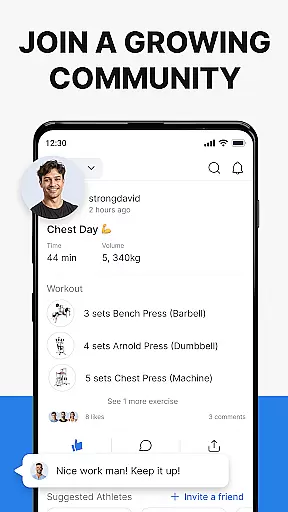
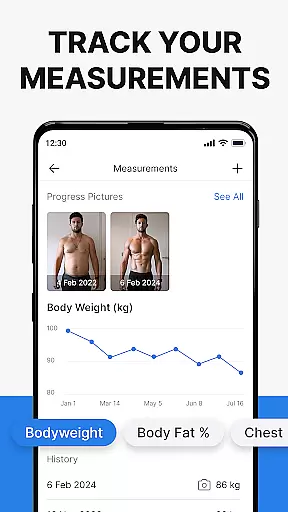
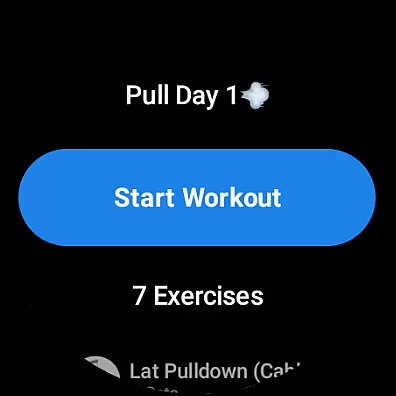
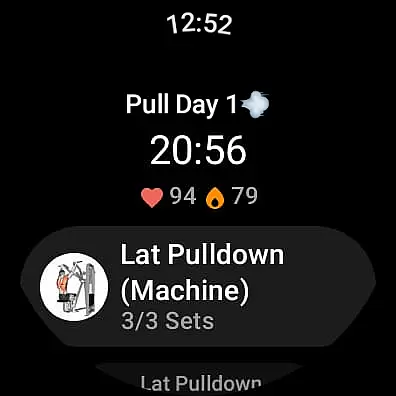
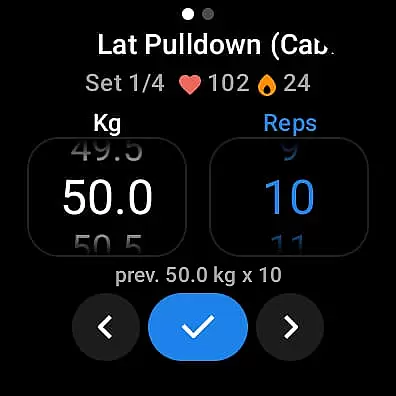
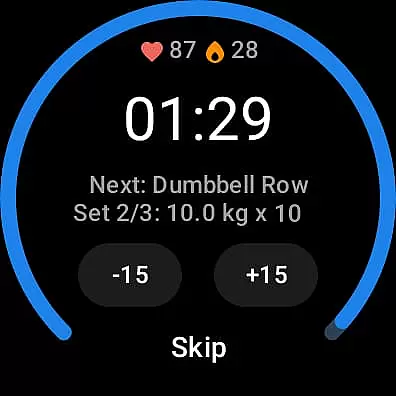
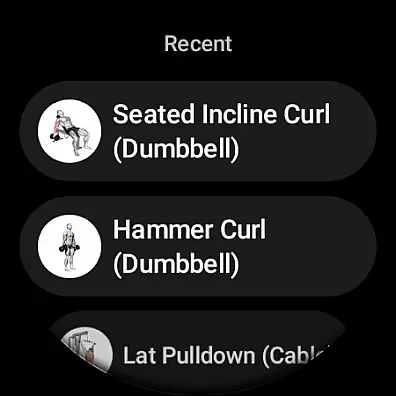
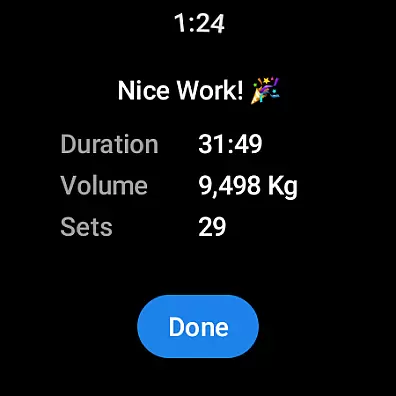
Hevy - Gym Log Workout Tracker is a comprehensive fitness application designed specifically for Android Wear users. This free app allows you to log your workouts, track progress, and plan routines with ease. With an intuitive interface, Hevy makes it simple to record your lifts, follow detailed statistics, and even connect with a community of athletes. Whether you're focusing on weightlifting, bodybuilding, or calisthenics, this app provides the tools necessary to reach your fitness goals while offering support through a growing network of like-minded individuals.
One of the standout features of Hevy is its compatibility with Wear OS watches, enabling users to track their workouts directly from their smartwatch. The app offers live syncing between your watch and phone, ensuring that all data is up-to-date across devices. Additionally, users can access heart rate monitoring, helpful timers, and automatic workout saving when reconnecting to their phone. These capabilities make Hevy an indispensable tool for those who want to stay on top of their training schedules without being tied to their phones during workouts.
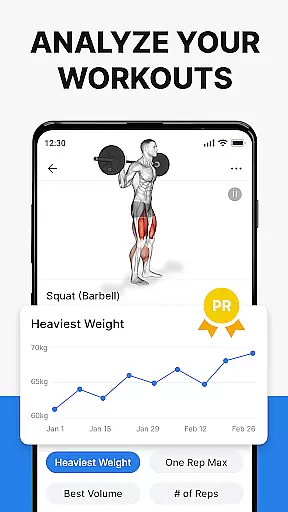
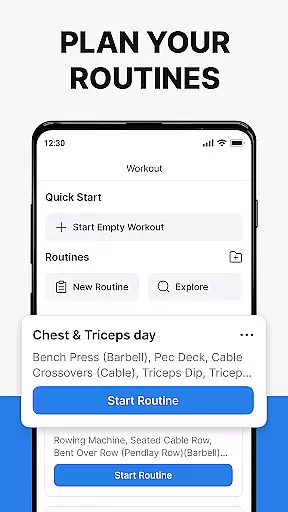
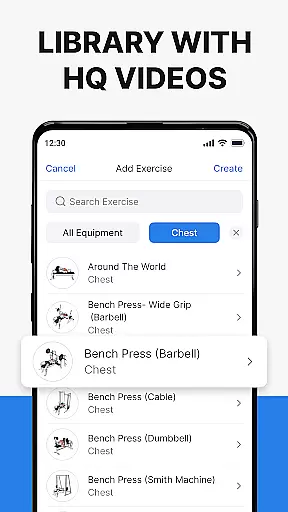
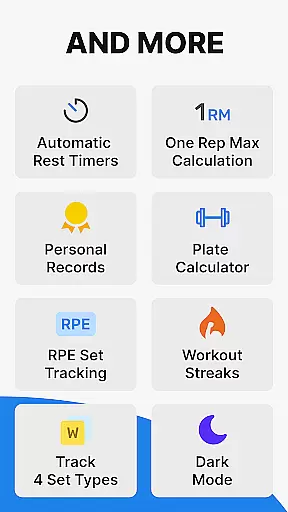
Hevy boasts a wide array of features tailored to enhance your workout experience. The app includes an advanced routine planner, allowing you to create unlimited custom routines and log exercises with ease. Each exercise comes with high-quality videos to help you focus on proper form, and you can mark sets as warmups, drop sets, or supersets. Furthermore, Hevy provides extensive analytics, such as muscle group graphs and one-rep max calculations, giving you deeper insights into your progress over time.
In addition to its robust tracking capabilities, Hevy supports social interaction within its community. You can follow friends' progress, copy their routines, and share your achievements on social media. The app also integrates seamlessly with Wear OS watches, providing convenient access through tiles and live syncing functionalities. With these comprehensive features, Hevy ensures that you have everything you need to optimize your workouts and achieve your fitness objectives efficiently.
Companion app integration is essential for users who want a seamless experience between their mobile devices and wearable technology. Hevy - Gym Log Workout Tracker offers robust companion app integration, ensuring that your workout data syncs effortlessly between your phone and Wear OS watch. This synchronization allows you to track your workouts in real-time, access your routines on the go, and monitor your heart rate directly from your wearable device.
The advanced routine planner available on the mobile app can be accessed via your Wear OS watch, providing flexibility and convenience. Whether you're at the gym or prefer home workouts, having your planned routines readily available on your wrist enhances your training efficiency. The live sync feature ensures that any changes made on one device are immediately reflected on the other, maintaining consistency across platforms.
Hevy's Wear OS Tile further simplifies access to the app, allowing quick starts and stops of workout tracking without needing to navigate through multiple menus. This streamlined approach not only saves time but also encourages more frequent use of the app during workouts. By integrating these features, Hevy ensures that users have a comprehensive and uninterrupted fitness tracking experience.
Device compatibility is crucial when selecting a fitness tracking app, especially for those invested in the Wear OS ecosystem. Hevy - Gym Log Workout Tracker excels in this area by offering extensive support for Wear OS devices. Users can easily track their workouts using their smartwatches, which is particularly beneficial for those who prefer not to carry their phones while exercising.
Hevy's compatibility extends beyond just basic tracking; it includes advanced features such as marking sets as Warmup, Normal, Drop sets, or Failure directly from the watch interface. Additionally, helpful timers for duration exercises ensure that users maintain proper form and timing, even without their phones nearby. These functionalities make Hevy a versatile tool for various training types, including weightlifting, bodybuilding, and HIIT.
Furthermore, Hevy automatically saves watch workouts when reconnected to the phone, preventing data loss and ensuring all sessions are recorded accurately. This reliability, combined with the ability to keep track of heart rate during workouts, makes Hevy an ideal choice for athletes seeking a dependable and feature-rich fitness companion on their Wear OS devices.
User-friendly interface
Extensive exercise library
Advanced analytics
Community engagement
Wear OS integration
Limited iOS support
No built-in coaching
Premium features locked
Occasional sync issues
Heavy battery usage

A customizable Christmas watch face for Wear OS with a countdown.
 4.20
4.20
Highly customizable hybrid watch face for Wear OS, perfect for everyday use.
4.60
MyNISSAN® lets you remotely control your car from your phone.*
4.50
Beautiful, colorful and practical watch face. For Wear OS devices.
5.00
Structured watch face with seven complications and modular UI elements
3.90
Gym & home workout plans with strength training, exercise tracking, HIIT & more.
4.60
The most customizable hybrid watch face. For Wear OS 5.0, API 34+ and later
4.70
Track your active life in one place and share the journey with friends.
4.40
Control your Samsung Smart TVs, appliances, and SmartThings-compatible devices
4.60
Be an elegant and classy secret agent, with this carefully detailed watch face
4.70
Stylish, Energizing and Modern Watch Face crafted by Dominus Mathias.
4.50
Digital watch face. For Wear OS devices.
4.40
Calming & relaxing sounds for sleeping and stress relief. Stay focused all day!
4.20
Your music, your playlists, and more—offline and unlimited.
4.20
Snowflake Rose Gold Watch Face - Digital, modern, & sleek with GYRO effect.
4.10
Professional weather radar and more
3.90
Precision analog watch face with 7 complications and style options
4.1
A watch face that fuses motorsport precision with contemporary smartwatch design
4.3
Hybrid Vibrant Health Watch Face for Wear OS
4.2


User Reviews