
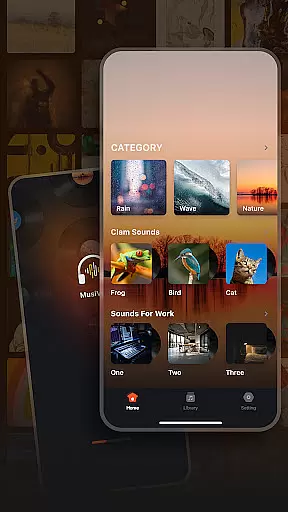
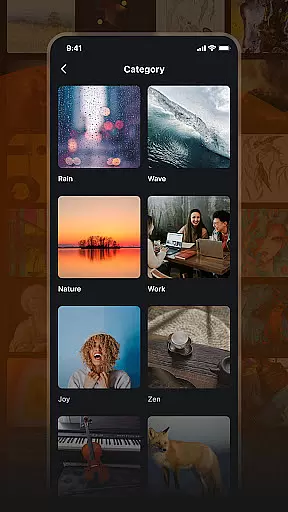

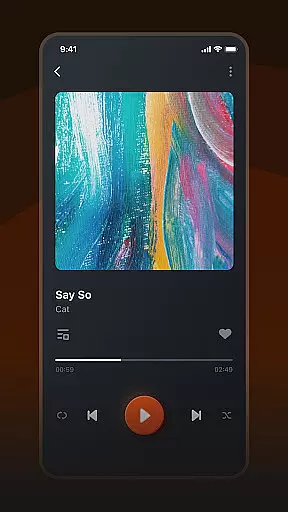
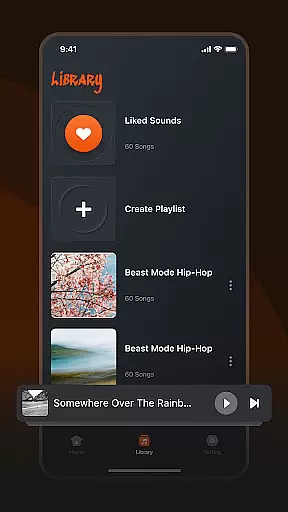
Musivibe is a feature-rich offline music player designed to enhance your listening experience. It offers an intuitive interface that categorizes songs and sounds into various themes such as Rain, Ocean Waves, and Nature, making it easy to find the perfect soundtrack for any moment. Whether you're working, relaxing, or simply need some cheerful tunes, Musivibe has you covered.
The app allows users to create personalized playlists tailored to their mood, ensuring a unique and customized experience every time. With its user-friendly UI design and powerful functionality, including the ability to edit, stream, and share playlists, Musivibe stands out as an essential tool for music lovers who want high-quality audio without needing an internet connection.
Musivibe boasts an array of features that cater to diverse listening preferences. The app's sound categories range from ambient noises like Rain and Ocean Waves to thematic selections such as Work, Cheerful, Zen, Instruments, and Animals. This variety ensures that users can always find something that matches their current activity or emotional state.
One of the standout features is the ability to create and organize personalized playlists. Users can easily manage their music library by building collections that suit different moods or occasions. Additionally, Musivibe's sleek in-app UI design makes navigation effortless, while advanced options allow for creating, editing, streaming, and sharing custom playlists with friends or across social media platforms.
By focusing on providing a seamless offline experience, Musivibe ensures that you have access to your favorite tunes anytime, anywhere, without worrying about connectivity issues. Its combination of practical tools and aesthetic appeal makes it a top choice for those seeking both functionality and style in their music player.
When it comes to music applications, the size and authenticity of the music library are crucial factors. Musivibe offers a vast collection of categorized songs and sounds, ranging from Rain, Ocean Waves, Nature, Work, Cheerful, Zen, Instruments, to Animals. This extensive variety ensures that users have access to an impressive range of music genres without worrying about copyright issues.
The app's dedication to providing a wide array of legally obtained tracks means users can enjoy their favorite tunes guilt-free. With proper licensing and attention to copyright details, Musivibe guarantees a diverse and rich music library that respects intellectual property rights while offering an unparalleled listening experience.
For users, this translates into peace of mind while exploring different playlists tailored to various moods and activities. Whether you're looking to relax with some ocean wave sounds or need energetic beats to power through work, Musivibe's comprehensive library has got you covered.
Audio quality is a significant aspect of any music player application, and Musivibe excels in delivering top-notch sound experiences. The app supports multiple audio quality options, ensuring that users can customize their listening sessions according to their preferences and device capabilities.
Musivibe's high-fidelity audio playback enhances the enjoyment of every track, whether you're using high-end headphones or standard speakers. By prioritizing superior sound quality, Musivibe caters to audiophiles who demand the best from their music players.
Moreover, the ability to stream and share custom playlists further enriches the user experience by allowing seamless integration across devices. This feature not only maintains consistent audio quality but also makes it easy for users to enjoy their personalized playlists anytime, anywhere.
User-friendly interface
Customizable playlists
Wide range of sound categories
Offline playback capability
High-quality audio streaming
Limited song recognition
No lyrics display feature
Occasional bugs reported
Premium version costs extra
Ads in free version

Turn your phone into a musical instrument from the future!
 3.90
3.90
Offline and always ad-free - stream in the highest quality available.
4.10
A synth that really lets you shape your sounds!
4.50
Walkout Song DJ is the most intuitive app to manage your sports music.
4.70
Enhance the sound quality of your devices, listen to what you want
4.50
More downloads than any other metronome. Includes drum machine & tempo trainer.
4.80
Smart piano keyboard, Classical to Pop, Real-time multiplayer connection!
4.20
Turn Every Moment into Music
3.60
Uninterrupted Tunes, Unmatched Vibes
3.90
24,000 free audio books and no ads!
4.90
Gorgeous UI, Powerful music Search and Equalizer, the great choice for you!
4.70
Ultimate Sonos Controller
4.70
AI Music Maker: Generate And Compose AI Tunes & AI Songs & AI Music & AI Melody!
4.60
Reverse your voice & songs instantly! Fun singing challenge with cool effects.
4.60
10-Band Audio Equalizer, Sound / Bass Booster for Spotify Users & Music Players
4.40
No wifi music app. Mp3 offline. Tuner radio, young radio music. Music downloader
4.20
Next generation modular control surface
4.10
The ultimate media player for Android devices
3.90
The Skullcandy App Experience
3.20


User Reviews