
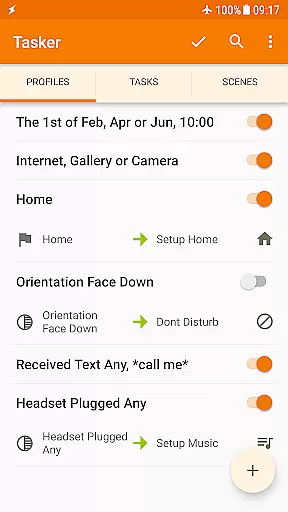
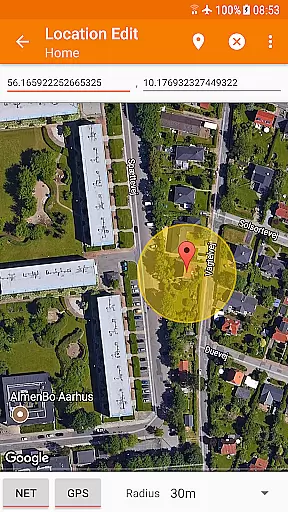
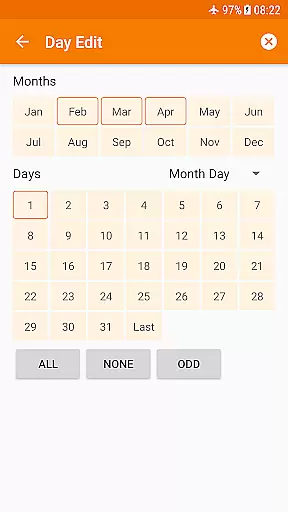
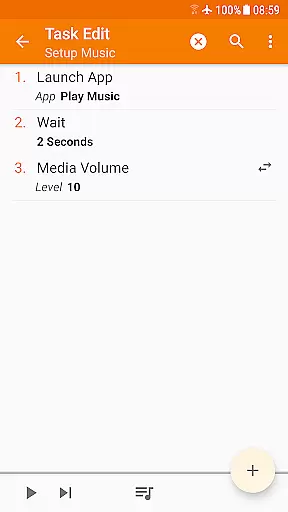
Tasker is a powerful automation tool for Android devices, enabling users to automate repetitive tasks and customize their phone's behavior based on various contexts. With over 130 triggers including location, time of day, Wi-Fi network, and received messages, Tasker allows you to create complex automations that adapt to your daily routine.
The app offers more than 350 actions that can be performed once specific conditions are met. These include sending SMS, changing system settings, controlling music playback, and even backing up files automatically. Tasker also supports integration with third-party apps and web APIs, making it an indispensable tool for power users who want to maximize their device's potential.
Whether you're looking to optimize your workflow, manage notifications, or remotely trigger tasks from another device, Tasker provides the flexibility and control needed to make your smartphone truly smart. Its intuitive interface and extensive documentation make it accessible to both beginners and advanced users alike.
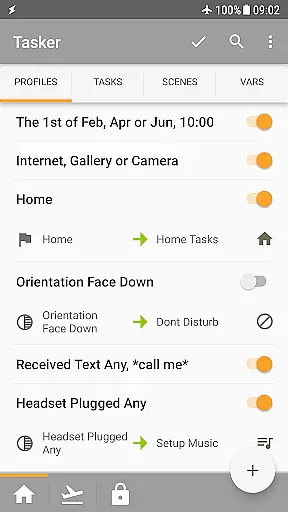
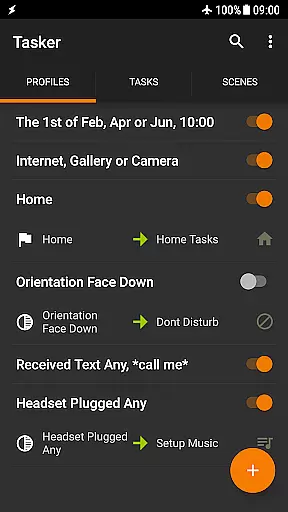
Tasker stands out with its unparalleled flexibility in creating custom automations. Users can combine multiple contexts such as app usage, time, location, and device state to trigger specific actions. For instance, you could set up a profile that silences your phone during meetings or enables Wi-Fi when you arrive home.
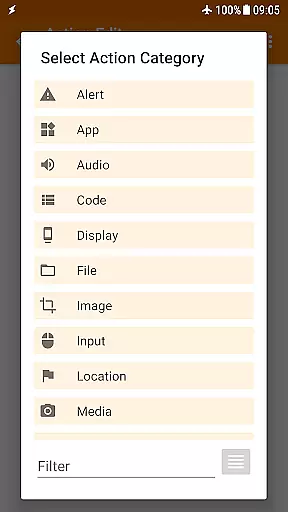
One of the key features is its ability to perform a wide range of actions including system setting adjustments, file manipulations, and app controls. The app also supports scenes, allowing users to design custom UI elements for displaying information or triggering tasks. Additionally, Tasker integrates seamlessly with third-party apps through plugins and supports HTTP requests for interacting with web services.
Advanced users will appreciate the developer-friendly aspects of Tasker, such as the ability to call web APIs directly from within the app. With support for Join (a remote task execution service), users can trigger tasks across devices, expanding the possibilities for home automation and remote management. Tasker's comprehensive feature set makes it an essential tool for anyone looking to enhance their Android experience.
Tasker excels in delivering core functions with remarkable accuracy and effectiveness, making it a top choice for power users seeking to automate their Android experience. The app supports over 350 actions that allow users to customize nearly every aspect of their device. From toggling system settings like Wi-Fi and Dark Mode to controlling media playback and sending SMS messages, Tasker ensures each action is executed precisely as intended.
The effectiveness of Tasker's automation is evident in its ability to trigger actions based on a wide array of contexts. Whether it's your location, the time of day, or even the song currently playing, Tasker responds accurately to these conditions without fail. This reliability empowers users to create complex yet seamless automations that enhance productivity and convenience.
For advanced users, Tasker offers developer-friendly features such as HTTP requests and integration with third-party apps. These capabilities ensure that even the most intricate tasks are handled with precision, allowing users to interact with web APIs and other services effortlessly. With Tasker, you can be confident that your automated workflows will perform consistently and effectively.
Despite its powerful functionality, Tasker maintains an interface that balances simplicity with intuitiveness, ensuring users can navigate and utilize its features without unnecessary complexity. The app provides clear categories and menus that make it easy to find and configure the desired actions and triggers, even for those new to automation tools.
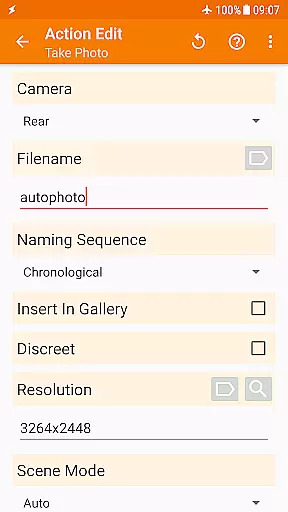
Taskeru2019s design allows users to create tasks through straightforward, step-by-step processes. For instance, setting up an automation involves selecting from well-organized lists of contexts and actions, which are described in plain language. This approach minimizes the learning curve and helps users quickly grasp how to implement effective automations.
Additionally, Tasker includes helpful resources such as starter guides and pre-made projects, which further enhance the user experience by offering practical examples and templates. These resources not only simplify the initial setup but also inspire users to explore more sophisticated configurations. Overall, Taskeru2019s intuitive interface ensures that users can harness its full potential without feeling overwhelmed.
Highly customizable
Extensive automation options
Rich set of actions
Third-party app integration
User-friendly interface
Steep learning curve
Requires initial setup time
Paid app
Limited iOS support
Occasional compatibility issues

 4.50
4.50
Small and simple app to Verify Root Access and BusyBox Install!
4.70
MS-DOS in your pocket. Play old DOS games anywhere you are ;)
4.10
Excellent scientific calculator with symbolic algebra, integrals, derivatives
4.80
Mirror your screen to Chromecast and Android TV - Super fast and simple
4.60
Making emulation easy for everyone!
4.30
Protect your device with antivirus, storage cleanup, and system monitoring
4.70
Mobile Security with Scam Protection | Malware & Virus Cleaner | Safe Browser
4.70
Screen recorder with audio to record high-quality videos and take screenshots.
4.40
Support Fossify apps with a warm thank you!
5.00
Easily install aab(Android App Bundle) files on your Android device with our app
4.80
WiFi Signal Strength Meter help you detect WiFi Signal Strength in real time.
4.80
Play your X-Box games remotely in 1080p with any controller and zero latency
4.60
Quickly switch to an encrypted DNS server on Android TV
4.50
Game Booster, GFX Tool is now compatible with newer game update
4.50
Just one-tap to easy translate in any language after calls within seconds.
4.20
A simple app to back up and restore SMS & MMS messages and call logs.
4.10
Safely recover deleted photos, videos, and files with a single easy tap.
3.70
Undelete and recover your lost or deleted files with DiskDigger!
3.40


User Reviews