
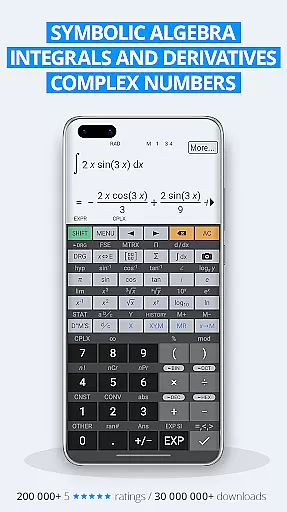
HiPER Calc Pro is an advanced scientific calculator that stands out for its comprehensive mathematical capabilities and user-friendly interface. This tool supports symbolic algebra, graphing, equations, integrals, and derivatives, making it suitable for students, educators, and professionals in scientific fields.
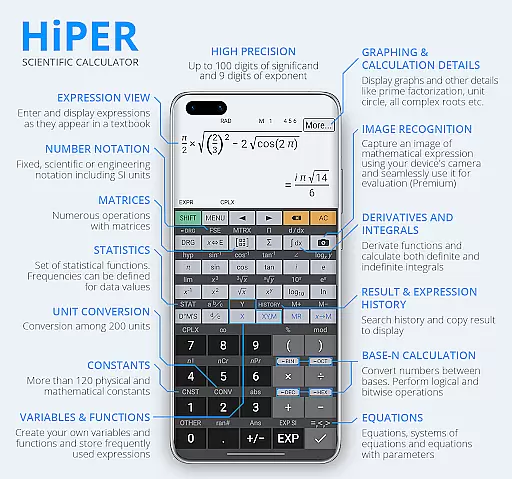
The calculator offers multiple layouts optimized for different devices, including pocket view for small screens, compact mode for smartphones, and expanded display for tablets. With support for up to 100 digits of significand and 9 digits of exponent, users can perform complex calculations with precision. Its intuitive design allows natural expression input, while the multiline display ensures easy access to calculation history.
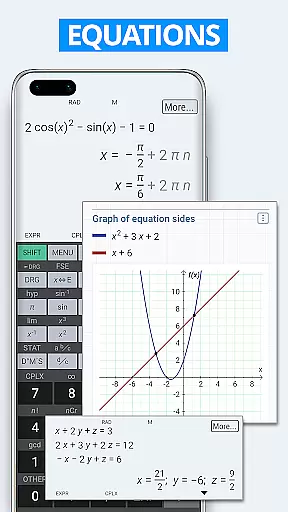
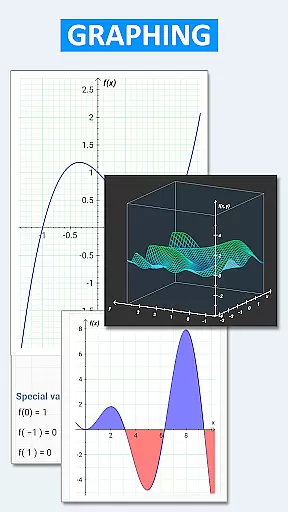
One key application of HiPER Calc Pro is in academic settings where users need to visualize graphs of functions, solve systems of equations, or work with matrices and vectors. The app's versatility extends to engineering and research environments, providing tools for statistics, regression analysis, and unit conversions among 250 options.
HiPER Calc Pro boasts a wide array of features designed to enhance mathematical computation. It includes several high-quality themes and customizable settings such as full-screen mode, decimal and thousand separators, catering to individual preferences. The calculator handles basic arithmetic operations, fractions, mixed numbers, periodic numbers, and unlimited braces with operator priority considered.
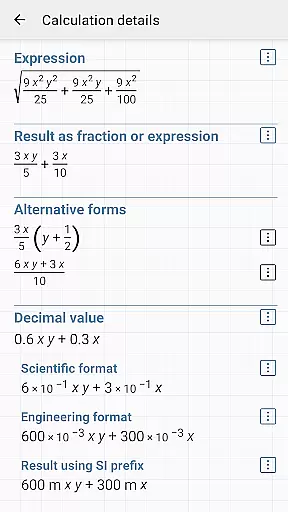
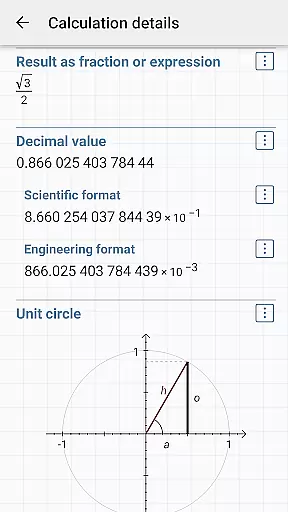
Advanced functionalities include symbolic computation, derivatives, integrals, and graphing capabilities like plotting functions, equations, integral areas, limits, and even 3D graphs. Users can also explore calculation details, such as all complex roots and unit circles. For specialized tasks, the app provides over 90 physical constants, binary/octal/hexadecimal numeral systems, logical operations, bitwise shifts/rotations, haptic feedback, and Reverse Polish notation.
Additional practical features encompass memory operations with 10 extended memories, clipboard operations in various formats, result history, sums/products of series, limits, trigonometric/hyperbolic functions, powers/roots/logarithms, degrees/minutes/seconds conversion, fixed-point/scientific/engineering display format, SI unit prefixes, and more than 90 physical constants.
HiPER Calc Pro stands out as a highly accurate and effective scientific calculator, offering advanced mathematical capabilities. The app supports symbolic algebra, graphing, equations, integrals, and derivatives, ensuring precise calculations for complex problems.
With up to 100 digits of significand and 9 digits of exponent, the calculator handles basic arithmetic operations, fractions, periodic numbers, and unlimited braces with ease. Its operator priority and repeated operations ensure that users receive exact results every time, making it indispensable for students, scientists, and engineers.
The inclusion of advanced features such as matrices, vectors, statistics, and regression analysis further enhances its functionality. Users can also work with complex numbers, trigonometric and hyperbolic functions, powers, roots, and logarithms, all contributing to an unmatched calculation experience.
Ultimately, HiPER Calc Pro's detailed calculation options, including extended information about complex roots and unit circles, empower users to achieve comprehensive insights into their mathematical queries, elevating both learning and professional applications.
HiPER Calc Pro offers an intuitive interface designed to cater to various screen sizes, enhancing user interaction. With layouts like 'pocket' for small devices, 'compact' for smartphones, and 'expanded' for tablets, the calculator ensures optimal usability regardless of the device.
A notable feature is the multiline display option available for tablets, which shows the complete history of calculations and provides access to previous results. This simplifies tracking and verifying computations, making the overall experience more efficient and user-friendly.
Users can choose from several high-quality themes, allowing personalization according to individual preferences. These themes maintain visual clarity while offering aesthetic variety, thus improving engagement without compromising functionality.
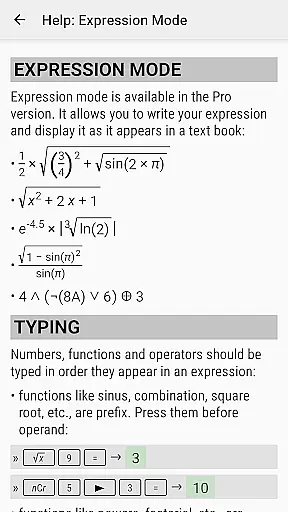
Moreover, the app includes settings to manage full-screen mode, decimal and thousand separators, and Reverse Polish notation, providing tailored experiences. Such intuitive design elements ensure that even those new to advanced calculators can navigate HiPER Calc Pro with ease, focusing on their calculations without unnecessary complexity.
Comprehensive math functions
User-friendly interface
High-precision calculations
Versatile device compatibility
Customizable settings
Paid version required
Complex for beginners
Occasional bugs reported
Limited offline help
Heavy on system resources

Change your GPS location instantly. Simulate routes anywhere in the world.
 4.90
4.90
PDF Reader - Document Viewer: Read, Manage & Organize Your Documents
3.10
Unlock your Essential Key. Create custom shortcuts to your favorite apps!
4.2
Clean the junk files on your device
3.40
Keep track of your Palia friendships, tasks, and inventory with Palia Notebook
4.60
Forza Tuning Calculator App for Forza Horizon 5, Motorsport and Earlier Titles
4.40
Bedrock Together: Join any bedrock server on Xbox/PS
4.80
A simple app to back up and restore SMS & MMS messages and call logs.
4.10
Fast VPN USA for any country. Super secure VPN for calls, streaming, games, TV.
4.40
Powerful collection of electronics tools and reference.A must for any enthusiast
4.90
Best leveling tool for your Android device. Hang paintings like a pro.
4.90
Remote Play with FSR upscaling, low latency & full controller support
4.80
Mirror your screen to Chromecast and Android TV - Super fast and simple
4.60 4.50
4.50 4.50
4.50
The Ultimate Bluetooth Keyboard & Mouse. Securely control your PC, Mac, and more
4.50
An easy-to-use calculator designed to save time calculating and bending conduit
4.30
Quickly check the frequency of the Earth
4.30
A powerful, easy-to-use flight computer on your phone or tablet!
3.80


User Reviews