
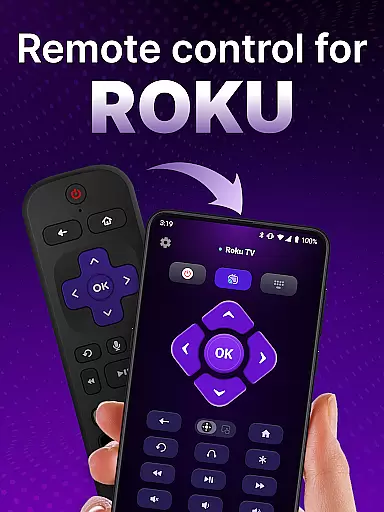
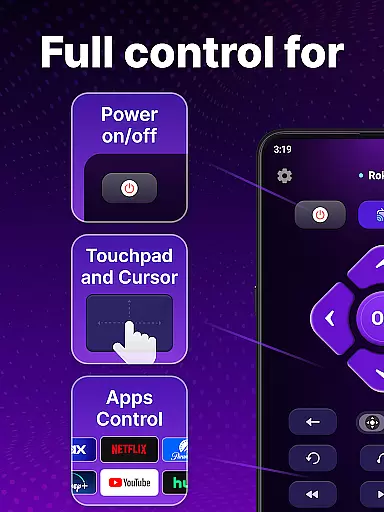
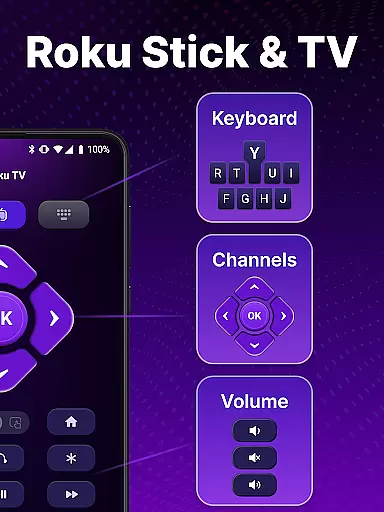
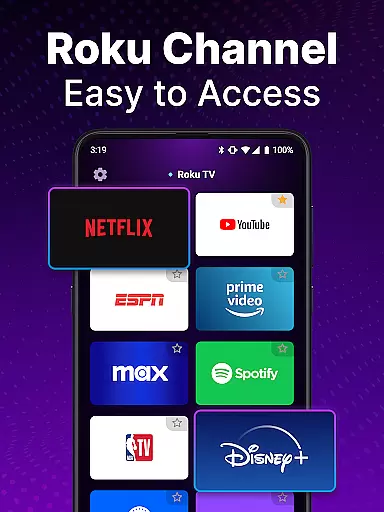
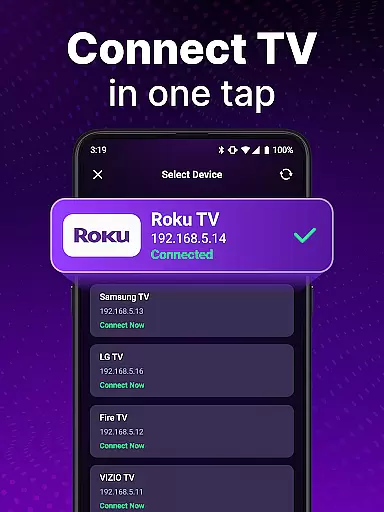
TV Remote control for Roku TV is a universal remote app designed to replace your physical Roku remote. This application allows users to seamlessly control their Roku TV devices through an intuitive mobile interface. By connecting to the same Wi-Fi network as your Roku TV, this app enables you to perform essential functions such as turning the TV on and off, adjusting volume, browsing content, launching channels, and more.
The app stands out with its automatic device detection feature, which simplifies the setup process by identifying Roku TVs on the shared network. Additionally, it offers advanced functionalities like voice control and keyboard input for efficient navigation and search. Whether you're looking to enhance your streaming experience or simply tired of misplacing your traditional Roku remote, this app provides a convenient solution right at your fingertips.
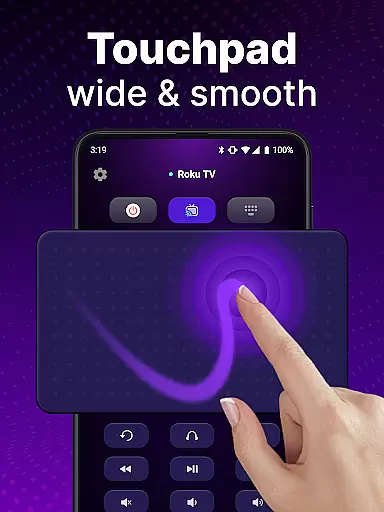
This universal remote app boasts several key features that make controlling your Roku TV effortless and enjoyable. One standout capability is the automatic detection of Roku TV devices connected to the same Wi-Fi network, ensuring quick and hassle-free setup. Once connected, users can utilize rapid remote control functions including power management, volume adjustment, channel launching, and smooth navigation via the integrated touchpad.
Voice control adds another layer of convenience, allowing hands-free operation for searching shows or executing commands without manual input. The keyboard input function further enhances usability by enabling swift text entry for searches. With these comprehensive tools, TV Remote control for Roku TV not only replaces but improves upon the functionality of a standard Roku remote, offering a portable and versatile alternative for managing your entertainment system.
In the realm of remote control applications, ensuring core function accuracy and effectiveness is paramount for a seamless user experience. The TV Remote control for Roku TV app excels in this area by providing precise control over your Roku TV through an intuitive interface.
This universal remote app offers automatic detection of Roku TV devices on the same Wi-Fi network, enabling effortless setup and connection. With instant access to power on/off, volume control, channel launching, and content streaming, it mirrors the capabilities of a physical Roku remote with remarkable precision.
Users benefit from the app's rapid response time and reliable performance, which are critical when navigating menus or adjusting settings during viewing sessions. The inclusion of voice control and keyboard input further enhances its functional accuracy, allowing swift text entry and hands-free operation that cater to diverse user preferences.
Ultimately, the effectiveness of this tool lies in its ability to replace traditional remotes while offering additional conveniences such as portability and advanced search functionalities, thus enriching the overall entertainment experience without compromising on operational accuracy.
A straightforward and instinctive interface can significantly enhance user interaction with any tool, especially remote control apps like the TV Remote control for Roku TV. This app prioritizes interface simplicity and intuitiveness to ensure users can easily operate their Roku TVs without a steep learning curve.
The layout of the universal remote app is designed for ease of use, featuring a touchpad that allows smooth scrolling and swiping actions akin to those found on modern smartphones. Such design choices make navigation feel natural and reduce the time needed to learn how to use the app effectively.
Moreover, the app eliminates tedious options typical of physical remotes by incorporating voice input and search functionalities, streamlining the process of finding and watching shows. These features contribute to an intuitive user experience where commands are executed promptly and accurately.
By focusing on these aspects, the TV Remote control for Roku TV not only simplifies daily interactions with your television but also sets a benchmark for how accessible technology should be, making it an indispensable tool for enhancing home entertainment systems.
User-friendly interface
Voice command support
Automatic device detection
Swift text input
Comprehensive remote functions
Requires Wi-Fi connection
Not officially affiliated with Roku
Limited to Roku devices
Potential connectivity issues
No physical buttons

Fluid navigation gestures for all of us!
 4.30
4.30
Use your phone as a webcam on your computer over WiFi or USB.
4.40
App that Recover your pictures, videos or files after you delete them.
4.20
Quickly & easily calculate the spacing of handrail balusters
4.20
Monitor car performance in real time and troubleshoot malfunctions.
4.80
The Ultimate Flex Drivers Utility App - Convenient Tapping & Block Filters
4.70
Automate everything from settings to photos, SMS to speech. ADC2 prize winner.
4.10
Introducing Smart Printer, your ultimate destination for printing solutions!
4.00
fast and easy mp3 music downloader
4.80
Easily install aab(Android App Bundle) files on your Android device with our app
4.80
Extremely fast, secure, and protects your privacy
4.80
Learn the vast amount of system information about device and monitor it's state
4.70
Small and simple app to Verify Root Access and BusyBox Install!
4.70
Canon PRINT is a companion app for your Canon printer.
4.60 4.50
4.50 4.50
4.50
Game Booster, GFX Tool is now compatible with newer game update
4.50
Making emulation easy for everyone!
4.30
Transfer Files, APK from Phone to Watch & Install.
4.2


User Reviews