
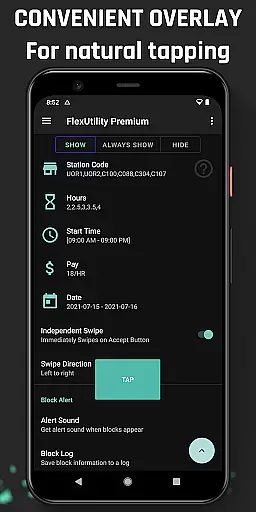
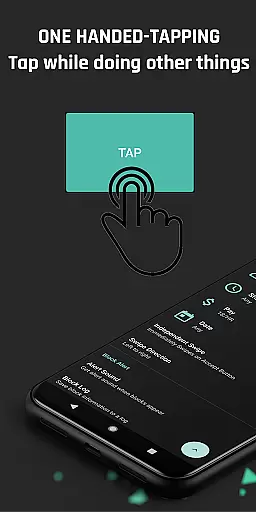
Flex Utility Premium is a powerful tool designed specifically for Flex drivers, offering an innovative solution to streamline their workflow. The app eliminates the need for constant two-finger tapping by providing a single overlay button that simplifies block acceptance. This allows drivers to multitask while searching for suitable blocks.
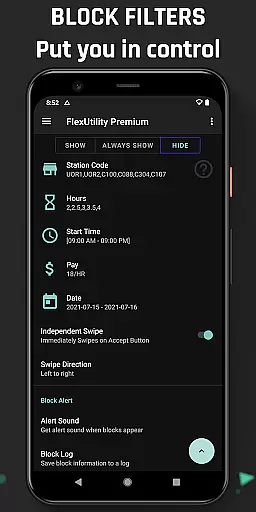
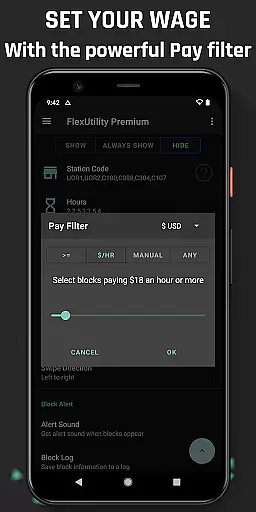
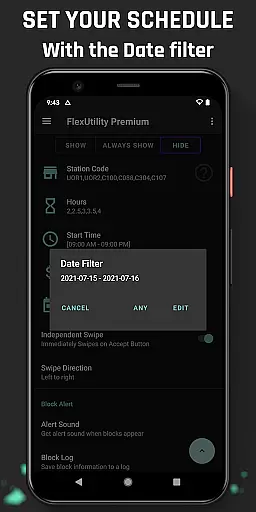
The application's standout feature is its advanced filtering system, which empowers drivers to customize their work preferences. Users can set filters based on pay rate, favorite stations, work days, start times, and job duration. These capabilities ensure drivers receive only the most relevant and profitable job offers.
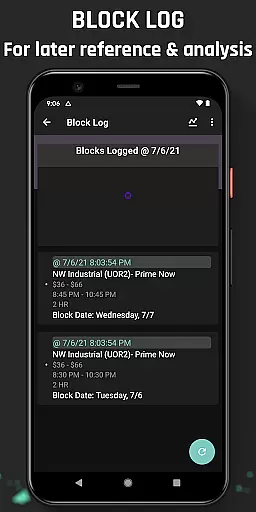
Beyond basic functionality, Flex Utility Premium enhances productivity through additional features like Block Alerts and Block Logs. The app notifies users when suitable blocks become available and maintains a detailed log of all block activity. This comprehensive toolset makes it an invaluable asset for drivers seeking to optimize their Flex experience.
Flex Utility Premium distinguishes itself through several key features that cater specifically to the needs of Flex drivers. The app's primary innovation is its one-finger tapping system, which dramatically reduces the physical strain and attention required during block acceptance. This feature alone transforms how drivers interact with the Flex platform.
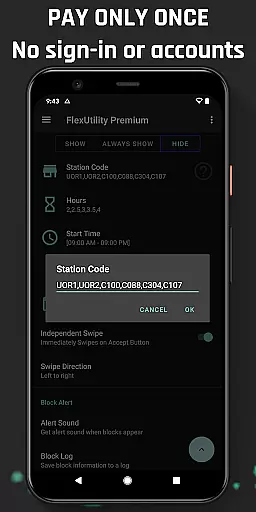
The filtering system represents another crucial aspect of the application. It enables precise control over job selection through multiple parameters including minimum pay rate, preferred station codes, specific work days, desired start times, and preferred job durations. These filters work together to ensure drivers receive only the most suitable and profitable job offers.
Additional valuable features include the Block Alert system, which notifies drivers when matching blocks become available, eliminating the need for constant monitoring. The comprehensive Block Log tracks all block activity, allowing users to identify patterns in job availability and export data for deeper analysis. These features collectively create a robust toolkit that significantly enhances driver efficiency and earning potential.
Flex Utility Premium exemplifies core function accuracy and effectiveness through its specialized design tailored for Flex drivers. The app's primary feature is the one-tapping overlay button, which eliminates the need for constant attention while searching for work blocks. This functionality is crucial as it allows users to multitask efficiently without missing out on potential job opportunities.
The app also incorporates powerful filtering capabilities that enable drivers to customize their work preferences accurately. Users can set specific parameters such as minimum pay rate, preferred station codes, desired work days, start times, and job durations. These filters ensure that only the most relevant work blocks are accepted, optimizing the user's time and earnings.
By providing precise control over the type of work accepted, Flex Utility Premium significantly enhances the overall efficiency of finding suitable jobs. Drivers benefit from receiving better blocks that match their exact requirements, leading to increased job satisfaction and financial returns. This level of customization and precision underscores the app's commitment to delivering accurate and effective solutions for its users.
Flex Utility Premium excels in interface simplicity and intuitiveness by offering a streamlined user experience focused on ease of use. The app features a single overlay button that simplifies the process of accepting work blocks, allowing drivers to operate it effortlessly with just one finger. This intuitive design minimizes the learning curve and ensures that even those unfamiliar with complex applications can navigate it with ease.
In addition to the simplified tapping mechanism, the app provides clear and straightforward filter settings. Users can easily input their preferences for pay rate, station codes, work days, start times, and job lengths without encountering any complicated procedures. The logical arrangement of these options makes it simple for drivers to configure their ideal working conditions quickly.
This emphasis on an uncluttered and user-friendly interface translates into significant practical benefits. Drivers can focus more on their tasks rather than struggling with the app's controls, resulting in a smoother and less stressful work experience. Overall, Flex Utility Premium demonstrates how a well-designed interface can greatly enhance user engagement and productivity.
Streamlined block acceptance
Advanced filtering options
Customizable work preferences
Comprehensive block tracking
User-friendly interface
Premium price point
Android-only support
Learning curve for new users
Limited auto-functions
Requires accessibility permissions

A powerful, easy-to-use flight computer on your phone or tablet!
 3.80
3.80
VESC Tool can monitor and configure VESC-compatible devices over BLE and Wifi
4.20
Small and simple app to Verify Root Access and BusyBox Install!
4.70
Smart and comfortable browsing experience.
3.80
MS-DOS in your pocket. Play old DOS games anywhere you are ;)
4.10
WiFi Signal Strength Meter help you detect WiFi Signal Strength in real time.
4.80
Powerful collection of electronics tools and reference.A must for any enthusiast
4.90
Screen Mirroring for Roku Sticks, Roku TCL TV and Roku Hisense TV
4.50
NFC Tools can read and write NFC tags.
4.70
Easily install aab(Android App Bundle) files on your Android device with our app
4.80
Play your X-Box games remotely in 1080p with any controller and zero latency
4.60 4.50
4.50
eXtended Permission Manager - a small app to manage permissions and AppOps
4.50
The Ultimate Bluetooth Keyboard & Mouse. Securely control your PC, Mac, and more
4.50
pdf merge, word to pdf, jpg to pdf, edit pdf, convert to pdf and much more!
4.20
An open-source APK explorer for Android!
4.10
Family Locator, Share location, StayConnect with your family in real time
3.90
Amateur Radio app for APRS: Track friends, exchange messages, get tactical info.
3.90
card-reader app
2.20


User Reviews