
Palia Notebook is a comprehensive offline companion app designed for players of the video game Palia. This ad-free tool helps users efficiently manage their daily interactions with villagers including chatting, gifting, and tracking schedules and locations. The app also allows players to manage inventory, create tasks, track achievements, and monitor in-game processes like preserves and seeds.
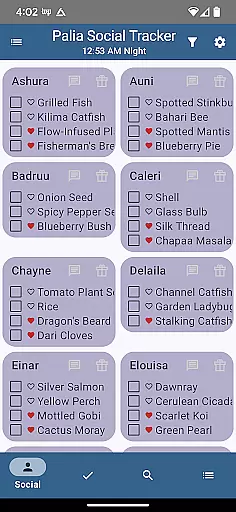
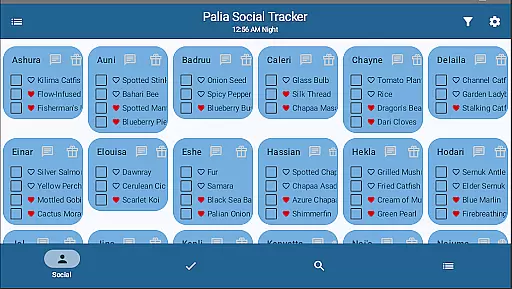
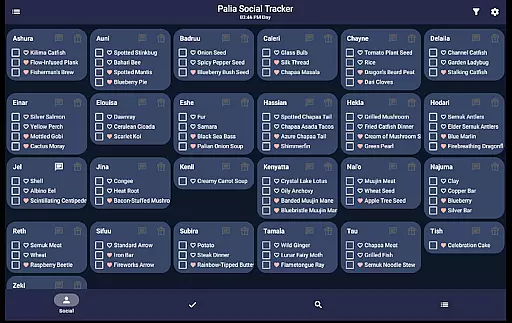
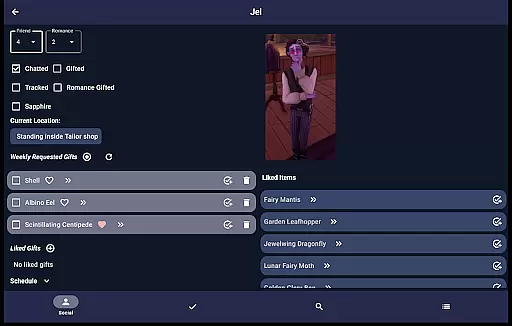
One of the standout features is the Villager screen where you can track chats, gifts, schedules, and likes while creating tasks for villager-specific items. The Social Tracker screen provides an overview of all villagers, enabling filtering and searching for specific item requests. With additional functionalities like task management, item tracking, and search filters by location and time, this app proves invaluable for optimizing gameplay.
Whether you're managing villager relationships or maximizing profits from item processing, Palia Notebook serves as an essential utility for enhancing your gaming strategy and organization.
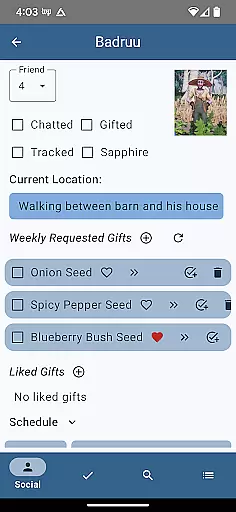
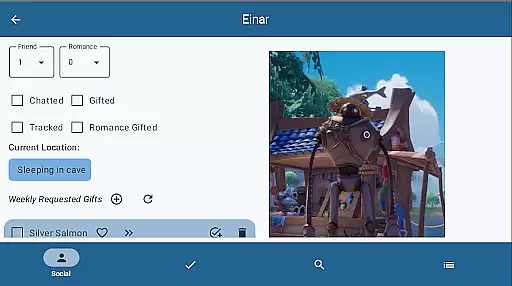
Palia Notebook offers a rich set of features tailored for Palia gamers. The Villager screen updates automatically with the game time, ensuring accurate tracking of chat and gift statuses. Users can view villager schedules, discover current locations, and look up likes, streamlining daily interactions.
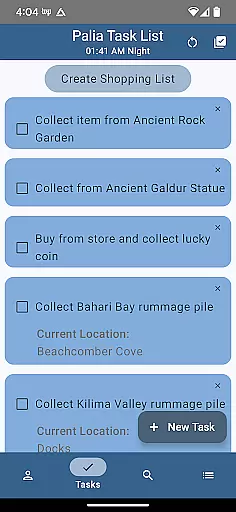
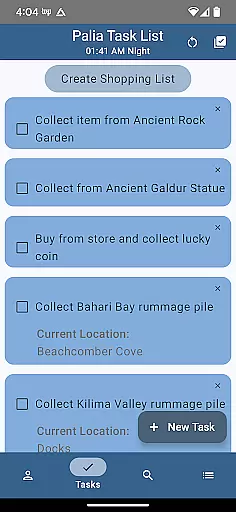
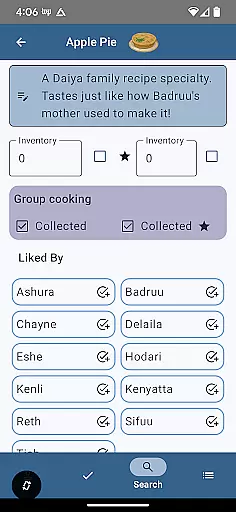
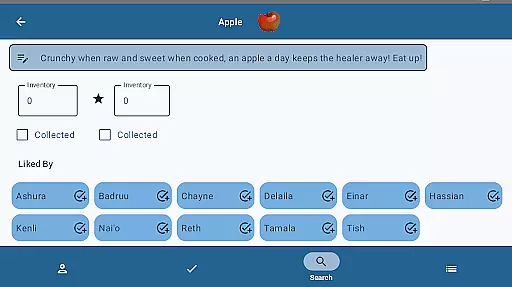
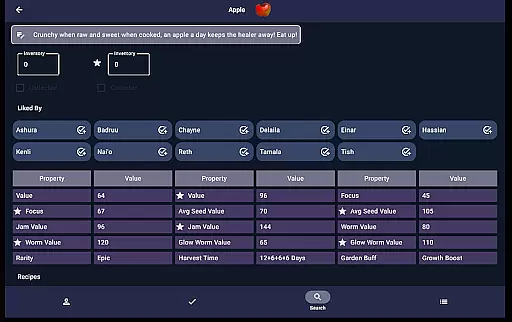
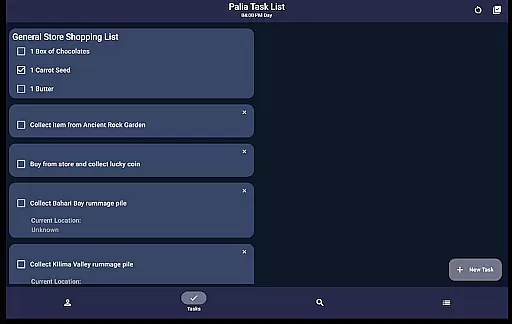
The Task Edit screen allows for detailed task management. You can specify required items, create gifts for villagers, and link prerequisite tasks. Meanwhile, the Items screen lets you check off collected items, input inventory, and identify villager preferences. For processable items, it displays potential profits from seed collectors, preserves jars, or worm bins.
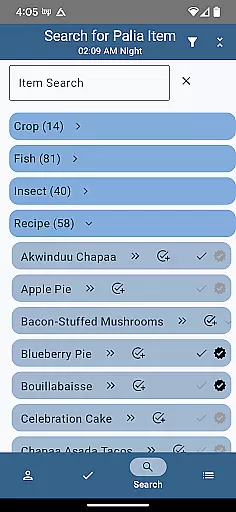
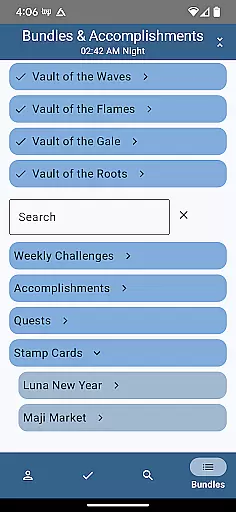
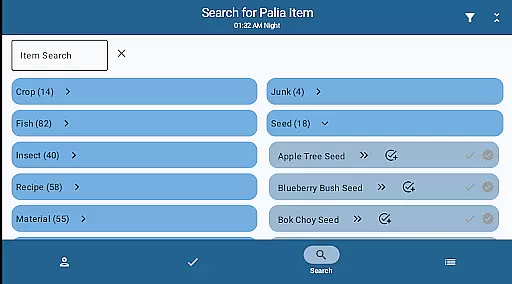
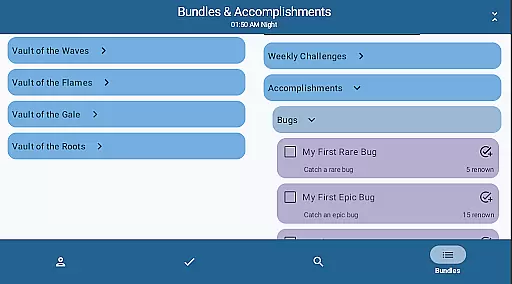
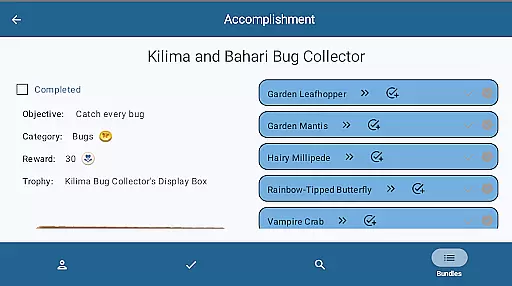
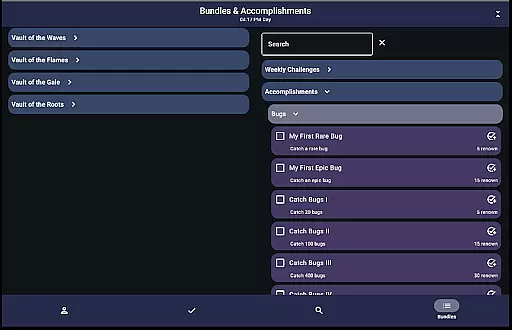
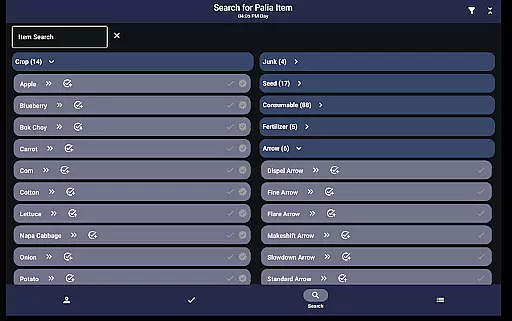
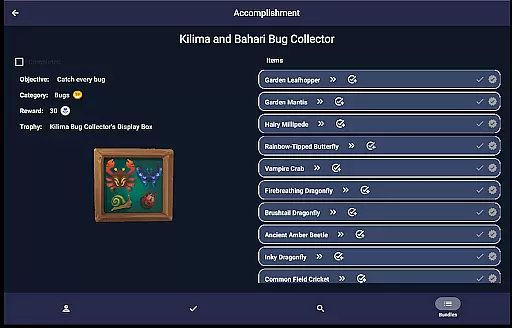
Additionally, the Search screen categorizes items by type and filters them by location and time, aiding in efficient resource gathering. The Bundles and Accomplishments screens help track progress on bundles, quests, and accomplishments, making it easier to focus on missing collectibles. These robust features collectively enhance the overall gaming experience.
Palia Notebook serves as an essential tool for players of the video game Palia, ensuring that every interaction with villagers and in-game activities are accurately tracked. The app meticulously records daily chats, gifts, villager schedules, and locations without any ads, providing a seamless experience.
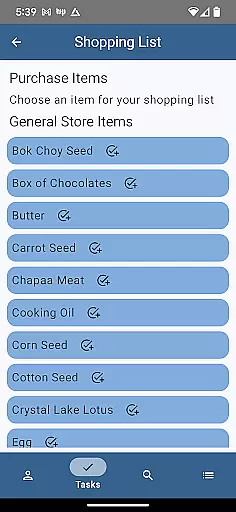
One of the core functionalities includes the ability to manage your inventory and create tasks related to villager interactions. This task management system is highly effective, allowing users to specify items needed for tasks and even linking multiple tasks together, thus streamlining complex in-game activities into manageable actions.
The app also excels in tracking various in-game elements such as preserves, seeds, and worms processing offline. This feature ensures that no matter where you are, your progress and planning in the game remain intact and up-to-date, enhancing both your efficiency and gaming strategy.
For players looking to maximize profits, the item tracking screen offers detailed insights. It displays properties of each item, including potential earnings from processing them through different means like seed collectors or worm bins. This level of detail empowers players to make informed decisions on how best to process and sell items.
The user interface of Palia Notebook is designed with simplicity and intuitiveness at its core, making it accessible even for newcomers to the game. Each section, from villager tracking to social interactions, is clearly labeled and easy to navigate, ensuring that users can quickly find the information they need without any hassle.
In the Villager screen, players can effortlessly track their interactions, view schedules, and discover likes and current locations of villagers. The automatic updating of chat and gift statuses based on game time adds another layer of convenience, reducing the cognitive load on players who want to maintain positive relationships with all characters.
Another highlight is the Social Tracker screen, which provides a comprehensive overview of all villagers. Here, users can filter out those they've already interacted with and search for specific items requested by villagers. This intuitive design significantly simplifies managing social dynamics within the game, saving valuable time and effort.
Overall, Palia Notebook stands out not just for its functional depth but also for its commitment to delivering an intuitive user experience. By focusing on clear visuals and straightforward navigation paths, the app ensures that players can focus more on enjoying the game rather than getting bogged down by complex mechanics.
User-friendly interface
Comprehensive villager tracking
Efficient task management
Detailed item information
Profit optimization tools
Limited to Palia gamers
No iOS version available
Offline functionality only
Requires manual updates
Initial learning curve

 4.50
4.50
pdf merge, word to pdf, jpg to pdf, edit pdf, convert to pdf and much more!
4.20
Head tracking for PC sim games such as MSFS 2024 or Elite:Dangerous. No headset!
4.50
Universal TV remote control all TVs, Roku, LG, Samsung, Fire, Vizio, Sony, TCL.
4.40
App to pay for FUTO Keyboard
4.60
An easy-to-use calculator designed to save time calculating and bending conduit
4.30
Quickly check the frequency of the Earth
4.30
Download any file easily and quickly with Downloader
4.0
Clean up your phone, find files, play media, and share files offline
4.50
Connect instantly to a fast, encrypted VPN with one tap
4.60
HD Camera captures every special moment.
4.60
Mirror your screen to Chromecast and Android TV - Super fast and simple
4.60
Mirror your screen to Fire TV - Super fast and simple
4.40
Making emulation easy for everyone!
4.30
Just one-tap to easy translate in any language after calls within seconds.
4.20
Carry a FTP server in your pocket and avoid USB cables for file transfer
4.20
Effortlessly run ADB commands directly on your device without a PC.
4.20
Signal Strength, Mobile, Wifi, Speed Test, Bad Signals, Cellular, 5G, LTE, 4G
4.20
MS-DOS in your pocket. Play old DOS games anywhere you are ;)
4.10


User Reviews