
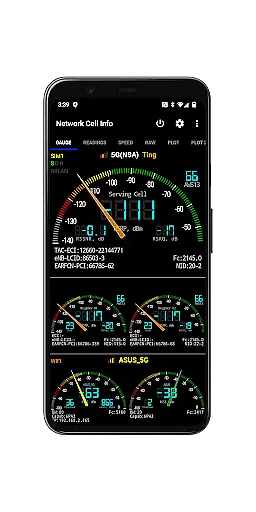
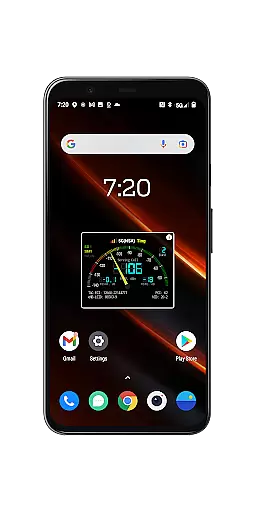
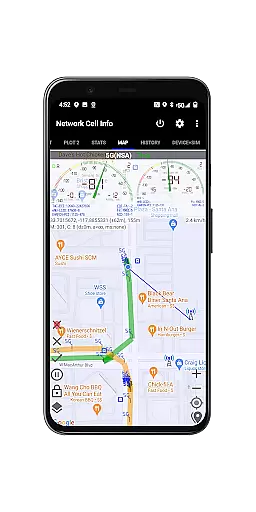
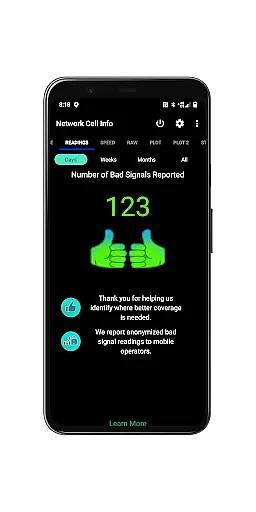
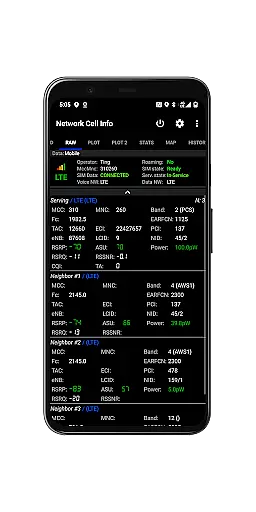
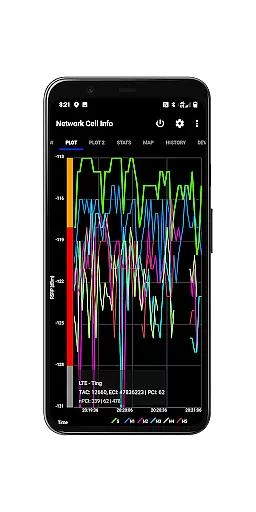
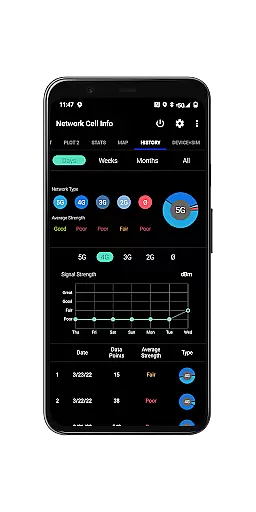
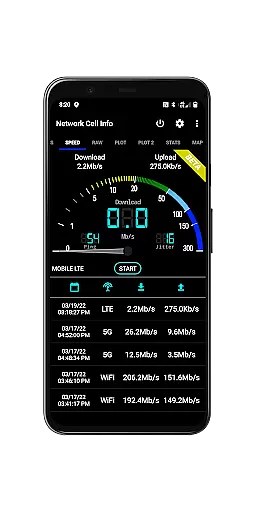
Network Cell Info & Wifi is a comprehensive mobile network and Wi-Fi monitoring tool designed for users seeking to optimize their connectivity experience. The app provides detailed diagnostic data on 5G, LTE, CDMA, WCDMA, GSM, and Wi-Fi signals, helping troubleshoot reception issues while offering insights into local cellular coverage.
A standout feature of the app is its Bad Signal Reporter functionality, which allows users to automatically report poor signal areas to their mobile network operators. This crowdsourced data empowers network providers to improve service quality in problematic zones. Additionally, Network Cell Info offers advanced tools such as real-time signal monitoring, dual-SIM support, and personal best signal finder maps, making it an invaluable resource for both casual users and tech enthusiasts.
Whether you're diagnosing connectivity problems or exploring optimal signal locations, this app ensures you stay informed about your network performance and history.
Network Cell Info & Wifi stands out with its extensive range of features tailored for network diagnostics and optimization. One key highlight is its almost real-time (1-second intervals) monitoring of cellular carrier and Wi-Fi signals through intuitive Gauge/Raw tabs. It supports multiple technologies including 5G, LTE+, LTE, UMTS, GSM, CDMA, and IWLAN, ensuring compatibility across various networks.
The app also includes practical tools like one-tap speed tests that measure download, upload, ping, and jitter performance. Its Dual-SIM support and up to six signal-meter gauges provide flexibility for users managing multiple connections. Advanced mapping capabilities display cell locations, historical logs, and even personal best signal strength by location using Mozilla Location Service data (excluding CDMA).
For power users, exportable databases, customizable measurement settings, and detailed SIM/device information make this app a robust solution for analyzing and improving mobile and Wi-Fi connectivity.
Network Cell Info provides an extensive suite of tools for monitoring and diagnosing mobile network and Wi-Fi signals, ensuring users receive accurate and actionable data. The app supports a wide range of network types including 5G, LTE+, LTE, CDMA, WCDMA, and GSM, offering almost real-time monitoring with just a one-second delay. This level of precision allows users to troubleshoot reception and connectivity issues effectively.
The app's functionality extends to providing detailed signal strength information through its 5-6 signal-meter gauges for both SIMs and Wi-Fi. Users can also perform a one-tap speed test measuring download, upload, ping, and jitter, which adds another layer of diagnostic capability. These features collectively ensure that the core functions are not only accurate but also highly effective in helping users optimize their mobile experience.
By delivering precise measurements and diagnostics, Network Cell Info empowers users to achieve the strongest possible signal strength for both cellular and Wi-Fi connections. This accuracy translates into tangible benefits such as improved call quality, faster internet speeds, and more reliable connectivity, making it an essential tool for anyone looking to enhance their mobile network performance.
Despite its comprehensive feature set, Network Cell Info maintains an intuitive and user-friendly interface that simplifies complex network data. The app organizes its extensive tools into clearly labeled tabs such as Gauge, Raw, and Map, allowing users to navigate effortlessly between different views and functionalities. This logical structure ensures that even those with limited technical knowledge can utilize the app effectively.
One of the standout features contributing to the app's simplicity is the Bad Signal Reporter. With minimal user input, this feature automatically collects and reports instances of poor signal quality to mobile network operators. Such automation reduces the need for manual reporting while still providing valuable data to improve network coverage. Additionally, visual aids like signal plots and personal best signal finder maps offer easy-to-understand graphical representations of network performance.
The combination of straightforward navigation and automated features makes Network Cell Info accessible to a broad audience. Whether you're a tech-savvy user or someone simply looking to improve your mobile experience, the app's intuitive design ensures that you can quickly access and understand crucial network information without a steep learning curve.
Comprehensive network diagnostics
Real-time signal tracking
Dual-SIM support
Free Bad Signal Reporter
Exportable data logs
Complex for beginners
Premium version costly
Requires technical knowledge
Limited offline use
Heavy battery usage

 4.10
4.10 4.50
4.50
A recovery soft,it features photo recovery, video recovery, file recovery.
3.40
Unit and currency converter with easy and simple UI.
4.80
HD Video player and downloader for all formats, fast & smooth 4K video playback.
4.60
Universal TV remote control all TVs, Roku, LG, Samsung, Fire, Vizio, Sony, TCL.
4.40
Canon PRINT is a companion app for your Canon printer.
4.60
ADB support Android 4.X-Android 13(Support wireless pair mode).No root required!
4.70
Making emulation easy for everyone!
4.30
The ultimate tool for network analysis, wifi scanning and problem detection.
4.90
Optimize your WiFi network, turn your phone into Wifi Analyzer
4.70
Creation, Learning, Entertainment & More — The All-in-One AI Search Engine
4.70
eXtended Permission Manager - a small app to manage permissions and AppOps
4.50
The Ultimate Bluetooth Keyboard & Mouse. Securely control your PC, Mac, and more
4.50
Carry a FTP server in your pocket and avoid USB cables for file transfer
4.20
MS-DOS in your pocket. Play old DOS games anywhere you are ;)
4.10
Introducing Smart Printer, your ultimate destination for printing solutions!
4.00
Family Locator, Share location, StayConnect with your family in real time
3.90
Unlock your Essential Key. Create custom shortcuts to your favorite apps!
4.1


User Reviews