
WiFi Pro FTP Server transforms your Android device into a fully functional FTP server, enabling seamless file transfers between your phone or tablet and other devices. With support for FTP over TLS/SSL (FTPS), this app ensures secure data exchanges while offering advanced configuration options such as anonymous access, home folder settings, and user authentication.
This tool is particularly useful for users who want to avoid cumbersome USB cables and prefer wireless file management. Whether you're transferring photos, movies, songs, or documents, the app works efficiently over both standard Wi-Fi networks and hotspot modes, making it versatile for various use cases.
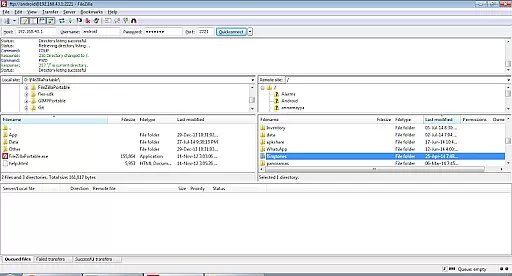
By hosting your own FTP server, you gain complete control over your data and can easily integrate with popular FTP clients like FileZilla. The app's configurability extends to port settings, ensuring compatibility even on non-rooted devices, while maintaining robust security protocols.
WiFi Pro FTP Server stands out with its comprehensive feature set tailored for power users. The app supports FTPS (FTP over TLS/SSL), providing an encrypted connection for enhanced security during file transfers. Users can customize their experience by setting up specific port numbers, defining mount points, and configuring username/password credentials.
One of the standout features is its ability to operate in Wi-Fi tethering mode, allowing you to create a portable FTP server hotspot. This functionality is ideal for environments where traditional network connections may not be available. Additionally, the app avoids reliance on USB cables, promoting a clutter-free workspace.
The interface is designed to be intuitive yet powerful, catering to both casual users and professionals. Advanced settings include options for anonymous access and detailed permission management, giving administrators precise control over who can access shared resources. These capabilities make WiFi Pro FTP Server a reliable choice for managing files across multiple devices securely.
WiFi Pro FTP Server transforms your Android device into a fully functional FTP server, enabling seamless file transfers between your device and computers or other devices. The core functionality of this app lies in its ability to host an FTP server with configurable settings such as port number, home folder, and user credentials.
This app supports advanced features like FTP over TLS/SSL (FTPS), ensuring secure data transmission. Users can avoid cumbersome USB cables and transfer files wirelessly over Wi-Fi, making it both convenient and efficient. The app also works in Wi-Fi tethering mode, allowing you to use it even when your device is acting as a hotspot.
By offering precise control over access permissions, including anonymous access and username/password configurations, the app ensures that only authorized users can connect to your FTP server. This level of configurability enhances both security and usability, providing a reliable solution for managing files on your Android device.
The practical benefits for users include faster file transfers, enhanced flexibility in choosing mount points, and compatibility with popular FTP clients like FileZilla. Whether you're backing up photos, sharing documents, or transferring media files, WiFi Pro FTP Server delivers accurate and effective performance tailored to meet diverse needs.
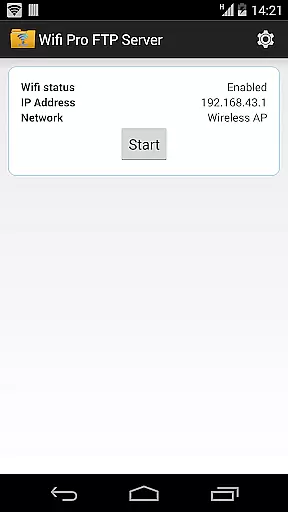
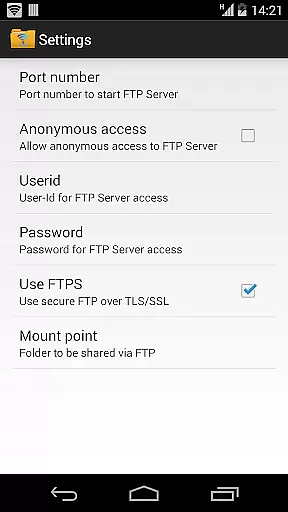
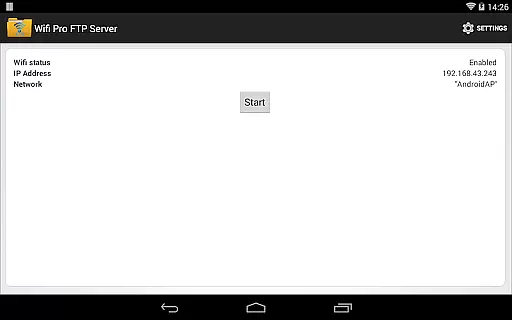
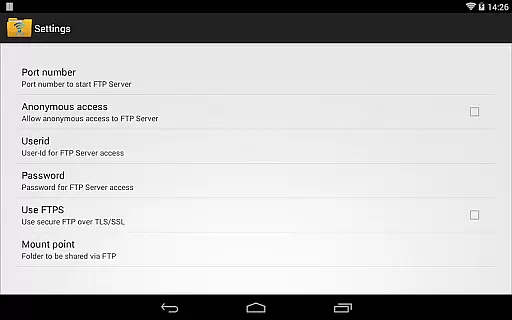
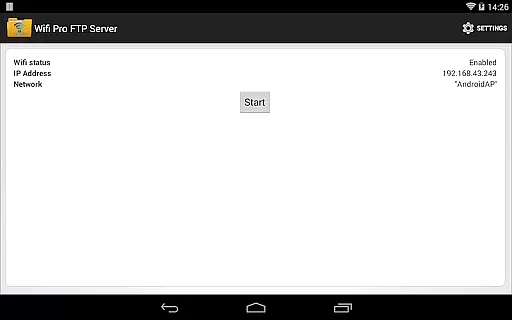
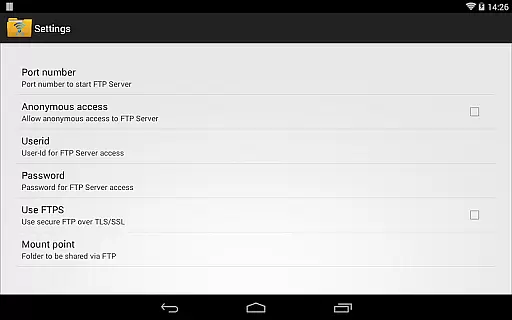
Achieving simplicity and intuitiveness in interface design is crucial for any tool-based application, and WiFi Pro FTP Server excels in this area. The app provides a clean and straightforward user interface that allows even beginners to set up and manage their FTP server effortlessly. Key functionalities are easily accessible through a well-organized settings screen.
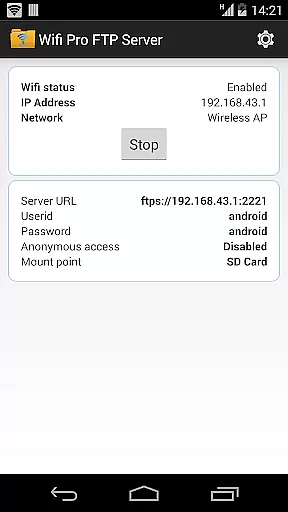
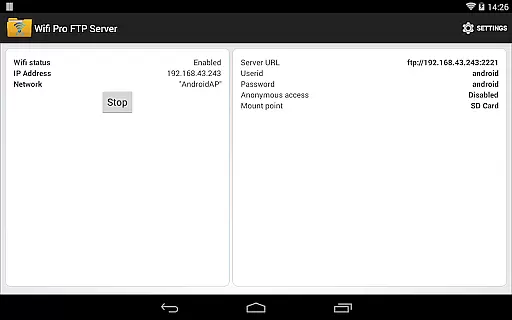
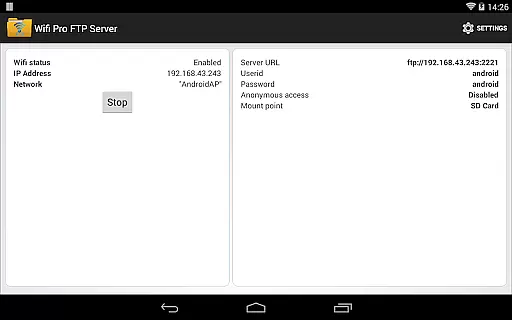
Users can configure essential parameters such as port numbers, home folders, and authentication details without navigating through complex menus. Default values are thoughtfully chosen; for instance, the default port number is set to 2221, which avoids conflicts with standard ports while remaining easy to remember. Additionally, important security features like disabling anonymous access by default guide users toward safer configurations without overwhelming them.
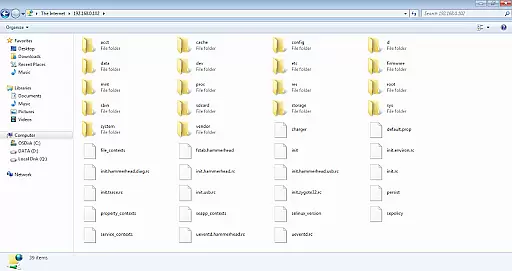
The app's intuitive layout extends to its support for wireless operations, including Wi-Fi and hotspot modes. Instructions provided within the app help users understand how to connect using various FTP clients or Windows File Explorer, further simplifying the process. These thoughtful design choices ensure that users spend less time troubleshooting and more time utilizing the appu2019s powerful capabilities.
Overall, WiFi Pro FTP Server combines ease of use with robust functionality, creating an intuitive experience that appeals to both novice and experienced users alike. Its streamlined interface makes managing an FTP server on your Android device not just feasible but enjoyable.
Secure FTPS support
Customizable port settings
User-friendly interface
Works in hotspot mode
No USB cable required
Limited to 1024+ ports
Anonymous access disabled
Requires configuration
No SFTP support yet
Paid version only

 4.50
4.50
Just one-tap to easy translate in any language after calls within seconds.
4.20
FV File Manager Pro, Fast and powerful file manager for Android
4.60
MS-DOS in your pocket. Play old DOS games anywhere you are ;)
4.10
View detailed information about your Nissan Leaf the dealer never shows you.
4.10
Mirror your screen to Chromecast and Android TV - Super fast and simple
4.60
The one-and-only remote control for PC, Mac, and Linux
4.70
Fast VPN USA for any country. Super secure VPN for calls, streaming, games, TV.
4.40
The ideal app to be the digital eye of your family
3.40
Small and simple app to Verify Root Access and BusyBox Install!
4.70
The Ultimate Flex Drivers Utility App - Convenient Tapping & Block Filters
4.70
Creation, Learning, Entertainment & More — The All-in-One AI Search Engine
4.70
Connect instantly to a fast, encrypted VPN with one tap
4.60 4.50
4.50
Screen Mirroring for Roku Sticks, Roku TCL TV and Roku Hisense TV
4.50
Pro Emulator is an easy to use game console emulator for a range of consoles.
4.40
pdf merge, word to pdf, jpg to pdf, edit pdf, convert to pdf and much more!
4.20
A powerful, easy-to-use flight computer on your phone or tablet!
3.80
Save any video in HD - paste the link, download fast and watch offline.
4.5


User Reviews