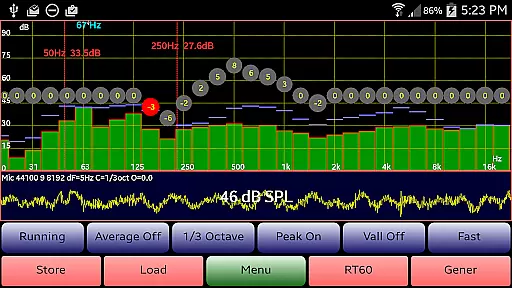
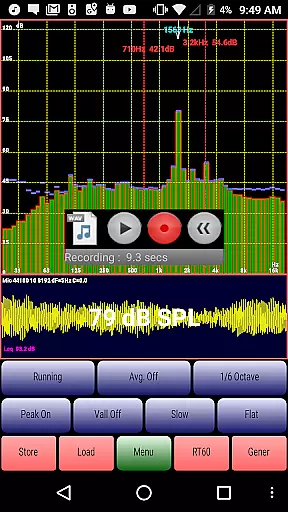
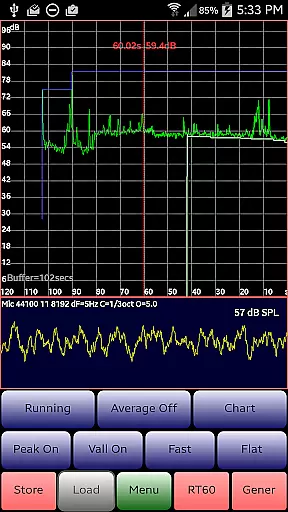
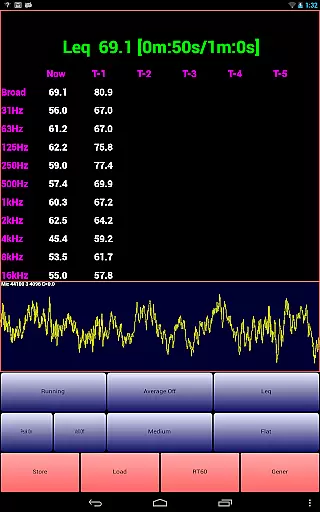
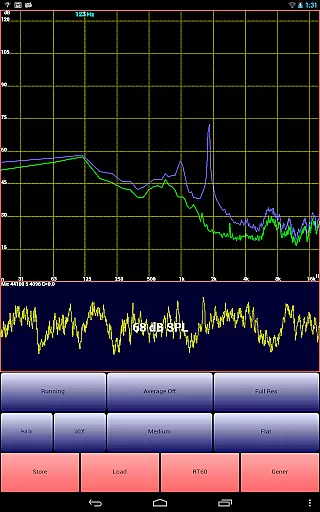
AudioTool is a comprehensive audio measurement and analysis application designed for audio engineers, acousticians, and enthusiasts. It offers professional-grade tools including an SPL meter, RT60 measurement, Leq, Sone, Spectrum Analyzer, Spectrogram, Chart Recorder, Signal Generator, Polarity Checker, and Mic calibration.
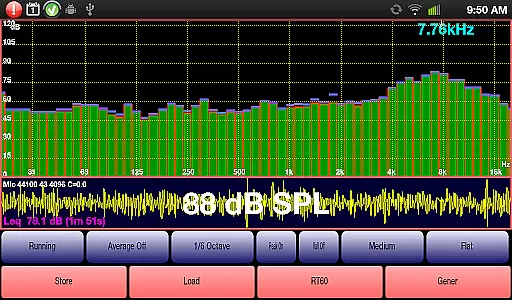
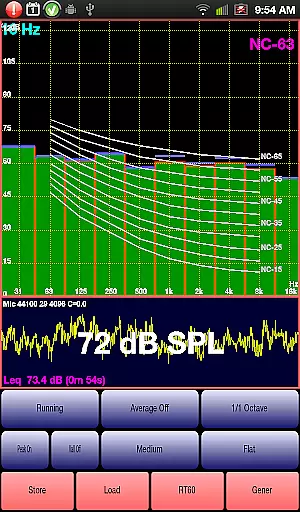
The app supports multiple octave RTA modes (1/1, 1/3, 1/6 & 1/12), various filters (Impulse, Fast, Medium, Slow), A/C Weighting, film industry X Curve, and more. With features like peak store, averaging, SPL chart recorder, and noise criteria (NC and NR), it caters to a wide range of audio testing needs. Exclusive ISO 1/3 Octave Calibration ensures accurate microphone response correction.
Whether you're conducting gig measurements, setting up home theater systems, or performing acoustic analysis in cars, AudioTool provides the necessary tools to achieve precise and reliable results.
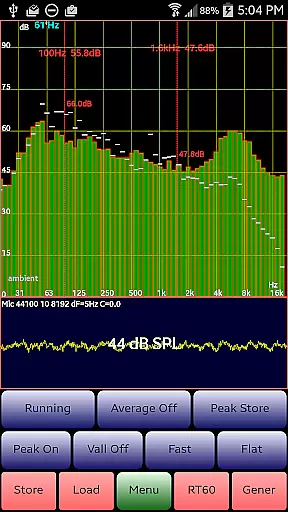
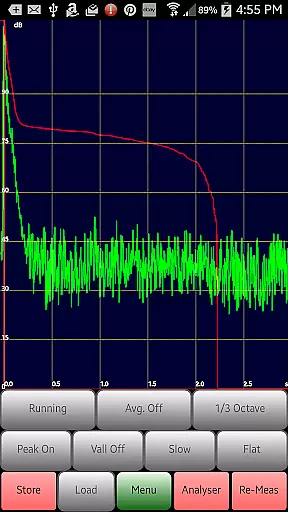
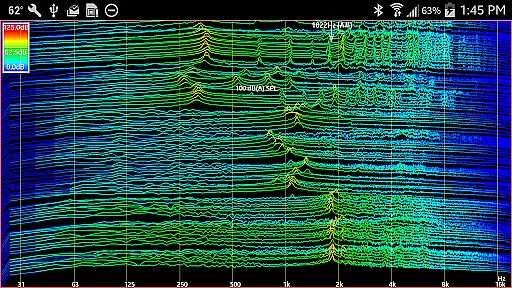
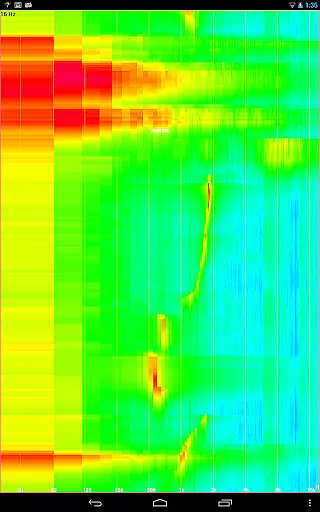
AudioTool stands out with its extensive array of features tailored for audio professionals. The app includes advanced functionalities such as 1/1, 1/3, 1/6, and 1/12 octave RTA modes, Leq calculations, and loudness measurements in Sones. Users can perform RT60 measurements to assess room acoustics, utilize a spectrogram and waterfall display for detailed frequency analysis, and employ a polarity checker to ensure correct speaker wiring.
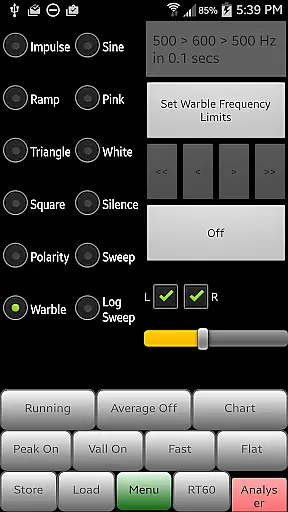
In addition to these core features, AudioTool offers signal generation capabilities with options for white/pink noise, sine, square, triangle, sweep, log sweep, warble, ramp, and impulse signals. The app also supports saving and loading RTA data, pinch-to-zoom functionality, and scroll-to-center controls for enhanced usability. Regular updates introduce new features, ensuring that users have access to the latest tools and improvements.
With its ISO 1/3 Octave Calibration feature, AudioTool allows users to calibrate their microphones accurately, supporting popular models like Dayton Audio iMM-6 and MicW i436. This calibration capability ensures that measurements are consistent and reliable across different devices.
AudioTool offers a comprehensive suite of audio measurement and generation tools, which can be considered as a unique music library in the context of audio engineering. The application provides various signal generation options including White and Pink Noise, Sine, Square, Triangle, and Ramp waves, catering to a wide array of audio testing needs.
The inclusion of multiple signal types like Sine Linear and Log Sweeps, Warbles, and Impulses ensures that users have access to an extensive range of audio signals for analysis. This diversity within the app's 'music library' allows it to meet the specific requirements of different acoustic measurements and tests.
Regarding copyright authenticity, AudioTool respects intellectual property by not using any proprietary audio samples that could infringe on copyrights. Instead, it generates all signals algorithmically, ensuring that each sound produced is original and compliant with legal standards.
Furthermore, the app supports calibration files for specific microphones, such as the Dayton Audio iMM-6 and MicW i436, enhancing its compatibility with professional equipment. This feature underlines the app's commitment to authenticity and accuracy in audio measurement, providing users with reliable tools for their audio projects.
AudioTool stands out in the realm of audio applications due to its sophisticated audio quality options. It employs Fast Fourier Transforms (FFTs) on sets of microphone samples, significantly reducing aliasing through Hann windowing techniques. This process ensures that the Sound Pressure Level (SPL) is calculated accurately in real-time, offering precise audio quality assessments.
The app provides several filter options, including Flat & A/C Weighting and film industry X Curve, allowing users to tailor the audio output according to specific needs or standards. These filters contribute to the high-quality audio experience by enabling detailed customization of how sound is processed and perceived.
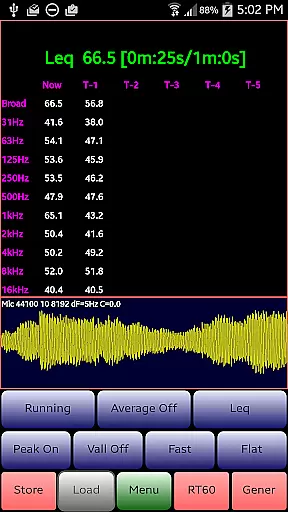
In addition to filtering capabilities, AudioTool features variable duration Leq (wideband, Octave), Sones (Loudness), and RT60 (wideband, Octave) measurements. Such functionalities empower users to conduct in-depth analyses of audio environments, capturing nuanced details that are critical for professional audio work.
Moreover, the app facilitates advanced operations like 1/1, 1/3, 1/6, and 1/12 octave Real-Time Analysis (RTA) modes, alongside Spectrogram and Waterfall displays. These features collectively enhance the app's ability to deliver top-notch audio quality, making it an indispensable tool for audio engineers who demand excellence in their auditory evaluations.
Comprehensive audio tools
Regular feature updates
Wide compatibility
Professional accuracy
User-friendly interface
Complex for beginners
Requires calibration
Hardware-dependent performance
No iOS version
Advanced features need learning

SqueezePlayer turns your Android phone or tablet into a SqueezeBox on its own!
 4.60
4.60
Time Guru will strengthen your internal sense of musical time via random muting.
4.30
Full-featured, High-Quality Groovebox Workstation, perfect for Live Performance!
4.80
Make songs with AI! Any genre, custom lyric, song generator for music creation!
4.80
Smart piano keyboard, Classical to Pop, Real-time multiplayer connection!
4.20
Powerful 10-Band equalizer pro with sound booster improves Android audio quality
4.30
Ringtone Maker is free app create ringtone from music files or your recording.
4.40
Turn Every Moment into Music
3.60
Travel To The Music Universe
3.40
Offline Music Player & MP3 Player.Powerful equalizer, Lyrics, Themes, Tag Editor
4.80
AI Music Maker: Generate And Compose AI Tunes & AI Songs & AI Music & AI Melody!
4.60
A complete sound package for the sound engineer or enthusiast
4.60
Enhance the sound quality of your devices, listen to what you want
4.50
Visualize the guitar fretboard, master scales & play through changes like a pro!
4.50
Guzheng Master supports many playing techniques as an acoustic Guzheng
4.50
10-Band Audio Equalizer, Sound / Bass Booster for Spotify Users & Music Players
4.40
DJ Music Mixer Pro is a real DJ controllers and DJ Music Studio to remix DJ.
4.40
PowerAudio is a powerful offline music player.
4.20
Simply convert wav to mp3. Clear. Reliable. Safe.
4.0


User Reviews