

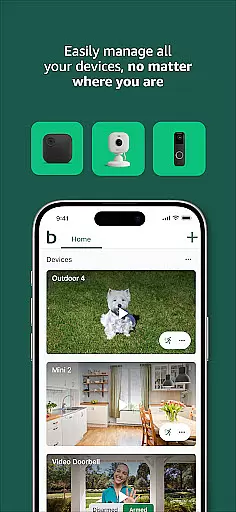


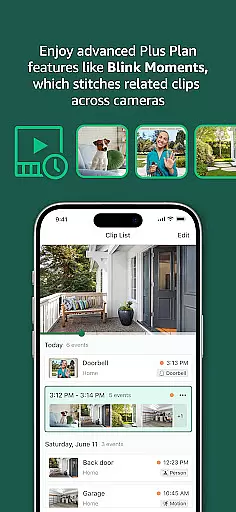




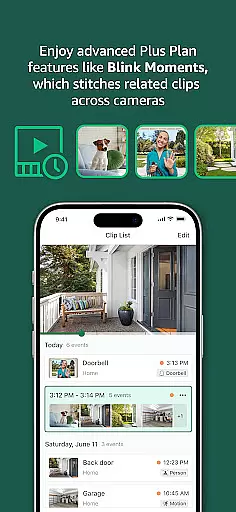




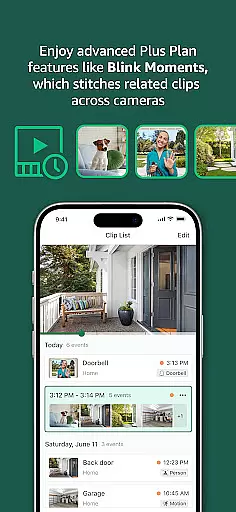

Blink Home Monitor is a comprehensive smart home security application that allows users to monitor their homes with ease. The app supports features like HD live view, infrared night vision, and two-way audio communication, enabling users to see and speak to people or pets remotely. It also integrates with Alexa-enabled devices for voice control of security systems.
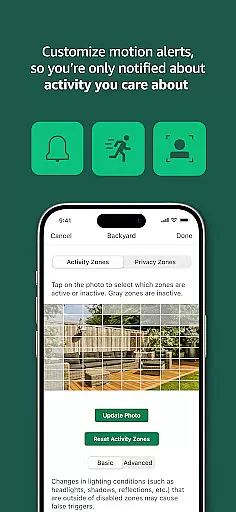
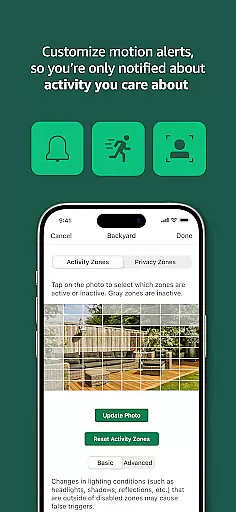
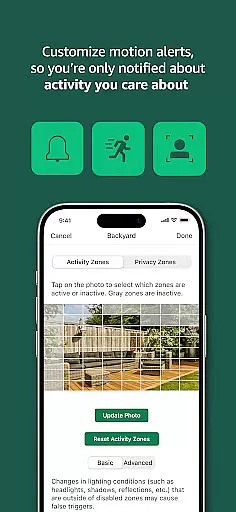
With customizable motion alerts and privacy zones, Blink ensures users receive only relevant notifications. The system offers versatile camera options including wired, plug-in, and wireless models, some providing up to two years of battery life. This flexibility allows cameras to be installed almost anywhere, ensuring whole-home coverage.
Whether checking in on family members or securing property against intruders, Blink Home Monitor provides peace of mind through advanced technology and user-friendly features.
Blink Home Monitor stands out with its robust feature set tailored for home security needs. The app's HD live view and infrared night vision provide clear visuals regardless of lighting conditions, while two-way audio enables direct communication through connected cameras.
One innovative aspect is the use of computer vision for enhanced motion detection, available with a subscription plan. This feature helps identify specific activities such as human movement, reducing false alarms. Additionally, integration with Alexa devices allows hands-free operation, enhancing accessibility and convenience.
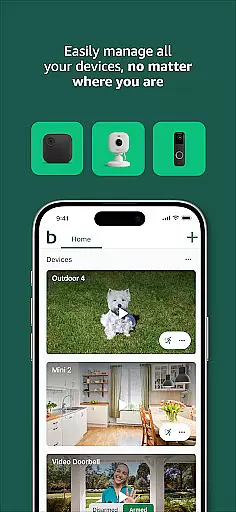
The Blink system's versatility is further demonstrated by its range of camera types, from the weather-resistant Blink Outdoor 4 to the compact Blink Mini series. Each model offers unique capabilities like floodlights or pan-tilt functionality, catering to diverse surveillance requirements.
Blink Home Monitor excels in delivering accurate and effective core functionalities that are essential for smart home security. The app provides users with HD live view, infrared night vision, and crisp two-way audio, ensuring that every interaction is clear and reliable.
One of the standout features is the embedded computer vision, which allows for enhanced motion detection. This means you receive real-time alerts only for the motions that matter, such as person detection, thus reducing unnecessary notifications. Such precision ensures that users can trust the alerts they receive, making their home monitoring more efficient.
In addition to smart alerts, the Blink Home Monitor app also offers customizable motion zones and privacy settings. These features allow users to tailor their security system according to specific needs, ensuring that they are alerted only to activities they care about. This level of customization enhances user control and satisfaction.
The combination of reliable hardware options like wired, plug-in, and wireless cameras with powerful battery life complements the app's core functions. Whether it's through voice commands via Alexa-enabled devices or manual controls within the app, users experience seamless interaction and management of their home security system.
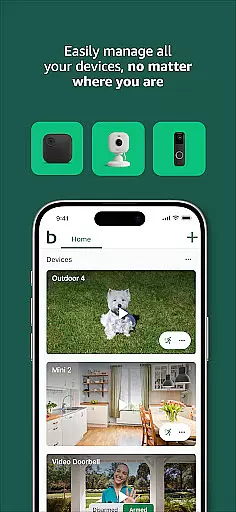
The Blink Home Monitor app stands out for its simple and intuitive interface, making smart home security accessible to all users. From the moment you open the app, you're greeted with a clean layout that prioritizes ease of use without compromising on functionality.
Key features such as live view, motion alerts, and two-way audio are easily accessible from the main dashboard. Users can quickly navigate between different cameras and locations, streamlining the monitoring process. This straightforward design ensures that even those who are not tech-savvy can manage their home security with confidence.
Customization options like setting activity zones and privacy settings are presented in an easy-to-understand manner. With just a few taps, users can define areas they want to monitor closely and adjust alert preferences. This intuitive setup process saves time and reduces complexity, allowing users to focus on what matters mostu2014their safety.
Moreover, integration with Alexa adds another layer of convenience. Users can engage live views or arm and disarm their systems using simple voice commands. This blend of simplicity and advanced technology makes the Blink Home Monitor app both powerful and user-friendly, catering to a wide range of users seeking reliable home security solutions.
User-friendly interface
Long battery life
Versatile camera options
Advanced motion detection
Alexa integration
Subscription required for full features
Limited free cloud storage
Dependent on stable internet connection
Some features locked behind paywall
Occasional connectivity issues

Transfer Files, APK from Phone to Watch & Install.
 4.4
4.4
Just swipe the edge to do something!
4.40
Extremely fast, secure, and protects your privacy
4.80
An open-source APK explorer for Android!
4.10
Excellent scientific calculator with symbolic algebra, integrals, derivatives
4.80
Making emulation easy for everyone!
4.30
Mirror your screen to Fire TV - Super fast and simple
4.40
Creation, Learning, Entertainment & More — The All-in-One AI Search Engine
4.70
fast and easy mp3 music downloader
4.80
The ultimate tool for network analysis, wifi scanning and problem detection.
4.90
Optimize your WiFi network, turn your phone into Wifi Analyzer
4.70
FV File Manager Pro, Fast and powerful file manager for Android
4.60 4.50
4.50
Game Booster, GFX Tool is now compatible with newer game update
4.50
PC precision for mobile gaming: dominate with keyboard and mouse!
4.30
1-Click close all background apps on Android TV
3.90
Amateur Radio app for APRS: Track friends, exchange messages, get tactical info.
3.90
Create your own custom widget with endless possibilities
3.90
A non-root local ADB shell client. READ BELOW!
3.40


User Reviews