
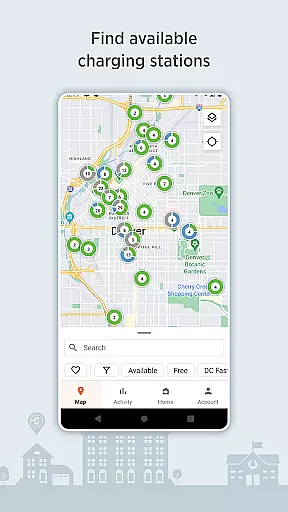
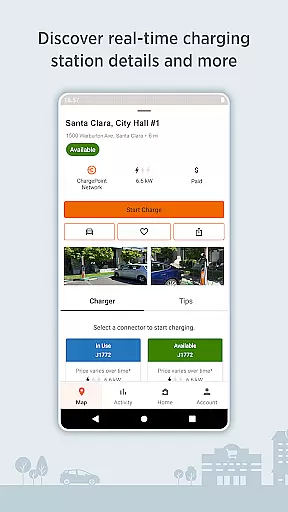
ChargePoint is the ultimate app for electric vehicle (EV) drivers, offering seamless access to the world's largest EV charging network. With hundreds of thousands of stations and roaming partners like FLO, EVgo, and Greenlot, it provides real-time station availability, customizable filters, and essential information including pricing and driver tips.
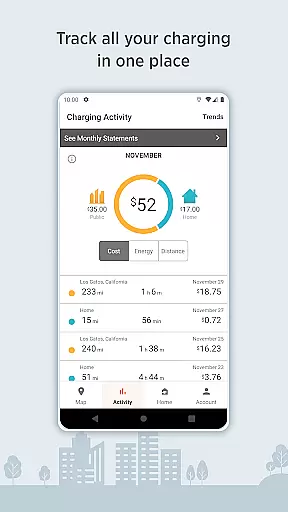
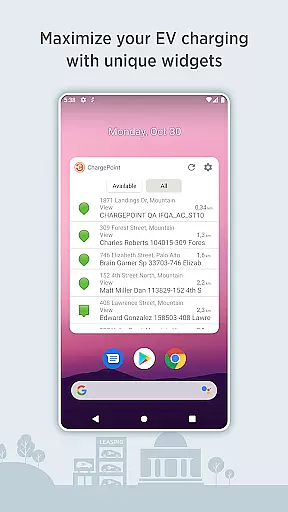
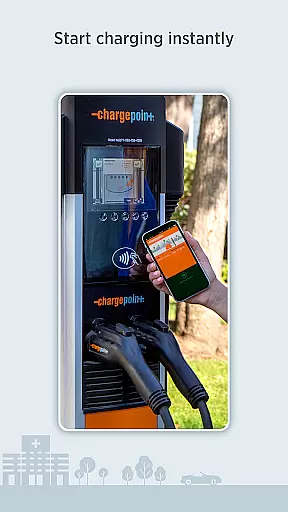
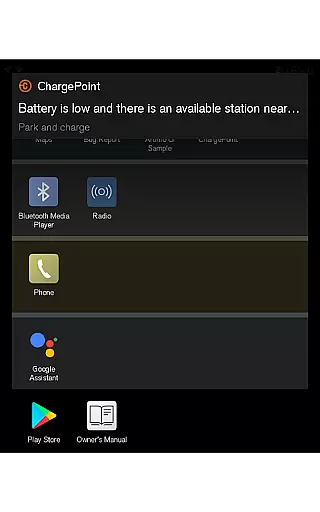
The app allows instant charging through 'Tap to charge' or RFID cards, while enabling users to track complete charging activity, control home and public charging, and receive live updates on charging status. Additional features include Android Auto integration, Wear OS support, and convenient widgets that enhance the charging experience without needing to open the app.
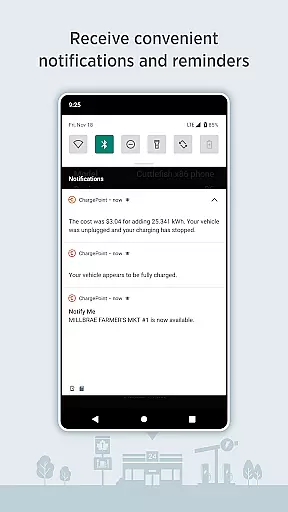
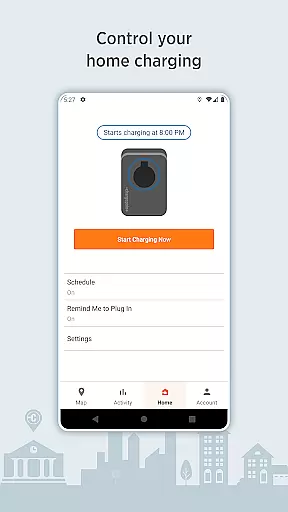
Designed for maximum convenience, ChargePoint lets drivers charge at home with scheduled charging, set reminders, and notifications. It also offers a virtual Waitlist feature for reserving spots remotely. Whether you're charging at public stations or at home with ChargePoint Home Flex, this app ensures a smooth, all-in-one EV charging solution.
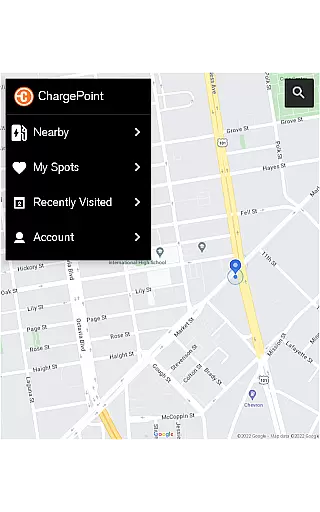
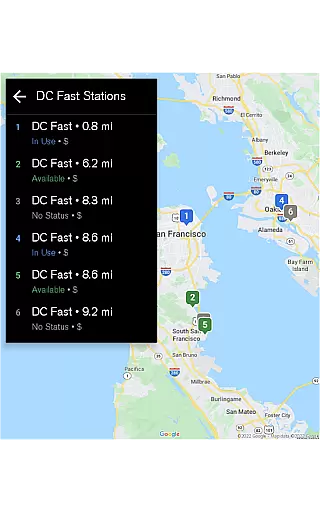
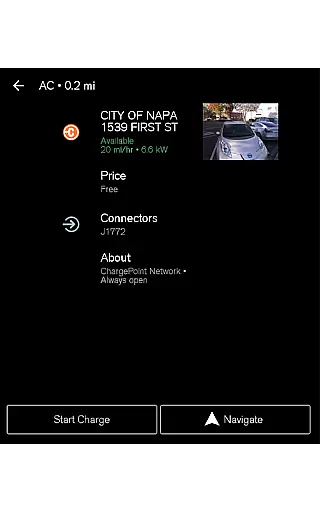
ChargePoint stands out with its comprehensive suite of features tailored for EV drivers. The app integrates advanced tech solutions such as real-time station mapping, which displays availability, pricing, popular charging times, and user-generated tips. Its roaming capability allows users to charge at partner stations using a single account, streamlining the payment process.
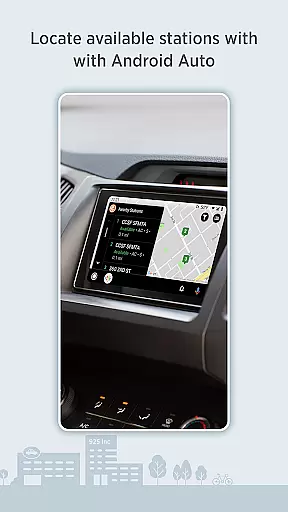
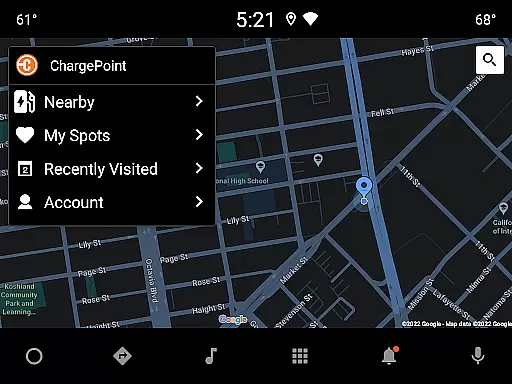
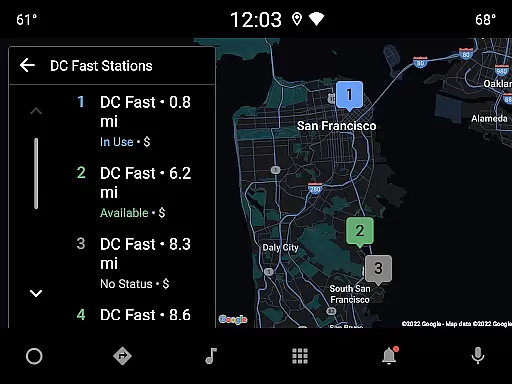
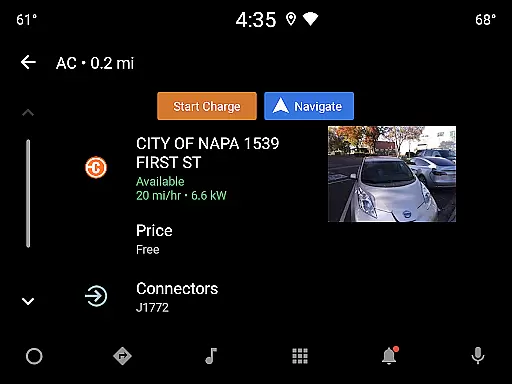
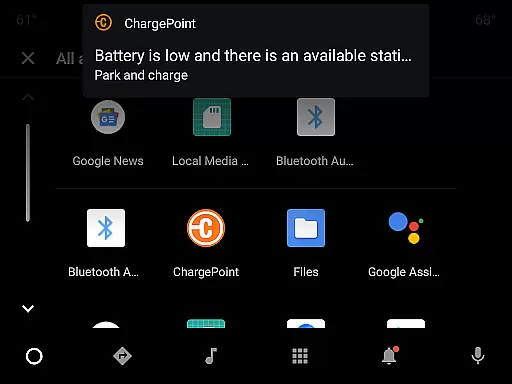
One of the app’s key innovations is its Tap to charge functionality, enabling instant charging initiation directly from the app or via RFID cards. Users can also track their charging history, view trends in costs and miles added, and manage both public and home charging from one platform. Integration with Wear OS by Google and Android Auto enhances accessibility, allowing drivers to locate stations and monitor charging progress hands-free.
Additional premium features include customizable station filters for AC or DC fast chargers, convenient widgets for quick access, and a virtual Waitlist for remote reservations. These functionalities collectively ensure an optimized, user-friendly experience for EV drivers seeking efficient charging solutions.
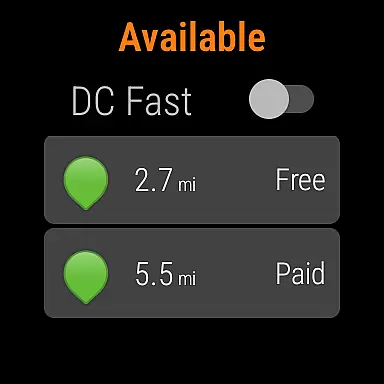
Companion app integration is a crucial feature for wearable devices, ensuring seamless connectivity between the main application and its wearable counterpart. The ChargePoint app excels in this area by providing users with the ability to start charging their electric vehicles directly from their Wear OS by Google devices.
This integration allows drivers to tap to charge instantly, eliminating the need to take out their smartphones every time they need to initiate a charging session. The Wear OS functionality also displays essential information such as miles added to the vehicle's range during charging, making it convenient for users to monitor their charging progress on the go.
By incorporating this feature, ChargePoint enhances user experience by offering a streamlined process that saves time and effort. Drivers can enjoy the convenience of managing their EV charging needs without interrupting their daily activities, thus promoting a more efficient and user-friendly interaction with the service.
The synchronization between the ChargePoint app and Wear OS devices showcases how thoughtful design can significantly improve practicality and accessibility, setting a benchmark for other applications in the Android Wear category.
Device compatibility is a key consideration for apps designed to work with Wear OS by Google, and the ChargePoint app demonstrates excellent support in this domain. By ensuring that its services are accessible through various Wear OS devices, ChargePoint caters to a broad audience of electric vehicle owners who rely on smartwatches for quick access to essential functions.
The app's compatibility with Wear OS enables users to interact with the charging process effortlessly. Whether starting a charge or checking the status of an ongoing session, drivers can perform these actions directly from their wrists, which is particularly beneficial when multitasking or when smartphone access is inconvenient.
ChargePoint's commitment to supporting different devices within the Wear OS ecosystem reflects its dedication to inclusivity and customer satisfaction. This approach not only expands the reach of their service but also reinforces the brand's reputation as a forward-thinking provider in the EV charging industry.
Ultimately, the robust compatibility of the ChargePoint app with Wear OS devices ensures that users can enjoy a consistent and reliable experience across multiple platforms, enhancing the overall value proposition of both the app and the associated wearable technology.
User-friendly interface
Extensive charging network
Real-time station updates
Seamless payment integration
Advanced home charging options
Limited offline functionality
Occasional connectivity issues
Premium feature costs
Regional availability varies
Dependent on third-party stations

Gym Log & Workout Tracker | Fitness Journal, Training & Weight Lifting Planner
 4.90
4.90
Christmas watch face. For Wear OS devices.
4.30
Digital watch face. For Wear OS devices.
4.40
Hyperlocal rain alerts by MyRadar using patent-pending technology, radar & more
4.80
Professional weather radar and more
3.90
Animated video-game inspired “secret agent” simulation, right on your wrist!
4.20
A realistic hybrid watch face with many customization options.
4.60
Fast and smart typing with Emojis, GIFs, and more
4.50
Back up your contacts & access them anywhere
4.30
A modern hybrid informative watch face for Wear OS designed by BALLOZI
4.80
The Chevron App allows you to pay for fuel from the comfort of your car!
4.80
Walking app for weight loss: walk & step tracker, pedometer, indoor treadmill
4.60
To-Do List: daily schedule planner, task organizer, to do reminder app, calendar
4.60
Real-time results, stats, schedules and player profiles for all leagues
4.60
Deck out your Wear OS Watch face with a beautifully decorated pine wreath!
4.50
Elegant animated Christmas tree with multiple customization options
4.20
A digital watch face that celebrates Christmas.
4.00
Wear Os Watch Face - Animated Snow Effect & Christmas Lights
4.5
A Wintery Snow Globe on Your Wrist; now celebrating Christmas!
4.2


User Reviews