
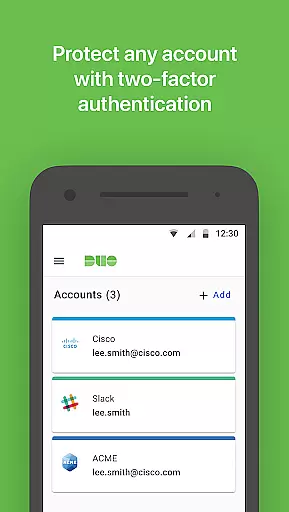
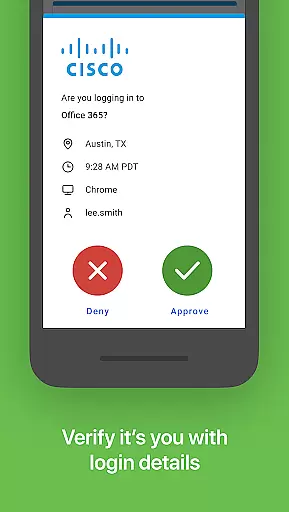
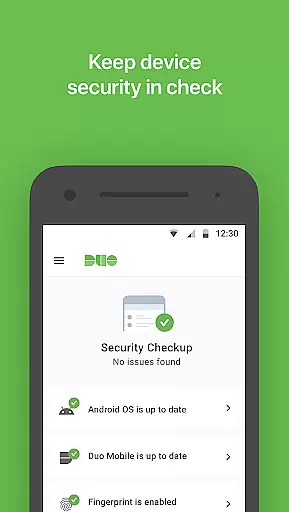
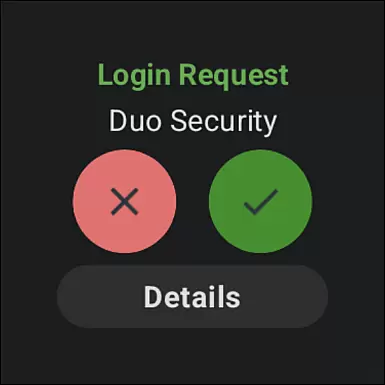
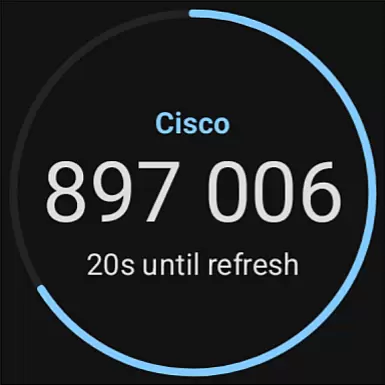
Duo Mobile is a security application designed to enhance login protection through two-factor authentication. This app generates passcodes and provides push notifications for easy, one-tap authentication, ensuring that only verified users gain access to sensitive accounts.
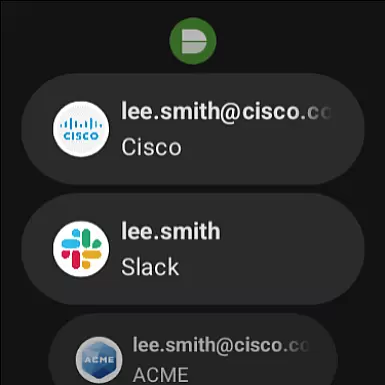
In addition to supporting Duo Security's services, the app allows you to manage two-factor authentication for various other applications and web services. With its companion app, Duo Wear, it extends secure authentication capabilities to your smartwatch, making the process even more convenient.
One of the standout features of Duo Mobile is its ability to generate time-based passcodes and receive push notifications for authentication. This dual capability ensures that users can authenticate quickly and securely, whether they're logging into their Duo accounts or other third-party services.
The app also supports QR code scanning for account activation, streamlining the setup process. Furthermore, with the integration of Duo Wear, users can authenticate directly from their smartwatches, providing an additional layer of convenience without compromising on security.
Companion app integration is a crucial feature for applications that extend their functionality to wearable devices. Duo Mobile excels in this area by offering seamless connectivity with its Wear OS companion app, Duo Wear.
The integration process between Duo Mobile and Duo Wear ensures that users can receive authentication requests directly on their smartwatches. This means you no longer need to take out your phone for every two-factor authentication request, making the process faster and more convenient.
By maintaining a constant and secure connection between the phone and the smartwatch, Duo Mobile guarantees that all push notifications and passcodes are synced in real-time. This synchronization allows users to authenticate effortlessly, regardless of which device they have at hand.
Overall, the robust companion app integration provided by Duo Mobile significantly enhances user experience by extending secure authentication capabilities to smartwatches, ensuring you are always connected and protected.
Device compatibility is essential for any application that supports wearable technology. Duo Mobile ensures broad compatibility with various Wear OS devices, allowing users to leverage their smartwatches for secure authentication.
Duo Mobile is designed to work seamlessly across different models and brands of Wear OS devices. Whether you own a high-end smartwatch or an entry-level model, you can expect consistent performance and reliability from Duo Mobile's two-factor authentication features.
In addition to supporting a wide range of devices, Duo Mobile also ensures that its features are optimized for different screen sizes and resolutions. This optimization provides a smooth and intuitive user interface, making it easy to interact with authentication requests on any Wear OS device.
By prioritizing Wear OS and device compatibility, Duo Mobile delivers a versatile and reliable authentication solution that caters to diverse user needs, enhancing both security and convenience without compromising on usability.
Enhanced Security
User-Friendly Interface
Multi-Platform Support
QR Code Scanning
Wear OS Integration
Requires Activation
Dependent on Network
Limited Without Account
No Standalone Use
Third-Party Reliance

Highly customizable hybrid watch face for Wear OS, perfect for everyday use.
 4.60
4.60
Animated Watch Face and Customizable with 24 Backgrounds. Perfect for Christmas!
3.90
Contemporary digital watch face with five complications
4.4
The most customizable minimal watch face. For Wear OS 5.0, API 34+ and later
4.70
Fitness interactive virtual pet super fighter boy watch face
4.1
Hyperlocal rain alerts by MyRadar using patent-pending technology, radar & more
4.80
The Chevron App allows you to pay for fuel from the comfort of your car!
4.80
A realistic hybrid watch face with many customization options.
4.60
Track airplanes and follow flights with our real-time flight tracker
4.50
Christmas - Festive - Christmas Village - Winter - Christmas lights
5.00
Real-time weather radar with temperatures, warnings, hurricanes, and widgets
4.80
The most customizable hybrid watch face. For Wear OS 5.0, API 34+ and later
4.70
Let's celebrate Thanksgiving - Wear Os watch face
4.20
Embrace the festive spirit with our Christmas Countdown watchface for Wear OS
4.10
sleep, alarm, snoring, stress, healing, focus, sound therapy, circadian rhythm
4.10
Connect, create, and collaborate with Gmail, part of Google Workspace.
4.10
Viewer for Wyze/Yi/Eufy/Arlo/ONVIF/RTSP/P2P IP cams w/ adv. features & DIY DVR
4.00
Watch face designed for Thanksgiving Day. 7 Background Styles included.
3.20
Christmas is near, let's count together the days left until Santa comes
4.4


User Reviews