
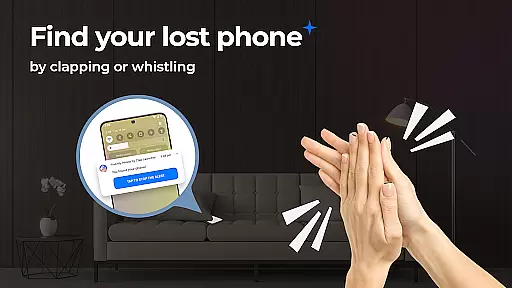
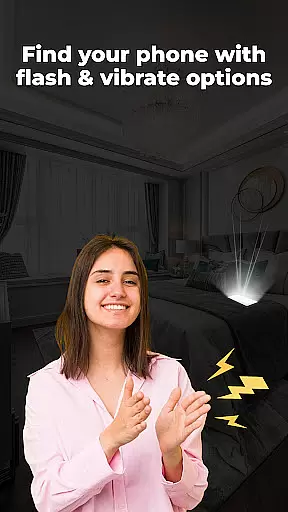
Find My Phone by Clap Launcher is a powerful tool designed to help users locate their misplaced devices with ease. By simply clapping or whistling, the app triggers an audible alert, vibration, and flashlight response, making it easy to find your phone even in noisy environments or dark spaces.
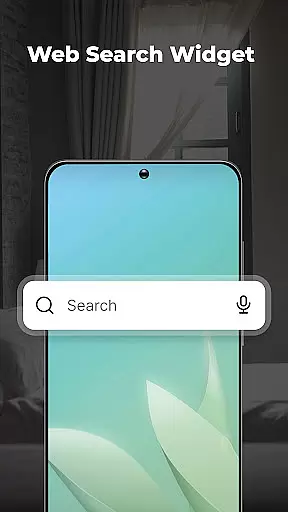
In addition to its core functionality, this launcher app offers several added benefits. Users can enjoy one-swipe access to activate sound detection, a customizable home screen widget displaying time and weather, and a selection of beautiful wallpapers. The app also provides multi-touchpoint search capabilities for installed apps and web searches powered by Yahoo.
This application is particularly useful for individuals who frequently misplace their phones at home or in the office. With its intuitive interface and battery-efficient design, Find My Phone ensures you can quickly recover your device without significant power consumption.
Find My Phone by Clap Launcher stands out with its innovative features tailored for convenience and efficiency. The primary feature is its sound recognition technology that responds to claps or whistles, immediately triggering alerts to help you locate your device. This multi-alert system combines loud ringtones with bright flashing lights, ensuring visibility and audibility regardless of where your phone is hidden.
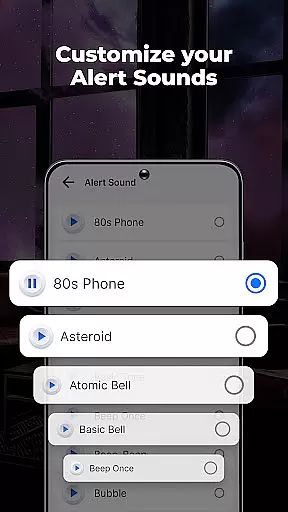
Beyond its core functionality, the app offers customizable alert options. Users can choose from various attention-grabbing sounds, including soothing melodies, playful animal noises, or modern electronic beats. Additionally, the duration of alerts can be set between 10 to 120 seconds, providing flexibility based on user preference and environment.
The app's design emphasizes ease of use and compatibility. It supports multiple phone models and functions across different volume settings, including silent and vibrate modes. Its battery-friendly optimization ensures minimal background consumption, maintaining device performance throughout the day while still being ready to assist when needed.
Find My Phone by Clap Launcher excels in its core functionality, which is helping users locate their misplaced devices quickly and efficiently. The app employs advanced sound recognition technology that listens for specific triggers like claps or whistles. Once the trigger sound is detected, the app activates a multi-alert system that combines loud ringtones, bright flashing lights, and vibrations to make the device easily noticeable.
The effectiveness of this tool lies in its ability to work under various conditions. Whether your phone is hidden under pillows, fallen behind furniture, or tucked away in a dark corner, the app ensures you can find it with ease. The bright flash feature is particularly useful in low-light environments, while the customizable alert sounds cater to personal preferences and different home environments.
Users benefit from the app's battery-efficient design, which allows it to run in the background without significantly draining the phone's battery. This optimization ensures that the app remains responsive when needed, providing peace of mind to those who frequently misplace their phones. With Find My Phone by Clap Launcher, locating a lost device becomes a seamless and reliable process.
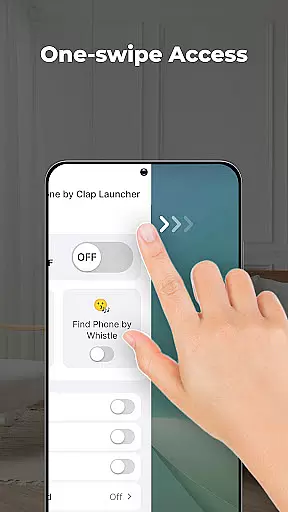
The interface of Find My Phone by Clap Launcher is designed to be simple and intuitive, ensuring that users of all technical backgrounds can operate it effortlessly. Upon installation, users are greeted with a straightforward home screen layout that includes essential features like one-swipe access to activate clap or whistle detection. This ease of access eliminates unnecessary steps, making the phone-finding process quick and hassle-free.
In addition to the primary functionality, the app offers several user-friendly features such as home screen widgets that display time, weather, and more. These widgets enhance the overall user experience by providing useful information at a glance. Users can also personalize their home or lock screens with a wide selection of beautiful themed wallpapers, adding a touch of personalization to their devices.
Another notable aspect is the home screen shortcut that provides instant access to the phone finder functionality. This shortcut, combined with the app's multi-touchpoint search capabilities, ensures that users can locate their phones or search for apps and web content with minimal effort. Overall, Find My Phone by Clap Launcher delivers an intuitive and versatile interface that prioritizes user convenience and satisfaction.
User-friendly interface
Customizable alert sounds
Battery efficient
Multi-alert system
One-swipe access
Home screen layout changes
Limited to sound activation
Requires internet for some features
Potential background noise interference
No GPS tracking

Remote for Roku, Fire TV, Samsung TV, LG TV, Android TV, Chromecast and VIZIO TV
 4.20
4.20
Universal TV remote control all TVs, Roku, LG, Samsung, Fire, Vizio, Sony, TCL.
4.40
MS-DOS in your pocket. Play old DOS games anywhere you are ;)
4.10
Detect hidden spy camera with advanced scanning {{ Premium version }}
4.00
The Ultimate Bluetooth Keyboard & Mouse. Securely control your PC, Mac, and more
4.50
Screen Mirroring for Roku Sticks, Roku TCL TV and Roku Hisense TV
4.50
Remote Play with FSR upscaling, low latency & full controller support
4.80
Creation, Learning, Entertainment & More — The All-in-One AI Search Engine
4.70
Screen recorder with audio to record high-quality videos and take screenshots.
4.40
Best leveling tool for your Android device. Hang paintings like a pro.
4.90 4.50
4.50 4.50
4.50
Mirror your screen to Fire TV - Super fast and simple
4.40
Fluid navigation gestures for all of us!
4.30
App that Recover your pictures, videos or files after you delete them.
4.20
Create your own live wallpaper or check out thousands already made presets
3.90
Unleash gamepad precision for ultimate mobile gaming dominance.
3.90
A powerful, easy-to-use flight computer on your phone or tablet!
3.80
Smart and comfortable browsing experience.
3.80


User Reviews