
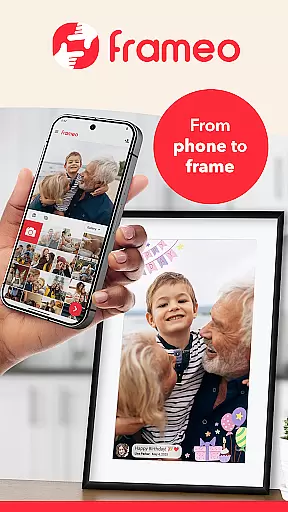
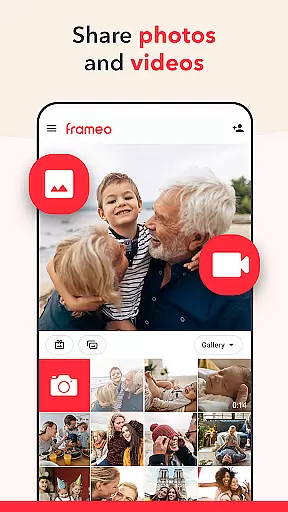
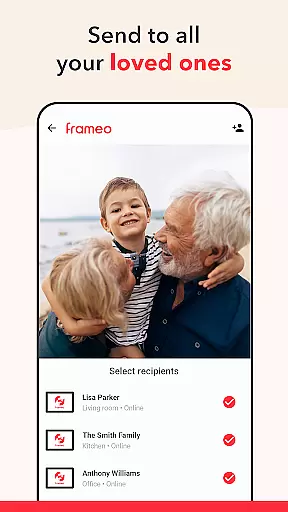

Frameo is a dedicated photography app designed to seamlessly share photos and videos with loved ones through WiFi digital photo frames. The app allows users to instantly send media from their smartphones to connected Frameo frames anywhere in the world, making it perfect for sharing precious moments with family and friends.
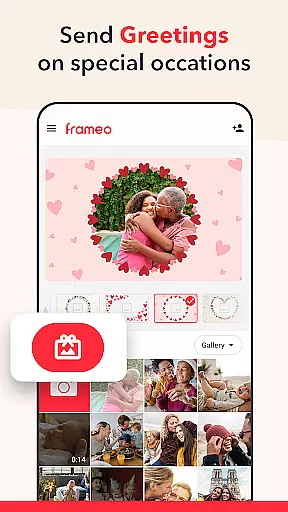
With its user-friendly interface, Frameo supports sending multiple photos and short video clips, adding captions, and even applying graphical themes for special occasions. Its standout feature is the ability to connect all friends and family members' frames, ensuring everyone stays updated with your latest experiences. Whether you're on vacation or want grandparents to witness a child's milestones, Frameo bridges distances effortlessly.
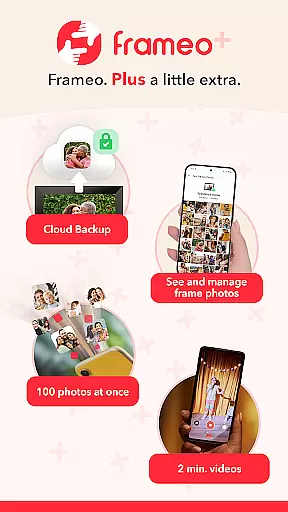
The app also offers end-to-end encryption for secure sharing and introduces Frameo+, a subscription service that unlocks advanced features like cloud backup, managing frame content remotely, and sending up to 100 photos at once. This makes Frameo not just a tool for sharing but an ecosystem for preserving memories safely and conveniently.
Frameo stands out with its robust set of features tailored for effortless photo and video sharing. Users can send up to 10 photos at once or share 15-second video clips directly to their connected Frameo WiFi frames. Each media item can be personalized with captions and enhanced with graphical themes for occasions like birthdays or holidays, adding a creative touch to every shared moment.
Another notable feature is the instant notification system, which alerts users when frame owners interact with their photos. Additionally, the app ensures privacy with end-to-end encryption, safeguarding all shared content. For those seeking more functionality, Frameo+ offers exclusive perks such as viewing and managing frame photos remotely, backing up content via cloud storage, and extending video length limits to two minutes.
These features collectively make Frameo a versatile tool for modern families who value staying connected through visual storytelling while prioritizing security and convenience.
Real-time capture and preview functionality is essential for ensuring that users can instantly see the results of their photography efforts. Frameo excels in this area by allowing users to send photos and videos directly from their smartphones to connected digital photo frames with just a few taps. This immediate transmission means that friends and family can enjoy your captured moments almost as they happen, providing a seamless sharing experience.
The app supports sending multiple photos at once, up to 10 in the free version and an impressive 100 with Frameo+, making it easy to share entire albums from events like vacations. Additionally, video clips of up to 15 seconds (or extended to 2 minutes with Frameo+) add dynamic content to your shared memories. These features ensure that every important moment is conveyed with clarity and immediacy.
Furthermore, Frameo enhances the real-time experience with instant notifications when frame owners interact with your shared content. This feedback loop not only enriches user engagement but also provides reassurance that your cherished moments are being appreciated by loved ones. The ability to add captions and greetings further personalizes each shared item, creating a richer storytelling experience.
While Frameo does not explicitly market itself as having AI beauty and enhancement features, its capabilities allow for natural and authentic photo sharing experiences. The emphasis on end-to-end encryption ensures that all shared photos, videos, captions, and data remain secure, preserving the integrity and authenticity of your memories without artificial alterations.
Frameo+ offers advanced functionalities such as cloud backup with client-side encryption, which safeguards your media while maintaining its original quality. This approach respects the natural state of your photographs, ensuring that they are stored and retrieved without unwanted modifications or loss of detail.
Moreover, the app's focus on genuine interactionsu2014like receiving notifications when someone likes your photosu2014enhances the authenticity of shared experiences. By prioritizing safety, security, and true-to-life representation over automated enhancements, Frameo fosters a community where real moments are celebrated and preserved naturally. This commitment to unaltered content makes Frameo stand out in the realm of digital photo sharing.
User-friendly interface
Instant global sharing
End-to-end encryption
Customizable captions
Graphical themes
Limited to Frameo frames
Premium features costly
Video length restricted
Subscription required
Device compatibility

How would you look like with a differently shaped nose, chin or lips?
 3.90
3.90
Safe & smart flight with Go Fly drone controller for 40+ drone camera, zone map
4.50
What celebrity do you look like? Celebs will find your celebrity match!
4.10
Pet Camera
3.70
Photo prints, cards, & gifts at Walgreens. Easy ordering & fast local pickup !
4.80
A must-have app for landscape photographers
4.60
See your baby AI baby face generator AI baby maker Face generator babymaker fun!
4.70
Your personal guide to the sun and moon. Plan ahead, visualize and predict!
4.70
Try an anime version, cartoon yourself, and generate AI hug or aging videos!
3.70
Take videos and pictures with the popular TikTok TIME WARP SCAN filter.
4.60
Cut and paste photo editor & eraser to customize photos easy and swap faces fun
4.50
AI photo editor with hair editor, retouch tools, hair color changer & filters!
4.50
Movie camera, supports pro recording settings for filming. Try it and be amazed!
4.50
AI photo enhancer with Sora 2! Enhance, descratch, and colorize your old photos.
4.50
Search, tag and rate your way to an organized image gallery
4.40
Turn your phone into a professional camera - full DSLR manual photography
4.30
Catch sunlight, sunrise sunset times and sun phases with the AR sun tracker.
4.10
Hair color changer, AI haircut app, fun hair editor and buzz cut filter for all!
3.80
GCamera allows all GCam features on all phone models! Better photos with GCamera
3.30


User Reviews