
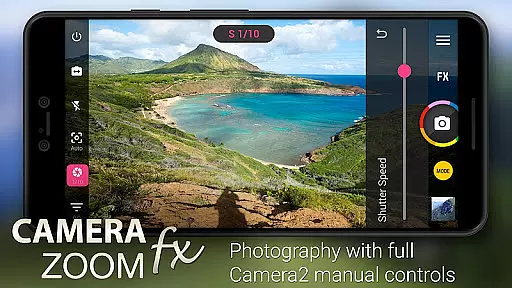
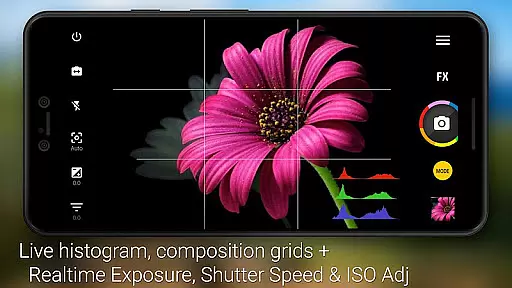
Camera ZOOM FX Premium is a feature-rich photography app that transforms your Android device into a professional-grade camera. The app offers advanced manual controls using the Camera API2, enabling users to adjust ISO, focus distance, exposure, and shutter speed. With support for RAW capture on compatible devices, it provides DSLR-like functionalities in the palm of your hand.
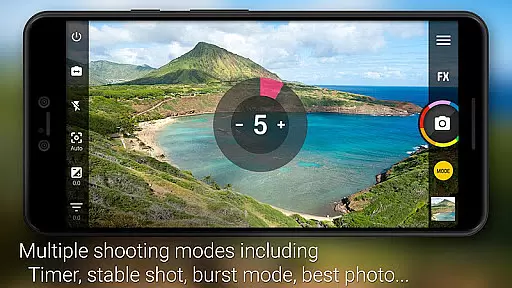
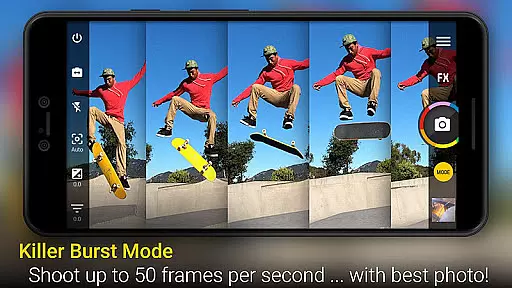
In addition to its powerful manual controls, the app includes various shooting modes such as timer, HDR, stable shot, and timelapse. Users can enhance their photos with over 100 effects including Vignette, Retro, Holga, Bokeh, Lomo, and Hipster styles. The app also features a fast burst mode, grid overlays, horizon leveling, and multiple flash modes, making it an all-in-one solution for mobile photography enthusiasts.
Whether you're capturing action shots or creating photo collages, Camera ZOOM FX Premium delivers both performance and versatility. Its intuitive interface and customizable options cater to photographers of all levels, ensuring a seamless experience from capture to post-processing.
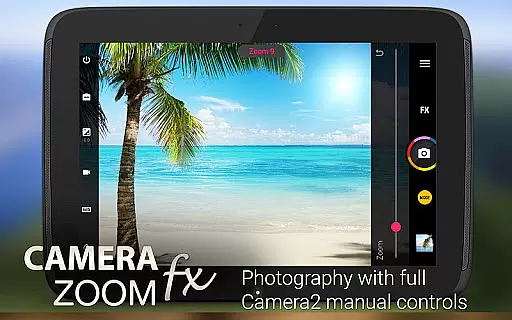
One of the standout features of Camera ZOOM FX Premium is its comprehensive set of manual controls. Leveraging the Camera API2, the app allows users to fine-tune settings like ISO, shutter speed, and focus distance, providing unparalleled control over the photographic process. This makes it ideal for users who want to experiment with professional-grade settings directly on their mobile devices.
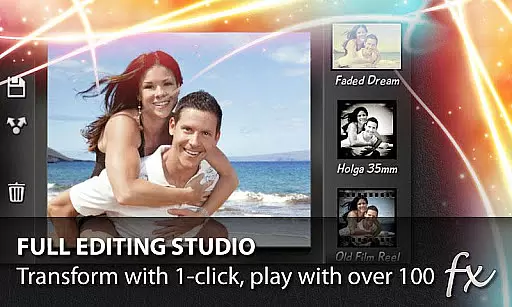
Beyond manual controls, the app boasts a variety of creative tools. It includes over 100 photo filters and effects, giving users the ability to apply artistic touches to their images instantly. Features like Stable Shot, Timer, Voice Activation, and Collage Maker expand the app's utility, while Time Lapse and HDR Mode Pro offer more specialized shooting capabilities. Additionally, the app supports external storage and custom folder organization, enhancing workflow efficiency.
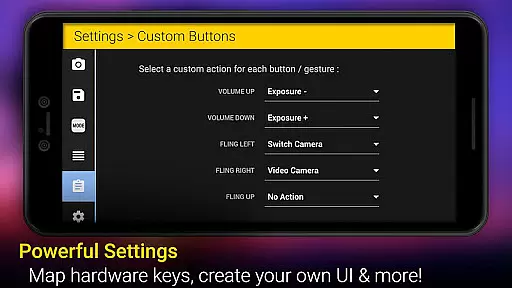
The app also excels in usability, offering tap-to-shoot functionality, silent camera mode, and customizable hardware button actions. These features ensure that users can operate the app intuitively and efficiently, even in demanding shooting conditions. Overall, Camera ZOOM FX Premium combines technical sophistication with user-friendly design, making it a top choice for mobile photographers.
Real-time capture and preview functionality is essential for ensuring that users can take high-quality photos with precision. Camera ZOOM FX Premium offers a powerful real-time preview feature that allows photographers to see exactly what the camera sees before taking the shot.
The app leverages advanced Camera API2 controls, enabling users to adjust settings such as ISO, focus distance, and shutter speed in real time. This ensures that every photo taken is optimized for the current lighting and environmental conditions, providing professional-grade results.
With its fast processing capabilities, Camera ZOOM FX Premium delivers an incredibly responsive experience. Users can instantly see the effects of their adjustments, making it easier to fine-tune settings like exposure and zoom without missing a moment.
This real-time feedback loop not only enhances the photography experience but also empowers users to experiment with different settings confidently, knowing they can rely on the preview to deliver accurate results.
AI beauty and enhancement features are increasingly popular in photography apps, aiming to improve image quality while maintaining a natural look. Camera ZOOM FX Premium incorporates sophisticated AI algorithms that enhance photos without making them appear overly processed or artificial.
The app provides a variety of filters and effects, such as Vignette, Retro, Holga, Bokeh, Lomo, and Hipster, which utilize AI to apply enhancements that complement the original photo. These effects are designed to be subtle, ensuring that the final image retains its authenticity while benefiting from improved aesthetics.
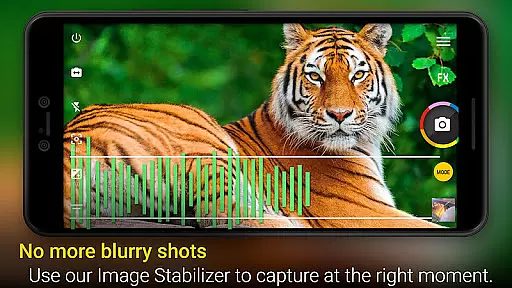
One standout feature is the AI-powered stabilization, which helps in capturing clearer and more stable shots even in challenging conditions. This ensures that users can take sharp photos without the need for additional equipment, enhancing the overall quality of their photography.
By focusing on natural enhancement, Camera ZOOM FX Premium ensures that users can achieve polished yet genuine-looking photos, making it an ideal choice for those who value both quality and authenticity in their photography.
Advanced manual controls
Wide range of effects
Fast burst mode
Intuitive UI
Customizable options
Paid premium version
Complex for beginners
Device compatibility issues
Occasional bugs
Heavy on storage

[3DSteroid Pro] is a stereoscopic application for Android.
 4.30
4.30
Safe & smart flight with Go Fly drone controller for 40+ drone camera, zone map
4.50
Create & Edit with AI: AI Remove, Enhance, Retouch, Filter
4.10
Create collages easily! Nice pic collage maker & background eraser for Instagram
4.50
Gallery Slideshow is slideshow maker app for slideshow from your gallery photos.
3.90
Professional quality photo edits with the new Snapseed.
4.00
Transform Photos: Edit, Beautify and Craft Memories & Make Collages!
4.10
Professional camera app that brings DSLR manual photography controls to Android.
4.20
Your Family Calendar + Photos. Manage your Skylight Calendar and Skylight Frame.
4.40
AI Photo Editor with 100+ Filters, Effects! Remove BG, Retouch & Photo Enhancer.
4.80
Take videos and pictures with the popular TikTok TIME WARP SCAN filter.
4.60
Easily create custom gifts, cards, photo books & more on the Shutterfly app!
4.60
HD Camera Pro with HD Video shooting, Panorama, Photo editor , Beauty Camera.
4.50
Movie camera, supports pro recording settings for filming. Try it and be amazed!
4.50
Natural Beauty, Selfie Retouch
4.30
live datamoshing
4.00
Be your best in every shot! Fix, edit and retouch your face in selfies & photos.
3.70
Remote control the phone camera shutter from your smartwatch and take a picture
1.60
Over 800 film simulation recipes for Fujifilm. Black Friday Offer!
4.0


User Reviews